Deep Watch: the AI agent that watches videos for you
Deep Watch looks at what is on screen and reads what is said, then gives you the key points with pictures of the screen. You read the notes and skip the watching. Also new: a Chrome extension for videos in a tab, and a new video page.
Video Highlight watches this video for you
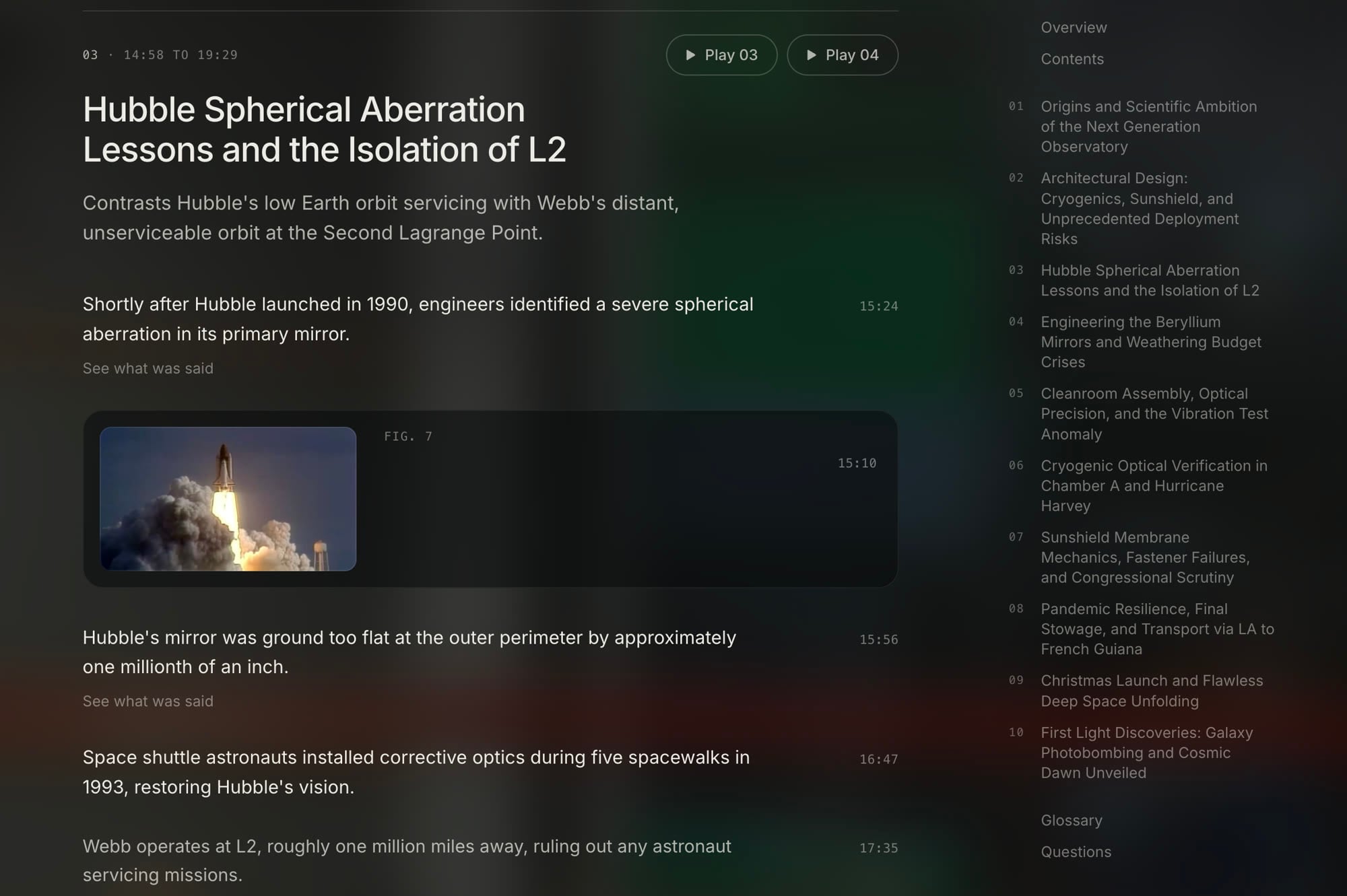
Deep Watch watches the whole video for you. It looks at what is on screen and reads what is said, and keeps the key points with pictures of the screen.
Every point has its time. Press a time and the video opens there. Download the notes as a PDF with pictures, or share notes from a YouTube video with a read-only link. Notes from your own files stay private.
Works on YouTube videos, video files you upload, and your tab recordings. Deep Watch is included in Plus, Pro and Business.
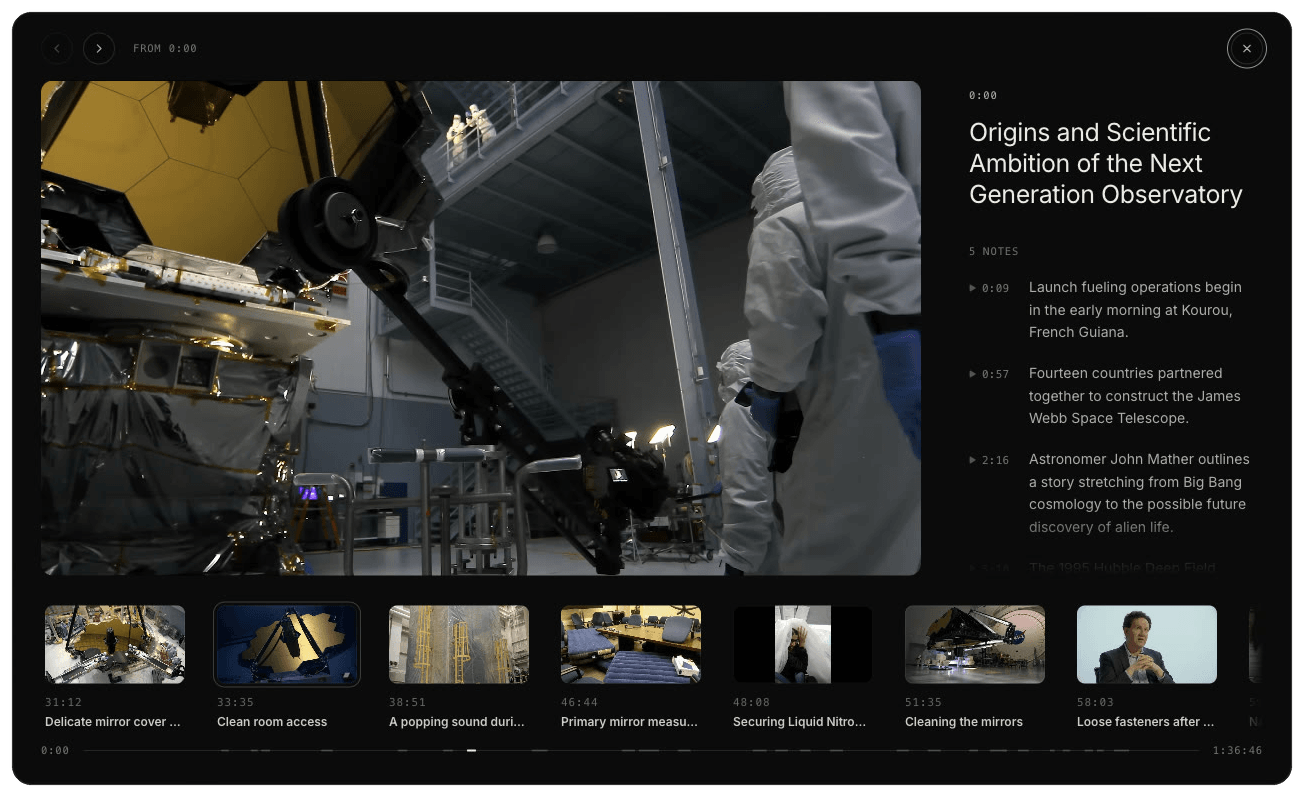
Highlights with their pictures
Each highlight in your Deep Watch notes keeps its notes, and its picture when the screen matters. Play one, or watch them in order.
Record a video in a tab. When you stop, Video Highlight watches it for you.
Record a video playing in a Chrome tab, with its sound. Press H to save highlights while it records. When you stop, the recording goes to your library as a private video and Video Highlight makes your notes. The extension never uses your microphone or camera.
Recording is on the paid plans.
See the Chrome extension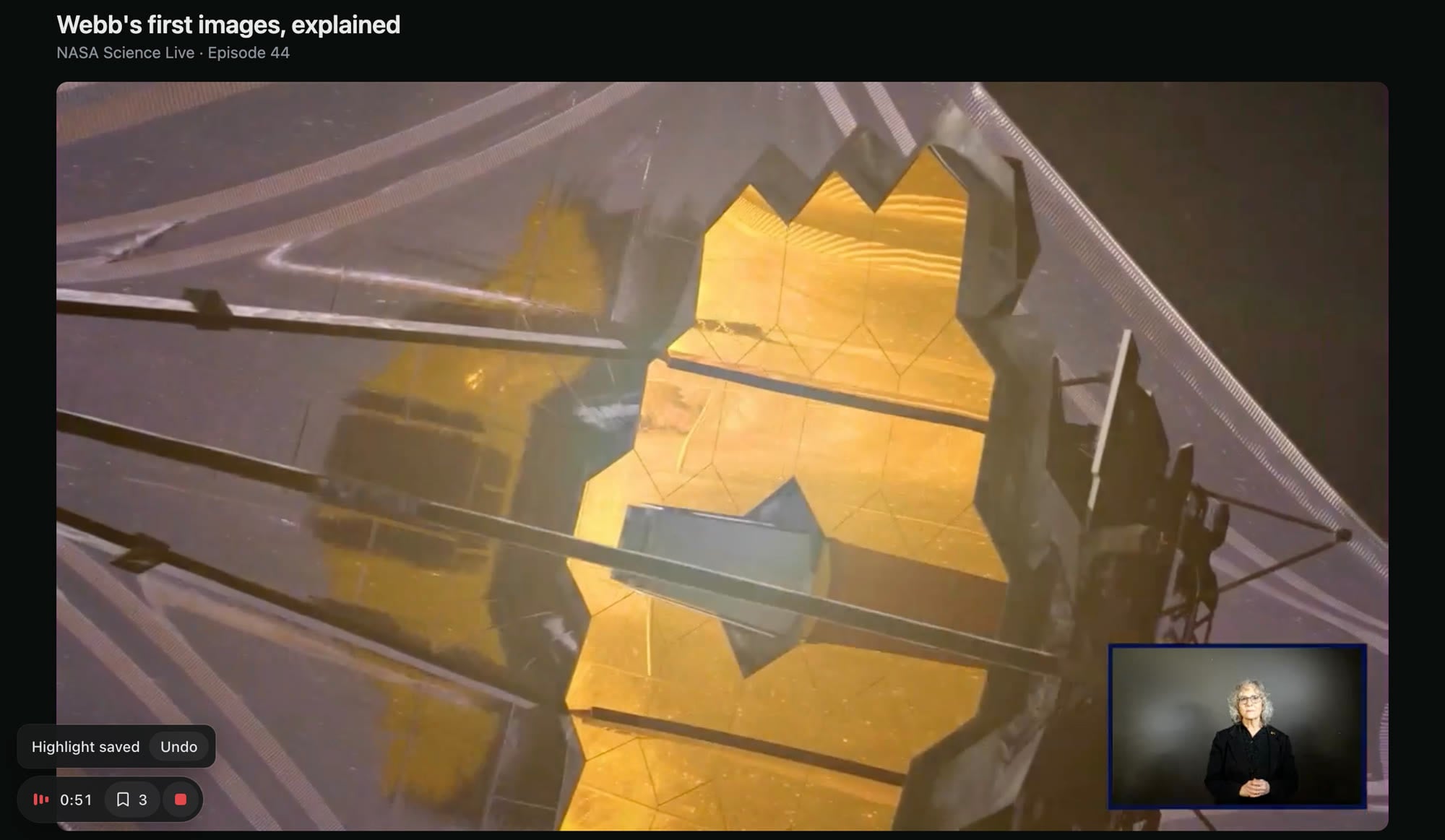
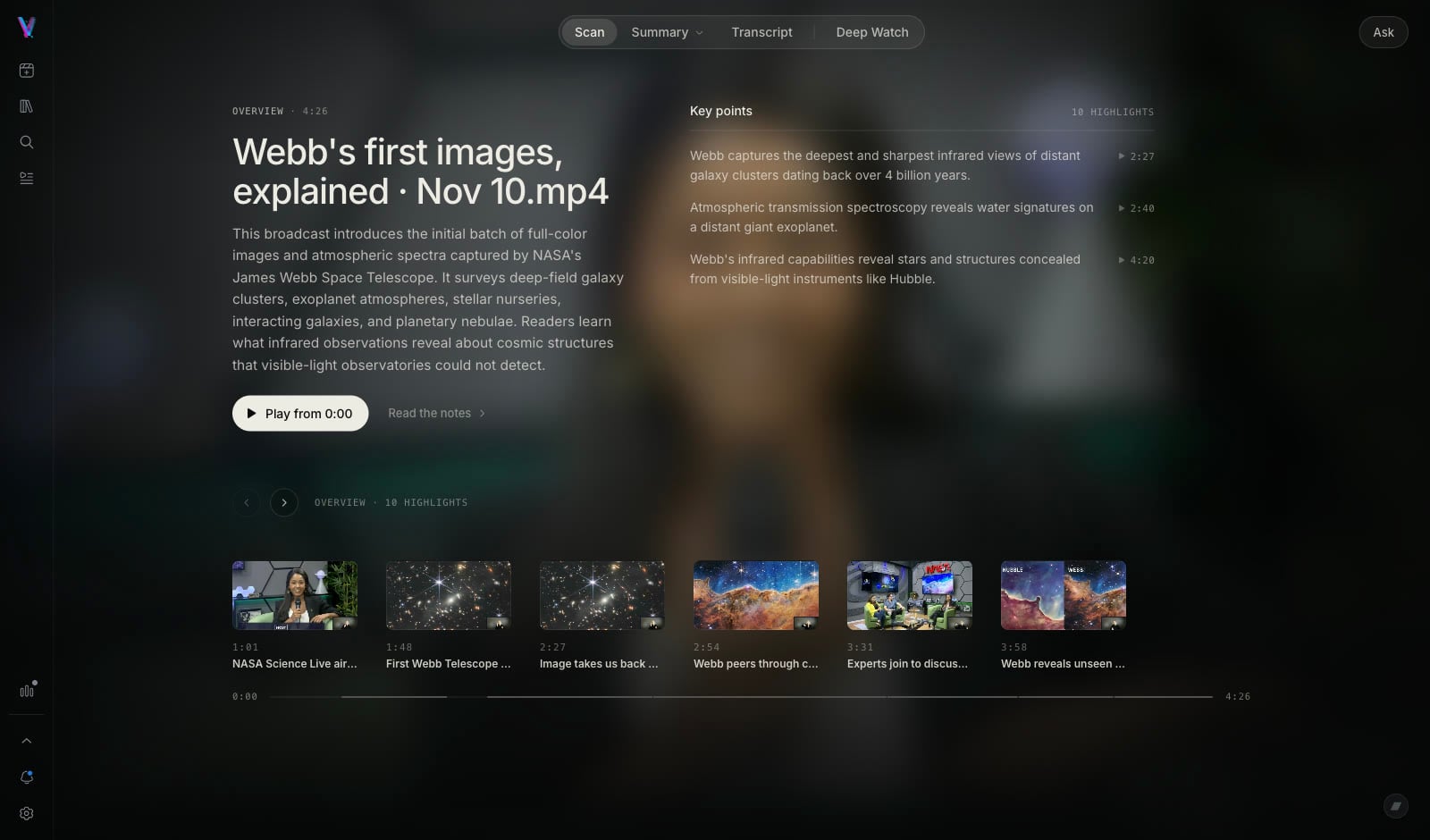
One page, four ways to engage with a video
A video opens on one page with four views: Scan for the key points, Summary for the full notes, Transcript for the words, and Deep Watch for notes with pictures. Beside the video, one panel at a time: Highlights for what you saved, or Ask for questions about the video. Ask answers carry times that move the player.
Press H to save a highlight. On your own files, and on YouTube with the extension, the highlight keeps a picture of the screen.
The free plan covers Summary, Transcript, Highlights and Ask on YouTube, Vimeo and Dailymotion links, with the Scan view.
From video to notesChoosing a tool for video notes?See how Video Highlight compares
Hours of video. Minutes of reading.
Researchers, professionals, and creators use it on YouTube videos and on their own recordings