The AI that watches videos and takes notes for you
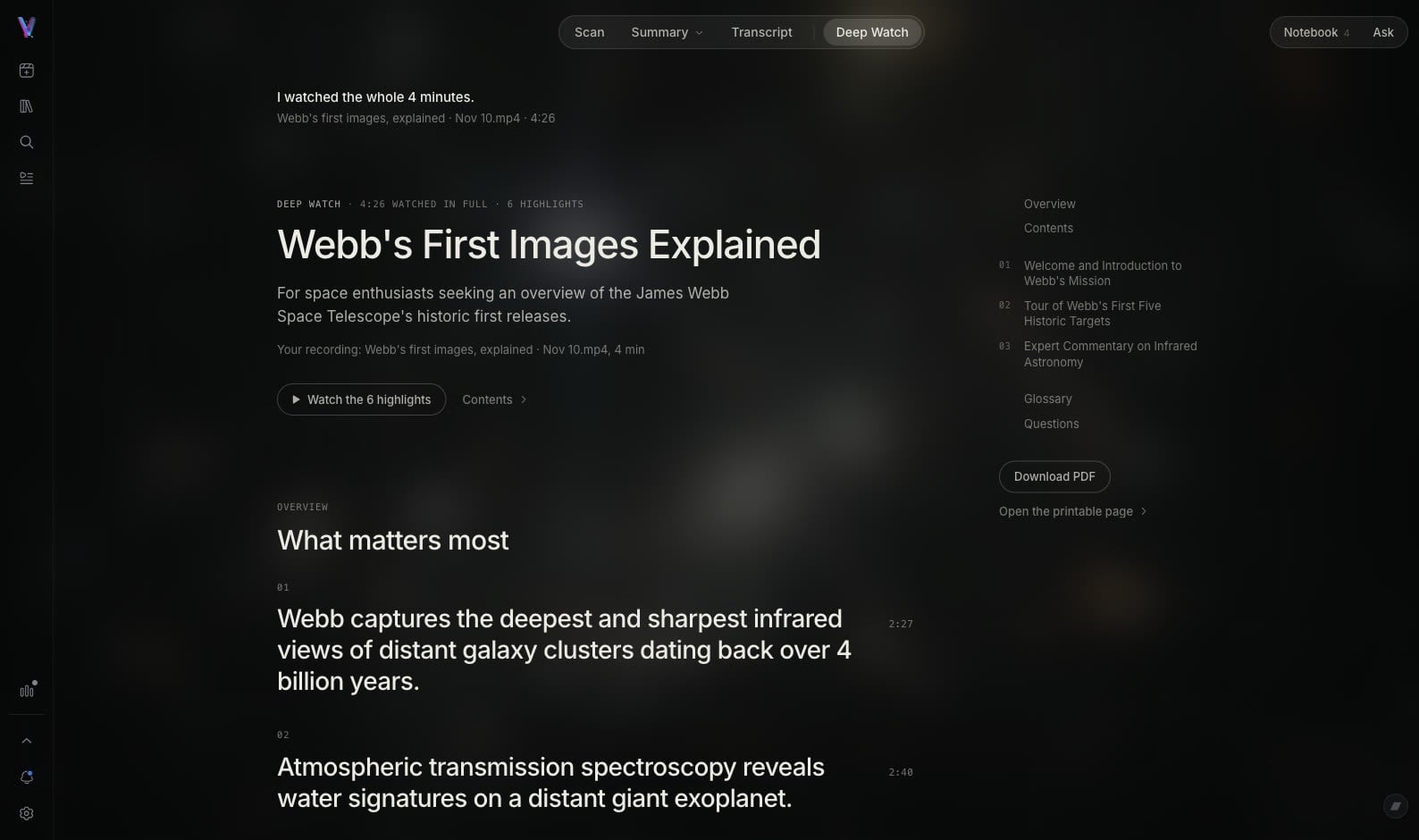
Video Highlight is an AI that watches videos and gives you notes to read. Deep Watch watches the whole video for you. It looks at what is on screen and reads what is said, and keeps the key points with pictures of the screen.
Deep Watch is included in Plus, Pro and Business.
Notes you can read instead of watching, with pictures of the screen
Video Highlight watches this video for you. You get notes in chapters. Each point has its time, and the pictures come from the video at that second. Press a time to open the video at that point.
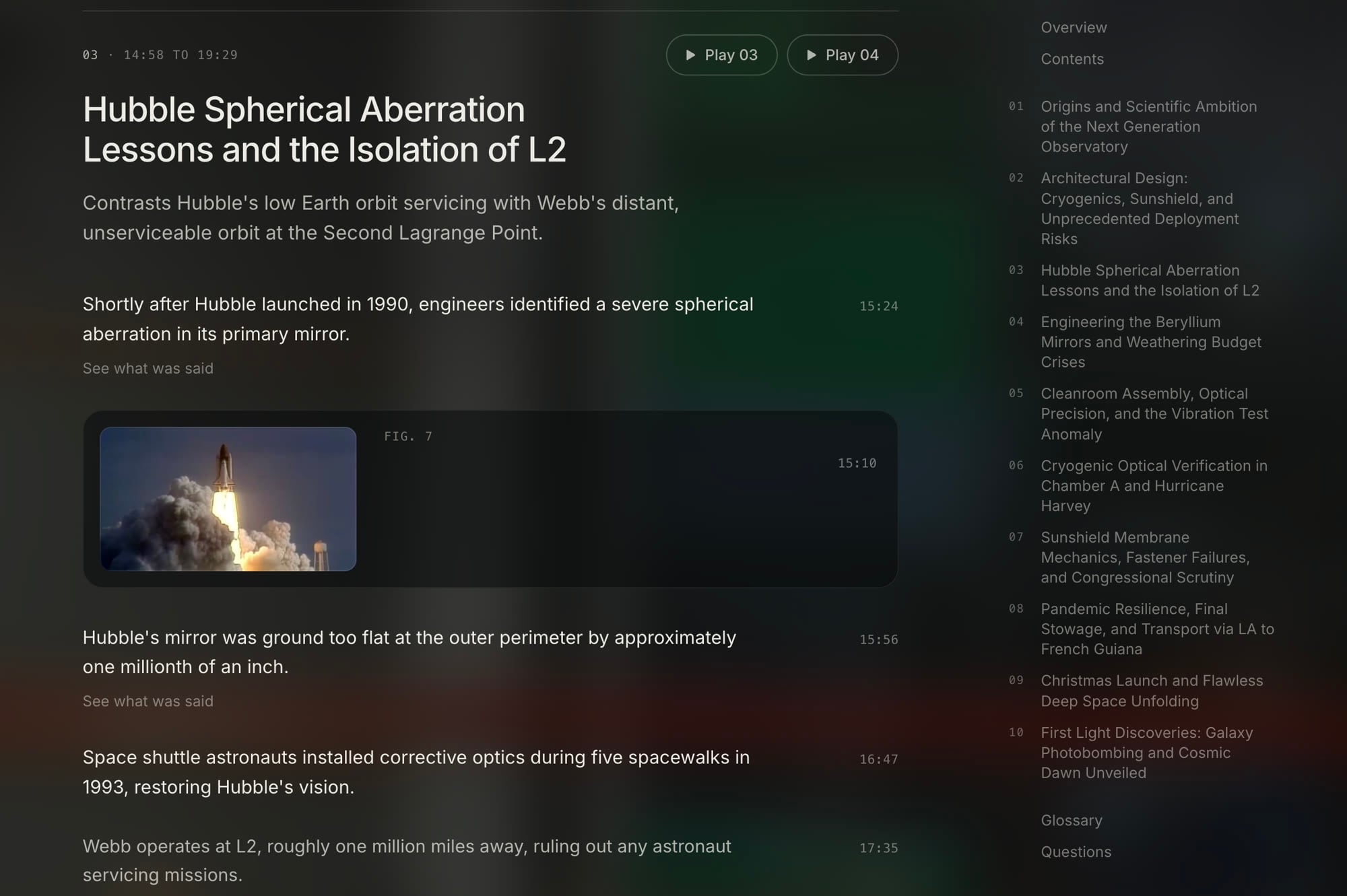
Pictures of the screen
Deep Watch keeps pictures of the screen where the screen matters. A video that shows only the speaker gets notes without pictures.
Every point at its time
Each point in the notes has the time it comes from in the video.
Open the video at that point
Press a time and the video opens at that second, so you watch only the part you need.
YouTube videos, your video files and your tab recordings
Deep Watch works on three kinds of video.
YouTube videos
Paste a YouTube link. Video Highlight watches the video and makes the notes.
Your uploaded video files
MP4, MOV, MKV, AVI and FLV files that you upload to Private files.
A video you record in a Chrome tab
Record a video that plays in a Chrome tab with the Chrome extension. The recording goes to your library as a private video.
Deep Watch does not work on audio files. An audio file gets a transcript and a summary. It also does not work on videos from other sites, like Vimeo or Dailymotion.
How it is different from a summary
Both give you the key points with their times. They start from different things.
Summary
Tells you the points from the words. It reads what is said in the video and gives you the key points with their times.
Deep Watch
Also looks at the screen. It reads what is said, looks at what is shown, and keeps pictures of the screen in the notes.
Use a Summary when the words carry the video. Use Deep Watch when what is on screen matters too: slides, code, diagrams, a product demo.
Download PDF, print, or share by link
Your notes do not stay inside the app.
Download PDF
A PDF of the notes, with the pictures. In a PDF from a YouTube video, the times are links.
Share by link
Share notes from a YouTube video by link. People see a read-only page with the pictures, and can save the notes.
Your own files stay private
Notes and highlights from your own files cannot be shared by link.
For every format, see export.
For people who learn from long videos
Long course videos, recorded lessons, webinars and talks. Read the notes first, then open the video only where you need it.
Online courses
Course videos often run for hours and show slides and screens. Get the notes with the pictures of those screens. Notes for online courses
Recorded lessons and talks
A lesson in a browser tab or an uploaded recording becomes notes you can read and check against the video. Notes for lectures
Other tools that make notes from video
Other tools also make notes from video, and each one does a different job. Some write notes beside the video while you watch it, some record your own screen and voice, and some put a video in a notebook with your documents. Our comparisons with HoverNotes, NotebookLM and ScreenApp say what each one does and when it is the better choice. See all comparisons.
Frequently asked questions
Is there an AI that watches videos and takes notes?
Yes. Deep Watch is an AI that watches videos and takes notes. It watches the whole video for you. It looks at what is on screen and reads what is said, and keeps the key points with pictures of the screen. Each point has its time in the video.
Which plans include Deep Watch?
Deep Watch is included in Plus, Pro and Business. It is not on the free plan. See the pricing page for the plans.
Does Deep Watch work on YouTube videos?
Yes. It works on YouTube videos, on video files you upload, and on videos you record in a Chrome tab with the extension. It does not work on audio files or on videos from other sites, like Vimeo or Dailymotion.
Does the video need captions?
Deep Watch reads what is said. For a YouTube video it uses the video's captions, or our own transcription when there are none.
Can I share my Deep Watch notes?
Notes from a YouTube video can be shared by link. People see a read-only page with the pictures, and can save the notes to their own account. Notes from your own files and recordings stay private.
Can I print the notes or save them as a PDF?
Yes. Press Download PDF to get the notes with their pictures, or open the printable page. In a PDF from a YouTube video, the times are links to the video.
Does it work on my own recordings?
Yes, if the recording is a video. Upload a video file to Private files, or record a video that plays in a Chrome tab with the extension. The notes stay private. An audio file gets a transcript and a summary, not Deep Watch.
Is it accurate?
It is made by AI from the video. Check what matters. Every point has its time, so you can open the video at that point and see it for yourself.
Explore related features
Hours of video. Minutes of reading.
Researchers, professionals, and creators use it on YouTube videos and on their own recordings