Export to your favorite tools
Export summaries and highlights to Notion or Readwise. Copy as Word, Markdown, or CSV.
What makes Video Highlight export different?
Not just file downloads. Smart exports that preserve context.
- NotionStructured pages with timestamps, highlights and links.
- ReadwiseHighlights sync to your reading library. Review alongside your book notes.
- CopyWord, Markdown, or CSV. Formatting for any text editor.
Export & copy options at a glance
| Word | Markdown | TXT | CSV | SRT / VTT | ||
|---|---|---|---|---|---|---|
| Summaries & key points | ||||||
| Transcripts |
Send to your tools too: Notion receives your summaries and key points with highlight colors, and Readwise syncs your highlighted segments for daily review.
Built for your workflow, not ours
Your video insights, where you need them.
Notion Integration
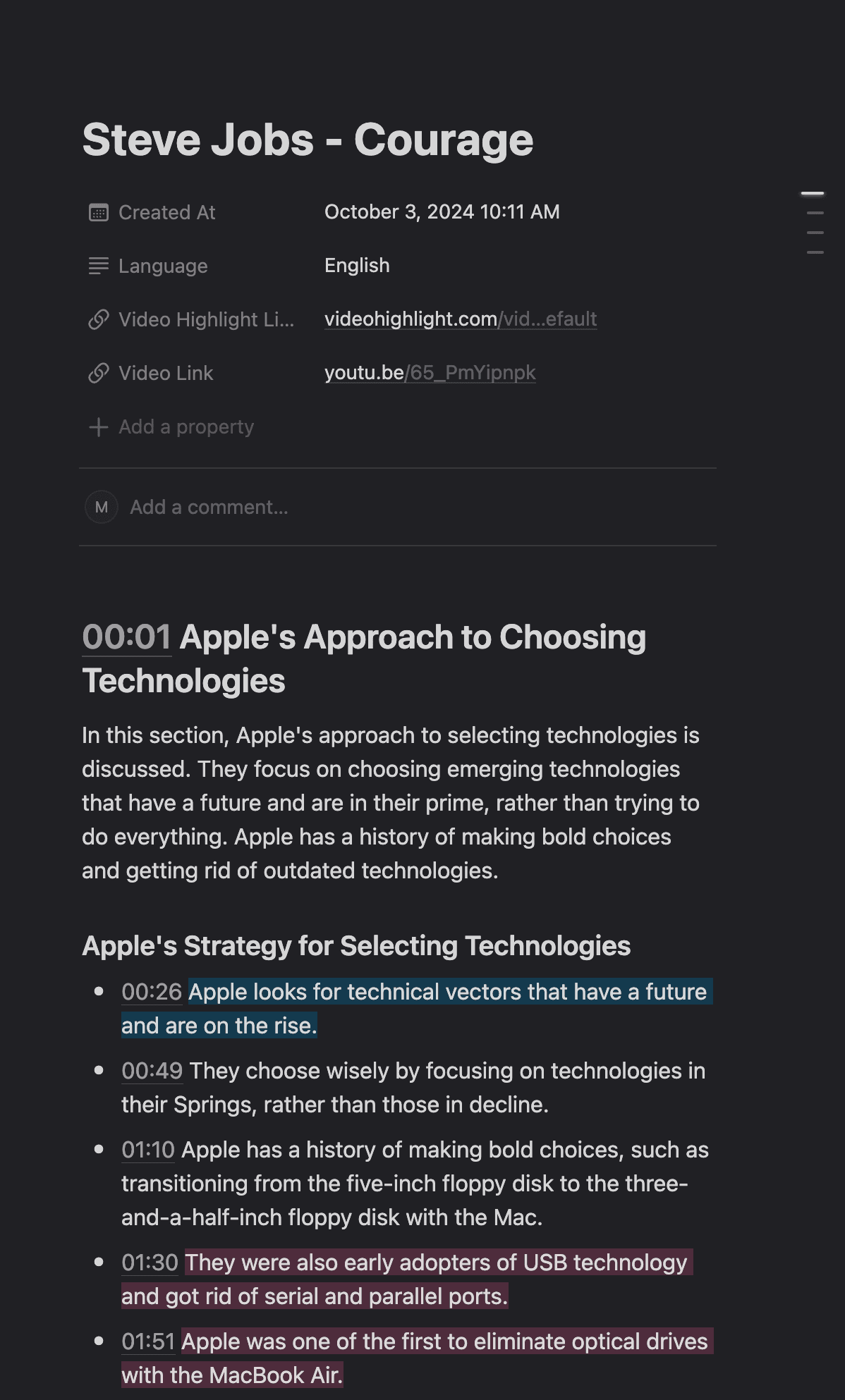
Structured pages with timestamps, highlights, and full formatting preserved.
Readwise Sync
Highlights sync to your reading library. Review alongside your book notes.
Word, Markdown, CSV
Formatting for any text editor. Copy and paste anywhere.
How export works
Connect
Link your accounts
Select
Choose content
Configure
Set format
Export
One-click transfer
Done
View in your app
In practice
Notes from a video land in Notion as a formatted page: headings, bullets, timestamps. They sit beside the rest of the research instead of in a separate app.
Built for your workflow
Note-Takers
Build knowledge bases in Notion. Video insights alongside your other notes.
Readers
Unify video highlights with book highlights in Readwise. One daily review.
Developers
Build custom integrations with our REST API. Export programmatically.
Explore related features
Frequently Asked Questions
What can I export?
Send summaries and key points to Notion, and your highlighted segments to Readwise. Copy or download summaries and transcripts as Word, PDF, Markdown or CSV, plus TXT and subtitles (SRT/VTT) for transcripts.
How does Notion export work?
We create structured Notion pages with timestamps, highlights, and full formatting. You can configure which database receives the exports in your integration settings.
Does Readwise support video highlights?
Yes, highlights export to Readwise and appear in your daily review alongside book highlights. Each highlight includes the video source and timestamp.
Can I copy as markdown?
Yes, one-click copy with proper markdown formatting. Paste into any text editor, note-taking app, or document.
Do I need to reconnect for each export?
No, once you connect your Notion or Readwise account, it stays connected. Export anytime with one click.

Hours of video. Minutes of reading.
Researchers, professionals, and creators use it on YouTube videos and on their own recordings