Video Highlight MCP for Claude
Add Video Highlight to Claude
Two minutes, once. Works in claude.ai, Claude Desktop and the mobile apps. Claude can then search your videos, read their summaries and transcripts, and cite the exact moment.
Setup
- 1
Open Connectors
In Claude, open Settings, then Connectors. Look for Video Highlight in the directory. If it is not listed, choose Add custom connector, name it Video Highlight, paste the endpoint URL and leave the other options as they are.
- 2
Connect and sign in
Click Connect. Claude opens a Video Highlight sign-in page in your browser. Sign in the way you signed up, with Google or your email, using the email of your library. If you have no account yet, one is created from the email you use.
- 3
Ask
Start a chat and ask about a video you have summarized. Claude asks before its first use of each tool. Choose Always allow to stop the prompts; every tool is read-only.
Step by step, with screenshots
- 1
Open Settings
In Claude, open the menu with your name on it and choose Settings.
- 2
Go to Connectors
In the settings panel, select Connectors from the left menu.
- 3
Add a connector
Click Add at the top right, then choose to add a custom connector.
- 4
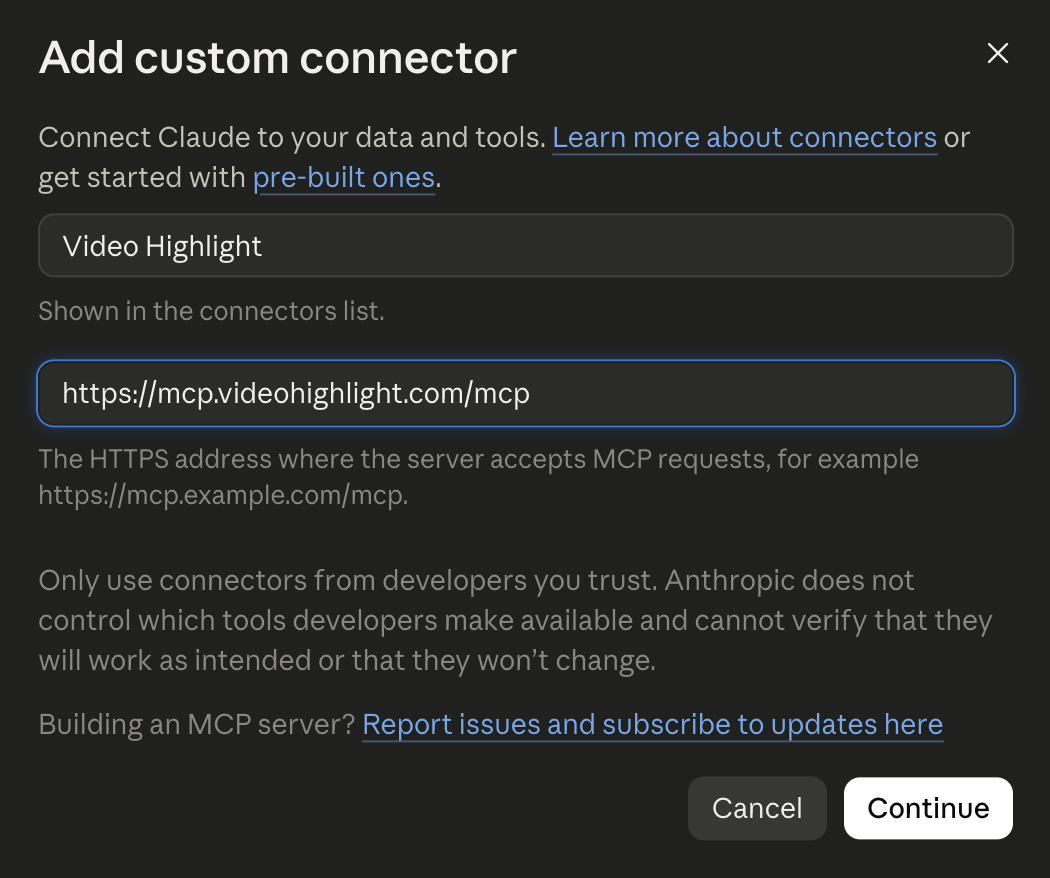
Configure it
Name it Video Highlight and set the URL to the endpoint above.
- 5
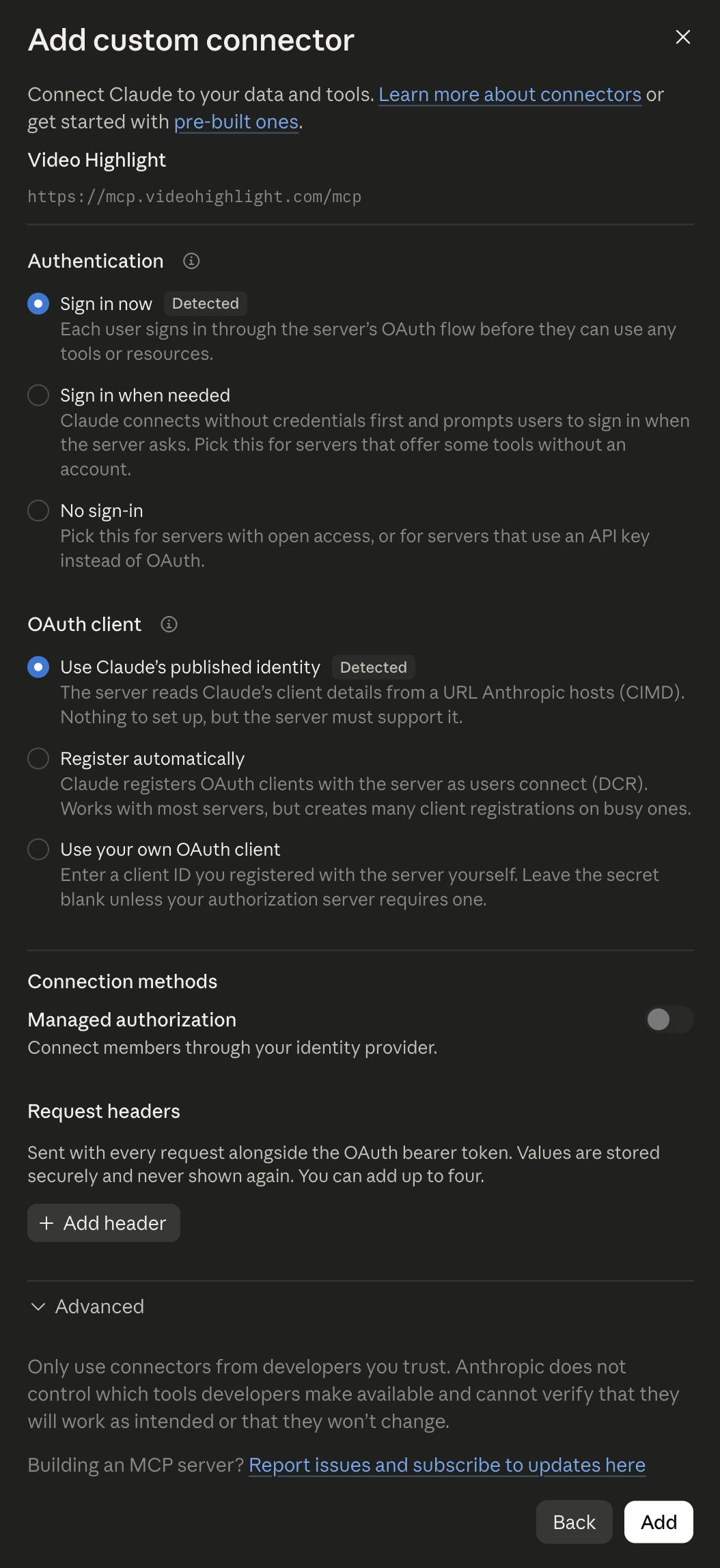
Accept the defaults
Leave the authentication and advanced options at their defaults.
- 6
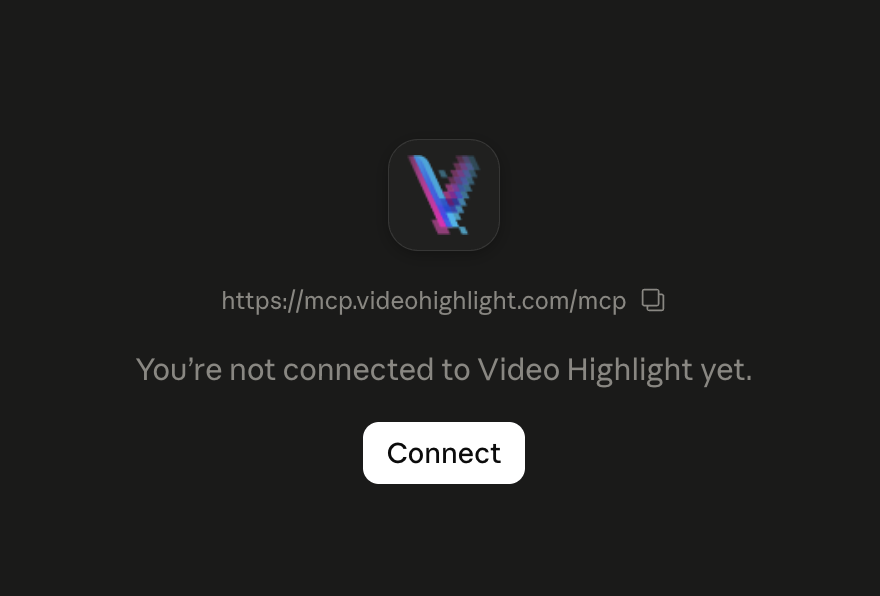
Connect
Click Connect.
- 7
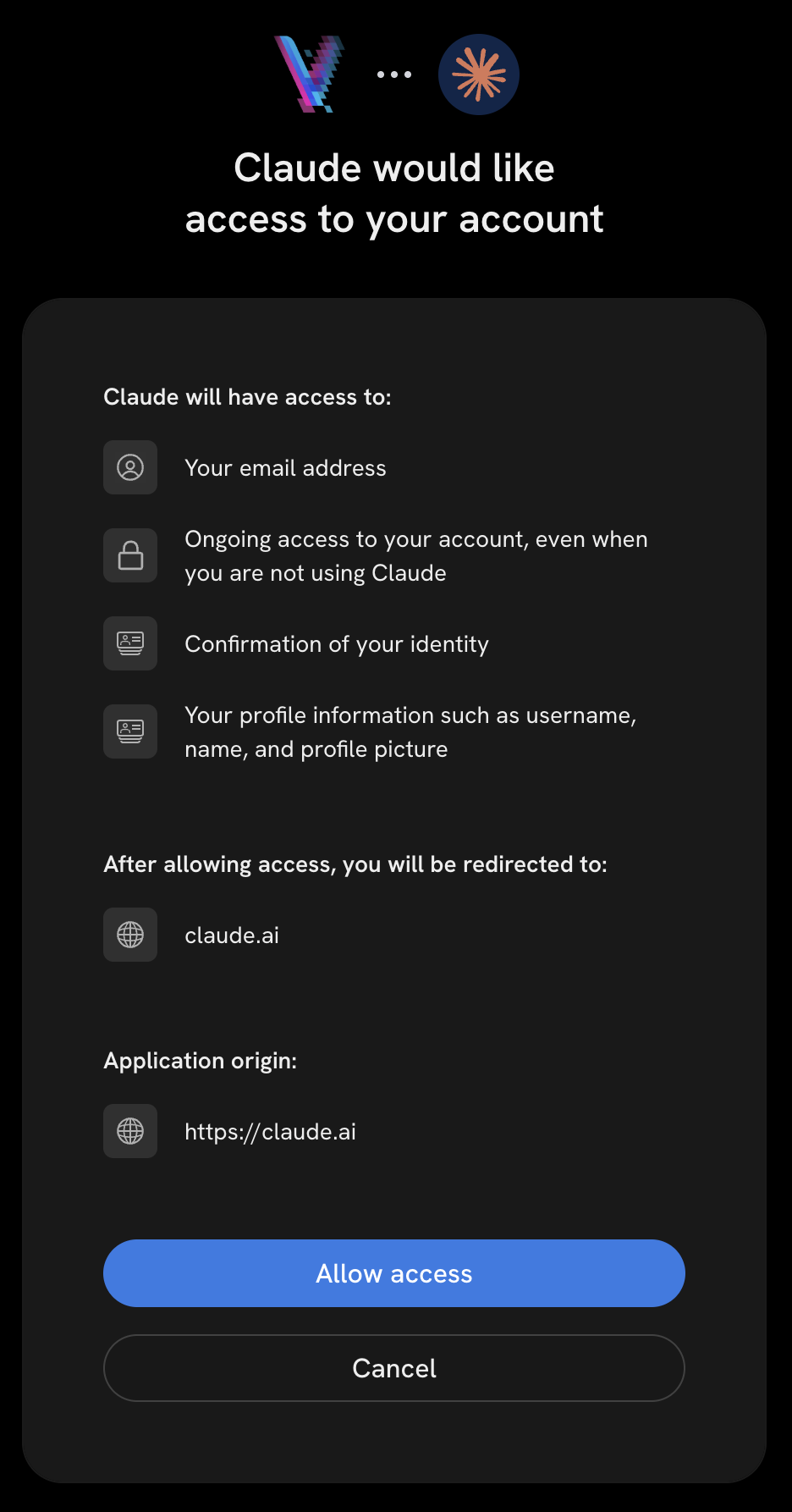
Approve access
Approve the account-access request so Claude can reach your library.
- 8
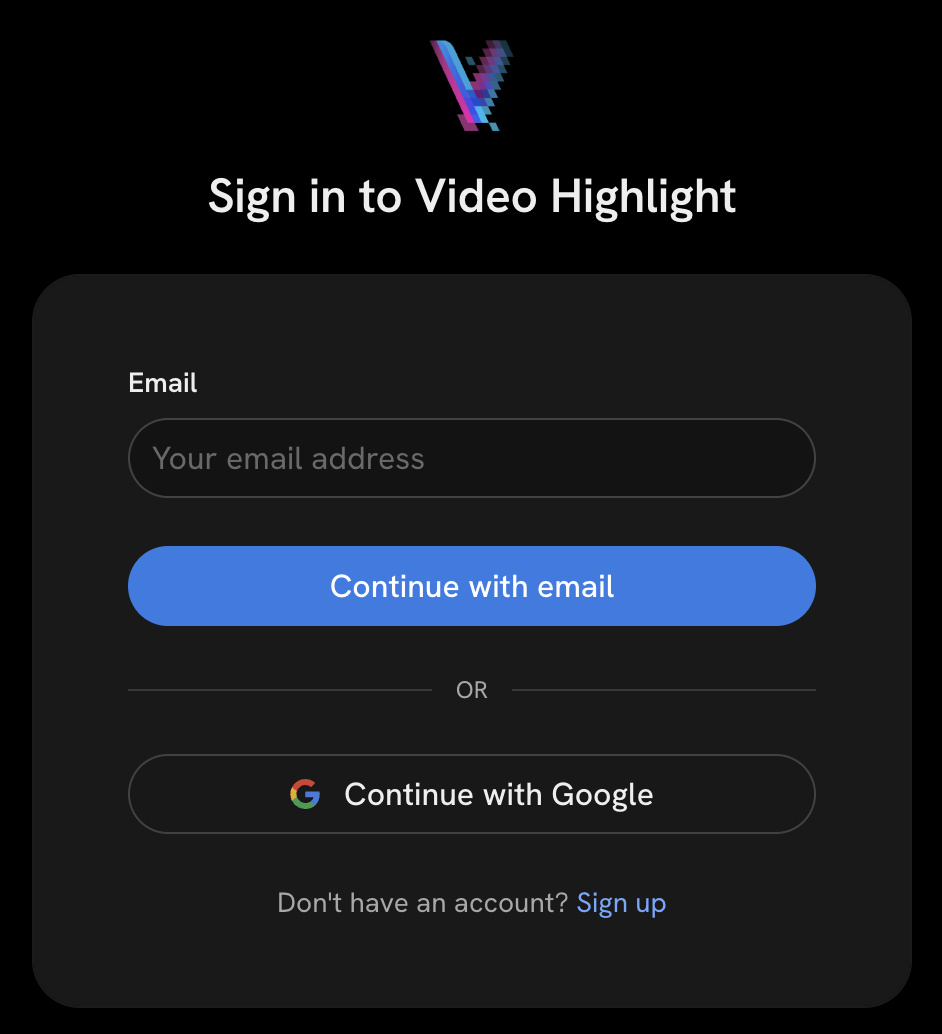
Sign in
Sign in to Video Highlight the same way you signed up, for example Continue with Google. Use the same email as your library. If you do not have an account yet, a free one is created from the email you sign in with.
- 9
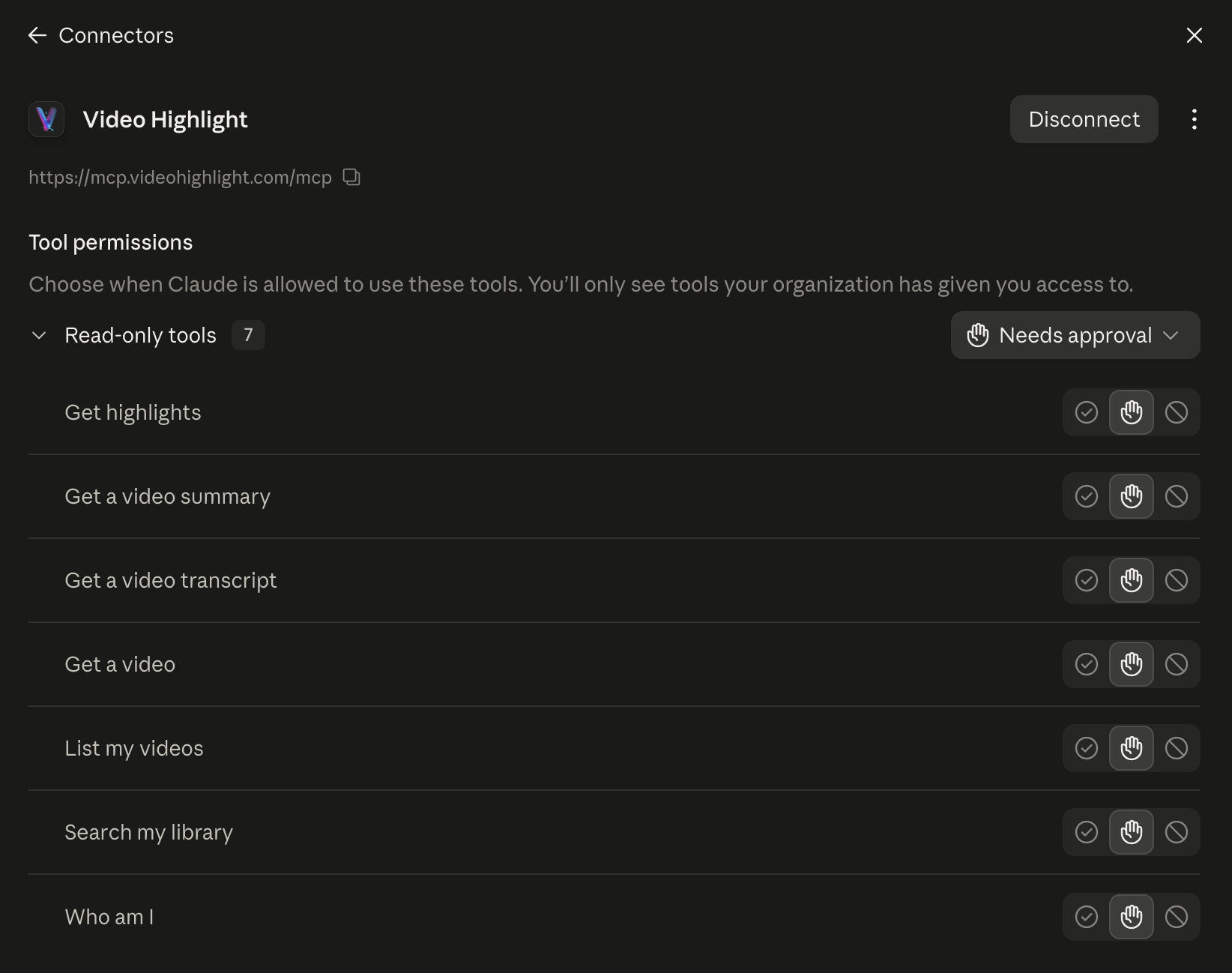
See the tools
Back in Claude, the seven read-only tools appear under the connector.
- 10
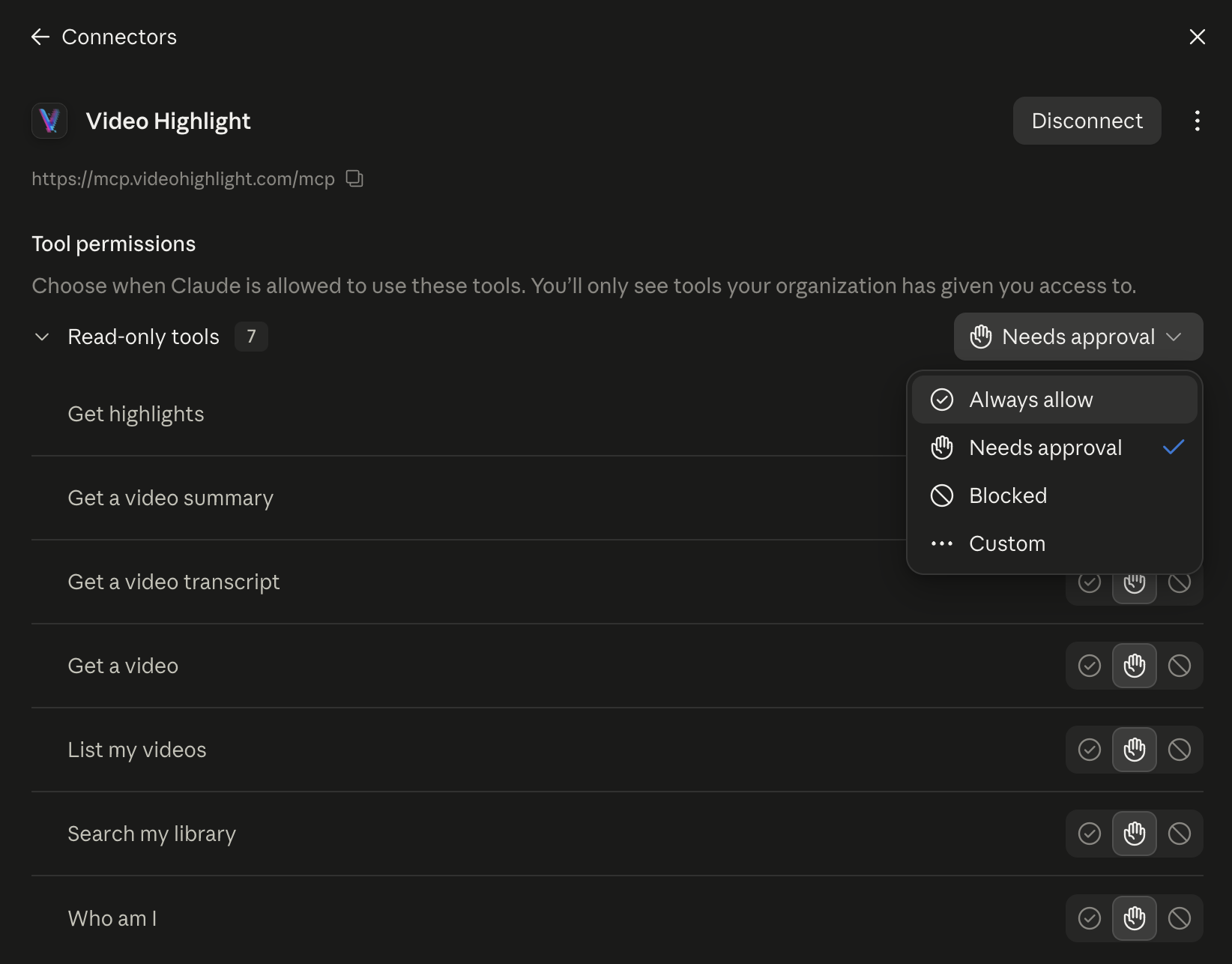
Set permissions
Claude asks before it uses a tool, unless you choose Always allow. All seven tools are read-only, and each one can be switched off on its own.
- 11
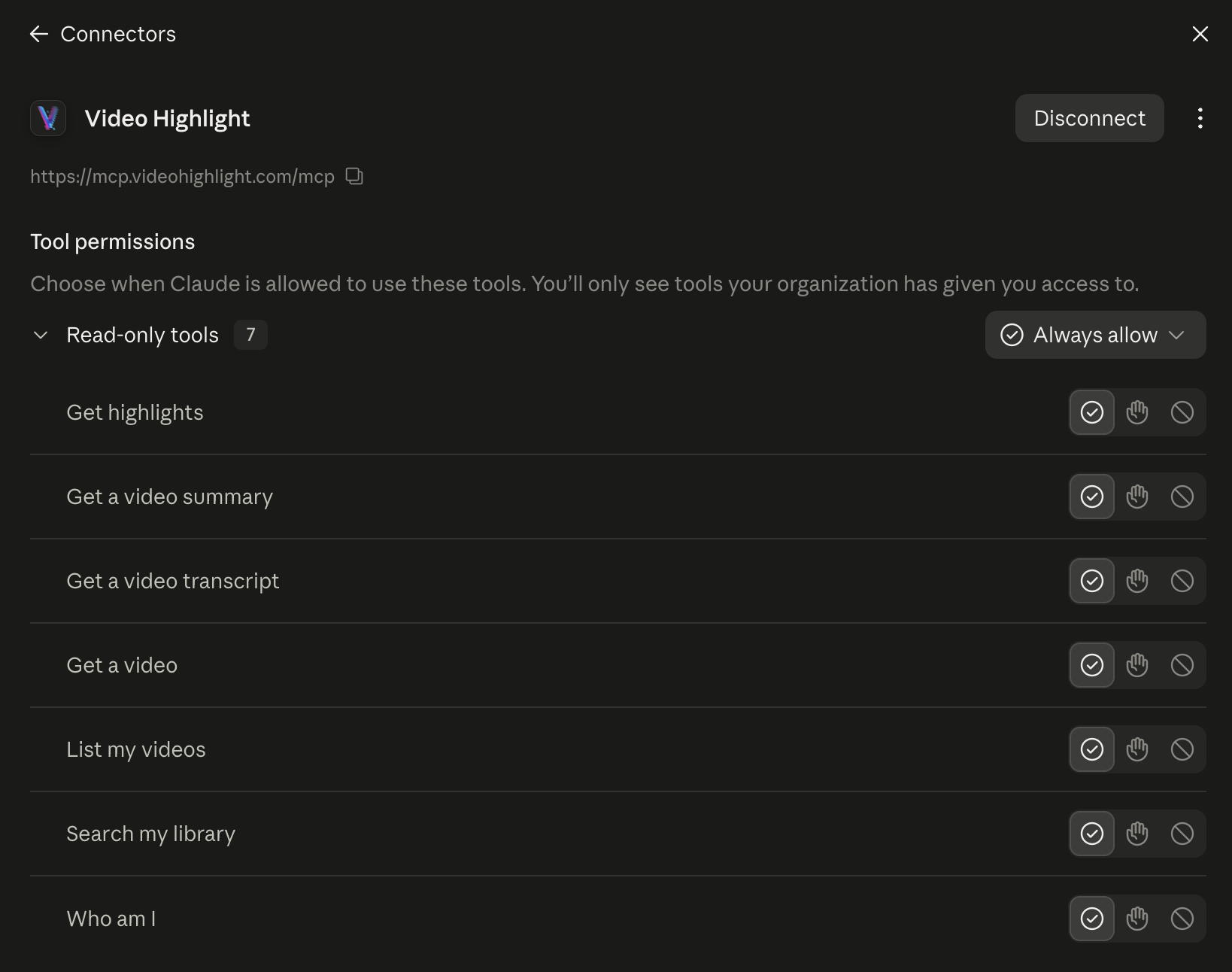
You're connected
The tools now show as allowed. Ask about your library and Claude answers with a citation to the exact moment.
Try it
Paste one into Claude once the connector is on.
Recap my latest video
Recap the video I opened most recently in Video Highlight: the main argument in two sentences, the five key moments with a timestamp link each, and one quote worth keeping, word for word.
Find what was said about a topic
Search my Video Highlight library for what was said about [topic]. Quote the three strongest moments word for word, each with the video title and a timestamp link, and tell me which video to open first.
Map my library
Group the 50 videos I opened most recently in Video Highlight by theme, with one line per theme and the videos in it. End with three questions I could ask across them.
Access and privacy
What Claude can read
How sign-in works
Questions
Do I need a Video Highlight account first?
No. Sign in with any email and a free account is created for you. It starts empty, so add a video at videohighlight.com before you ask Claude about it.
Claude says my library is empty
Either the library is new, or you signed in with a different email from your Video Highlight account. Remove the connector, add it again, and sign in with the right email. Videos you transcribed but never summarized do not appear until you summarize them.
Can Claude read my private uploads?
Yes, once you have summarized them. They stay private to your account. Uploading your own files needs a paid plan.
What does it cost?
Nothing extra, on any plan including Free. Your plan still sets what you can summarize at videohighlight.com.
How do I disconnect?
Remove Video Highlight in Claude under Settings and Connectors. To revoke the authorization on our side as well, email support@videohighlight.com.
Trouble connecting: support@videohighlight.com. How connector data is handled: privacy policy, sections 4.1 to 4.3.

Hours of video. Minutes of reading.
Researchers, professionals, and creators use it on YouTube videos and on their own recordings