ATBTT - Stat System #2 - Creating Traits and Statuses
Introduction to the Stat System in Unreal Engine 5
Overview of Changes from Unreal Engine 4
- The tutorial continues from the previous Unreal Engine 4 Stat system, noting that there are no significant changes in the toolkit transitioning to Unreal Engine 5.
- Older tutorials remain relevant as the code and UI elements have not been affected by this transition.
Understanding Statuses and Traits
- The tutorial introduces statuses and traits, explaining that they function similarly to stats but can incorporate their own logic for more complex interactions.
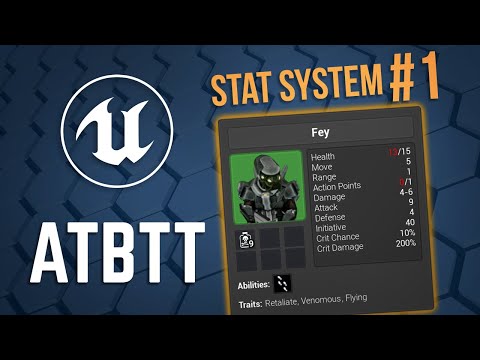
- Examples include a "retaliate" trait that allows units to counterattack when attacked, a "venomous" trait dealing poison damage, and a "flying" trait enabling movement through obstacles.
Distinction Between Traits and Statuses
Definitions and Usage
- Traits are described as stable attributes of a unit without associated values, while statuses represent temporary effects during combat with variable numbers.
- Both traits and statuses are categorized under Cuts, set up similarly to stats from previous tutorials.
Implementing New Traits
Creating a Rage Trait
- The tutorial demonstrates adding a new stat tag called "rage," which will be used for creating a new trait.
- A stat is created alongside the rage trait; it does not require maximum values or tooltips since it's primarily for organizational purposes.
Adding Rage Trait to Units
Assigning Traits
- The rage trait is assigned to units (e.g., an angry medic), initially set with a value of two.
- This setup allows players to see the rage attribute displayed in-game but does not yet implement any gameplay effect.
Creating Gameplay Effects with Statuses
Developing Status Logic
- To create meaningful gameplay effects, the tutorial emphasizes adding status components that react to game events.
- A new status component named BP_Status_Rage is created, designed to increase damage multipliers when units take damage.
Binding Events for Status Functionality
Event Handling
- The server setup event binds actions such as increasing damage multipliers upon being attacked while tracking retaliations per turn.
- Local events ensure performance efficiency by limiting event calls only when specific units are attacked rather than globally across all units.
Implementing Damage Multiplier Logic
Finalizing Rage Status Functionality
- The rage status is linked with gameplay events so that whenever an attack occurs on the unit with this status, its damage multiplier increases accordingly.
- This implementation allows different types of rage traits providing varying multipliers based on how much damage was taken.
Displaying Changes in Game UI
Updating Player Feedback
- To enhance player experience, changes in damage multipliers must be visually represented within the game interface using Stats Puppet components.
Transforming Damage Multiplier into Temporary Status
Adjustments for Gameplay Mechanics
- The tutorial suggests converting the existing damage multiplier stat into a temporary status effect applied only during attacks.
- An icon and tooltip are added for clarity on what this status represents during gameplay interactions.
Removing Temporary Status After Use
Finalizing Damage Multiplier Behavior
- After executing an attack action, the newly created damage multiplier status should automatically remove itself from active play.
- Setting its value back to zero effectively removes it from display unless specified otherwise within game mechanics.
Conclusion of Tutorial Insights
Summary of Key Features
- Various features discussed include color coding for visual feedback on stats changes and options for random ranges within stats.
- Players can utilize tags for identifying buffs or debuffs among various stats enhancing strategic gameplay decisions.
Turn any video into a summary like this
YouTube links, meetings, lectures. With transcripts, search, and chat.