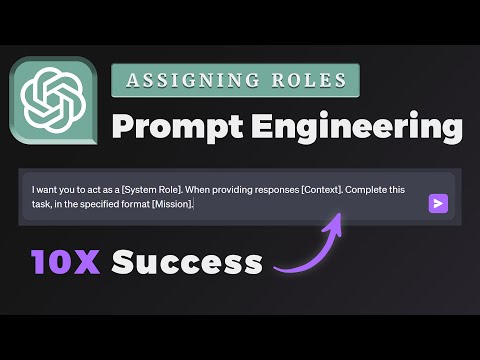
ChatGPT Prompt Engineering: Assigning Roles To ChatGPT! (Beginner's Guide)
Introduction to System Roles in Chat GPT
In this section, the speaker introduces the concept of system roles in Chat GPT and explains their importance in shaping the chatbot's responses.
Understanding System Roles
- System roles are powerful tools in Chat GPT that allow users to define how they want the chatbot to act and respond.
- By assigning a system role, users can give the chatbot a specific personality or profession, such as a doctor, lawyer, engineer, etc.
- The prompt should start with "Act as" followed by the desired system role.
- Providing context is crucial for guiding the chatbot's responses effectively.
Creating Your Own System Role
- Users have the flexibility to create their own system roles within Chat GPT.
- Along with defining the system function, it is important to provide clear instructions and context for desired responses.
- The final step is adding a mission statement at the end of the prompt to specify what actions or information you want from Chat GPT.
Examples of Using System Functions in Chat GPT
This section provides examples of using system functions within Chat GPT and demonstrates how they can shape the chatbot's responses.
Example 1: Acting as an Aphorism Book
- The user defines the chatbot's role as an aphorism book at the beginning of the prompt.
- Clear instructions are given to provide wise advice, inspiring quotes, and meaningful sayings.
- Additional instructions include suggesting practical methods for implementing advice or related themes.
- A specific request is made regarding tying shoelaces.
Example 2: Importance of System Functions
- Without specifying a system function (aphorism book), asking about tying shoelaces would yield different responses.
- The response when using the system function includes aphorisms related to the topic and practical advice on tying shoelaces.
- The system function enhances the depth and relevance of the chatbot's responses.
Conclusion
The speaker concludes by inviting viewers to explore more in-depth tutorials on Chat GPT and its advanced usage.
Further Learning Opportunities
- Viewers interested in learning more about Chat GPT can consider purchasing a course offered by the speaker.
- The course provides comprehensive guidance for becoming an advanced user of Chat GPT.
Timestamps are provided for each section, allowing easy navigation to specific parts of the video.
How to Deal with a Breakup
The speaker explains how to add a new response or task in an aphorism book style by using the edit button. They then request advice on dealing with a breakup.
Adding New Requests
- Click the edit button to add a new request.
- Request for advice on dealing with a breakup.
Funny System Function
The speaker introduces a funny system function suggested by a GitHub user, where Chat GPT acts as a drunk person and responds accordingly.
Acting as a Drunk Person
- Use the system function to make Chat GPT act like a drunk person.
- Deliberately make grammar and spelling mistakes in responses.
- Provide context and examples for Chat GPT to understand the role.
Conversing with Drunk Chat GPT
The speaker demonstrates how to have a conversation with Chat GPT acting as a drunk person, generating humorous and error-filled responses.
Interacting with Drunk Chat GPT
- Start the conversation by asking about what to eat tonight.
- Chat GPT responds with funny and misspelled suggestions, resembling drunk texting.
- Manipulate Chat GPT's responses to create human-like experiences within the chat thread.
Creating Custom System Functions
The speaker explains how to create custom system functions in Chat GPT, providing context, examples, and missions for desired responses.
Creating Custom System Functions
- Follow the principles of creating an existing or non-existing personality within Chat GPT.
- Use an "act as" statement to define the system role (e.g., "act as a backwards man").
- Provide context on how Chat GPT should respond (e.g., responding from right to left).
- Give examples and enough context for Chat GPT to generate the desired output.
Example of Custom System Function
The speaker gives an example of a custom system function where Chat GPT responds to sentences in reverse order, demonstrating the process of creating a custom system function.
Example: Responding Backwards
- Create a custom system function called "act as a backwards man."
- Specify that Chat GPT should respond by reading sentences from right to left.
- List the mission or question you want Chat GPT to answer using this system function.
- Use the edit button to add new questions or statements in reverse order.
Timestamps are provided for each section, allowing easy navigation through the transcript.
Understanding Custom System Functions
The speaker initially found the custom system function in GBT confusing but later realized it was correct. They discuss how the system function generates output and provide an example of a question about the tallest waterfall in the United States.
Custom System Function Explanation
- The speaker initially had trouble reading the output of a custom system function in GBT.
- The custom system function correctly identified that "Yosemite Falls" is the tallest waterfall in the United States.
- Editing and asking new questions can be done by clicking on the edit button.
Harnessing Power with Advanced Output Formatting
The speaker explains how advanced output formatting can be used to manipulate chat GPT responses and generate customized outputs based on specific requirements. They mention using pre-existing system functions or creating custom ones.
Manipulating Chatbot Responses
- Advanced output formatting allows for manipulating chat GPT responses according to specific needs.
- By providing context through a mission statement, users can customize chatbot responses.
- Users can create their own system functions or use pre-existing ones available in chat GPT.
Additional Resources and Recommendations
The speaker provides additional resources for accessing different system functions within chat GPT. They also recommend taking their course on chat GPT for learning how to formulate prompts and gaining access to exclusive content.
Accessing System Functions and Course Recommendation
- A link to various system functions available within chat GPT will be provided in the description.
- Taking the speaker's course on chat GPT is recommended for those interested in formulating prompts independently.
- The course offers access to a private group, notion template, and comprehensive modules for becoming proficient with chat GPT.