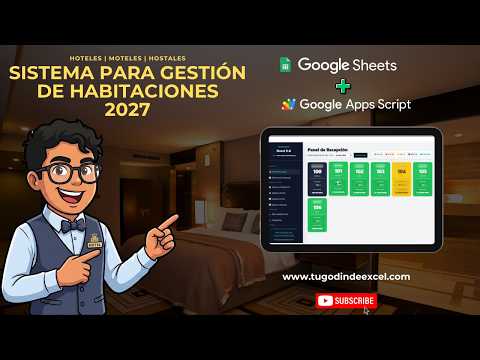
Sistema para Gestión de Habitaciones 2027 en Google Sheets (Hoteles, Moteles y Hostales)
Introduction to the Room Management System 2027
Overview of the System
- The tutorial introduces a new room management system designed for small hotels, hostels, and guesthouses using Google Sheets.
- Users can access the system on multiple devices (computer, phone, tablet) with just a Gmail account.
- The system supports multiple users simultaneously, allowing collaborative use.
Initial Setup
- After purchase, users receive read-only access initially; they must create their own copy to edit.
- Users are guided to make a copy by navigating to "File" and selecting "Make a Copy," ensuring it is saved in their personal Google Drive.
Configuring Hotel Settings
Setting Up Basic Information
- Upon first opening the copied file, users must register as the system administrator by entering hotel details like name and tax ID.
- Important contact information such as primary and secondary phone numbers and email addresses should be entered during setup.
Regional Settings
- Users can select number formatting based on their country (e.g., Mexico vs. Spain), affecting how numbers are displayed throughout the system.
Main Dashboard Features
Understanding the Dashboard
- The main dashboard displays available rooms, occupied rooms, those under cleaning or maintenance, and current arrivals.
- Users can view room availability by changing dates directly on the dashboard.
Reservations Management
- The reservations section allows tracking all bookings or stays; it is currently empty until data is entered.
Financial Tracking Capabilities
Income and Expenses Overview
- The income section tracks earnings from room rentals while additional revenue sources (like tours or merchandise sales) can also be recorded.
- Expense tracking includes payments for suppliers or utilities; this helps maintain an overview of financial health.
Adding Rooms to the System
Room Registration Process
- Users can add rooms by specifying details such as room type (single/double/suite), capacity, nightly rate, status (available/cleaning/maintenance), and amenities offered.
Updating Room Information
- Existing room details can be modified easily without creating new entries; changes reflect immediately in the main dashboard.
Web Interface Configuration
Publishing as a Web App
- To allow others access without direct database interaction, users can publish their sheet as a web app through Google Apps Script.
Access Control Settings
- It's crucial to set permissions correctly so that only designated users with Gmail accounts have access to interact with the web version of the application.
User Management Features
Adding New Users
Users can grant access to others by entering their full names and Gmail addresses into the user management section.
Security Measures
- It’s important that added emails correspond with accounts used for accessing Google services for proper authentication.
Customizing Hotel Branding
Logo Upload Feature
- Users have an option to upload their hotel logo which will appear on generated PDF documents like invoices or booking confirmations.
Managing Guest Information
Recording Guest Details
- When making reservations guests' information including name, identification number, contact number & email address needs to be captured accurately.
Handling Reservations
Reservation Process Steps
- During reservation creation process options include check-in date/time & expected duration of stay which automatically adjusts pricing based on length of stay selected.
Generating Booking Receipts
PDF Generation for Bookings
- Once bookings are confirmed receipts are generated automatically containing all relevant guest info along with payment breakdown including taxes applied if any.
Viewing Current Occupancy Status
Checking Availability
The occupancy status reflects real-time updates showing which rooms are booked versus available ensuring efficient management of resources at any given time.
Future Reservations Management
Handling Future Bookings
The system allows future bookings while checking availability dynamically adjusting colors based on whether rooms are free or occupied according upcoming dates selected by user inputting desired arrival/departure times accordingly .
Payment Methods and Income Statement Management
Managing Payments and Statements
- The system allows for payments to be made either in cash or by card, facilitating the management of personal cash registers.
- Users can export financial statements to PDF format for better organization and presentation to owners or responsible parties.
- This feature enhances the ability to manage accounts effectively, providing a clear income statement.
Room Status Updates
Updating Room Information
- To free up an occupied room, users can click on the red-colored room indicator, which reloads the form with updated information.
- The system displays details such as room number (e.g., 101), check-in and check-out dates, along with options to add extra charges if necessary.
Checking Outstanding Balances
Financial Overview for Guests
- The total stay amount is displayed as 3944, with pre-paid amounts shown as 1856; thus, the outstanding balance is calculated at 2088.
- When guests return their rooms, staff can verify any remaining balances due before finalizing checkout.
Checkout Process
Finalizing Guest Departures
- Upon guest departure, staff can change the room status to "Under Cleaning," ensuring it is prepared for future rentals.
- The checkout process is straightforward; once completed, a PDF document summarizing the transaction is generated for both records and client delivery.
Room Availability Management
Adjusting Room Status
- Rooms marked as "Under Cleaning" can easily be changed back to available status through a simple click interface.
- This functionality allows complete control over room availability for rental purposes within Google Sheets.
System Overview and Support Options
Conclusion and Resources
- The new room rental system operates efficiently using Google Sheets, allowing comprehensive management of available rooms.
- Viewers are encouraged to reach out via WhatsApp or visit the official website for further assistance or support regarding this system.
Turn any video into a summary like this
YouTube links, meetings, lectures. With transcripts, search, and chat.