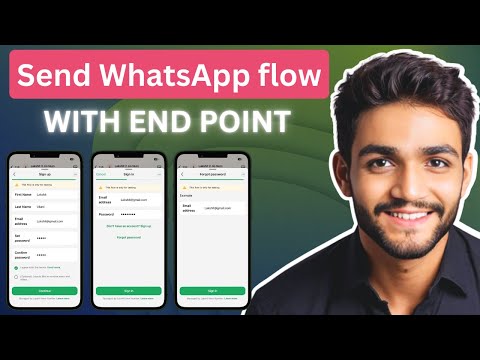
Create WhatsApp Flow With Endpoint: Complete Setup Guide
Creating an Authentication Flow for WhatsApp
Overview of the Authentication Process
- The video outlines the steps to connect your own WhatsApp with a server, including setting up an endpoint URI, adding a phone number, signing a public key, connecting to a Meta app, and performing health checks.
- The presenter introduces himself as Lakshit, who specializes in helping businesses automate workflows to save time. This video is part of a series on WhatsApp flow.
Tools and Setup
- N8N is introduced as the low-code automation tool used for this process; it can be deployed either via cloud or self-hosting options. The presenter recommends using Hostinger for self-deployment due to current discounts.
- A coupon code "luxury10" is provided for additional savings on hosting services when selecting 12 or 24-month plans.
Creating the WhatsApp Flow
- To create the flow in N8N, users need access to their WhatsApp manager within their business account and are guided through creating a new flow named "with server example." Templates for sign-in and sign-up are also discussed.
- Multiple screens such as sign-in, sign-up, forget password, and terms & conditions are available in the created flow; emphasis is placed on setting up endpoints correctly.
Step-by-Step Configuration
- The first step involves obtaining the endpoint URI from N8N and pasting it into the flow setup; this marks completion of the initial configuration step.
- Next steps include adding a phone number ID from your Meta app along with generating a public key necessary for further integration processes. Users are instructed on how to find these IDs within their Meta app settings.
Code Implementation
- A simple JavaScript code snippet is shared that generates private and public keys; users are encouraged to adapt this code into other programming languages if needed (e.g., Python or Java). It's crucial that formatting remains consistent across implementations.
- After generating keys, users must submit their public key back to Meta using specific API endpoints while ensuring secure storage practices for both public and private keys—environment variables are recommended over less secure methods like data tables in N8N.
Understanding WhatsApp's End-to-End Encryption
Overview of Message Encryption and Decryption
- Meta encrypts messages end-to-end, requiring users to decrypt data using their own public and private keys, which function as a locking mechanism.
- When Meta sends a message, it is locked with the user's public key. The user then uses their private key to decrypt the message.
- After decryption, users can apply any necessary logic before re-encrypting the message with their private key for sending back to Meta.
- A successful health check indicates that the user is the sole owner of the private key and can both encrypt and decrypt messages effectively.
Health Check Process
- The health check initially fails; however, executing a workflow allows it to pass successfully after verifying proper setup.
- During this process, only three pieces of encrypted data are received: flow data, an encrypted key, and an initial vector.
- Users must filter incoming messages to ensure they are valid before proceeding with decryption using stored private keys from a database.
Decrypting Messages
- Once the private key is retrieved, users can decrypt incoming messages. The decrypted content typically includes version information and action commands (e.g., "ping").
- For health checks specifically, actions will always return as "ping," confirming connectivity between user systems and Meta's servers.
Sending Messages Back to Meta
- After processing health checks or other interactions, users must send responses back in a specific format required by Meta.
- This involves selecting sender and recipient numbers while ensuring that requests trigger appropriate workflows on WhatsApp.
Testing Workflow Interactions
- Users may encounter errors if server connections aren't established correctly during testing phases; these errors provide insights into system functionality.
- Successful execution of workflows reveals detailed flow tokens and actions (e.g., "init"), guiding users through subsequent steps in their interaction with WhatsApp's API.
Sign In and Sign Up Workflow Overview
Initial Screen Setup
- The first screen presented is the sign-in screen, which currently has no data passed to it, resulting in an empty state. Data can be passed if needed.
- After filling in the email address and password, an error message appears indicating "invalid email or password" due to non-existent account credentials.
Sign Up Process
- Transitioning to the sign-up process requires inputting first name, last name, email address, password, and confirm password. A mismatch between set password (5 characters) and confirm password (4 characters) leads to validation issues.
- Upon clicking continue after executing the workflow, an error message indicates either that the email exists or passwords do not match.
Data Handling and Encryption
- The system retrieves user information such as first name and last name from encrypted flow data. It confirms terms agreement as true based on user interaction with the sign-up screen.
- When users click continue on the form footer, a data exchange action is triggered to send all collected information for backend processing.
Backend Logic Implementation
- The backend checks which screen initiated the request through a switch statement during data exchange. It verifies whether the provided email exists in its database.
- An if condition checks if both passwords match; since they do not in this case, it returns a false value leading to an error message being sent back regarding mismatched credentials.
Final Steps and Resources
- The error message relayed back includes details about existing emails or mismatched passwords for user clarity. This feedback loop ensures users understand their errors during sign-up attempts.
- The speaker encourages viewers to explore additional steps within their advanced WhatsApp flow setup while offering support through community resources for further learning.
- Viewers are directed to access shared resources including JSON files related to WhatsApp flows available in their classroom community for practical application of discussed concepts.