Meta Quest 2 Controller Not Turning On? Try These Fixes!
What to Do If Your Quest II Controllers Are Not Turning On
In this video, the presenter explains what to do if your Oculus Quest II controllers are not turning on. They provide troubleshooting steps and solutions for common issues.
Checking Controller Power Status
- Press the A button on the right controller and the X button on the left controller to check if the lights start blinking, indicating that the controllers are turned on.
Inspecting Battery Compartment
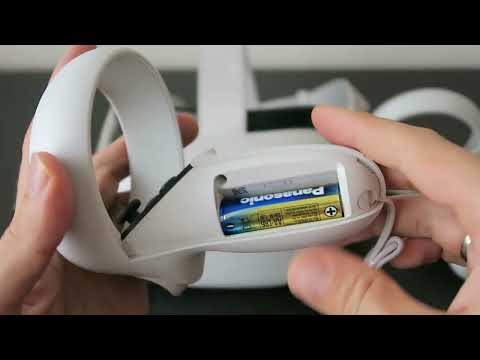
- Open the battery cover by pressing and sliding it downwards. Inspect the battery compartment for any residue or dirt on the contact pins. Clean them if necessary.
- Reinsert the battery and press the buttons again to see if the lights start blinking.
Testing with Different Batteries
- Test with different batteries as they may vary in size and pin configuration, which can affect power delivery. Try using new batteries from a pack with various sizes and configurations.
Addressing Build Quality Issues
- The presenter mentions that some users have reported issues with weak springs in the battery compartment causing poor contact between batteries and pins over time.
- To address this issue, fold a piece of aluminum foil and place it on top of the flat side of the battery before inserting it into the compartment. This can help improve connection tightness.
- Experiment with different thicknesses of aluminum foil based on how weak the spring feels to find an optimal solution.
- This method has reportedly solved issues for many users but may require further research or assistance if problems persist.
Final Recommendations
- If all previous steps fail to resolve the issue and the controller still does not turn on, keep the battery inserted for a minute or less and check if it becomes hot. This could indicate a short circuit in the controller, requiring further assistance from Oculus support or warranty services.
For additional information or specific issues, refer to the pinned comment in the video description.