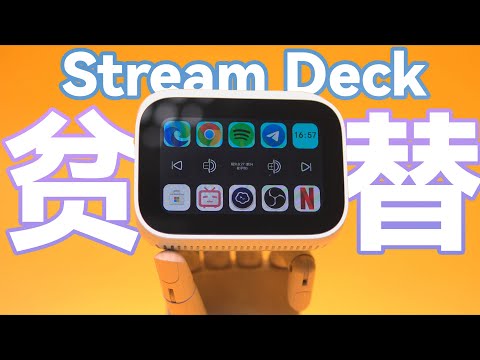
【什么值得捡016】用一百多的小爱触屏音箱实现 Stream Deck 贫替
Turn Xiaomi Touchscreen Speaker into Stream Deck
In this video, the speaker shares how to turn a Xiaomi touchscreen speaker into a Stream Deck using Macro Deck. The process involves installing custom firmware and software on the device and computer.
Installing Custom Firmware
- Download necessary files including drivers, firmware, and tools.
- Install drivers by running "Install" in the FlashTool - Driver folder.
- Open _SPFT.exe in the FlashTool folder to prepare for flashing.
- Select DA_Mi_Hikaru-resign.bin as the download agent file and MT8167_Android_scatter.txt as the scatter-loading file.
- Choose auth_sv5.auth as the authentication file and change download mode to firmware upgrade.
- Connect Xiaomi touchscreen speaker to computer via USB cable and click download button in SP Flash Tool.
Installing Macro Deck
- Download Macro Deck Windows client from official website.
- Install macrodeck.apk on Xiaomi touchscreen speaker using Gaoji Toolbox's software management feature.
- Connect both devices to same network and open Macro Deck on Xiaomi touchscreen speaker. Click connect button to connect with computer.
Using Macro Deck
- Customize buttons by editing icons, adding text, setting background color, and assigning actions such as opening programs or controlling media playback.
- Use parameters like time to display system information or program-specific data.
- Consider using Touch Portal instead of Macro Deck if using a Mac computer.
- Note that installing custom firmware or software does not affect the functionality or warranty of the Xiaomi touchscreen speaker.
Turn any video into a summary like this
YouTube links, meetings, lectures. With transcripts, search, and chat.