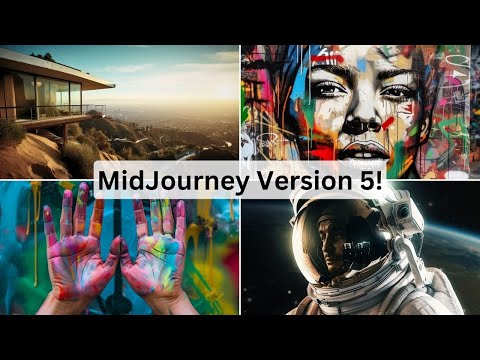
MidJourney V5 Is Live! Here's EVERYTHING You Need To Know
Mid-Journey Version 5 Launch and Magazine Announcement
This transcript covers the announcement of Mid-Journey version 5 and the launch of Mid-Journey magazine.
Mid-Journey Magazine Launch
- Mid-Journey magazine is a showcase of the diverse creativity of the Mid-Journey community.
- The first issue is free with coupon code "subscriber" at mag.midjourney.com.
- The magazine features a selection of artwork curated from the 10,000 most highly rated images, as well as interviews with community members.
Mid-Journey Version 5 Launch
- Mid-Journey version 5 is currently only available for paying subscribers.
- Paying members can access version 5 by adding "--V Space 5" to any prompt or setting it as their default version in their settings.
- The Discord has a prompt FAQ section that answers common questions about version 5.
Improvements in Mid-Journey Version 5
This transcript covers improvements made to mid-journey in version five.
Improved Resolution and Upscaling
- All four images in the grid are already upscaled by default, allowing for nearly instantaneous upscaling when prompted.
- Prompts designed to look like photographs will now look more like photographs due to improved photo quality.
Improved Hand Generation and Skin Texture
- Hands have been significantly improved, although some images may still look a bit off.
- Skin texture has been improved, with more focus put into improving blemishes.
Mid-Journey Version 5 Overview
This section provides an overview of the changes in Mid-Journey version 5, including improvements to prompting and blending features.
Prompting Improvements
- Prompts now require more detail and structure, similar to writing a sentence in school.
- Single word prompts are less effective than structured prompts.
- Mid-Journey version 4 is still available for those who prefer single word prompts or random words separated by colons.
- Using specific software names like Unreal Engine or Octane Render will result in less realistic images. Instead, use descriptive phrases like "cinematic lighting" for better results.
Blending Improvements
- The remix feature has been improved for better blending of images.
- Blended images now make more sense, with subjects standing in front of backgrounds instead of merging into them.
- Image weights have been added back into Mid-Journey version 5 for blending images with text prompts.
Overall, Mid-Journey version 5 includes improvements to prompting and blending features that require more detailed and structured prompts for better results. The remix feature has also been improved for better blending of images.
Mid-Journey: New Features and Functionalities
In this video, the speaker discusses new features and functionalities of Mid-Journey, an AI-powered image generation tool. The speaker talks about image weights, aspect ratio options, tiling functionality, and limitations in generating text.
Image Weights
- Mid-Journey allows users to adjust the weight of images in their prompts.
- By adjusting the weight of an image, users can put more focus on either the text or the image itself.
Aspect Ratio Options
- Mid-Journey now offers broader aspect ratio options.
- Users can create any aspect ratio they want.
- Examples shown include a 110 aspect ratio that generated a long infographic-like image.
Tiling Functionality
- Mid-Journey has added tiling functionality to make images tileable.
- Adding "--tile" to a prompt will make it tileable.
- This feature is useful for game designers or creating cool backgrounds.
Limitations in Generating Text
- Mid-Journey is still not good at generating text.
- Users will need to use other tools like Photoshop or Canva to add text to their generated images.
Other Notes
- Mid-Journey hinted at releasing an API soon.
- Mid-Journey uses its own proprietary model and not stable diffusion under the hood.
- Version 6 of Mid-Journey is expected to be released within two months.
Mid-Journey Gallery and Image Comparison
In this section, the speaker discusses how to use the mid-journey gallery as a premium member and compares images generated by Mid-Journey version 4 and version 5.
Using the Mid-Journey Gallery
- Premium members have access to their own gallery of images.
- Users can sort their images by popularity.
- The speaker suggests copying popular prompts from the gallery into Mid-Journey version 5 for comparison.
Comparing Images Generated by Mid-Journey Version 4 and Version 5
- The speaker copies a popular prompt into both versions of Mid-Journey.
- The images generated by version 4 are more detailed than those generated by version 5.
- A two-word prompt generates wildly different results in both versions.
Celebrity Portraits and Landscape Photos
In this section, the speaker tests whether Mid-Journey can generate realistic celebrity portraits and landscape photos.
Generating Celebrity Portraits
- The speaker tries to generate a portrait of Joe Rogan but is unsuccessful.
- However, a portrait of Larry David from Curb Your Enthusiasm is successful.
Generating Landscape Photos
- The speaker uses an impressive landscape photo as a reference image.
- A prompt for a beautiful green forest with a lake and snow-capped mountain generates photorealistic images in both versions of Mid-Journey.
- Version 5 produces more realistic results than version 4.
Emojis in Image Generation
In this section, the speaker tests whether adding emojis to prompts affects image generation in Mid-Journey version 5.
Adding Emojis to Prompts
- The speaker adds rainbow and rocket ship emojis to a prompt.
- Despite using emojis, Mid-Journey still generates cool-looking images.
Overview of Mid Journey Version 5 Open Office Hours
In this section, the speaker provides an overview of the open office hours for Mid Journey version 5. The speaker discusses various tactics and prompts that were tested during the live stream.
Testing Emoji Tactic and One Word Prompt
- The Emoji tactic works better on Mid Journey version 4.
- A one-word prompt "imagination" was suggested by a developer during the live stream.
- The prompt "imagination" resulted in some cool stuff, but some results were unclear or creepy.
Summary of Open Office Hours
- This video is a summary of three and a half hours of open office hours for Mid Journey version 5.
- An API for mid-journey is coming out soon, and Mid Journey version six will be released in two months.
- Mid-journey is not built on top of stable diffusion.
Conclusion and Call to Action
- If you enjoyed this video, give it a like and subscribe to see more content about AI and mid-journey.
- Join the free newsletter at futuretools.io to receive weekly updates on AI tools.