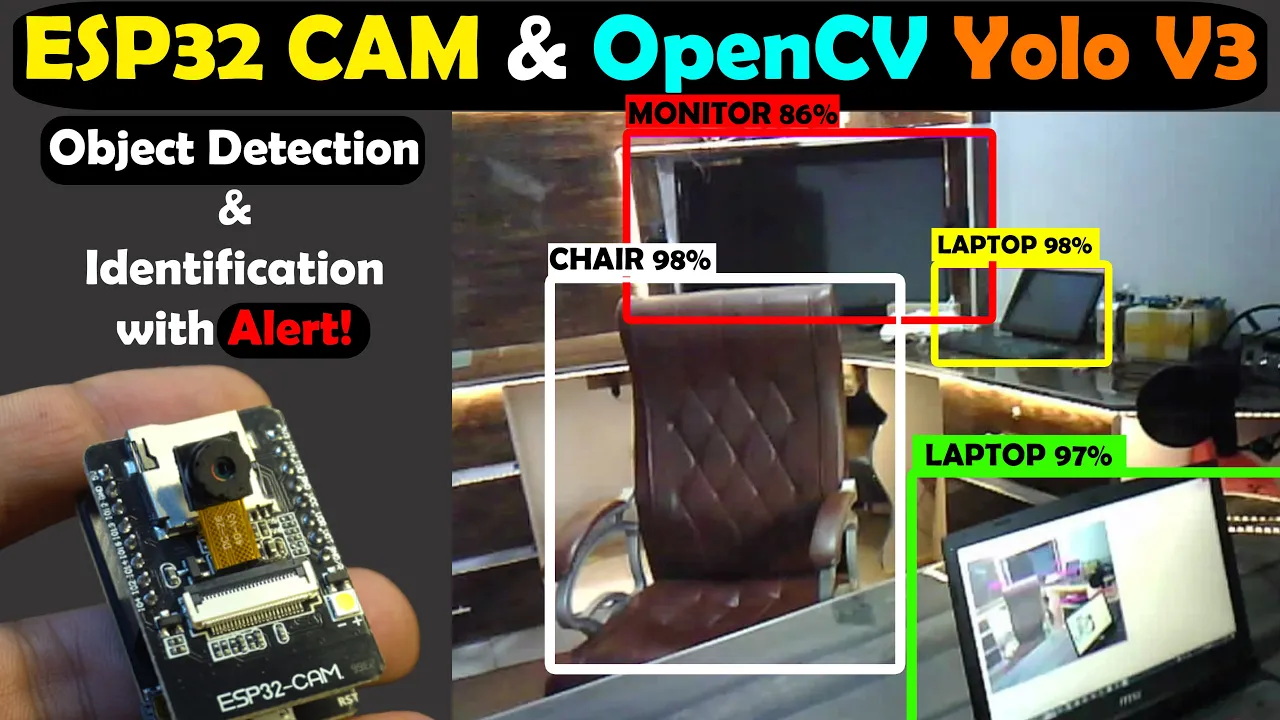
ESP32 CAM with Python OpenCV Yolo V3 for object detection and Identification, Image Processing

ESP32 CAM with Python OpenCV Yolo V3 for object detection and Identification, Image Processing

Introduction

The video introduces the use of ESP32 camera Mario with Python OpenCV YOLO V3 for object detection and identification. Different machines will be tested, including Raspberry Pi 4, Core i3 laptop, and MSI Intel Core i7 with Nvidia GPU.

Installing Python and OpenCV

  • : Install Python by downloading the Windows x86-64 executable installer.
  • : Check Python installation using CMD.
  • : Install OpenCV by following a simple command in CMD.

Setting Up YOLO

  • : Download YOLO v3-320 weights and CFG files.
  • : Obtain coco.names file for YOLO.

Starting with ESP32 Camera Module

  • : Upload program to ESP32 camera module for live video streaming.
  • : Activate Ultim 365 workspace for PCB design support.

ESP32 Camera Module Setup

Demonstrates sharing projects on Ultim Designer using Ultim 365 workspace activation and setting up the ESP32 camera module for live video streaming.

Sharing Projects on Ultim Designer

  • : Share projects by right-clicking on project name, selecting share, adding user's email, choosing permissions, and clicking share button.

Uploading Program to ESP32 Camera Module

  • : Select ESP32 game board, check communication port, and upload program.

Live Video Streaming Setup

  • : Copy IP address from serial monitor for Python OpenCV code usage.

Object Detection Testing

Focuses on testing object detection code written for all objects using Raspberry Pi as a test machine to evaluate its image processing capabilities with Python OpenCV YOLO V3.

Testing Object Detection Code

Camera Testing on Different Devices

In this section, the speaker tests a camera connected to various devices for image processing capabilities.

Raspberry Pi 4 Performance

  • Raspberry Pi 4 struggles with image processing, being slow and not suitable for high-end tasks.
  • The 8GB variant is popular for gaming but lacks efficiency in image processing.
  • External hardware may be required for improved performance.

Core i3 Laptop Comparison

  • Image processing on a Core i3 laptop is better than Raspberry Pi 4 but still slow.
  • Users with a Core i3 laptop can expect moderate performance levels.

MSI Intel Core i7 9th Generation Laptop Test

  • Image processing on an MSI Intel Core i7 9th generation gaming laptop is impressive.
  • While not extremely fast, it is deemed acceptable for future image processing projects.

Bird and Gate Detection Code Implementation

The speaker demonstrates code designed to detect birds and gates using specific criteria.

Functionality of the Code

  • The code focuses solely on detecting and identifying birds and gates while ignoring other objects.
  • Detailed explanations are available in an article on electronicclinic.com.

Purpose of Bird and Gate Detection

  • The system flawlessly detects birds and kids, generating alerts when both are present simultaneously.
  • The setup aims to alert the user when birds gather around gates during daytime activities.

Alert System Integration

  • Alerts can be sent via email or SMS using Arduino and GSM technology once triggered.
Video description

ESP32 CAM with Python OpenCV Yolo V3 for object detection and Identification Altium Designer: For Schematic and PCB designing https://www.altium.com/yt/electroniclinic Altium 365: https://www.altium.com/altium-365 Octopart, components search engine: https://octopart.com/ download programming: https://www.electroniclinic.com/esp32-cam-with-python-opencv-yolo-v3-for-object-detection-and-identification/ ESP32 Cam projects: related videos Watch the same video in Hindi/Urdu https://youtu.be/C6TwDjlAgoU ESP32 Cam and Arduino-based Car Parking Gate / Barrier control https://youtu.be/hrUomPXdYZg ESP32 Cam based Human Pose landmarks detection, security camera https://youtu.be/pUByI_5saRs How to make IoT camera using ESP32 Cam and Telegram: https://youtu.be/hNjguvfElag ESP32 Cam with ESP8266, google drive, and Google spreadsheet https://youtu.be/sQcoe4lqtN4 ESP32 CAM getting started video https://youtu.be/DdybJZ58mlI ESP32 CAM DOOR LOCK CONTROL SYSTEM USING HUMAN RECOGNITION https://youtu.be/SIhbtcULWeg ESP32 CAM SEND IMAGES TO GOOGLE DRIVE https://youtu.be/9BOYOMEJXUg ESP32 CAM SMART IOT DOOR BELL https://youtu.be/wmthBYbNHL4 ESP32 CAM SAVE IMAGES IN SD CARD https://youtu.be/EvdDn1OqZd4 Support me on Patreon and get access to hundreds of projects: https://www.patreon.com/ElectroniClinic Subscribe to my New YouTube Channel, if you want to watch my videos in Hindi/Urdu https://www.youtube.com/@letsgetstartedd Project Description: ******************** In this video, I am going to use ESP32 Camera module with Python OpenCV Yolo V3 for object detection and Identification. I am only using ESP32 Camera module for the live video streaming whereas for the image processing I am using Yolo V3. I will test it on three different machines and you will be amazed with the end results. First I will test it using the Raspberry Pi 4 and it has 8GB RAM. Then I will test it on Core i3 Laptop. And finally, I will test it on my MSI Intel Core i7 with Nvidia Geforce 16GB GPU and 16GB RAM. I specially purchased this laptop for video editing and image processing. Anyway, after performing initial tests then I will share with you the final code, which can be used for the detection and identification of specific objects. Let’s say you want to send an alert message when a specific object is detected. In my case, I send an alert message when a bird and cat are detected both at the same time. While all the other objects are totally ignored. We have a long list of the objects that we can detect. So, after watching this video you will be able to detect all these objects at the same time or you can select one or multiple objects of your choice and this way you can build amazing image processing based projects. ******************** Amazon Purchase links: ***************** ESP32 Camera Module https://amzn.to/45yPi9D ESP32 CAM W-BT Board https://amzn.to/3N24vbY MSI Intel Core i7 Laptop check this out. https://amzn.to/42ayHpL Other must-have Tools and Components: ESP32 WiFi + Bluetooth Module (My recommendation), more IO pins, improved speed, and supports a Lipo Battery: https://amzn.to/3v40DkE Arduino Uno, Nano, Mega, Micro "All types of Arduino Boards": https://amzn.to/3fk5OTi Top Arduino Sensors: https://amzn.to/3vZbnfM Super Starter kit for Beginners https://amzn.to/3cq56C5 Top Oscilloscopes https://amzn.to/3ctF3d8 Variable Supply: https://amzn.to/2PEAqE7 Digital Multimeter: https://amzn.to/2QGRPg1 Top Soldering iron kits: "best" https://amzn.to/39nqDtb Top Portable drill machines: https://amzn.to/3suQMh7 Jumper Wires: https://amzn.to/2NYPEDA 3D printers: https://amzn.to/3ruG1dt CNC Machines: https://amzn.to/3cuZWVv DISCLAIMER: This video and description contain affiliate links, which means that if you click on one of the product links, I will receive a small commission. This helps support the channel and allows me to continue to make videos like this. Thank you for your support! **************** For more Projects and tutorials visit my Websites Electronic Clinic: https://www.electroniclinic.com/ Programming Digest: https://programmingdigest.com/ Follow me on Instagram: https://www.instagram.com/electroniclinic/ Follow my Facebook Page Electronic Clinic: https://web.facebook.com/profile.php?id=100063900156958 Follow my Facebook Group, Arduino Projects: https://web.facebook.com/groups/190031841821771 Email: stu_engineering@yahoo.com About the Electronic Clinic: Electronic Clinic helps the students and other professionals to learn electronics, designing, and programming. Electronic Clinic has tutorials on Arduino, Arduino Nano, Raspberry PI, image processing, gsm based projects, Bluetooth based projects, esp8266 projects, Nodemcu projects, robotics, desktop application designing and programming, PLC, SCADA, RC Planes, Electronics, Power Generation, HMI, and much more. Check my Playlists. #esp32cam #yolov3 #opencvpython