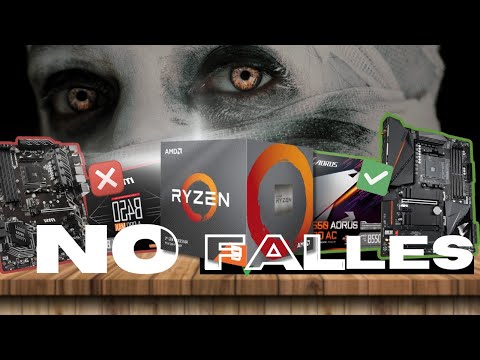
Cómo Elegir La MEJOR Placa Madre para Tu RYZEN - Guía Definitiva
How to Choose a Compatible Motherboard for Your Gaming PC
Introduction to Building a Gaming PC
- The excitement of building a gaming PC can be overshadowed by compatibility issues, particularly with the motherboard and processor.
- A comprehensive guide is provided to help avoid costly mistakes when selecting a motherboard that is compatible with your processor.
Importance of Compatibility
- Many people struggle with choosing the right motherboard, leading to wasted time and money on incompatible components.
- This guide specifically targets those looking to build a PC with an AMD Ryzen processor, while also inviting feedback for Intel compatibility videos.
Understanding Chipsets
- Every motherboard has a central control unit called the chipset, which communicates with all connected components.
- The chipset's designation (e.g., A520, B450, X670) indicates its range and generation; this is crucial for ensuring compatibility with your Ryzen processor.
Motherboard Ranges Explained
Low-End Motherboards (A Series)
- A-series motherboards are entry-level options that offer limited connectivity and features but are budget-friendly.
- They support various Ryzen processors but may not handle high-performance CPUs like Ryzen 7 or 9 effectively due to lower VRM quality.
Mid-Range Motherboards (B Series)
- B-series motherboards provide better VRM systems allowing for overclocking capabilities and improved connectivity options.
- These boards are slightly more expensive than A-series but offer essential features expected from mid-range products.
High-End Motherboards (X Series)
- X-series motherboards cater to enthusiasts needing extensive VRM systems for extreme overclocking and superior connectivity options.
- They often include advanced technologies such as SLI or Crossfire support for dual graphics card setups.
Generational Compatibility
Backward Compatibility Insights
- Understanding the numbering system helps determine generational compatibility; series 300 and 500 motherboards are generally backward compatible with older Ryzen processors using AM4 sockets.
Choosing the Right Motherboard for Ryzen Processors
Compatibility with Ryzen Series
- When purchasing a motherboard, ensure it matches the Ryzen processor series: use a 500 series board (A520, B550, X570) for Ryzen 5000; a 400 series board for Ryzen 4000; and a 300 series board for Ryzen 3000 or lower.
- The socket type is crucial: motherboards from series 300 to 500 support AM4 sockets compatible with Ryzen processors from series 1000 to 5000. However, the new series 600 boards only support AM5 sockets and are not backward compatible.
Understanding Motherboard Designations
- A motherboard designation ending in '6' indicates compatibility solely with Ryzen series 7000 processors. This distinction is vital to avoid errors when selecting components.
- The last digits of motherboard models often indicate their tier: low-end boards end in '20', mid-range in '50', and high-end in '70'. Confusion can arise if similar Intel boards are mistaken for AMD ones.
Identifying Intel vs. AMD Boards
- An example of potential confusion is the B560 motherboard, which has an LGA1200 socket for Intel's 10th and 11th generation processors but may be misidentified due to its naming convention.
- Always check product descriptions carefully as retailers typically specify compatibility with sockets or processors, helping prevent costly mistakes.
Form Factor Considerations
- Motherboards come in various form factors: ATX (standard size), Micro ATX (smaller version), and Mini ATX (even smaller). Each offers different connectivity options.
- Manufacturers may denote form factor variations by adding letters after model numbers. For instance, "B550" without letters indicates an ATX size, while "B550M" signifies Micro ATX.
Performance vs. Size Trade-offs
- While performance remains consistent across different sizes of motherboards, price tends to decrease as size diminishes. Ensure that your chosen motherboard fits within your case specifications.