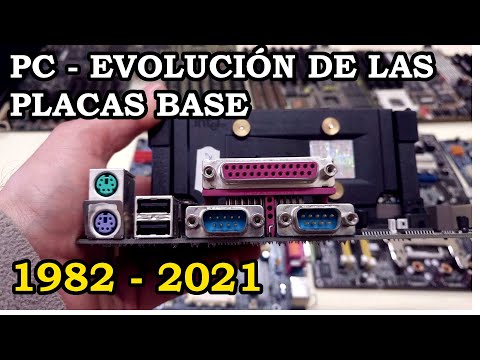
Evolución de Placas Base de PC - 1982 a 2021. 277
Evolution of Home Computers
Introduction to Computer Evolution
- The video introduces the evolution of home computers, starting from early models like the 286 motherboard.
- The presenter aims to showcase various motherboards over time, highlighting changes in technology and design.
Early Motherboard Features
- The first motherboard discussed is for an 80286 processor, which lacks connectors except for memory modules and a keyboard port.
- Comparison with modern motherboards shows significant advancements, including multiple connectors for peripherals and integrated components.
Key Differences Between Generations
- The older motherboard requires expansion cards for full functionality, while modern boards can operate independently with built-in features.
- Notable limitations include the absence of hard drive connections on older models, necessitating additional controllers.
Transitioning Technology
- The next motherboard represents a shift where RAM connection methods evolved to more secure slots that lock into place.
- This model supports both 386 and 486 processors and includes a socket for a math coprocessor.
Advancements in Bus Architecture
- A newer 486 motherboard introduces local bus architecture, enhancing data transfer speeds significantly compared to previous designs.
- Configuration settings were managed via jumpers on earlier boards; modern systems automate these processes through BIOS settings.
Introduction of Pentium Processors
- Discussion shifts to Pentium motherboards featuring Socket 5; PCI buses are introduced alongside legacy connections.
- Despite improvements, some functionalities still required expansion cards, indicating gradual integration of features over time.
Further Developments in Motherboard Design
- Later models incorporate lithium batteries for real-time clock functions and support ATX power supplies alongside traditional ones.
- Newer designs also integrate essential ports directly onto the motherboard that previously required separate expansion cards.
Understanding Computer Motherboards and Troubleshooting
Basic Functionality of a Motherboard
- A motherboard can operate almost autonomously with just the main board and a video card connected, allowing for basic functionality when powered on.
- If a computer fails to start, it's recommended to disconnect all peripherals and components except for the processor and motherboard to isolate issues.
- The motherboard should emit beeps through a speaker if there are missing components like RAM or a video card, indicating its operational status.
Troubleshooting Steps
- To identify faulty components during startup, connect each component one at a time while monitoring beep codes from the motherboard's BIOS.
- Sometimes, power supply issues may prevent the motherboard from functioning correctly; replacing it can resolve many startup problems.
Evolution of Motherboard Technology
- The next generation of motherboards introduced various connectors including keyboard ports and serial connections but lacked modern features like USB ports.
- Early motherboards utilized jumpers for configuration settings such as speed adjustments for both the motherboard and CPU.
Memory Configuration
- Cache memory modules were used in older motherboards to enhance performance by being closer to the CPU than standard RAM, improving data processing speeds.
Advancements in Design
- The transition from older Pentium processors to more advanced designs included new bus systems (PCI and AGP), enhancing graphics performance significantly.
- Newer motherboards eliminated outdated memory slots and introduced standardized connectors that improved compatibility with modern peripherals.
Features of Modern Motherboards
- Advanced motherboards now include RAID configurations for hard drives, providing redundancy in case of drive failure.
- Sound cards became integrated into newer boards, reflecting advancements in multimedia capabilities compared to earlier models which lacked these features.
Overview of Modern Motherboard Features
Power Connectors and Compatibility
- The motherboard includes an extra power connector specifically for the video card, allowing it to draw power directly and relieving the main board from electrical load.
- It maintains legacy ports such as serial and game ports while introducing modern SATA connections for faster data transfer rates.
Expansion Slots and Processor Cooling
- The motherboard features multiple PCI Express slots, including one standard slot and two 16x slots, ensuring compatibility with older expansion cards.
- A dedicated cooling solution is integrated for the processor due to increased heat generation compared to previous models.
Rear I/O Ports and Audio Outputs
- The rear panel is equipped with various ports including network connectors, USB ports, and digital audio outputs in both coaxial and optical formats.
- Older ports like parallel and serial have been phased out in favor of more modern connectivity options.
Evolution of Motherboards
- An example of an older motherboard shows retained PS/2 ports but lacks newer features; it has a built-in video card unlike its predecessors.
- Current motherboards are smaller yet offer more advanced connectivity options than earlier models, reflecting technological advancements over time.
Building a Complete System
- To create a fully functional computer system, additional expansion cards such as hard drive controllers or sound cards can be added to the motherboard's expansion buses.
- Different generations of video cards demonstrate compatibility issues; newer technology may not work with older motherboards despite physical fitting.
This structured overview captures key insights into the evolution of motherboards, their features, and how they accommodate both legacy components and modern technology.