Ch26-Interaction Techniques
Understanding the Invisible Engineering Behind Digital Interactions
Introduction to Interaction Techniques
- The explainer aims to reveal the complex engineering behind everyday digital interactions, emphasizing how we often overlook the technology that makes these actions feel intuitive.
The Science of Interaction
- Everyday frustrations with misclicks and keyboard shortcuts highlight a deeper science governing cursor movement and menu behavior, which is not accidental but meticulously designed.
- Each interaction technique couples an input (like finger movement) with an output (like scrolling), aiming to solve specific human problems, though achieving this balance is challenging.
Balancing Design Trade-offs
- Designers measure success through trade-offs; faster performance can hinder learnability for new users, creating a constant compromise in interface design.
- For example, while digital styluses offer precision for drawing, they are impractical for texting on-the-go due to their ergonomic limitations.
Pointing and Clicking Perfectly
- Fitts' Law states that pointing time depends on target distance and size; engineers use techniques like bubble cursors to enhance user accuracy by expanding selection areas dynamically.
- This method significantly reduces average selection time from 1.25 seconds to 0.9 seconds by optimizing cursor interaction with screen geometry.
Speed and Precision in Cursor Movement
- Mouse tracking utilizes speed-dependent gain functions: fast movements result in rapid cursor motion while slow movements allow for precise control without excessive repositioning.
Mastering the Modern Menu
- Selecting commands from extensive drop-down menus requires visual hunting; hotkeys could expedite this process but users often resist learning them.
- A study revealed that forcing users to adopt hotkeys through auditory prompts or disabling visual menus doubled their usage by breaking visual habits.
Enhancing Menu Navigation
- Designers manipulate menu layouts—such as morphing menus that enlarge frequently used items—to improve search efficiency and reduce scanning time.
- Marking menus allow users to execute commands quickly through gestures rather than waiting for traditional menus to load, enhancing motor memory over time.
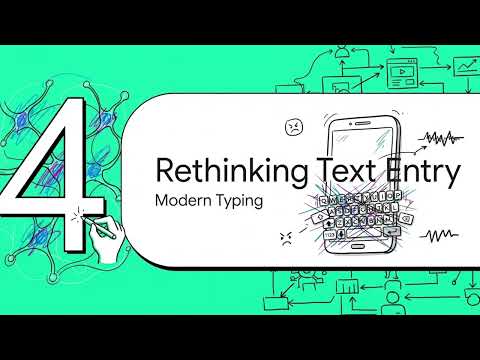
Rethinking Text Entry
- Typing on virtual keyboards presents challenges due to occlusion from fingers blocking keys; even skilled typists struggle with accuracy compared to physical keyboards.
Addressing the Fat Finger Problem
- Engineers focus on computational solutions rather than improving finger accuracy, using machine learning for auto-corrections and predictive text features.
Gesture Typing Innovations
- Gesture typing allows continuous shapes through letters instead of individual key presses, shifting cognitive load from searching buttons to recalling motor patterns.
Controlling Your Digital View
- Navigating large digital spaces involves techniques like semantic zooming where data representation changes based on zoom level, preventing overwhelming clutter during navigation.
Improving Scrolling Precision
- Techniques such as ortho zoom enhance scrolling control by increasing precision when dragging scroll bars away horizontally or adjusting zoom levels based on scroll speed.
Conclusion: The Balance of Design Choices
- As technology advances, designers face ethical dilemmas about what should be built versus what can be built; achieving a balance between speed, comfort, and learnability remains crucial.
Turn any video into a summary like this
YouTube links, meetings, lectures. With transcripts, search, and chat.