Build & Sell with Claude Code (10+ Hour Course)
Introduction to Cloud Code
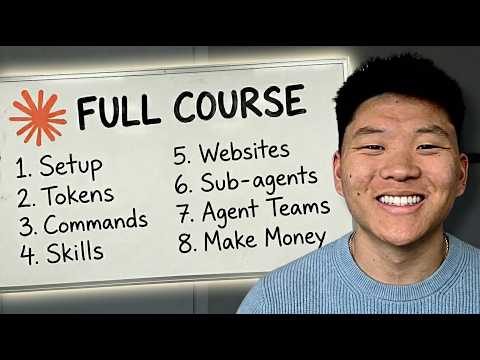
Overview of the Course
- The course aims to take beginners to a pro level in using Cloud Code, enabling them to build automations, websites, apps, and even an AI executive assistant.
- It consists of 24 chapters covering various topics including cloud code operations, tokens and context management, project architecture, and deploying automations.
- Key features include building workflows, creating websites and APIs, utilizing Google CLI, and monetizing skills learned throughout the course.
Importance of Agentic Workflows
Market Shift
- A shift towards agentic workflows is occurring in the AI industry; these workflows are seen as the future for many companies.
- The market for agentic AI is projected to grow from $7 billion this year to approximately $93 billion in a few years.
- Understanding how to build agentic workflows will be a highly valuable skill due to increasing enterprise adoption.
Current Trends in Automation
Industry Adoption
- By 2030, the agentic AI market could reach between $40 billion and $50 billion with significant enterprise deployment expected by 2027.
- Companies are realizing traditional automation has limitations; they seek faster solutions through agentic workflows that can adapt dynamically.
Traditional vs. Agentic Workflows
Comparison of Approaches
- Traditional automation requires manual mapping of every step which can lead to maintenance issues when unexpected situations arise.
- In contrast, agentic workflows allow for self-healing capabilities during execution but revert to predictable behavior once deployed.
Building with Cloud Code
Advantages of Agentic Workflows
- Building with agentic workflows is likened to instructing a construction crew rather than laying down tracks manually; it allows for better error handling during development.
- This results in more reliable systems that have been tested thoroughly before deployment.
Learning Curve for Beginners
Fundamentals Matter
- Knowledge of traditional automation principles remains crucial; skipping fundamentals may hinder understanding when working with cloud code.
- Beginners who grasp underlying concepts will communicate their needs more effectively when using cloud code tools.
Getting Started with Cloud Code
Setting Up Environment
- Users are guided on setting up Visual Studio Code as their IDE for working with Cloud Code after installing necessary extensions.
Project Initialization
Creating Projects
- Users must open a folder within Visual Studio Code where all project files will reside; this establishes the workspace structure needed for development.
Understanding Components
Core Elements
- The main components in Cloud Code include agents (for executing tasks), markdown files (workflows), and tools (resources used within those workflows).
Workflow Structure
Defining Workflows
- Workflows serve as structured instructions akin to recipes that guide how tasks should be executed using various tools available within the system.
Project Setup Confirmation
- After setting up the project structure , users receive confirmation about what has been established , including frameworks being utilized .
Planning Phase
Initiating Workflow Development
- Users switch into planning mode where they provide initial prompts regarding desired outcomes , allowing the system's agent to ask clarifying questions .
Refining Plans
Iterative Feedback Loop
- As users interact with Claude , it generates plans based on user input while also suggesting improvements or additional considerations .
Finalizing Plans
Approval Process
- Once plans are refined , users approve them before moving forward ; this ensures alignment between expectations and execution steps .
Asset Integration
Incorporating Brand Assets
- Users can upload brand assets such as logos or guidelines directly into their projects ensuring consistency across generated content .
Task Management
- As tasks progress , users can monitor completion status via a built-in checklist feature that updates automatically upon task completion .
Testing Outputs
- Upon finalization , users initiate tests by prompting Claude with specific requests ; monitoring its responses helps identify any potential errors or areas needing adjustment .
Troubleshooting and Fixing Email Workflow
Initial Fixes and Issues
- The tool identified the correct endpoint to fix an issue, updating itself to prevent future occurrences.
- A human review step was included, allowing users to approve subject lines before finalizing outputs.
- The email received had formatting issues; the HTML was poorly rendered, making it unreadable.
Diagnosis and Improvements
- The system diagnosed the problems with the email output and updated its workflow accordingly.
- Despite some inaccuracies (e.g., incorrect date), the newsletter adhered to brand guidelines in terms of design elements.
Newsletter Content Overview
Sections of the Newsletter
- The newsletter contained multiple sections, including market landscape insights and architecture quotes.
- Infographics were used throughout, maintaining consistency with brand guidelines.
Iteration and Feedback
- Users can request improvements through natural language prompts in Cloud Code for better infographic designs.
- Key takeaways were summarized at the end of the newsletter along with clickable sources for data verification.
Enhancing Workflows with Cloud Code
Continuous Improvement
- As workflows are utilized more frequently, they improve over time by learning from previous iterations.
- Once trust is established in workflows, users can integrate them into repositories for automated execution.
Future Skills Development
- Skills can be created or utilized to enhance workflow efficiency based on specific project needs.
Identifying Business Needs
Understanding Client Requirements
- Businesses often misidentify their needs; effective solutions require diagnosing underlying operational issues rather than flashy AI tools.
Value Proposition
- Professionals should focus on identifying constraints within business processes that hinder performance rather than just building automation tools.
Pricing Strategies for Automation Services
Value-Based Pricing Model
- Service providers should emphasize value delivered rather than hourly rates; pricing should reflect savings generated for clients.
Long-Term Relationships
- Establishing a strong ROI narrative leads to ongoing client relationships beyond initial projects.
Building Trust and Delivering Results
Client Engagement Strategy
- Engaging clients through transparent communication about how services will save time or reduce errors is crucial.
Metrics Tracking
- Taking ownership of tracking metrics helps demonstrate added value from implemented systems effectively.
Exploring Cloud Code Usage Options
Different Platforms for Cloud Code
- Various platforms exist for running Cloud Code: terminal, desktop app, web interface, IDE integrations like VS Code.
Terminal Use Case
- Running Cloud Code in a terminal offers maximum control but requires familiarity with command-line interfaces.
Desktop Application Benefits
- The desktop app provides a user-friendly GUI experience while retaining powerful features like scheduled tasks.
Web Interface Advantages
- Accessing Cloud Code via a web browser allows flexibility without local setup requirements; sessions persist even when offline.
Overview of Cloud Code in IDEs
Productivity and Compatibility
- The speaker feels productive using Cloud Code, which is compatible with multiple IDEs, allowing users to choose their preferred editor.
- Performance issues in the chosen IDE can affect the experience with Cloud Code; if VS Code crashes or runs slowly, it may seem like Cloud Code is malfunctioning.
User Interface and Extensions
- Upon opening VS Code, users can navigate files and folders easily; cloning GitHub repositories is also supported.
- Installing the Cloud Code extension adds functionality, enabling interaction with a cloud code agent through a button that appears in the interface.
Project Management Features
- Users can view project files visually within VS Code; color-coded indicators show new or edited files that haven't been pushed to GitHub yet.
- When creating plans within Cloud Code, users can leave comments on specific elements for improvements, emphasizing the importance of planning for better automation outcomes.
Status Indicators and Session Management
Visual Feedback
- Status indicators at the top of the window inform users about Claude's readiness (blue dot means waiting; orange dot means finished).
Multi-session Capability
- Users can run multiple sessions simultaneously in split-pane views to interact with different agents concurrently.
Terminal Integration and Workflow
Terminal Functionality
- Some features require terminal access; users can switch to a terminal while maintaining visibility of their project files.
Ideal User Profile
- This setup is ideal for those who prefer coding directly in an editor while having cloud code functionalities readily available alongside their work.
Virtual Private Server (VPS)
VPS Benefits
- Running Cloud Code on a VPS allows continuous operation without relying on local machines. It provides persistent access to services like Docker containers and databases.
Remote Access Features
- With a VPS setup connected to Telegram, users can communicate with their Cloud Code from anywhere via mobile devices.
Pros and Cons of Using VPS
Advantages
- Key benefits include direct access to infrastructure, always-on capabilities across devices, but basic server knowledge is required for setup.
Setup Challenges
- Initial setup may involve more friction compared to other methods. Careful management of permissions is crucial due to increased power when running on servers.
Getting Started with Hostinger
Hosting Options
- Hostinger offers various plans starting at $6/month for launching Cloud Code on a VPS. Users can compare options based on RAM, CPU cores, and bandwidth needs.
Discounts Available
- Annual plan subscribers can use promo codes for discounts. Daily auto backups are included along with location choices during setup.
Dashboard Utilization
Monitoring Resources
- The dashboard displays resource usage metrics such as CPU and memory. Users have options to scale up or down based on performance needs easily.
SSH Access
Command Line Interaction
- Users need SSH access into their server for installation but have simplified options through dashboard buttons that provide terminal access without manual login each time.
Conclusion: Choosing Your Setup
Final Thoughts
- After reviewing these setups, viewers should feel equipped to decide how they want to utilize Cloud Code effectively moving forward.
Capabilities of Cloud Code
Versatile Applications
- Cloud code supports diverse tasks including app development, website creation, automations, debugging workflows, API integrations among others.
- New browser capabilities allow Claude code enhanced functionalities such as browsing web pages or filling out forms autonomously.
Embracing Curiosity
Mindset Shift
- Adopting genuine curiosity when using cloud code encourages exploration beyond structured programs leading towards deeper understanding through inquiry-based interactions.
Cost Considerations
Subscription Plans
- Starting costs begin at $17/month for pro plans but upgrading might be necessary due limits encountered quickly under lower tiers.
Return On Investment (ROI)
Value Proposition
- Considering ROI against hiring software engineers highlights significant savings by leveraging AI tools like cloud code instead providing substantial output at lower costs than traditional hires.
Importance Of Prompting
Effective Communication With AI Models
- Clear prompts yield better results from Claude since vague instructions lead only produce vague outputs emphasizing clarity throughout interactions .
Voice-to-text Tools
Enhancing Productivity
- Utilizing voice-to-text technology facilitates faster idea generation compared typing manually unlocking greater creative potential during brainstorming sessions .
Examples Of Good vs Bad Prompts
Crafting Effective Requests
- Specificity matters when requesting assistance from Claude ; detailed prompts generate superior responses compared generic requests ensuring desired outcomes achieved efficiently .
Permission Modes Explained
Modes Overview
- Three main permission modes exist: Plan mode restrict actions while gathering information , Accept edits allows reading/writing without asking permission , Bypass grants full autonomy once trust established .
Understanding Model Families
Different Strength Levels
- Various models exist within Claude offering unique strengths/weaknesses suited specific tasks ranging from fast/simple operations (Haiku), balanced daily coding(Sonnet), heavy reasoning(Opus).
Token Usage Insights
Managing Costs Effectively
- Tokens represent units consumed during interactions impacting overall cost structure thus necessitating careful management throughout projects minimizing unnecessary expenses incurred over time .
Context Window Dynamics
Memory Limitations
-: As context windows fill up quality diminishes requiring regular maintenance strategies implemented ensure optimal performance maintained consistently across all sessions utilized effectively managing token consumption rates accordingly .
Introduction to Claude and CloudMD Files
Purpose and Functionality
- The speaker introduces the purpose of each component in the context of using Claude, emphasizing its capability to build CloudMD files effectively.
- The role of Nate Herk's executive assistant is outlined, focusing on reducing operational tasks to allow more time for learning AI tools and creating YouTube content.
Initialization Command
- A command called /init is introduced, which initializes a project by scanning the codebase and creating a CloudMD file automatically.
Understanding Agentic Workflows
Definition and Impact
- Agentic workflows are described as transformative for building AI automations, with businesses increasingly investing in them to enhance efficiency.
- The speaker shares personal experience in building AI automations over the past year, aiming to simplify the process for beginners.
Traditional vs. Agentic Workflows
- Traditional automation involves manual steps like configuring nodes and troubleshooting errors; agentic workflows streamline this by allowing users to specify desired outcomes instead.
- The analogy of hiring a talented developer illustrates how agentic workflows operate—users describe problems rather than detailing every step.
Distinction Between Automation Types
Deterministic vs. Non-deterministic Processes
- Two key terms are defined: deterministic (predictable processes ideal for traditional automation) versus non-deterministic (variable processes requiring judgment).
- The goal for builders is to make non-deterministic processes as deterministic as possible, highlighting where agentic workflows excel.
Advantages of Agentic Workflows
Handling Complexity
- Agentic workflows can manage complex tasks that require adaptability, such as research or customer support, improving over time without manual intervention.
Evolution from Traditional Methods
- An analogy compares traditional automation to navigating with a paper map versus using GPS with real-time recalculations provided by agentic workflows.
Framework for Building Workflows
WAT Framework Overview
- The WAT framework (Workflows, Agent, Tools) is introduced as essential for organizing projects effectively within Cloud Code.
Components Breakdown
- Workflows consist of markdown instruction files guiding agents on tasks; they serve as job descriptions or standard operating procedures (SOP).
Role of Agents and Tools
- Agents act as coordinators that interpret instructions from workflows while managing tool selection based on task requirements.
Tool Functions
- Tools perform specific actions like web scraping or PDF generation; they are modular and can be reused across different workflows.
Workflow Execution Process
Task Example Walkthrough
- An example illustrates how an agent executes a task by following workflow instructions through various tools sequentially without user mapping out each step.
Resource Availability
Community Resources
- Users are encouraged to download resources related to building their first agentic workflow from the community platform associated with the video content.
Setting Up Visual Studio Code
Installation Steps
- Instructions begin on downloading Visual Studio Code (VS Code), which will be used alongside Cloud Code for project development.
Extension Installation
Users must install the Claude Code extension within VS Code after signing into their subscription account.
Project Initialization Steps
Creating Project Structure
- Users need to open a folder in VS Code where all project files will reside before proceeding with workflow creation.
File Organization Importance
- Emphasis is placed on providing structure through a claw.md file that outlines how Claude should operate within the project environment.
Initializing Project Environment
Using Commands Effectively
- After setting up claw.md , users can initialize their project environment either via slash commands or natural language requests directed at Claude.
Competitor Research Workflow Development
Defining Deliverables
- A competitor research workflow is proposed where outputs include branded PDFs containing insights about competitors' strategies and performance metrics.
Overview of the Workflow Setup
Tools and Technologies Used
- The workflow will utilize Cloud Sonnet, Firecrawl, Perplexity, and Report Lab for PDF generation.
- Charts will be generated using Matplotlib, a Python library designed for data visualization.
Folder Structure and Initial Files
- A new folder named "brand assets" will be created to store logos and brand guidelines.
- The workflow includes five tools: collect business info, discover competitors, research competitors, analyze competitors, and generate competitor PDF.
Handling Edge Cases and Cost Analysis
Edge Case Management
- The system has strategies for handling issues like blocked scraping from competitor websites or insufficient data.
Cost Breakdown
- Initial run costs are estimated at $1.50 with subsequent runs on a 30-day cycle to save costs through data caching.
Brand Asset Configuration
Uploading Brand Assets
- Users can drag their logo and brand guidelines into the designated area to configure brand assets.
Plan Confirmation
- After uploading files, the system confirms it found the logos and is creating a brand asset guide based on them.
API Key Requirements
Setting Up API Keys
- Two API keys are required: an Enthropic key and a Firecrawl key to proceed with the workflow setup.
Dependency Installation
- Users must install dependencies manually as prompted by the system before running the workflow.
Running Competitor Analysis
Information Gathering Process
- The user creates an Enthropic key called "competitor analysis demo" before pasting it into the necessary file.
Context Management
- Users should manage context limits in conversations to avoid degradation of model performance over time.
Business Profile Input
Providing Business Details
- User provides minimal information about their business "Get Leads with AI," focusing on lead scraping services.
Data Storage
- All provided information is stored in a JSON file called "business profile JSON" for future reference during analysis.
Error Handling During Analysis
Script Adjustments
- The system identifies errors such as encoding issues during competitor research and makes necessary adjustments automatically.
Competitor Insights Generation
- It generates insights about competitors including Apollo, Outreach, Clay, etc., while creating individual files for each competitor's data.
Final Output Review
Generated Reports
- Four files are created: business profile, analysis report, competitor data file, and a PDF report summarizing findings.
Visual Elements in Reports
- Issues arise with visibility of logos due to color matching; however, other elements like charts appear correctly in reports.
Iterative Improvement Process
Regeneration of Reports
- The PDF generator addresses previous problems by regenerating reports while maintaining cached data from earlier runs.
Conclusion of Workflow Demonstration
Ease of Use Highlighted
- Emphasizes that users do not need extensive coding knowledge or documentation understanding to operate workflows effectively.
Setting Up the Workflow
Initial Setup
- The system is set up with a structured folder system including temporary, tools, and workflows folders to maintain organization.
- A list of 622 remote social media jobs is identified, highlighting the challenge of manually logging these jobs across multiple pages.
Utilizing Firecrawl
- Introduction of Firecrawl as a tool for scraping data from websites; it can extract information in markdown format.
- Firecrawl's capabilities include web scraping, data mapping, and searching, emphasizing its versatility for various tasks.
Understanding Model Context Protocol (MCP)
Conceptualizing MCP
- MCP (Model Context Protocol) allows agents to utilize multiple tools efficiently without requiring human intervention on specifics.
- An analogy using cake ingredients illustrates how MCP simplifies the process by allowing agents to gather necessary components from one source rather than multiple stores.
Implementation Steps
- Instructions are provided on integrating Firecrawl’s MCP server into Cloud Code via CLI commands while ensuring API key security.
Configuring API Key Security
Secure API Key Handling
- Emphasis on not sharing sensitive API keys directly in conversation history; instead, they should be stored securely in local files.
- Claude assists in setting up an environment variable file for secure storage of the API key placeholder.
Building the Agentic Workflow
Initiating Project Requirements
- The user initiates a new conversation with Claude to outline project requirements clearly before building an agentic workflow.
Scraping Job Listings
- User provides a URL containing job listings and requests Claude to scrape all relevant job details into an Excel sheet.
Interaction with Claude
Clarifying Project Details
- Claude asks clarifying questions regarding specific details needed from each job listing and where to save the output file.
Finalizing Plan Approval
- After reviewing Claude's comprehensive plan for scraping jobs, user approves it for execution.
Output Review and Metrics
Reviewing Results
- The workflow successfully scrapes 209 job postings into an organized Excel sheet with various filters applied for easy navigation.
Future Improvements
- The created workflow will improve future scraping tasks by learning from past executions and refining processes based on previous outputs.
Managing Context Rot
Addressing Context Management
- Discussion about context rot; maintaining effective communication with AI requires managing conversation history effectively to avoid degradation of performance.
Expanding Use Cases
New Job Scraping Request
- User requests another scrape but this time targeting sales jobs across Europe from a larger dataset without initial filters.
Adjustments Made by Claude
- Claude identifies limitations in available sales jobs within Europe and suggests expanding search parameters to include US-based opportunities.
Exploring Lead Generation Requests
Attempting Dentist Lead List Creation
- User tests capabilities by requesting contact information for dentists across the United States; results show adaptability in finding leads through different sources.
Tool Creation Process
- Claude creates new workflows specifically designed for dentist lead generation while addressing parsing issues encountered during execution.
Advantages of Agentic Workflows
Efficiency Gains
- Agentic workflows reduce manual effort significantly by automating complex tasks that would otherwise require extensive human input or debugging efforts.
Learning Over Time
- Each interaction helps refine processes as agents learn from errors encountered during task execution, leading to smarter automation over time.
Understanding Cloud Code and Automation
Overview of Cloud Code Functionality
- The agent can self-heal in real-time but requires manual deployment for scheduled tasks or event triggers, such as form submissions.
- While the agent deploys workflows and tools, it does not deploy itself; the cloud code model resides in Visual Studio Code (VS Code).
- Acknowledges that the automation space is rapidly evolving, emphasizing that understanding how to enhance speed will be crucial for success.
Transitioning from Builders to Architects
- As automation evolves, individuals must adapt from being builders to architects, focusing on overcoming new challenges.
- A free resource guide summarizing discussed topics is available in a community with over 200,000 AI builders.
Introduction to Building Automations with Cloud Code
Efficiency Gains with Cloud Code
- Cloud Code allows users to build complex automations quickly, reducing hours of work into minutes without needing coding experience.
- The introduction of drag-and-drop features has significantly simplified workflow creation compared to previous methods.
Today's Agenda for Learning
- The session will cover the interface of VS Code, essential knowledge for building automations, planning importance, and testing optimization.
- A full workflow will be built live during the tutorial to demonstrate ease of use and practical application.
Navigating Visual Studio Code Interface
Setting Up VS Code for Cloud Code
- Users are guided on downloading VS Code and installing the Claude extension necessary for using Cloud Code.
- Accessing Cloud Code requires a paid plan; starting on a Pro plan is possible before upgrading as needed.
Project Initialization Steps
- After installation, users open a folder within VS Code where they will create their project files related to automation.
Establishing System Prompts and Framework
Importance of System Prompts
- Creating a system prompt (claude.md file), which defines project parameters is crucial for guiding Claude's actions effectively.
Framework Structure: Workflows, Agents, Tools (WAT)
- The WAT framework separates concerns between workflows (instructions), agents (coordination), and tools (execution).
Detailed Breakdown of Workflow Creation
Layered Approach in Automation Design
- Workflows consist of markdown SOP documents outlining objectives and required inputs while tools execute specific actions like sending emails or data scraping.
Self-Healing Mechanism Explained
- Agentic workflows are designed to learn from errors encountered during execution and adapt accordingly by updating workflow files.
Initializing Projects Using Claude.md File
Project Setup Commands
- Users instruct Claude to initialize projects based on their claude.md file while managing permissions settings effectively.
Planning Effective Workflows with Claude
Importance of Clear Communication
- When creating an automation idea, it's vital to describe goals clearly; this ensures better outputs from Claude when generating plans.
Building an Automation Example: YouTube Data Scraping
Defining Objectives
- An example task involves scraping YouTube channels related to AI automation for insights into trending content.
Interaction with Claude During Planning
-Claude asks clarifying questions about channel tracking preferences and report frequency during planning discussions.
Execution Phase: Workflow Development
To-do List Management
- Once planning concludes successfully ,Claude generates a structured list detailing steps needed for completion .
Final Steps Before Running Workflow
Dependency Installation Requirements
- Users need specific dependencies installed along with API keys set up before executing their automated workflow .
Overview of YouTube Data Scraping Project
Channel Stats and Video Analysis
- The project includes three tabs: channel stats, top videos, and a weekly summary, with data pulled from January 20th.
- The video analysis tab provides insights such as video ID, title, views, likes, comments, engagement rate, and age of the videos to identify trending content.
- Weekly summaries track metrics like median views and engagement scores while highlighting top keywords related to the content.
Workflow Structure and Planning
- The project structure is built using a cloud.md file that serves as a system prompt for workflow automation planning.
- Discussion on MCP servers indicates they function like an app store for various services (e.g., Gmail), simplifying API interactions by connecting once to access multiple endpoints.
Understanding Claude Skills
- Claude skills are dynamic instructions that improve performance by loading only relevant resources based on user requests.
- Skills enhance consistency and speed in task execution while saving tokens during operations.
Differences Between Skills and Projects
- Projects contain static documents; skills can be installed globally across projects for broader access.
- MCP servers focus on data retrieval actions while skills provide knowledge-based custom instructions for repetitive tasks.
Implementing Design Skills
- A skill called "canvas design" is explored to create visually appealing PDFs from YouTube analytics reports.
- Installation of the canvas design skill involves copying code into VS Code to enhance PDF generation quality.
Testing Workflow Changes
- After integrating the canvas design skill, adjustments are made to ensure branded PDFs include specific logos in generated reports.
- The workflow transitions from fully automated to semi-automated due to interactive PDF creation requirements.
Deployment Process Using Modal
- To deploy workflows live on a schedule (e.g., every Monday at 6 a.m.), modal infrastructure is utilized for cost-effective automation hosting.
- Security reviews are conducted before deployment to ensure no vulnerabilities or exposed API keys exist within the codebase.
Final Testing and Validation
- Manual runs reveal issues such as exceeding daily limits of API usage during testing phases but confirm overall functionality when scheduled properly.
Conclusion: Automation Efficiency with Cloud Code
- Combining Cloud Code with Trigger.dev enhances automation capabilities significantly by allowing seamless integration of various workflows.
Building Workflows and Agents with Cloud Code
Introduction to Automation
- The speaker describes a system where an agent conducts research and interacts conversationally, showcasing its non-deterministic capabilities.
- Emphasizes the efficiency of building workflows in just 20 minutes using cloud code on trigger.dev.
Understanding Cloud Code
- Cloud code allows users to express automation requests in plain English, transforming vague ideas into actionable tasks.
- Tasks can range from simple data fetching to complex agents that make decisions based on various tools and actions.
Transitioning to Trigger.dev
- The need to move local cloud code projects to trigger.dev for continuous operation is highlighted, citing advantages like flexibility and automatic retries.
- Features of trigger.dev include scheduled runs, queuing, and orchestration of different tasks.
Project Overview in Trigger.dev
- The speaker presents their current project setup in production mode with six distinct tasks including tools for processing videos and research agents.
- Demonstrates how failed runs are handled with automatic retries, providing insights into task execution times.
Live Demo of Task Execution
- A live demonstration shows adding a new task in ClickUp which triggers the research agent for Nvidia.
- Observes the researcher agent executing multiple web searches to compile a comprehensive report on Nvidia.
Follow-Up Responses
- After completing the research task, the follow-up responder executes by querying stock information about Nvidia based on context provided earlier.
Building New Projects in Cloud Code
- The speaker introduces creating a new project step-by-step within cloud code while contextualizing file organization for TypeScript files.
Setting Up Automations
- Instructions are given for downloading necessary files from a community resource to facilitate easier automation building.
Creating an Automation Request
- A vague request is made for an automation that finds dental leads weekly; the system prompts for additional details needed for effective execution.
Workflow Architecture
- Describes how two tools will be created: one for finding leads and another for creating them in ClickUp, ensuring item potency during execution.
Testing Environment Setup
- Discusses setting up environment variables crucial for API keys before testing workflows within development settings on trigger.dev.
GitHub Integration
- Explains connecting GitHub repositories with trigger.dev to enable version control and automated deployments upon updates.
Final Thoughts on AI Capabilities
- Concludes by emphasizing the importance of clear communication when working with AI models while expressing excitement about ongoing learning opportunities.
Overview of Scheduled Tasks in Cloud Code
Introduction to Scheduled Tasks
- The video introduces the scheduled task feature in the Claude desktop app, emphasizing its ease of setup and functionality.
- This feature was recently released, allowing users to create scheduled automations similar to those in Claude Co-work.
Setting Up Scheduled Tasks
- Users can set up tasks by navigating to the schedule tab and creating a new task with a name, description, prompt, model selection, and frequency.
- The automation can be configured to run at specified intervals (hourly, daily, weekly), enabling efficient project management.
Functionality of Scheduled Automations
- The scheduled tasks operate on a non-deterministic workflow; they adapt based on errors encountered during execution.
- Unlike traditional scripts that follow strict logic paths, these tasks can self-correct by trying alternative solutions when faced with issues.
Benefits and Limitations of Automation
Advantages of Self-Healing Workflows
- An example is provided where a "morning coffee" task runs automatically each morning at 6:00 AM to help plan the user's day.
- The automation reads existing skills and sets itself up with minimal user input.
Key Limitations
- A significant limitation is that the computer must remain on and the desktop app open for tasks to execute; otherwise, they will not run.
- If a task is missed due to the computer being off, it can catch up on missed tasks within seven days but may not handle time-sensitive actions effectively.
Managing Permissions and Statelessness
Ensuring Safe Automation
- Users are advised to manage permissions carefully since automated tasks run without supervision; this prevents unintended changes or deletions in projects.
Stateless Nature of Tasks
- Each execution occurs in a new session without memory from previous runs; thus, any required permissions must be granted anew each time.
Enhancing Task Efficiency
Self-Improvements Mechanism
- Suggestions for improving workflows include fixing scripts upon errors or rewriting prompts based on performance feedback from previous runs.
Context Management Strategies
- A proposed strategy involves maintaining logs for each run that could inform future executions about past issues or statuses.
Notifications and Future Developments
Notification Setup
- Users can set up notifications through hooks that alert them when scheduled tasks complete using sound cues or messages via platforms like ClickUp.
Future Features
- Currently limited to the desktop app, there are expectations for broader availability across terminals and IDE extensions soon as development progresses rapidly.
New Loop Feature Introduction
Overview of Loop Skill
- The loop skill allows users to create recurring reminders or checks at specified intervals (e.g., every 10 minutes).
Differences Between Looping and Scheduling
- While both features seem similar initially, they serve different purposes: loops are short-term while scheduled tasks cater more towards long-term needs.
Practical Applications of Loops vs. Scheduled Tasks
Use Cases for Loops
- Examples include checking emails frequently for urgent messages or monitoring project progress over short sprints leading up to deadlines.
Conclusion
The video provides an extensive overview of how users can leverage both scheduled tasks and looping features within Cloud Code for enhanced productivity while also addressing limitations related to system requirements and session management.
Understanding Claude's Memory and Routing
The Concept of Routing
- Claude does not need to know every detail each time; it can reference a "rules folder" when necessary, demonstrating the concept of routing.
- The cloud.md file serves as a table of contents rather than an exhaustive knowledge base, emphasizing efficient information retrieval.
- By avoiding clutter in the cloud.md file, users can direct Claude to specific folders for relevant information, enhancing effectiveness.
Project Structure and Settings
- Users should create a project folder called .cloud for organization; this includes both global and project-specific settings.
- Global settings apply across all projects while local settings are specific to individual projects, allowing for tailored configurations.
Auto Memory and Session Management
Auto Memory Functionality
- Claude utilizes auto memory to retain user preferences across sessions, such as preferred package managers (e.g., PNPM over npm).
- Global memory files are identifiable by a tilde (~), indicating their application across multiple projects.
Session Commands Overview
- Key commands include /compact for reducing context while retaining important information and /resume for continuing previous sessions.
- Additional commands like /context and /cost provide insights into session details and resource usage without needing memorization.
Configuration Hierarchy in Cloud Code
Understanding Configuration Files
- There is a hierarchy in configuration files: local settings override project settings which in turn override global ones.
- The structure includes personal defaults (settings.json), team standards (settings.local.json), and overrides based on specific project needs.
Visualizing Project Directories
- A typical project directory contains various files including cloud.md, rules, skills, agents, etc., organized under the main project folder.
Importance of .gitignore in Version Control
Managing Sensitive Information
- The .gitignore file prevents sensitive data from being pushed to GitHub by specifying which files or folders should be excluded.
Visual Indicators in Git
- In version control systems like Git, different colors indicate file statuses: green for new files, yellow for modified ones, and grayed out for ignored items.
Introduction to Retrieval-Augmented Generation (RAG)
New Multimodal Embedding Model
- Google's Gemini Embedding 2 allows integration of text with images, videos, audio—enabling nuanced understanding between media types.
Practical Applications Demonstrated
- An example involves using a PDF manual where users can interactively chat about its content through embedded models that understand complex queries.
RAG Explained: Enhancing AI Responses
Definition of RAG
- RAG stands for retrieval augmented generation; it enhances AI responses by retrieving additional data when needed before generating answers.
Process Breakdown
- Data sources are transformed into vector points through embeddings models that categorize information based on meaning or relevance.
Setting Up Cloud Code Environment
Installation Steps
- To use Cloud Code effectively within Visual Studio Code: install the extension after downloading VS Code and sign up for a paid account.
Building Projects with API Integration
- Users can set up databases easily by providing API keys from Pine Cone and Google AI Studio within their Cloud Code environment.
Building a Chat Web App with Sonnet and Opus
Initial Setup and Context
- The speaker discusses the intention to build a chat web app using Sonnet, emphasizing the importance of correcting any misunderstandings during the process.
- Clarification is made that while Sonnet will be used for AI interactions, Opus should still be utilized in other aspects of the web app development.
Testing Functionality
- The speaker tests the chat app by asking about acquiring workflow clients and requests images related to warm connections.
- The response indicates that while text methods were retrieved successfully, no specific images were found, prompting further exploration into how media is handled.
Understanding Media Handling
- A key insight is shared regarding Claude Code's limitations in displaying images or videos; it only stores text descriptions alongside embeddings.
- Suggestions are made to improve metadata descriptions for better media retrieval in future queries.
Enhancing Media Display Capabilities
Updating App Features
- The speaker plans to update the chat app to display images and videos inline rather than just showing file names.
- Limitations on video length (up to 120 seconds for MP4 format) and image processing capabilities (up to six per request for PNG/JPEG formats) are noted.
Importance of Descriptions
- Emphasis is placed on providing good descriptions for audio files so that AI can understand their content effectively.
Transitioning from Workflows to Web Apps
Creative Development Shift
- The discussion shifts towards building visually appealing websites and deploying them on real domains, moving beyond simple workflows.
Workflow Optimization Process
- An example workflow is presented where user input transforms into a UGC ad; Cloud Code optimizes this workflow before front-end development begins.
Demonstrating Workflow Transformation
Live Demo of Front-End Integration
- A live demonstration shows how information input leads to job processing within the optimized workflow, culminating in video generation displayed on a website.
Setting Up Cloud Code Environment
Project Initialization Steps
- Instructions are provided for setting up VS Code with Cloud Code extension, highlighting its user-friendly interface compared to terminal environments.
Creating System Prompts
Defining Project Guidelines
- A system prompt file named
claude.mdis created with guidelines outlining project goals focused on optimizing workflows for web apps.
Utilizing GitHub for Version Control
Deployment Strategy Overview
- The strategy involves pushing code changes from Cloud Code to GitHub, which then sync with Vercel for deployment on public URLs.
Connecting Skills and Servers
Integrating Necessary Components
- Details are shared about connecting various MCP servers and skills necessary for creating web apps through Cloud Code.
Overview of Niten Skills and Security Concerns
Understanding Installed Skills
- The speaker discusses the absence of visible Niten skills in a project, clarifying that they are installed globally.
- It is noted that sensitive information, such as GitHub tokens and API keys, is stored in the MCP JSON file, posing security risks if shared.
- Best practices suggest using encrypted files for credentials to minimize exposure during development.
Restarting Cloud Code
- To reflect changes made, the speaker restarts Cloud Code by closing and reopening VS Code.
- A simple AI agent workflow named "fitness coach" is introduced as a demo project.
Transforming Workflow into a Web App
Initial Setup for Web App Development
- The speaker instructs Cloud Code to prepare the fitness coach workflow for web app deployment.
- An analysis reveals that the current chat trigger isn't suitable for a custom front end; adjustments are necessary.
Planning Adjustments
- The plan includes adding memory features to allow conversation history retention within the fitness coach workflow.
- A to-do list generated by Cloud Code helps track progress and issues encountered during development.
Addressing Errors and Updating Workflows
Error Handling in Development
- An error regarding missing session ID parameters prompts automatic adjustments by Cloud Code based on context provided.
- After refreshing the edit instance, updates confirm successful integration of new features like web hooks and memory capabilities.
Finalizing Workflow Changes
- The speaker notes additional configurations needed for user message responses but remains optimistic about future adjustments with Claude's assistance.
Designing Front-End Features
Front-End Design Considerations
- The speaker requests Claude's help in creating a professional-looking front-end design with gamification elements integrated into the fitness coach app.
User Engagement Strategies
- Suggestions include tracking user interactions with rewards systems to enhance engagement through gamification mechanics.
Clarifying Core Features
Defining Functionalities
- Key functionalities discussed include general fitness Q&A, personalized workout plans, and progress tracking as essential features of the fitness coach app.
Data Persistence Preferences
- Decisions regarding user data persistence are deferred for later discussion to keep initial development straightforward.
Completing Web App Structure
Finalizing Plans
- A comprehensive plan detailing structure, text stack, key features is completed; auto acceptance of changes follows suit.
Testing Deployment Readiness
- Fit Coach AI becomes accessible on localhost after completing all tasks outlined in the to-do list generated earlier.
Interface Review and Functionality Testing
User Interface Evaluation
- The interface displays motivational messages alongside user stats but initially returns JSON body outputs instead of clean responses from workflows.
Troubleshooting Output Issues
- Steps are taken to rectify output formatting issues so that only relevant information appears without extraneous data being displayed.
Gamification System Challenges
Addressing Gamification Issues
- Despite improvements in response quality, points awarded through gamification mechanics do not register correctly upon interaction with the app.
Local Storage Resetting Problems
- Local storage resets lead to access issues; troubleshooting involves communicating these problems back to Claude for resolution.
Enhancing Response Quality
Improving Natural Language Responses
- Requests are made for Claude to adjust system prompts so that responses appear more human-like without markdown formatting or bold text included.
Ensuring Memory Functionality
- Verifications confirm whether memory functions properly while ensuring natural language responses remain consistent throughout interactions.
Pushing Changes to GitHub
Repository Creation Process
- Instructions detail how to create a new repository on GitHub specifically designated for storing code related to Fit Coach AI application development.
Syncing with Vercel
- Following successful pushes of code changes onto GitHub, steps outline how this repository can be imported into Vercel for deployment purposes effectively.
Deployment Observations
Accessing Deployed Application
- Upon deploying Fit Coach AI via Vercel successfully , users can now interact directly through an accessible domain rather than localhost environment .
Identifying Communication Failures
- Server configuration errors arise when attempting communication between deployed front-end applications leading developers backtrack execution logs from previous workflows .
Environment Variable Management
Importance of Secure Configuration
- Discussion emphasizes securing environment variables appropriately while also considering potential vulnerabilities associated with hardcoded URLs within public repositories .
Recommendations from Security Reviews
- Security reviews highlight areas needing attention including credential management practices emphasizing local safety versus online exposure risks inherent when sharing repositories publicly .
Understanding the Project Framework
Overview of the App Development Process
- The project is straightforward, but understanding the framework allows for continuous iteration and improvement.
- Users can customize features like progress pictures, food logs, or workout logs based on their imagination and needs.
- Deployments on Vercel automatically assign a default domain ending in
.app, with options to buy or connect custom domains easily.
- Domain transfer involves updating DNS records, which can be simplified by using AI tools like ChatGPT or Claude Code for guidance.
Subscription Plans and Upgrades
- Starting on the Pro plan provides access to Claude Code; users may need to upgrade as they reach usage limits.
- The cost of $200/month for advanced plans is justified when compared to hiring a top-tier developer.
Recap of Key Features and Workflow Integration
Connecting Cloud Code with MCP Server
- Cloud Code connects with the MCP server to manage workflows effectively, allowing users to create, edit, and publish them seamlessly.
- Integration with GitHub enables automatic syncing and deployment of web apps once code is pushed.
Continuous Improvement Cycle
- Users can leverage existing setups to create new workflows without starting from scratch due to established cloud MD files and skills.
Enhancing Website Design Using Claude Code
Five Hacks for Professional-Looking Websites
- The session will cover five hacks that help ensure websites built with Claude Code appear professional rather than AI-generated.
Initial Setup Requirements
- Download Visual Studio Code (VS Code), which serves as the IDE for working with Cloud Code.
Installing Cloud Code Extension
- After installing VS Code, users must install the Cloud Code extension and sign in with a paid account for full functionality.
Utilizing Claw.md Files Effectively
Importance of Claw.md Files
- A claw.md file acts as a system prompt that guides Claude's actions throughout the project development process.
- Keeping this file concise yet informative ensures that Claude understands user expectations without unnecessary context.
Skills Utilization in Projects
- Skills are custom instructions stored in markdown format that enhance Claude's ability to execute tasks effectively based on user prompts.
Leveraging Brand Assets for Customization
Incorporating Branding into Web Design
- Users can upload brand assets such as logos and guidelines directly into their projects for tailored website designs.
Prompting Claude for Specific Designs
- By providing specific branding elements during prompts, users can achieve more personalized results from Claude’s design capabilities.
Screenshot Loop Technique for Iterative Improvements
Utilizing Screenshots in Development
- Implementing a screenshot loop allows AI to analyze its own outputs against reference designs, facilitating self-correction during development.
Setting Up Puppeteer for Screenshot Workflows
- Users can configure Puppeteer within their claw.md files to automate screenshot capturing during website builds.
Drawing Inspiration from Existing Websites
Cloning Designs from Other Sites
- Users can take screenshots of desired websites and provide style information directly into Claude’s prompts to clone those designs accurately.
Managing Permissions During Development
- Enabling bypass permissions mode allows developers greater flexibility while ensuring they monitor processes closely.
Finalizing Customized Website Designs
Integrating User-Specific Elements
- After initial cloning, users should integrate personal branding elements like logos and colors into their cloned websites efficiently.
Building a Community Dashboard
Overview of the New Site
- The new site features a dashboard titled "Master Automation, Build Faster, Earn More," showcasing members, automations, and courses.
- The dashboard includes community tracking elements with on-brand colors and various sections like workshops and templates.
- It presents member growth statistics for the month and has a clear call to action at the bottom.
Enhancing Website Uniqueness
- To elevate the website's uniqueness, individual components from different sources will be utilized rather than entire websites.
- A resource called 21st.dev is introduced for finding high-quality website components such as buttons and backgrounds.
Implementing Background Elements
Using External Resources
- The speaker plans to integrate a new background element by copying code from 21st.dev into Claude Code.
- Instructions are given to avoid using screenshot tools when working with animated backgrounds due to potential issues in capturing dynamic elements.
Iteration Process
- After implementing changes, feedback is provided regarding the distracting nature of the new background and suggestions for color adjustments in hero text.
Finalizing Design Changes
Feedback Implementation
- Adjustments are made based on feedback; improvements lead to a more professional appearance of the website's design.
- Further iterations involve refining button designs and adding animations through Claude Code.
Deploying the Website
Syncing with GitHub and Vercel
- The process of deploying involves syncing local code with GitHub for version control before pushing it live via Vercel.
- Steps include creating a GitHub repository named "AIS test website" for hosting project files in the cloud.
Authentication Process
- Authentication into GitHub is necessary before pushing any changes; precautions about sensitive information are highlighted during this process.
Live Deployment Steps
Setting Up Vercel
- After setting up GitHub, an account on Vercel is created to deploy projects easily by linking them directly to repositories.
Domain Configuration
- Users can either buy or add existing domains through project settings in Vercel after deployment.
Local Testing Before Pushing Changes
Importance of Local Development
- Emphasis is placed on testing changes locally before committing them to ensure quality control over what gets pushed live.
Example Change Request
- A request is made to enhance button aesthetics without immediately pushing those changes online until confirmed satisfactory.
Key Takeaways from Development Process
Summary of Hacks Utilized
- Five key hacks discussed include utilizing markdown files effectively, leveraging front-end design skills, managing screenshot loops carefully, sourcing inspiration from websites/components, and iterating upon designs continuously.
Additional Resources
- A free claw.md file available in the speaker's community provides further guidance on these processes.
Website Development Process Overview
Initial Suggestions and Layout Adjustments
- The speaker suggests aligning the product video to occupy the right two-thirds of the page while keeping all text left-aligned for better visual structure.
- After sending off a request for a new plan, the speaker mentions enabling bypass permissions mode to allow continuous operation without interruptions.
First Iteration Review
- Upon checking the live site at localhost, initial impressions are positive with clean design elements visible as scrolling reveals more content.
- The description of the blender emphasizes its unique engineering, highlighting features like a brushless motor and titanium blade array that appear dynamically as users scroll.
Feedback on Features
- The second feature's visibility issue is noted; it only appears when scrolled back down, indicating a need for adjustment in user experience.
- The prompt used to create this landing page was simple yet effective, resulting in an almost perfect website iteration with minor adjustments needed.
Contextual Understanding of Localhost vs. Cloud Deployment
- A distinction is made between local development (localhost) and cloud deployment, explaining how code is tested locally before being pushed online for public access.
- Emphasis is placed on understanding that websites are fundamentally composed of code (HTML, JS, CSS), which must be refined through testing before going live.
Fixing Feature Visibility Issues
- A plan to address the late appearance of feature number two has been accepted and implemented quickly by the system.
- Continuous improvement of skills used in website creation is encouraged; feedback helps refine future iterations based on user preferences.
Code Management and Deployment
Utilizing GitHub and Vercel
- Instructions are provided for creating accounts on GitHub and Vercel to manage code storage and deployment effectively.
- The importance of ensuring sensitive information (like API keys) remains secure during deployment processes is highlighted.
Project Setup in GitHub
- After setting up a repository for the Blender website on GitHub, it’s noted that every change can be tracked through commits.
Importing into Vercel
- Steps are outlined for importing the GitHub repository into Vercel to facilitate automatic deployments from version control changes.
Troubleshooting Deployment Issues
Frames Not Rendering Correctly
- An issue arises where animation frames do not render after deploying due to exclusion from the GitHub push; this requires corrective action.
Successful Redeployment
- After addressing missing frames in the codebase, redeployment successfully restores animations on both desktop and mobile views.
Business Opportunities Through Web Design
Creating Value Propositions
- The potential for web designers to create quick demo sites for businesses is discussed as a way to attract clients without high costs or lengthy timelines.
Advanced Data Scraping Techniques
Introduction to Firecrawl Tool
- Firecrawl is introduced as a tool capable of scraping data from any website efficiently using cloud code capabilities.
Practical Application Example
- A demonstration shows how Firecrawl can extract structured data from websites by selecting various output formats such as markdown or JSON.
Setting Up Cloud Code Integration with Firecrawl
Connecting API Keys Securely
- Instructions are given on securely storing API keys within project files while initializing connections with Firecrawl's MCP server.
Structuring Project Documentation
- Creation of documentation files like firecrawl cheat sheets ensures clarity about available tools and their usage scenarios within projects.
Use Case Exploration
- A practical example involving job listings illustrates how structured data extraction can streamline information gathering from multiple pages efficiently.
Overview of Job Posting Automation
Excel File Structure and Automation Benefits
- The project includes an Excel file with columns for title, company, job type, location, salary, experience, category, posted date, time since posting, apply URL, description, and tags.
- A total of 200 job postings are included in the file; automation significantly reduces the time required to scrape these postings compared to manual methods.
Cloud Code Use Cases
- Demonstration of using Cloud Code with MCP server to automate tasks like taking screenshots and analyzing branding from a webpage.
- Two different Cloud Code agents are employed simultaneously for distinct tasks: one for capturing screenshots and another for mapping a coffee website.
Data Extraction and Analysis
- The mapping agent returns a comprehensive list of main pages and categories from the coffee website along with various product URLs.
- The Moltbot documentation provides insights into branding elements such as color palette and typography through captured screenshots.
Cost Efficiency in Using Cloud Code
Credit Usage Insights
- The demonstration shows that utilizing Cloud Code consumed approximately 30 credits out of a free limit of 500 credits (6% usage).
Pricing Plans Comparison
- Different pricing plans offer varying amounts of pages that can be scraped and concurrent requests allowed; free plan limits users to two concurrent requests.
Content Repurposing with AI Tools
Automating Social Media Posts
- An example is provided where Claude is instructed to repurpose a YouTube video into posts for LinkedIn and Instagram while also identifying bugs in its own code.
Workflow Efficiency
- The process transforms one long-form YouTube video into multiple social media posts across different platforms efficiently using AI tools like Potato combined with Cloud Code.
Setting Up Cloud Code Environment
Initial Setup Steps
- Instructions on setting up an account include obtaining an API key and configuring MCP settings within Visual Studio Code (VSCode).
IDE Preferences
- VSCode is recommended as the preferred IDE for working with Cloud Code due to its user-friendly interface.
Creating New Skills in Cloud Code
Skill Development Process
- Users can create new skills by providing prompts that define specific tasks such as generating tailored social media posts based on input content.
Clarifying Questions Mechanism
- Claude asks clarifying questions during skill creation to ensure it understands user requirements before proceeding with task execution.
Project Organization Best Practices
Structuring Files Effectively
- Emphasis on maintaining organized project structures within Cloud Code environments helps manage context effectively during development processes.
Importance of Claw.md File
- A claw.md file serves as an overall system prompt guiding the AI's understanding of project parameters; keeping it concise enhances performance.
Enhancing Productivity with Google Workspace CLI
Introduction to Google Workspace CLI
- Google has released a powerful command line interface (CLI) for Google Workspace, allowing seamless access to various tools within the Google ecosystem.
- The CLI can perform multiple functions such as searching, listing, uploading, downloading, and managing files across Google Drive, Gmail, Calendar, Docs, Sheets, and Slides.
Multi-Step Workflow Recipes
- The CLI includes over a hundred pre-built multi-step workflow recipes that automate common tasks like creating documents from templates or scheduling meetings.
- Users can create formatted resource guides by simply inputting a YouTube video link into Cloud Code which then generates a well-structured Google Doc.
Benefits of Using the Workspace CLI
- One unified interface allows access to all necessary tools without needing multiple API endpoints or configurations.
- The system is designed for minimal maintenance with auto-discovery features ensuring it stays updated automatically.
Understanding Command Line Interface (CLI)
- A CLI operates through text commands rather than graphical user interfaces (GUIs), making it efficient for users familiar with command-line operations.
- This open-source product is free to use and encourages developers to explore its capabilities further.
Installation Process Overview
- Users can find various skills and recipes in the GitHub repository associated with the GWS CLI for easy installation and setup guidance.
- Although not officially supported by Google yet, this project is under active development and expected to improve significantly over time.
Step-by-Step Installation Guide
- To install the GWS CLI via Cloud Code, users need to follow documentation instructions provided by the tool itself after copying the GitHub repository link.
- Setting up involves creating a new project in Google Cloud Console and configuring OAuth consent screens along with client IDs for authentication.
Authentication Process
- After setting up APIs in their projects, users must authenticate their accounts through an OAuth login process that grants necessary permissions.
Practical Applications of GWS CLI
- Users can leverage the GWS CLI to manage unread emails based on priority scores tailored to their business context effectively.
Creating Visual Content
- The speaker demonstrates using GWS CLI alongside other tools like Gamma for generating slide decks while addressing issues related to formatting and visual validation.
Future Improvements & Feedback Loop
- Continuous feedback mechanisms are suggested where users can audit generated content visually and propose improvements based on performance metrics observed during usage.
Building Your Own Executive Assistant
- The speaker introduces an upcoming project focused on developing an executive assistant using Claude Code that integrates learned workflows into practical applications.
Conclusion: Embracing AI Assistants
- By building personalized assistants capable of understanding business contexts deeply, users can enhance productivity significantly while reducing repetitive tasks.
Setting Up the Project Folder
Creating the Initial Folder Structure
- The process begins by creating a new folder named "EA demo" on the desktop, which will serve as the project home for the cloud code agent.
- After creating the folder, it is opened in Visual Studio Code to establish a workspace for development.
- The cloud code agent interface appears, indicating that no files are present yet but is ready for interaction.
Understanding and Creating cloud.md
- A crucial step involves understanding how
cloud.mdfunctions; this file contains essential instructions and context for the cloud code agent.
- The
cloud.mdfile acts as a guide, detailing what rules and information are relevant to the project while avoiding unnecessary data that could consume tokens quickly.
Populating cloud.md
Initial Content of cloud.md
- A brief description is added to
cloud.md, stating its purpose as an executive assistant workspace focused on scheduling, task management, and communications.
- This initial content will evolve throughout the video as more details about tasks and priorities are integrated into the system.
Structuring Information
- The structure of information within various markdown files (like MI file for business info, team info, etc.) is emphasized to maintain organization within the project.
Phase One: Initial Setup
Gathering Information
- During phase one, users are prompted to provide detailed information about themselves and their business to help tailor responses from Claude Code effectively.
- Users should take time during this onboarding process to ensure Claude understands their needs thoroughly.
Communication Preferences
Tailoring Interaction Style
- Users can specify their communication preferences with Claude Code, allowing customization of interactions based on personal style or requirements.
Version Control with Git
Implementing Git Repository
- An initial git commit is performed locally to manage version control of all created files without pushing them online initially.
Overview of Created Files
Exploring Project Structure
- Various folders such as projects, decisions logs, context files, and templates have been created automatically based on user input during setup.
Enhancing Functionality with Skills
Building Research Skills
- Users are encouraged to connect Claude Code with tools like ClickUp or Notion for effective task management integration.
Testing New Features
Utilizing API Keys
- A research skill using Perplexity API is built; users must provide an API key securely stored in an
.envfile rather than directly in conversation history.
Generating Research Reports
Outputting Results
- Upon executing a research command regarding ice cream events in Portland, Claude generates concise outputs along with detailed reports saved in designated folders.
Sub Agents vs. Skills
Differentiating Functionalities
- Sub agents can be utilized instead of skills when specific tasks require fresh memory or different models for efficiency or cost-effectiveness.
Overview of Research and Executive Assistant Setup
Research Report Insights
- The research report on ice cream remains detailed and well-sourced, indicating that the quality of research is not the issue but rather how the data was processed by Claude Code.
Setting Up the Executive Assistant
- The executive assistant has been configured with personal and business information, connected to a skill and an agent, marking phase four as a period for growth and customization.
Daily Use for Improvement
- Regular daily use of the cloud code assistant enhances its intelligence over time, suggesting that consistent interaction will lead to significant improvements in functionality within a month.
Maximizing Productivity with Skills
Encouragement to Utilize Skills
- Users are encouraged to exclusively use their cloud projects and skills for one week, providing feedback on what works or doesn't to continuously improve the system.
Version Control Importance
- Emphasizes using GitHub for version control to ensure accessibility across different devices while maintaining project integrity.
Mastering Skills in Claude Code
Introduction to Skills
- The next focus is mastering skills, sub-agents, and agent teams which significantly enhance productivity through Claude Code setups.
Personal Productivity Boost
- The speaker expresses unprecedented productivity levels due to leveraging Claude skills, likening it to multitasking without compromising quality.
Understanding Skills: Definition and Functionality
What Are Skills?
- Skills are defined as reusable instructions that yield consistent results when triggered multiple times; they can be created even by those unfamiliar with coding concepts.
Live Demonstration of Skill Application
Running Multiple Agents Simultaneously
- A live demo showcases running several agents concurrently—planning daily tasks, conducting pulse checks on projects, creating diagrams, and analyzing YouTube comments—all initiated within 30 seconds.
Benefits of Using Agents
Task Management Efficiency
- By utilizing agents for task management like planning schedules or checking project statuses, users can avoid decision fatigue and streamline their workflow effectively.
Skill Development Process
Continuous Improvement Cycle
- The process involves invoking skills repeatedly while providing feedback after each run; this iterative approach leads to gradual enhancements in skill performance over time.
Why Should You Care About Skills?
Key Reasons for Implementing Skills
- Increased personal productivity through automation.
- Team leverage by converting existing SOP into automations.
- Potential monetization opportunities as skills gain traction in various industries.
Anatomy of a Skill
Structure of a Skill
- Each skill consists of a markdown file containing name, description, and step-by-step instructions.
- Additional context may be required depending on specific tasks (e.g., tone of voice).
Organizing Reference Materials
File Organization Options
- Two options exist for organizing reference materials: self-contained within the skill folder or stored separately but referenced correctly in the markdown file.
Utilizing External References Effectively
Example Usage Scenario
- An example illustrates how external references can enhance skill efficiency without cluttering the main skill document itself.
Community Resources for Skill Building
Accessing Shared Knowledge
- There exists an official library from Anthropic along with community contributions where users can share or download pre-built skills tailored for various applications.
Triggering Skills Efficiently
Methods of Invocation
- Users can trigger skills either explicitly via slash commands or implicitly through natural language requests based on context analysis by Claude Code.
Feedback Cycle Importance
Enhancing Skill Performance Through Feedback
- Observing initial runs allows users to identify areas needing improvement; repeated usage refines performance leading towards optimal outcomes over time.
Overview of the Six-Step Skill Building Framework
Introduction to the Framework
- The framework consists of six steps: naming and triggering, defining goals, outlining processes, referencing files, establishing rules, and implementing a self-improvement loop.
- Step one involves identifying the skill's name and its trigger phrase in natural language.
- The second step focuses on articulating the goal of the skill in a single sentence to clarify its intended output.
Detailed Steps
- Step three requires detailing a manual process: specifying actions, order of operations, observations, and decision-making criteria.
- In step four, reference files are identified for context—images or style guides that aid in executing tasks effectively.
- The fifth step emphasizes creating rules to prevent errors by establishing guardrails around potential issues.
Live Build Demonstration
Setting Up Visual Studio Code
- A demonstration begins with setting up Cloud Code in Visual Studio Code; users must install necessary extensions and log in with an Anthropic subscription.
- Users are guided to open or create a project folder within VS Code for skill development.
Initializing the Project
- The presenter instructs viewers to download specific files from a community link to set up their workspace correctly.
- A new folder named "skill-builder" is created within the skills directory for organizing relevant files.
Building an Infographic Skill
Defining Skill Parameters
- During skill creation, users define what problem they aim to solve—specifically focusing on content creation for educational infographics.
- Key parameters include how the skill should be triggered (natural language vs. commands), desired output format (PNG), and integration details with key.ai's nanobanana API.
Iterative Feedback Process
- After generating an initial infographic based on user input about cloud skills, feedback is provided for improvements regarding logo placement and aspect ratio adjustments.
Enhancing Skills Through Testing
Transitioning from Good to Great Skills
- Discussion shifts towards refining skills through testing and iteration; common symptoms like incorrect steps or missing context can be addressed by editing instructions or adding reference files.
Addressing Common Issues
- If repeated mistakes occur during execution, users are advised to implement additional rules or create reference documents for clarity.
Understanding Skill Types
Capability Uplift vs. Encoded Preference Skills
- Two main types of skills are defined: capability uplift skills enhance model performance while encoded preference skills follow specific workflows tailored to user needs.
Importance of Contextual Relevance
- Capability uplift skills may become obsolete as models improve; however, encoded preference skills remain durable due to their specificity related to individual workflows.
Utilizing Evaluation Tools
Evaluating Skill Performance
- Enthropic’s evaluation tools allow agents to assess skill quality against benchmarks using examples of high-quality outputs for optimization purposes.
Catching Regressions
- Regular evaluations help identify regressions where model updates might negatively impact skill performance over time.
Future Directions in Skill Development
Evolving Natural Language Processing Capabilities
- Enthropic envisions future developments where natural language descriptions alone will suffice for building effective automation without detailed technical specifications required from users.
Creating a Branded YouTube Report
Initial Setup and Branding
- The speaker initiates a project to generate a report for the last 7 days, emphasizing a rolling window approach.
- The report sections are reviewed and approved, with instructions given to use specific brand assets for PDF styling.
- A plan is generated by the skill creator without additional input about text stack or other specifics; the speaker decides to accept it as is.
Testing and Feedback Process
- Upon completion of the initial report, confusion arises regarding the format of the output; it was expected in HTML but rendered as a PDF instead.
- The PDF includes branding elements like logos and an executive summary but raises concerns about data accuracy from two weeks' worth of information.
- Feedback is provided on aesthetics while highlighting significant issues with missing data and incorrect scraping methods from YouTube.
Data Analysis Expectations
- JSON data is shared, revealing that the research depth was insufficient; more granular insights into comments and competitor analysis are requested.
- The speaker emphasizes the need for comprehensive research reports that include strengths, weaknesses, opportunities, and threats (SWOT analysis).
Understanding Skill Creation in Cloud Code
Overview of Skill Functionality
- A detailed plan is generated again by the skill creator, showcasing its ability to reuse existing components within projects effectively.
- The process involves refreshing channel data using multiple agents in parallel to prepare reports efficiently.
Final Output Review
- After running the skill, improved statistics are presented in a clean layout; however, minor adjustments like logo size are suggested.
- SWOT analysis appears on a separate page with clear identification of strengths and weaknesses based on audience feedback.
Utilizing Sub Agents for Enhanced Research
Introduction to Sub Agents
- The concept of sub agents is introduced as specialized workers capable of handling distinct tasks independently from the main session context.
Benefits of Using Sub Agents
- Sub agents can operate simultaneously without sharing context, allowing for focused task execution which enhances overall efficiency.
Distinction Between Sub Agents and Agent Teams
- Unlike agent teams that communicate among themselves, sub agents work independently under one main agent's direction.
Practical Applications of Sub Agents
Reasons for Delegating Tasks
- Preserving context helps maintain clarity in main threads while delegating complex tasks to specialized sub agents improves output quality.
Configuring Sub Agents
- Clear descriptions enhance delegation effectiveness; well-defined roles lead to better results when invoking various specialized agents.
Building Custom Sub Agents
Step-by-Step Creation Process
- Instructions guide users through creating new project-specific sub agents using cloud code commands within VS Code.
Tailoring Agent Functions
- Users can customize tools available to their sub agent based on specific needs while ensuring they align with overarching project goals.
How to Effectively Use AI Agents and Their Memory
Setting Up Agent Memory
- The transcript discusses how to utilize memory in AI agents, emphasizing the importance of updating and searching past contexts for efficiency.
- It mentions that an agent's memory file is created after running the AI trend hunter agent, which helps in tracking its activities.
Configuring API Keys
- Users need to configure API keys for their agents, ensuring they can access necessary APIs or tools during operation.
Running Agents and Monitoring Outputs
- The ability to expand views using control commands allows users to see what the agent is processing in real-time.
- The sub-agent returns valuable insights like hot signals and video ideas while consuming fewer tokens than initially processed.
Understanding Agent Files
- A new memory file is generated for the AI trend hunter, containing useful information such as sources and recurring topics for future reference.
Managing Agents with Commands
- The /agents command enables users to view, create, edit, delete agents, but editing requires manual text file adjustments which may not be user-friendly.
Enhancing Agent Performance with Skills
Introducing Agent Builder Skill
- An "agent builder" skill has been developed based on official documentation to help optimize agent configurations effectively.
Auto Delegation Strategy
- Emphasizes the importance of natural language when explaining goals so that agents can delegate tasks efficiently among sub-agents.
Foreground vs. Background Execution
- Differentiates between foreground (blocking main chat) and background (allowing continued interaction while processing tasks).
Optimizing Sub-Agent Usage
Composable Skills Approach
- Discusses how different skills can invoke various agents collaboratively, enhancing overall functionality through teamwork.
Tiny Agents Concept
- Advocates for smaller specialized agents handling individual tasks rather than one large agent managing multiple functions simultaneously.
Cost Efficiency in Using Agents
Balancing Cost and Speed
- Suggestion to use different models (like Haiku or Sonnet), optimizing costs by matching them with appropriate tasks instead of a single model for all processes.
Understanding Agent Teams
Structure of Agent Teams
- Describes how agent teams operate under a project manager-like main orchestrator who creates individual teammates sharing a task list.
Communication Among Team Members
- Highlights that team members can communicate directly with each other, facilitating dependencies and improving workflow quality through feedback loops.
Setting Up Agent Teams
Enabling Experimental Features
- Instructions are provided on enabling agent teams by adding specific environment variables into project settings within Cloud Code documentation.
Prompting Techniques for Effective Team Building
Crafting Effective Prompts
- Advises on defining clear roles and deliverables when creating teams; emphasizes providing full context since no prior history is available upon activation.
This structured markdown summary captures key concepts from the transcript while adhering strictly to timestamp rules. Each bullet point provides insight into specific aspects discussed throughout the session.
Enhancing Agent Collaboration
Key Rules for Agent Teams
- Each agent should have its own territory, working on individual files and deliverables while communicating with others.
- Direct messaging between agents is encouraged to avoid reliance on a main session as a middleman.
- Agents can work simultaneously rather than sequentially, allowing for parallel processing of tasks.
Inheriting Permissions and Planning
- Agents inherit permissions from the main session, ensuring consistent access levels across the team.
- Utilizing plan approval mode allows agents to submit plans for approval before execution, enhancing coordination.
Common Pitfalls in Agent Management
- Preapprove certain tools in project settings to prevent agents from repeatedly asking for permissions.
- Assign file owners to ensure deliverables are cohesive and not overwritten by multiple agents.
- Limit the number of active agents if token consumption becomes excessive; fewer agents can lead to more efficient operations.
When to Use Agent Teams
Appropriate Scenarios for Team Utilization
- Use agent teams for complex projects requiring specialized skills across different areas.
- If tasks need to be completed in parallel or require high-quality outputs with multiple steps, an agent team is beneficial.
Situations Against Using Agent Teams
- Avoid using teams for sequential processes where tasks depend heavily on one another.
- For simple tasks or when context needs to remain within a single conversation history, sub-agents may suffice instead.
Managing Agent Sessions
Effective Shutdown Procedures
- Ensure that all work is saved before shutting down sessions; allow agents time to confirm readiness before closure.
Browser Automation Capabilities
Use Cases for Cloud Code Integration
- Automate QA testing of web applications by identifying and fixing bugs through browser automation scripts.
- Utilize Playwright CLI for various browser automation tasks such as taking screenshots or testing web apps.
Building Automated Web Applications
Creating Multi-page Forms
- Develop a multi-page onboarding form that collects user information through structured questions and automated testing procedures.
Iterative Testing Process
- Implement continuous testing where the system identifies bugs during form interaction and iteratively improves functionality based on feedback.
Advanced Browser Automation Techniques
Automating Google Searches
- Create scripts that automate searches on Google or other platforms, capturing relevant data like contact information from websites visited.
Handling Logged-in Sessions
Strategies for Persistent Logins
- Explore methods such as persistent browser profiles or manual logins that maintain user sessions across automated tasks.
Context Management Essentials
Importance of Context Management
- Focus on keeping cloudmd files lean and organized at the start of conversations to maintain clarity throughout interactions.
Optimizing Claude Code for Efficiency
Importance of Streamlining the Claw File
- Reducing the claw file from hundreds of lines to around 100 can significantly enhance performance and efficiency.
- Treat the claw file as a "source of truth" that Claude Code should reference before messaging, focusing on essential information only.
Structuring Reference Documents
- Keep detailed reference documents separate; ensure Claude knows where to find them when needed.
- Use examples like Google Workspace CLI documentation to guide users in accessing necessary information efficiently.
Utilizing Commands Effectively
- Employ
/clearand/compactstrategically after major tasks or topic switches to maintain clarity in sessions.
- Create handoff documents summarizing work done before clearing history, allowing seamless transitions between sessions.
Managing Context and Token Usage
- Visualize context usage with
/contextto identify token consumption and eliminate unnecessary elements.
- Regularly assess what's consuming tokens, akin to reviewing monthly subscriptions, and remove unused items.
Planning and Session Management
Effective Planning Strategies
- Develop a dedicated plan saved in a document for structured project management across multiple phases.
- Limit open sessions to avoid context rot; managing three to four parallel sessions is optimal for maintaining awareness.
Delegating Tasks with Sub Agents
- Utilize sub agents for isolated tasks, especially when dealing with large data sets or complex investigations.
- Shared memory files allow multiple agents to collaborate on the same task without overwriting each other's work.
Enhancing Search Efficiency
Local Semantic Search Benefits
- Implement local semantic search over GP for more efficient searching through large codebases, achieving significant token savings (up to 97%).
Understanding GitHub and Work Trees
Key Concepts of Version Control
- Differentiate between Git (version control system tracking changes locally) and GitHub (cloud service hosting repositories).
- Understand commits as snapshots of projects at specific points in time, enabling rollback if issues arise.
Workflow Best Practices
- Follow standard workflows: create a repository, clone it locally, create branches for features/fixes, commit changes, push updates, and open pull requests for merging.
Leveraging Work Trees
Advantages of Work Trees
- Work trees allow checking out multiple branches simultaneously without interference by creating separate working directories.
Cloud Code Hacks for Enhanced Productivity
Beginner Hacks Overview
- Run
/initon every project to generate a contextual cheat sheet mapping architecture and key files.
- Set up a status line using
/status linefor real-time monitoring of model context percentage during terminal use.
Advanced Techniques
- Deploy sub agents for parallel work on complex problems while keeping the main session clean.
Effective Strategies for Using Claude AI
Steering the AI's Direction
- If you notice that Claude is going off track, immediately hit escape to correct its course and reprompt. Every token spent in the wrong direction wastes context.
- It's essential to steer tight and early since it is an AI system that can be redirected.
Challenging Outputs
- When Claude provides mediocre outputs, challenge it by asking for a more elegant version or a completely different approach. This often leads to significantly improved results on subsequent attempts.
- After receiving better output, instruct Claude to update itself to avoid repeating past mistakes.
Quick Corrections and Notifications
- Use the
/recommand for quick undos, allowing you to roll back conversations without starting over.
- Set up notification hooks using natural language commands so that Claude alerts you when tasks are completed.
Utilizing Visual Feedback
- Claude can analyze screenshots, which allows you to feed it error messages or inspiration websites for visual analysis.
- Implement a self-check loop where Claude takes screenshots of designs and analyzes them before finalizing versions.
Advanced Functionalities with Chrome Dev Tools
- Utilize Chrome Dev Tools as Claude can open browsers and interact with applications, checking functionality like filling out forms.
- This feature is particularly useful for front-end work where manual interaction may be necessary if APIs are not available.
Cloning Inspiration Sites
Design Recreation Techniques
- Take screenshots of preferred sites and ask Claude to recreate their design patterns while avoiding generic AI aesthetics.
- Use actual HTML styling from these sites as templates for your projects, giving them a unique touch while maintaining quality.
Running Parallel Sessions Efficiently
Work Trees in Git
- Use git work trees to create parallel copies of your project efficiently without overwriting files during simultaneous sessions.
- You can manage multiple branches simultaneously and merge changes back into the main project seamlessly after completing tasks.
Optimizing API Usage
Direct API Endpoints vs. MCP Servers
- Prefer direct API endpoints over MCP servers when working with limited tokens; this avoids loading unnecessary tool definitions into context windows.
Automating Tasks with Loops
Setting Up Recurring Tasks
- Use the
/loopcommand for recurring tasks such as monitoring deployments every five minutes until the session ends.
Hosting on VPS
Remote Server Benefits
- Host cloud code on a VPS for continuous operation even when your local machine is off; SSH access allows remote interaction anytime.
Mobile Control Features
Managing Local Sessions Remotely
- Control local sessions from your phone or browser while away from your desk; this enables task management on-the-go without losing connection.
No SQL Data Analytics
Simplifying Queries
- Connect CLI tools like Big Query’s BQ tool directly to cloud code; ask questions in plain English without needing SQL knowledge.
Enhancing Problem Solving with Ultrathink
Maximizing Thinking Budget
- Use "Ultraink" when facing complex problems; this allocates maximum thinking resources (around 32,000 tokens), improving response quality significantly.
Safe Autonomy Permissions
Editing Permissions Effectively
- Instead of using dangerously skip permissions, explicitly allow safe commands while denying destructive actions like deletions for faster operations without risks.
Agent Teams Collaboration
Enhanced Communication Among Agents
- Agent teams allow multiple agents to communicate effectively while sharing task lists; this improves cohesion in larger projects compared to sub-agents working independently.
Contextual Updates via MCP Server
Accessing Current Documentation
- Install Context 7 MCP server for real-time access to updated documentation about functions or APIs that might have changed since training data cut-off dates.
Resource Guide Availability
Free PDF Resource Guide
- A comprehensive PDF resource guide summarizing all discussed hacks is available free within the community link provided in the video description.
Overview of Pixel Agent Security Assessment
Key Findings on Pixel Agent
- The assessment focused on various security aspects including outbound network calls, data exfiltration, shell command injection, and file system access.
- No suspicious activities were detected; the agent does not send or collect data and operates solely on the user's machine.
Insights on Agent Management
- The speaker emphasizes the need for visibility into what agents are doing to ensure they align with user goals.
- Encourages joining a community (AI Automation Society Plus) for deeper engagement in AI development and business building.
Transitioning to AI Business Strategies
Monetizing AI Skills
- Discussion shifts towards leveraging new skills to generate income through AI consulting or service provision.
- Emphasizes selling AI solutions rather than just workflows or agents, focusing on diagnosing business problems.
Importance of Value Proposition
- Highlights that businesses prioritize outcomes over technology; effective communication of value is crucial.
- Businesses care about time, money, and focus rather than the technical details of automation tools.
Effective Selling Strategies for AI Solutions
Shifting Focus from Tools to Outcomes
- Suggestion to frame offerings as solutions that address specific pain points rather than generic tools.
- Illustrates how presenting a solution tied directly to measurable benefits can enhance perceived value.
Framework for Selling Solutions
- Introduces a four-step framework: Diagnose, Solve, Value, Price. This method helps identify client needs and articulate solutions effectively.
Steps to Implementing an AI Solution
Step-by-Step Process
- Step 1: Choose a niche where problems are repetitive and familiar language exists for better communication with clients.
- Step 2: Conduct informational interviews with businesses to diagnose their pain points using structured questioning techniques.
Building Simple Solutions
- Step 3: Create a prototype solution that addresses identified issues without overengineering; focus on practicality over complexity.
Pricing Your Solution Effectively
Translating Value into Price
- Step 4: Calculate current costs associated with processes before proposing your solution's price based on savings it generates.
Maintaining Clarity in Proposals
- Importance of clear scope definition in proposals to avoid confusion and protect against scope creep during project execution.
Building Confidence and Scaling Your Business
Gaining Experience Through Initial Projects
- Suggestion to undertake low-cost or free projects initially for experience while building proof of concept through testimonials and case studies.
Transitioning from Freelancer to Consultant
- Once confidence is built through initial successes, leverage results as proof when approaching new clients.
Community Resources for Further Learning
Accessing Additional Learning Materials
- Speaker offers resources in a free community platform aimed at helping individuals start their own one-person AI agencies.
Effective Strategies for Cold Outreach and Client Acquisition
Finding Leads
- Before using platforms like Apollo or LinkedIn Sales Navigator, spend time asking tools like CatchBT or Perplexity for industry-specific directories that can provide filtered lead lists.
- Many industries have specific directories (e.g., architects with the American Institute of Architects), which can save time in lead generation.
Crafting Your Message
- Focus on the problem and outcome rather than technical details; clients care about results such as more leads and less manual work.
- Keep outreach messages short and value-focused to spark curiosity rather than attempting to close a deal in one message.
Building Trust
- Be honest about your status (e.g., "I'm just getting started") to create trust and differentiate yourself from typical sales pitches.
- Remove risk from your offer by proposing no payment until results are achieved, only asking for permission to use them as a case study if successful.
Engagement Techniques
- Instead of requesting lengthy calls, ask prospects if you can send a brief Loom video explaining your offer tailored to their business needs.
The Numbers Game
- Increase outreach volume; sending 100 messages daily is recommended, as even a small response rate (1–5%) indicates success.
- Track all metrics including reply rates and negative responses to refine future outreach strategies based on data-driven insights.
Common Mistakes in Cold Outreach
- Avoid building products before validating market interest; use cold outreach as market research instead.
- Start small with limited email infrastructure, reinvesting earnings into scaling once initial deals are closed.
Handling Rejection
- Understand that rejection is part of the process; don’t take it personally but use it as feedback for improvement.
Leveraging Referrals for Business Growth
Importance of Referrals
- Referrals are powerful because people trust recommendations from acquaintances over strangers; 92% of B2B buyers trust referrals.
Asking for Referrals
- After delivering exceptional service, ask satisfied clients if they know other business owners who might benefit from your services. Timing is crucial—wait until you've proven value.
The Trojan Horse Method: Partnering for Success
Concept Overview
- The Trojan horse method involves borrowing credibility from established businesses instead of starting from scratch with cold prospects.
Implementation Strategy
- Offer free AI discovery calls through partnerships with agencies or consultants who already have trusted client relationships. This creates mutual benefits without upfront costs.
A Roadmap for Successful Client Acquisition
Flipping the Approach
- Prioritize creating an offer based on market demand before investing time in product development. Validate interest through outreach first.
Four-Step Framework
- Offer First: Identify a niche and create an outcome-based offer that you can deliver confidently.
- Validate with Volume: Use aggressive outreach strategies aiming for at least five clients to gather referrals and case studies.
- Deliver & Document: Overdeliver on promises while tracking baseline metrics pre-and post-delivery to demonstrate ROI effectively.
- Scale with Borrowed Authority: Utilize the Trojan horse method by reaching out to agencies offering free audits, gaining access to warm leads through established trust networks.
Community Insights: Real-Life Application
Christian's Journey
- Christian shares his experience transitioning into AI automation after joining a supportive community where he learned effective positioning techniques leading him to secure clients quickly.
- His breakthrough came when he realized how AI could solve significant problems for businesses, prompting him to pursue this opportunity actively.
- Initially struggling with cold emails due to lack of structure, he found success after learning how proper positioning could enhance his approach during discovery calls leading him towards closing deals effectively.
Building Client Relationships and Overcoming Pricing Challenges
The Importance of Honesty in Client Interactions
- The speaker discusses the mental struggle of determining how much to charge for services, questioning whether to offer them for free or at a price.
- The second client was reached out to after seeing a post; honesty about personal circumstances helped build trust.
- Emphasizing transparency about one's journey and goals fosters stronger relationships with clients.
Value of High-Quality Clients
- Having one high-value client (e.g., $10K/month) is preferable to multiple lower-paying clients due to deeper engagement opportunities.
- Better referrals and case studies arise from strong relationships with fewer, more significant clients.
Developing Effective Solutions
- A system was created to improve communication with clients, addressing common pain points like project updates and FAQs.
- Inspiration for the solution came from an AI assistant concept discussed in a YouTube video, leading to the development of a "PM assistant."
Gaining Confidence in Service Delivery
Growth in Communication Skills
- The speaker expresses increased confidence in discussing value propositions and pricing since joining the community.
- Transitioning from selling templates to clearly communicating offers has significantly improved interactions with potential clients.
Overcoming Information Overload
- Engaging with like-minded individuals helps cut through overwhelming information noise, providing clarity on actionable steps.
Strategies for Securing Clients
Utilizing Warm Outreach Techniques
- A 7-day plan is introduced as a method for securing initial clients quickly by focusing on warm outreach rather than cold emails.
Common Mistakes in Cold Outreach
- Many beginners engage in high-volume cold outreach without establishing genuine connections, which leads to being perceived as just another commodity.
Mindset Shift Towards Outcomes
- Successful outreach requires shifting focus from selling workflows to leading with outcomes that address specific pain points.
Psychological Hurdles Faced by New Entrepreneurs
Imposter Syndrome
- New entrepreneurs often experience feelings of inadequacy regarding their right to charge for services; overcoming this involves honest communication about their learning journey.
Pricing Concerns
- Beginners frequently fixate on pricing models too early; building trust should precede discussions about retainers or monthly fees.
Handling Rejection
- Rejection is part of the process; it provides valuable feedback that can be used for improvement rather than discouragement.
Implementing the 7-Day Framework
Day One: Setting Direction
- Begin by identifying potential niches broadly without committing fully; create a "trust map" listing contacts who may help facilitate introductions or insights.
Days Two & Three: Conducting Conversations
- Engage in low-pressure conversations focused on understanding repetitive tasks within businesses rather than pitching services directly.
Gathering Insights
- Document key insights from these conversations as they will inform future service offerings and adjustments needed based on real-world feedback.
Creating Pilot Projects
Days Four & Five: Proposing Free Pilots
- After identifying clear pain points, propose small pilot projects aimed at solving specific issues at no cost while requesting honest feedback.
Building MVP (Minimum Viable Product)
- Focus on creating simple solutions that demonstrate time savings or efficiency improvements without overcomplicating features initially.
Evaluating Success Post-Pilot
Day Seven: Assessing Next Steps
- After completing pilots, discuss options for ongoing support or expansion based on results achieved during the trial period.
Maintaining Relationships
- If pilots do not yield positive results, prioritize learning from feedback instead of pushing further sales efforts; aim for testimonials only if successful outcomes are achieved.
Understanding Value-Based Pricing
The Concept of Value-Based Pricing
- Value-based pricing allows different businesses to be charged differently for the same product based on perceived value; e.g., a bottle of water's worth varies depending on context.
- This pricing model focuses on what the solution is worth to the business rather than a fixed price.
Transitioning to Monthly Retainers
- A monthly retainer involves clients paying a predictable fee for ongoing access to expertise and defined services, typically ranging from $1,500 to over $15,000 per month.
- Retainers provide stable income and foster long-term partnerships, reducing chaos compared to managing multiple smaller clients.
Benefits of Long-Term Engagements
- Working with fewer high-value clients allows for deeper relationships and better results, increasing customer lifetime value (CLV).
- Different styles of retainers exist: hourly, deliverable-based, or milestone-based; milestone-based is preferred as it positions you as a consultant rather than just a freelancer.
Building Trust Through Retainers
Shifting Focus in Retainer Relationships
- In retainers, the focus shifts from maximizing individual project value to building trust and delivering consistent wins over time.
- Businesses increasingly need enablement and education regarding AI integration into their operations.
Importance of Discovery Phase
- Understanding current manual processes during discovery is crucial for accurate pricing; this includes mapping out workflows and identifying key stakeholders.
- Overpromising results can lead to unrealistic expectations; it's essential to set realistic ROI projections based on partial automation outcomes.
Calculating ROI for Clients
Demonstrating Value Through Numbers
- For example, automating a customer support process that saves $12,000 annually should lead to charging around 10% of that savings ($1,200).
- Highlighting opportunity costs emphasizes how freeing up employee time enables them to engage in higher-value tasks.
Compounding ROI Over Time
- Initial savings may grow over time as employees shift focus towards more productive activities leading to increased revenue opportunities.
Structuring Your Retainer Pricing
Protecting Margins in Consulting Work
- It's vital to understand operational costs when setting retainer prices; aim for at least a 50% margin.
- If servicing a client costs $5,000/month, consider pricing the retainer at $10,000/month for sustainable margins.
Managing Client Expectations
- Clear communication about project scope helps prevent misunderstandings about deliverables and protects against scope creep.
Presenting Your Proposal Effectively
Starting with Transformation Before Price
- Always present the transformation before discussing price; help clients visualize their future state post-project completion.
Detailing What’s Included in Costs
- Clearly outline all components included in your proposal such as setup, testing quality checks, documentation needs etc., making it easier for clients to see your price as an investment.
Handling Objections Without Lowering Value
Strategies for Addressing Client Concerns
- When faced with objections regarding cost or scope adjustments should be made without discounting overall value provided by your service.
Recognizing When To Walk Away
- It’s important not only to accept any client but also recognize when potential partnerships may undervalue your work or create difficulties down the line.
Intellectual Property Considerations
Ownership Clarifications
- Clients generally own what you build while ensuring protection over reusable components used within projects.
Creating Recurring Income Streams
Introducing Maintenance Services
- Simple recurring services like maintenance fees can stabilize income while providing peace of mind for clients through ongoing support.
Expanding Opportunities Through Add-ons
- Offering optimization monitoring or expansion projects can turn one-off engagements into longer-term partnerships by reinforcing understanding of client needs.
Implementing The Price Framework
Five-Step Process Overview
- The price framework consists of Prepare (ground yourself in value), Research (map workflows), Identify (calculate ROI), Communicate (present clearly), Expand (look for further opportunities).
Overview of Resources and Community Engagement
Introduction to Resources
- The speaker offers a comprehensive resource guide available for free by joining their school community, with links provided in the description.
- A full course is also available for those interested in deeper learning about the topics discussed on YouTube.
Closing Remarks
- The speaker encourages viewers to like the video if they learned something new, expressing appreciation for their audience's support.
Understanding Workflows and Automations
Clarification on Terminology
- The speaker addresses references made to "nen," clarifying that foundational concepts remain consistent across different coding languages.
- Key considerations include account ownership and hosting platforms, shifting from NN JSON workflows to various coding environments.
Ownership and Security Considerations
- Emphasizes the importance of understanding where automations are hosted and who owns them, including API key management.
- Clients must be informed about where their automation will run, whether on a provider's account or one created by them.
Hosting Workflows: Options and Recommendations
Common Questions Addressed
- The speaker discusses frequent inquiries regarding workflow hosting, handover processes, and security concerns related to client work.
Recommended Hosting Options
- Option 1: Client hosts NADN - This model is recommended as it ensures compliance while allowing clients control over their own instances.
- Option 2: Agency-hosted NM - Suitable for internal use only; clients do not interact directly with NADN.
Licensing Rules for Hosting Workflows
Important Compliance Guidelines
- Option 3 requires a commercial license if hosting N&N as a product; this is crucial for legal compliance when offering services based on N&N technology.
Ensuring Security in Automations
Data Protection Measures
- Credentials within Naden are encrypted at rest and decrypted during workflow execution, ensuring sensitive information remains secure.
Webhook Security Practices
- Emphasizes treating webhooks seriously by using HTTPS encryption and implementing signature verification to prevent unauthorized access.
Handling Personal Data Under GDPR Regulations
Best Practices for Data Management
- Discusses data minimization strategies—only collecting necessary fields—and ensuring clients can manage data requests effectively.
API Key Management Strategies
Client Ownership of API Keys
- Clients should always pay for their own API keys to maintain transparency; this avoids confusion regarding usage costs later on.
Simplifying the Process
- Suggestion to create instructional videos or guides to help clients generate API keys easily without complications.
Testing Workflows Before Handover
Importance of Realistic Testing
- Stressing the need for testing with real data samples from clients rather than hypothetical examples before going live.
Planning Test Scenarios
Clients should agree on success criteria early in the process to ensure expectations align with outcomes during testing phases.
Handover Process After Workflow Completion
Steps in Handover
- The handover process varies depending on whether workflows were built directly in client environments or require additional transfer steps.
Delivering Workflows: Documentation and Client Support
Importance of Documentation
- A Loom walkthrough video can effectively demonstrate system functionality, configuration, and update procedures, acknowledging that automation solutions vary by individual thought processes.
- Clear documentation is essential for future transitions, ensuring that new team members or developers understand the project without ambiguity about its purpose or structure.
- Good documentation fosters client confidence and reduces dependency on the original developer for changes, promoting long-term professional relationships.
Legal and Financial Considerations
- Establish clear billing agreements before project handover; ensure payment for completed work is received before discussing ongoing maintenance retainers.
- Revisit the initial scope of work to confirm all agreed-upon deliverables are met before sending the final invoice upon project completion.
- Define what a maintenance retainer covers (e.g., bug fixes, updates), distinguishing it from new feature requests which should be scoped as separate projects.
Ownership and Exit Strategy
- Clarify ownership rights in consulting agreements; clients typically own paid work products but developers should retain rights to reusable components not specific to the client's business.
- Outline an exit process detailing what will be handed over if a client decides to switch providers, including workflows and documentation.
Structuring Agreements for Smooth Operations
Key Elements of Written Agreements
- Formalize aspects such as scope definition, payment terms, maintenance expectations, service levels for bugs versus changes, ownership rights, and exit terms in written contracts.
Real-Life Workflow Example
- The speaker shares a personal assistant workflow case study where initial discovery led to a kickoff call outlining necessary client contributions like API keys.
- During setup calls, connections were made between various tools (CRM, calendar), facilitating immediate testing with minimal delays in handover.
Managing Client Expectations
Scope Management
- As clients request additional features during development phases, it's crucial to maintain scope integrity by categorizing requests into current version capabilities versus future enhancements.
Billing Practices
- Avoid running services under personal accounts; instead encourage clients to manage their own accounts from the start to simplify billing and reduce confusion regarding costs.
Full Lifecycle of AI Workflow Delivery
Steps in Workflow Development
- The complete process includes determining hosting solutions (preferably self-hosted), ensuring security measures are implemented correctly before delivery.
- Conduct thorough testing and quality assurance prior to handover while setting clear expectations with clients regarding system operation post-delivery.
Resources for Further Learning
Community Engagement
- Access free resources through joining community platforms aimed at supporting individuals interested in AI automation; links provided in descriptions enhance learning opportunities.
Turn any video into a summary like this
YouTube links, meetings, lectures. With transcripts, search, and chat.