Game Engine Architecture: Bill Clark (CodeLabs Tech Talk 2020)
Introduction to Game Development Journey
Background and Career Path
- The speaker has a background in game development, initially as a hobby that transitioned into a professional career.
- They worked at 343 Industries on Halo 4 for five years, starting with gameplay during the prototype phase and later focusing on visual effects programming.
- Gained experience from an established team and learned from the Halo engine, which was adapted from previous games like Halo ODST and Reach.
Experience at Valve Software
- After 343 Industries, the speaker joined Valve Software to work on Dota 2 for nearly a year.
- Focused primarily on developing custom game modes, breaking existing assumptions about gameplay structure within the engine.
- Implemented Lua scripting to allow users without source code access to modify game mechanics; notably contributed to the Wraith Night mode.
Role at Riot Games
Contributions to League of Legends
- Worked at Riot Games for five and a half years, contributing significantly to League of Legends.
- Initially focused on tools and data management before managing the champion engineering team responsible for creating new champions.
- Released 27 new or updated champions during their tenure; directly involved in engineering several key characters including Aatrox and Yumi.
Independent Game Development Endeavors
Current Projects
- Now an independent developer under the name Lieutenant Randolph Games, working on a puzzle platformer called Kinematic.
- Built an engine from scratch using C++ with low-level libraries for basic functionalities while learning various aspects of game design such as pixel art and sound design.
Goals of the Talk
Key Takeaways
- Emphasizes that choosing or building a game engine significantly impacts all development aspects for teams or individuals involved in game creation.
- Plans to provide an overview of common concepts across different engines, helping developers understand how they function by examining source code.
Understanding Game Engines
Definition and Structure
- Defines a game engine as both code and tools used to build game's content and logic; emphasizes its technology-focused nature.
Understanding Game Engines and Their Components
Emergent Behavior in Game Development
- The complexity of game engines often leads to emergent behavior, where multiple components work together despite not being fully understood by all developers involved.
- Key areas of an engine include booting the game, memory allocation, and rendering frameworks that facilitate visual output on screens.
Defining Engine vs. Game Content
- Boss behavior in a game is typically considered content built on top of the engine rather than part of the engine itself.
- Tools like callbacks allow for interactions within the game (e.g., checking for nearby enemies), which are integral to the engine's functionality.
Gray Areas in Engine Definition
- The distinction between what constitutes an engine can be ambiguous; for instance, scripts from 3D modeling software may blur lines between external tools and internal engine components.
- A useful rule of thumb: if code could potentially be reused in another game, it can be classified as part of the engine.
Metaphor for Understanding Engines
- Building a house serves as a metaphor for selecting a game engine; different materials (engines) fundamentally alter how a project is developed and experienced.
- The choice of game engine impacts all aspects of development—from programming to artist tools and quality assurance processes.
Capital E vs. Lowercase e Engines
- Not every game has a named "Capital E" engine like Unity or Unreal; some games operate without distinct engines but still have underlying systems that function similarly.
- Even unnamed engines (like that used in League of Legends) can be thought of as having lower-case 'e' engines due to shared problem-solving approaches among engineers.
Popular Game Engines Overview
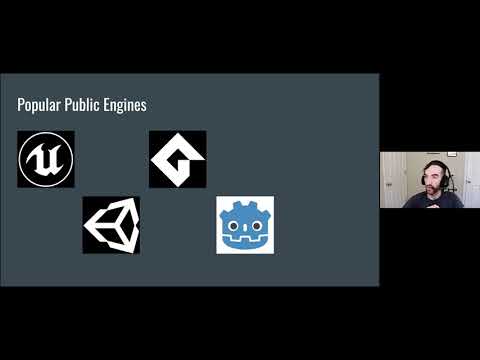
- Unreal Engine is recognized as an industry standard with cutting-edge technology suitable for AAA studios, originally focused on first-person shooters but now versatile across genres.
- Unity offers accessibility combined with strong technical features, making it popular among indie developers due to its extensive community support and resources.
Game Development Engines Overview
Visual Scripting and Accessibility
- The discussion begins with a mention of a visual scripting language that simplifies coding for beginners, allowing users to drag and drop elements instead of typing code.
- The speaker expresses a personal wish that such tools had been available during their childhood, suggesting it could have accelerated their career in game development.
Godot Engine
- Godot is introduced as a free and open-source game engine, comparable to Unity in terms of accessibility and technical features.
- It appeals particularly to those interested in contributing to open-source projects or working within non-proprietary software communities.
MonoGame Framework
- MonoGame is discussed as an evolution from the XNA framework, which was popular for indie games on Xbox 360 before Microsoft discontinued support.
- Notable games like Celeste were developed using MonoGame, highlighting its significance in the indie game scene.
Proprietary Game Engines
- The conversation shifts to proprietary engines used by major studios, such as Frostbite (EA), Anvil (Ubisoft), and id Tech (id Software).
- These engines are tailored for specific franchises like Battlefield and Assassin's Creed, showcasing heavy investment from companies into their proprietary technologies.
Building Custom Engines: Pros and Cons
- A critical question arises about whether individuals or teams should build their own engines. The speaker outlines both advantages and disadvantages.
- Building your own engine can lead to significant learning opportunities but requires substantial time investment; experience with existing engines is recommended before attempting this.
- Specific needs of certain games may necessitate custom engines; Factorio is cited as an example where unique gameplay mechanics demand bespoke solutions.
Game Development Insights
Should You Build Your Own Game Engine?
- It's advised against building your own game engine if you're new to game development; using existing engines can lead to better learning experiences and commercial success.
- If your game is similar to existing games, leveraging an established engine simplifies the development process and enhances financial viability.
Understanding the Game Loop
- The game loop is a fundamental component present in nearly all games, responsible for initializing the game, processing input, updating the game state, and rendering output continuously while the game runs.
- Within each iteration of the loop, three main tasks are performed: processing player input (e.g., from VR controllers or keyboards), updating the game's state (like character movements), and rendering audio/visual outputs.
- Developers may not always write their own game loops directly; in web-based games, callbacks often handle these iterations automatically.
Managing Technical Debt
- Technical debt refers to suboptimal coding decisions that create future costs for developers. An analogy used is the confusing U.S. measurement system that complicates tasks unnecessarily.
- Recognizing that technical debt will occur allows developers to strategize on making code robust and adaptable for future changes (e.g., ensuring backward compatibility).
- Suggestions for managing tech debt include avoiding unnecessary data storage and saving enumerated values as strings rather than integers for easier updates.
Designing Game Controls
- Effective controls are crucial for player engagement; complex control schemes require careful design to accommodate various gameplay scenarios (e.g., vehicle interactions).
- A common technique in control design is implementing a state machine that transitions player actions based on button presses within different states of gameplay.
Enhancing Player Experience with Control Mechanics
- Achieving "feel" in controls is essential; techniques like "coyote time" allow players to jump even after running off ledges, enhancing immersion despite seeming counterintuitive.
Game Development Insights
Player Intent and Control Mechanics
- Discusses the importance of interpreting player intent in game controls, allowing for flexibility in timing when executing actions.
- Provides an example from League of Legends with the character Alistar, where a change was made to allow players to execute moves even if they pressed buttons slightly early.
- Highlights that this adjustment was implemented at the engine level, enhancing overall gameplay experience by accommodating player input variations.
Physics Simulation in Games
- Explains that most games use approximations of Newtonian physics due to computational limitations, making accurate simulations impractical.
- References a talk about Noita, a roguelike physics platformer that relies heavily on clever physics simulation for its gameplay mechanics.
- Emphasizes collision detection as a critical challenge in physics simulation within games.
Collision Detection Techniques
- Introduces Axis-Aligned Bounding Box (AABB) collision detection as a simple method for checking object proximity using bounding boxes.
- Mentions AABB's application in simpler games like 2D platformers and its role as an initial test before more complex collision checks are performed.
- Discusses space partitioning techniques such as octrees to efficiently manage collisions among numerous moving objects in a game world.
Animation Challenges and Techniques
- Defines animation as the process of manipulating bones representing character structures and how it involves linear math to move meshes accordingly.
- Addresses challenges like data authoring versus motion capture, compression issues due to static bones, and inverse kinematics for realistic movements.
Rendering Fundamentals
- Describes rendering as the act of displaying colored pixels on screen, emphasizing its foundational role in game development.
- Highlights Unreal Engine 5's impressive capabilities showcased through advanced rendering techniques demonstrated during their demo.
Rendering in Game Development
Core Steps of Rendering
- The main steps of rendering include passing vertices to create triangles, with specific focus on the programmer's role in writing code for these processes.
- Vertex shading involves manipulating triangles based on animation bones and camera position before rasterization, which converts them into pixels.
- Pixel shading alters pixel colors; this process is highly parallelized, differing from traditional programming approaches like C++.
Shader Graph and Performance
- High-end engines like Unity and Unreal utilize a shader graph for visual representation of pixel shading, allowing tech-savvy artists to customize rendering.
- Frame rate is crucial in gaming (typically 30 or 60 FPS), with rendering engineers responsible for maintaining performance within tight time constraints (33ms or 16ms per frame).
Profiling and Visual Effects
- Tools used for profiling game performance help identify slow frames; developers analyze updates to ensure consistent processing without idle times.
- Visual effects are characterized by randomness in rendering; they often blur the lines between standard rendering and visual effects due to their overlapping nature.
Particles in Visual Effects
- Particles are lightweight objects that enhance visuals without complex AI or gameplay mechanics, allowing numerous instances (e.g., tens of thousands) in a scene.
- Unlike other game elements (bullets, crates), particles serve primarily as decorative enhancements rather than core gameplay components.
Techniques for Particle Creation
- Various methods exist for creating visual effects: using multiple small particles or single large particles with meshes can yield different aesthetics.
Understanding Audio Development in Game Engines
The Role of Sound Engines
- Most game engines utilize either FMOD or Wwise for sound management, indicating a standardization in audio development across various platforms.
- Audio developers collaborate with engineers to establish triggers for sound events (e.g., footsteps, explosions), highlighting the importance of communication between disciplines.
- Developers create wave files using digital audio workstations (DAWs) and integrate them into FMOD or Wwise, which then generates sound banks for the game engine.
Types of Sounds in Games
Sound Effects
- Sound effects are crucial for punctuating moments within games; they can be analyzed through the ADSR framework: Attack, Decay, Sustain, Release.
- The ADSR model helps sound designers discuss and refine sounds by focusing on their dynamic characteristics during gameplay.
Voice Over
- Voice over recording techniques have evolved; for instance, "Hellblade: Senua's Sacrifice" recorded voice alongside motion capture to enhance realism.
- This method has become more common since its introduction around 2004, emphasizing the integration of performance and audio.
Music Composition
- Music is typically composed separately from the game engine using software like FL Studio; it requires careful timing to align with gameplay events.
- Composers often create loops and transitions that need to be effectively managed by the engine during gameplay.
Importance of Tools in Game Development
Custom Editing Tools
- Tools play a critical role in content creation; without them, creators may resort to error-prone text file editing.
- Effective tools streamline data editing processes and reduce errors such as typos or incorrect data entries.
Tailoring Tools for Diverse Needs
- Game development involves various roles requiring specialized tools tailored to different tasks and user experiences.
Understanding Tool Development in Game Design
The Importance of Communication Between Programmers and Users
- The speaker emphasizes the necessity for programmers to understand user expectations when developing tools, ensuring that these tools are effective and user-friendly.
- Acknowledges the significance of a reliable build pipeline that allows developers to efficiently deploy changes to players' machines without extensive delays.
Challenges in Build Systems
- Discusses the complexity of build processes, particularly when transitioning from local development to final builds, which can take hours due to data processing requirements.
- Highlights the challenge of balancing quick local builds with achieving a final product that meets quality standards, especially regarding visual fidelity.
AI in Game Development: Balancing Intelligence and Player Experience
Misconceptions About AI Design
- Clarifies a common misconception about AI; rather than making entities overly intelligent, it's more important they effectively communicate their actions to enhance player experience.
- Uses Halo 2 as an example where sniper mechanics were adjusted for better gameplay balance, allowing players a chance to react instead of facing instant death.
Techniques for AI Implementation
- Introduces state machines as a basic method for managing AI behavior through defined states and transitions.
- Explains behavior trees as a more advanced approach where AI decisions are made by traversing branches based on conditions, improving decision-making logic.
Scripting in Game Development: Benefits and Challenges
The Role of Scripting Languages
- Describes scripting as a means for non-programmers to modify game logic easily without needing deep technical knowledge or lengthy compilation times.
- Mentions examples like Lua from Dota 2 and visual scripting languages used in Warcraft 3 map editor as popular choices among developers.
Issues with Script Management
- Points out challenges associated with scripting proliferation; scripts often become convoluted due to copy-pasting practices leading to confusion and maintenance difficulties.
Memory Management in Game Development
Memory Allocation Challenges
- Memory allocation is crucial in game development, especially when operating under limited memory constraints for minimum specifications or consoles.
- Fragmentation occurs when objects of varying sizes are allocated and deallocated in arbitrary orders, leading to insufficient contiguous space for new allocations.
Networking Fundamentals
- Networking involves ensuring that computers (clients and hosts) agree on game state; Bungie's techniques from Halo Reach are still relevant in Destiny.
- The client communicates actions to the host, which computes the game state and sends authoritative updates back to the client.
Replication Techniques
- State replication involves sharing variable states (e.g., health, position), while event replication ensures all clients agree on significant occurrences (e.g., explosions).
- Clients simulate events like explosions independently but must align with the server's authoritative version of these events.
Prediction Mechanisms
- Prediction helps mitigate latency by allowing clients to guess variable states, particularly movement, enhancing gameplay fluidity.
- The host verifies movements to prevent cheating while allowing clients some autonomy over their actions.
Handling Latency in Game Mechanics
Projectile Control Example
- A case study on Yumi's ability "prowling projectile" illustrates complex networking where mouse samples are sent frequently from client to server.
- If a packet is delayed, the server uses the most recent data available to control projectile movement until it receives updated information.
Synchronization Strategies
- The projectile initially moves straight for synchronization purposes before adapting based on buffered input data from clients.
Design Philosophies in Game Engines
Object-Oriented Design Limitations
- Object-oriented design is prevalent but can lead to bloated base classes due to diverse object types inheriting common properties.
Data-Oriented Design Approach
Understanding Game Development and Engine Design
The Core of Software in Gaming
- Software operates on hardware, focusing on data movement and computation as the essence of game development.
- Introduction to the Entity Component System (ECS), a framework that simplifies game object management by using integers instead of complex class hierarchies.
Entity Component System Explained
- Entities are represented as integers with various components (e.g., position, AI, sprite) that define their behavior and attributes.
- ECS promotes flexibility in defining objects while optimizing memory usage and enhancing cache coherence for better performance.
Engine Heavy vs. Engine Light Development
- Discussion on two design philosophies: engine heavy (complex operations managed by the engine) versus engine light (minimal engine functions with extensive scripting).
- An engine heavy approach simplifies development for those without specialized knowledge, while an engine light approach offers more control over low-level details.
Personal Insights on Building a Game Engine
- The speaker's motivation for building a game engine includes personal enjoyment, learning opportunities, and career fulfillment.
- Emphasis on managing technical debt and having control over the game's architecture as key reasons for developing an engine.
Overview of the Lieutenant Randolph Engine
- Description of the 2D pixel art game engine being developed for various genres including puzzle platformers and JRPGs.
- The development process involves coding specific games first before integrating reusable components into the main engine layer.
Challenges in Memory Management
- Unique challenge faced is avoiding dynamic memory allocation; all operations occur within a predefined block of memory to streamline processes.
Advice for Aspiring Game Developers
- Recommendations for beginners include starting with simple games like Tetris or Pong to grasp fundamental concepts effectively.
How is Scripting Implemented in Game Engines?
Overview of Scripting in Game Development
- The attendee inquires about the implementation of scripting within game engines, questioning whether libraries exist to assist with this or if one must create a programming language from scratch.
- Lua is identified as the most commonly used scripting language due to its lightweight nature and ease of integration with other languages. It supports features like just-in-time compiling, making it suitable for editor-style scripting.
Function Registration and Language Constructs
- Developers typically register functions from engine code that scripts can call, akin to creating a limited vocabulary (verbs) for the script. This allows users to perform actions such as moving units or casting spells.
- The power of scripting lies in how developers expose these verbs and whether they provide access to constructs like loops, which may require building a domain-specific language.
Alternatives and Custom Languages
- While Lua is popular, Python is also occasionally utilized. Godot has developed its own language similar to Python but opted against using Python for specific reasons outlined on their blog.
- Ultimately, creating a custom language is possible; however, the focus remains on exposing verbs and determining how users will combine them.
What Does the Optimization Process Look Like in Game Development?
Understanding Optimization Techniques
- An attendee asks about optimization processes in game development. The speaker distinguishes between poor optimization practices—such as overly clever coding—and effective strategies that prioritize readability.
- Experienced developers advise against premature optimization that complicates code maintenance. Instead, writing clear code facilitates future optimizations when performance issues arise.
Profiling and Identifying Bottlenecks
- When performance issues are detected (e.g., needing five more milliseconds), developers should use profiling tools to identify where time is being spent within the codebase.
- By annotating functions with names and analyzing execution times, developers can pinpoint inefficiencies—like excessive memory copying or network delays—that slow down performance.
Importance of Readable Code
- Clear code structure aids understanding during optimization efforts. If code becomes convoluted through early optimizations, it complicates later adjustments aimed at improving speed.
- A lack of clarity can lead to confusion over variable meanings or logic flow during debugging sessions when trying to enhance performance.
Resources for Aspiring Engine Builders
Recommendations for Learning Resources
- An attendee requests resources for those interested in building game engines. The speaker offers to share resources via email after the session rather than having attendees take notes during the discussion.
Practical Experience Suggestions
- As a starting point, aspiring engine builders are encouraged to experiment with existing engines. This hands-on experience helps clarify what features they want their own engine to include.
Discussion on Learning and Resources
Insights on Learning and Resource Sharing
- The speaker reflects on their learning journey, emphasizing that much of their knowledge has been acquired through practical experience rather than formal education.
- They mention the importance of finding specific references to enhance understanding, particularly in technical areas like building a renderer.
- The speaker commits to providing additional resources or links related to the topic discussed, indicating a willingness to support others in their learning process.
Conclusion of Q&A Session
- The session wraps up with an acknowledgment of the attendees' participation and questions, highlighting the interactive nature of the discussion.