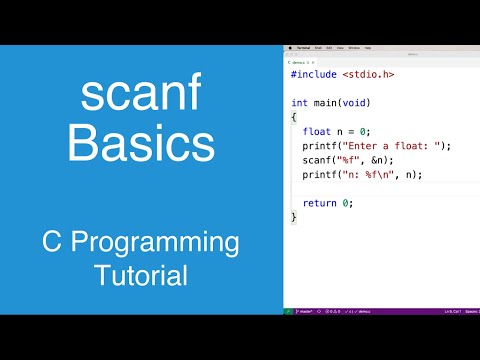
scanf Basics | C Programming Tutorial
Understanding scanf in C Programming
Introduction to scanf
- The video introduces the
scanffunction, which is used for accepting user input through the terminal. It can also read from other sources like files.
Basic Usage of scanf
- An example is provided where the user is prompted to enter a number, which is stored in an integer variable
n. The initial value ofnis set to zero.
- The first argument of
scanfincludes a format specifier%d, indicating that an integer input is expected. A second argument specifies where to store this input using the address operator (&n).
Understanding Pointers and Memory
- The use of the address operator (
&) retrieves the memory address of variablen, allowingscanfto store the entered value correctly. Omitting this would result in failure.
Outputting User Input
- After reading an integer, it’s printed back to the user using another format specifier
%d. This confirms successful data entry.
Reading Different Data Types
Characters
- To read a character, a similar approach is taken with
%c. An example prompts for a character input and outputs it back.
Floats and Doubles
- For floating-point numbers,
%fis used withfloat n, while for doubles,%lfmust be specified when reading but can be printed with%f.
Reading Multiple Inputs with scanf
Handling Multiple Variables
- The video discusses how multiple integers can be read simultaneously by declaring several variables (e.g.,
int n1, n2, n3) and initializing them.
- A prompt asks users to enter three integers without commas. The corresponding format string for reading these values uses three
%ds.
Summing Inputs
- After capturing multiple inputs, their sum can be calculated and displayed using another print statement.
Understanding Strings and Input in C Programming
Defining Strings in C
- Strings in C can be defined as arrays of characters, for example, using
char str[] = "this is my string";.
- The format specifier
%sis used to print strings, distinguishing it from%d, which is used for integers.
Using scanf for String Input
- A character array (buffer) can hold a specified number of characters; for instance,
char buffer;allows storage of up to 50 characters.
- When using
scanf("%s", buffer);, the address operator (&) is not needed because the name of the array (buffer) already represents its memory address.
Limitations and Quirks of scanf
- If a user inputs a string with spaces (e.g., "kevin lives in canada"),
scanfwill only capture the first word ("kevin") due to whitespace handling.
- While
scanfis commonly taught for input, it has limitations that make it less suitable for real-world applications. Other functions may handle input more effectively.
Handling Whitespace and Input Validation
- Upon encountering whitespace (space, newline, tab),
scanfstops reading input. This behavior can lead to incomplete data capture.