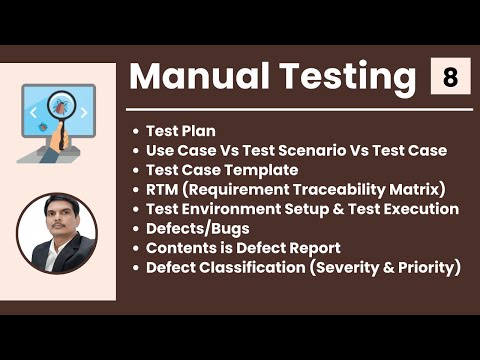
Manual Software Testing Training Part-8
Introduction to Software Testing Life Cycle
In this section, the speaker introduces the topic of software testing life cycle and explains that it involves different activities such as test planning, test design, test execution, defect reporting, and test closure.
Test Plan
- A test plan is a document that describes the scope of testing for a software product.
- The document should specify what will be tested and what will not be tested (scope), the different testing strategies to be used (strategy), how defects will be reported (defect reporting procedure), roles and responsibilities of team members (roles and responsibilities), when testing will take place (test schedules), and what documents will be delivered at each phase of testing (test deliverables).
- The scope should include information on what to test based on customer requirements.
- Test schedules should specify dates for conducting tests along with details about the type of activity being performed.
Test Design
- Test design involves creating detailed test cases based on requirements.
- Use cases are created to describe user actions in detail.
- Test scenarios are created by combining use cases into groups.
- Test cases are then created from these scenarios.
Test Execution
- During this phase, tests are executed according to the plan developed in earlier phases.
- Defect reports are generated if any issues arise during testing.
Defect Reporting
- Defect reports should include information such as steps to reproduce the issue, expected results vs actual results, severity level, etc.
- The defect lifecycle involves several stages, including defect reporting, triage, assignment, resolution, and verification.
Test Closure
- The final phase of the software testing life cycle involves evaluating the results of testing and creating a test closure report.
- The report should include information on the number of defects found, how many were fixed, how many are still open, etc.
Test Plan Document
In this section, the speaker discusses the importance of a test plan document and its contents.
Contents of a Test Plan Document
- The scope of testing should be clearly defined in the test plan document. This includes what will be tested and what will not be tested.
- Entry and exit criteria should also be specified in the test plan document. This includes when to start testing and when to exit from testing.
- Suspension and resumption criteria should also be included in the test plan document. This specifies when to stop testing and when to resume testing, respectively.
- Tools that will be used for testing purposes, including manual tools such as Excel or Word documents, bug tracking tools, automation testing tools, or test management tools should also be specified in the test plan document.
- Risks and mitigations should also be clearly stated in the test plan document. This includes identifying potential risks during project execution and outlining mitigation plans for each risk identified.
- Approvals from all stakeholders are required before approving the test plan document.
Use Case, Test Scenario, Test Case
In this section, the speaker explains three important terminologies used while designing tests.
Use Case
- A use case describes a requirement that helps understand it more clearly by providing additional details about it.
Test Scenario
- A test scenario is a set of steps that describe how a particular feature or function is tested.
Test Case
- A test case is a set of inputs, execution conditions, and expected results developed for a particular objective.
Use Cases and Test Scenarios
In this section, the speaker explains what use cases are and how they help in understanding requirements. The speaker also discusses test scenarios and test cases, their differences, and how they relate to use cases.
Understanding Use Cases
- Use cases are a kind of picture or data flow diagram that helps understand requirements more clearly.
- They are specified in the FRS document along with text.
- A use case describes a requirement and mainly has three options - actor, action, goal or outcome.
- Actor is nothing but a user who performs an action to get some outcome.
- By seeing the picture of a use case, we can easily understand the functionality of the application.
Deriving Test Scenarios from Use Cases
- Test scenario is a possible area to be tested that describes what exactly needs to be tested in an application.
- Based on the use cases, testers derive test scenarios by identifying all the areas where testing needs to be conducted.
- Use cases can be found in the FRS document or functional requirement specification document created by product managers or business owners responsible for writing requirements.
Understanding Test Cases
- Test case is a step-by-step action performed to validate the functionality of an application under test.
- It contains multiple steps that need to be performed to validate application functionality.
- Test scenarios describe what needs to be tested while test cases describe how it should be tested.
Overall, understanding use cases is crucial for deriving test scenarios which then help create effective test cases.
Understanding Use Cases and Test Cases
In this section, the speaker explains the difference between use cases and test cases. They also discuss how to derive test scenarios from use cases and how to group similar test cases into a test suite.
Use Case vs Test Case
- A use case describes functional requirements prepared by a business analyst.
- A test case describes the steps or procedures prepared by a test engineer.
- Test cases are prepared based on use cases.
Test Scenario vs Test Case
- To write a test case, we need to have a test scenario derived from the use case.
- A testing scenario describes what needs to be tested, while a test case describes how it should be tested.
Test Suite
- A group of similar types of test cases is called a "test suite."
- Examples of different types of suites include sanity, regression, functional, and GUI tests.
Test Case Document
In this section, the speaker explains what a test case is and how to create a test case document.
Creating a Test Case Document
- A test case is a set of actions executed to validate particular feature or functionality of your software application.
- A test case document contains different options like a test plan but initially, test cases will be prepared either in the word document or excel document.
- Reviews will happen in multiple cycles after we complete all the reviews and once we get the signed off from the teams then finally we will upload the test cases in the tool test management tools like Jira.
Components of a Test Case
- Every test case will identify with some id which is unique.
- Test case title should be small and while reading it, one should know exactly what it refers to.
- Description can be three to four lines long for each test case.
- Precondition means before executing the test case what are the conditions that should be satisfied that is a precondition.
Prioritizing Test Cases
- Priority means in which order we have to execute the test cases based on their importance. We have to prioritize them as p 0, p 1, p 2, p 3 where p 0 has high priority and belongs to smoke and sanity tests while p1 belongs to regression tests and so on.
Other Components of a Test Case
- Requirement ID specifies for which requirement we are writing the test case.
- Steps or actions specify what are the different steps we have to perform and those we have to specify.
- Expected result specifies what is the expected result after performing the steps or actions.
- Actual results will be updated later while executing the test cases. If there is any mismatch between expected and actual results, then it can be reported as a bug.
- Some test cases also require some test data, which should be prepared before writing the test cases, and it should also be specified in the test case document.
Test Case Template
In this section, the speaker discusses the importance of test case templates and what should be included in them.
Key Points:
- Actual results and expected results should be part of your test case.
- Each test case should have a unique ID that is not repeated for multiple test cases.
- Excel sheets are more comfortable to use as a test case template.
- Once reviews are completed and signed off, the test cases can be uploaded into the test management tools.
Requirement Traceability Matrix (RTM)
In this section, the speaker explains what an RTM is and why it's important in software testing.
Key Points:
- An important question in interviews is how to know if all scenarios have been covered by written test cases.
- While writing the test cases, testers also write an RTM document that maps requirement IDs with corresponding test case IDs.
- The purpose of an RTM is to ensure that all requirements are covered so no functionality is missed during software testing.
- An RTM contains requirement IDs, requirement descriptions, and corresponding test case IDs.
Test Environment
In this section, the speaker defines what a "test environment" means in software testing.
Key Points:
- A "test environment" refers to the setup required for executing tests after design completion.
Understanding Test Environment
In this section, the speaker explains what a test environment is and why it is important to replicate the customer's environment.
Importance of Test Environment
- A test environment should be an exact replica of the customer's platform.
- Replicating the customer's environment in QA is important because testing conducted in a different environment can cause conflicts.
- The hardware requirements for the test environment include information on machines, RAM, hard disk space, processor type, and network speed.
- Software requirements include supporting software, versions used by customers, and types of documents used.
Creating a Test Bed
- Collecting all environmental requirements is part of the requirement gathering process.
- The same kind of environment that customers use should be replicated in testing to ensure that test cases pass in both environments.
- Setting up an identical test bed before receiving builds from developers is crucial.
Test Execution and Test Bed
In this section, the speaker explains what a test bed is and how it relates to test execution.
Definition of Test Bed
- A test bed refers to a collection of software and hardware environments created for performing testing.
Testing Process
- After setting up the test environment, testers wait for builds from developers.
- Once received, testers install the product or application in their set-up environment before continuing with testing.
- During this phase, testers carry out testing based on prepared plans and cases.
Test Execution Cycle
In this section, the speaker discusses the test execution cycle and its various stages.
Preparing for Testing
- Before starting testing, it is important to have test cases ready and approved.
- Test data is required sometimes for your test cases and test plan is also necessary.
- You need to keep entry criteria and timelines in mind before starting testing.
Executing Test Cases
- During test execution, you will update the status of each test case as passed, failed or blocked.
- Documentation of the test results and logging defects for failed cases is done.
- All reported defects are assigned bug IDs.
- Retesting is done once defects are fixed. Defect tracking continues until closure.
Deliverables
- A defect report containing all the list of defects and a test execution status report should be prepared after completion of testing.
- The completed results should be provided in a defect report and a test case execution report.
Guidelines for Test Execution
In this section, the speaker discusses guidelines that should be followed during test execution.
Build Deployment
- The build being deployed to the QA environment is an important part of the test execution cycle.
- Development environment is different from QA environment so software installation may not work on both environments.
Customer Environment Simulation
- The ultimate goal of tester is to make sure that software works on customer expected platform and environment.
- Test execution happens in multiple cycles and should be done on the QA environment.
Test Execution Phase
In this section, the speaker discusses the test execution phase and how it consists of executing test cases manually or through automation. The main purpose of automation is to reduce manual effort and time.
Manual vs Automated Testing
- During the test execution phase, test cases are executed manually.
- Once a test case passes manually, it is automated to save time and effort in future cycles.
- Automating test cases reduces manual effort and saves time in each cycle of testing.
Defects or Bugs
In this section, the speaker explains what defects or bugs are and how they differ from errors or mistakes. They also discuss how testers report defects to developers using bug tracking tools.
Defects vs Errors/Mistakes
- Defects or bugs refer to any mismatched functionality between expected and actual outcomes during testing.
- Errors are programming-related issues while mistakes are human-related issues that lead to missing defects during testing.
Reporting Defects
- Testers report mismatches as defects to developers through templates or bug tracking tools like Jira or Quality Center.
- Bug tracking tools have a form where testers fill out details like defect ID, description, priority, steps to reproduce the defect, who reported it, screenshots, and log files.
- Once submitted, developers receive the details automatically and work on fixing the defect.
Bug Tracking Tools
In this section, the speaker discusses various bug tracking tools available in the market and how they differ from test management tools.
Types of Tools
- There are many bug tracking tools available in the market, including open-source and paid options.
- Examples of bug tracking tools include Clear Quest, DevTrack, Quality Center (also known as ALM), and Bugzilla.
- Test management tools like Jira and Quality Center are different from bug tracking tools.
Bug Tracking and Test Management Tools
In this section, the speaker discusses the difference between bug tracking tools and test management tools. They explain that while bug tracking tools are used only for defect reporting, test management tools can be used to track all testing activities.
Bug Tracking vs Test Management Tools
- Bug tracking or defect reporting tools are used to report defects to developers.
- Test management tools can track every activity during testing, including defining requirements, writing scenarios and test cases, upgrading execution status, and reporting defects.
- Test management tools can also track other test management activities.
- Jira is a popular test management tool that can be used by everyone in the team.
Jira as a Test Management Tool
In this section, the speaker explains what Jira is and how it can be used as a test management tool.
Using Jira as a Tester
- As a tester using Jira, you define requirements written by business owners or product managers.
- You write test cases and report bugs while updating execution status in Jira.
Using Jira as a Developer
- Developers use unit tests and integration tests in Jira to execute stages of development.
- All project-related activities are tracked in one place with Jira.
Defect Report Contents
In this section, the speaker discusses the contents of a defect report and what information should be included when reporting a defect.
Contents of a Defect Report
- A defect report contains a unique identification number for every defect, a detailed description of the defect, the build verification number or build ID, steps to reproduce the bug or defect, and the date it was raised.
- The reference documents used to identify the bug should also be specified in the report.
Defect Status and Priority
In this section, the speaker explains how the status of a defect changes as it is being worked on by developers. They also discuss the importance of assigning CVRT (severity) and priority to each defect.
Defect Status
- The status of a new defect is "New".
- When a developer starts working on the defect, its status changes to "Open".
- While the developer is fixing the defect, its status is "In Progress".
- Once the developer fixes the bug, its status changes to "Fixed".
- After retesting and confirming that it works fine, the defect's status will be changed to "Closed".
CVRT and Priority
- As testers, we need to assign CVRT (severity) and priority to each defect.
- CVRT can be one of four types: Blocker, Critical, Major or Minor.
- Priority indicates in which order defects should be fixed. It can be P1 (highest), P2 or P3.
- The severity of a bug describes how much impact it has on business workflow. Blocker bugs are show stoppers that completely block functionality.
Understanding CVRT and Priority
In this section, the speaker provides more detail about what CVRT (severity) and priority mean.
Classification
- Testers must specify both CVRT and priority before raising a defect with developers.
- There are four types of CVRT: Blocker, Critical, Major or Minor.
- Naming conventions for these may differ between companies.
Severity (CVRT)
- The severity of a bug describes how much impact it has on business workflow.
Priority
- Priority indicates in which order defects should be fixed.
- Test cases have only priority; there are three levels: P1 (highest), P2, and P3.
- CVRT is assigned by testers to each defect before raising it with developers.
Defect Severity Levels
In this section, the speaker explains the different levels of severity for defects in software testing.
Blocker
- A blocker defect is one that completely blocks further testing or progress.
- It must be fixed by the developer before any further testing can proceed.
- Examples include login not working or application crashing.
Critical
- A critical defect does not completely block progress but affects major functionality.
- The main or basic functionality is not working, impacting customer business and workflow.
- Examples include fund transfer not working in net banking or ordering products in e-commerce applications.
Major
- A major defect does not affect basic functionality but has undesirable behavior.
- The feature works fine, but there is some confusion or lack of confirmation messages for users.
- An example includes Gmail sending mail without a confirmation message.
Defect Severity and Priority
In this section, the speaker discusses the four categories of defects severity and how to assign priority when reporting a defect.
Defect Severity
- There are four categories of defects severity: Blocker, Critical, Major, and Minor.
- Blocker defects completely block testing progress.
- Critical defects impact the main functionality of the application or customer business flow.
- Major defects do not provide any acknowledgement from the application to the user. They include spelling mistakes, colors, look and feel alignments.
- Minor defects are low priority issues that do not impact business flow or functionality. They include UI end alignments, spelling mistakes, etc.
Defect Priority
- When reporting a defect, it is important to specify both its severity and priority.
- The tester will assign priority based on factors such as customer requirements and project timelines.
Overall, understanding defect severity and priority is crucial for effective software testing and bug reporting.
Defect Priority
In this section, the speaker explains the importance of defect priority and how it affects the developer's decision to fix a bug.
Importance of Defect Priority
- Priority describes the importance of the defect and how soon it should be fixed.
- The developer considers priority when fixing bugs.
- Defect priority states the order in which defects should be fixed.
- There are three priorities: P0 (high), P1 (medium), and P2 (low).
How to Specify Priority
- When reporting a bug, specify its priority along with CBRD.
- Use P0 for high-priority bugs that must be resolved immediately because they severely affect the system and block progress.
- Use P1 for medium-priority bugs that can wait for upcoming versions or releases.
- Use P2 for low-priority bugs that can be fixed in later releases.
Developer's Decision
- The developer chooses which defects to fix based on their priority.
- Priority can be changed by leads, managers, or product owners, but CBRD cannot be changed.
Defect Priority
In this section, the speaker explains how testers should categorize defects based on severity and priority.
Categorizing Defects
- Testers must analyze defects to determine their severity and priority.
- Severity is determined by the seriousness of the defect, while priority is determined by how quickly it needs to be fixed.
- Testers are responsible for assigning both severity and priority to each defect they find.
Prioritizing Defect Fixes
- Testers can assign a P0 priority if a defect needs to be fixed immediately or a P1 priority if it can wait until the next version.
- If a defect is not important now but may become important in future releases, testers can assign a P2 priority.
Examples of Severity and Priority Combinations
- The speaker provides examples of different combinations of severity and priority that a bug could fall under, such as high severity and high priority or low severity and high priority.
- Testers should be able to provide examples of different combinations when asked in an interview setting.
Example Bug Categorization
- The speaker provides an example of how to categorize a bug where login leads to a blank page: high severity and high priority because it blocks progress until fixed.
Analyzing Bug Severity and Priority
In this section, the speaker discusses how to analyze bug severity and priority based on different scenarios.
About Us Link Giving Blank Page
- Clicking on the "About Us" link results in a blank page.
- This is a bug that needs to be analyzed for severity and priority.
- The bug is high severity but low priority because it does not impact the business and can be fixed in the next version.
Spelling Mistake on Home Page
- There is a spelling mistake on the home page, which impacts user experience.
- Although it is a low CVRT issue, it has high priority because it affects customer perception of the application.
- The spelling mistake should be fixed soon as it is visible to users when they first log into the application.
Spelling Mistake on Contact Page
- There is a spelling mistake in an email address displayed on the contact page.
- This issue has low CVRT and low priority because it does not impact application functionality or workflow.
Defect Contents and Prioritization
In this section, the speaker discusses the different types of defects and how they are prioritized based on their severity and impact on the user.
Defect Types
- Most users may not notice a spelling mistake in an email address displayed in a corner area, making it a low priority issue.
- An application crashing in a corner case is high severity but low priority since it occurs rarely.
- A slight change in logo color or spelling mistake in company name is high priority as it impacts customer perception.
Prioritization Examples
- High priority and high severity issue with login functionality.
- High cvrt and low priority when webpage is not found when user clicks on a link.
- Low priority and low severity for cosmetic issues like spelling mistakes or alignment.
Defect Resolution
The speaker explains what defect resolution is and how developers update the defect resolution column after receiving a defect report from testers.
Defect Resolution Process
- Developers evaluate reported defects to determine if they are actual defects or duplicates, or if they cannot reproduce them.
- Defect resolution column is updated by developers to reflect their opinion on the reported defect.
This section was short, so only one subtopic was included.
Defect Resolution
In this section, the speaker discusses different types of defect resolutions and how they are used in software testing.
Types of Defect Resolutions
- Defect resolution can be specified as "rejected" if the developer does not accept it as a defect.
- "Duplicate" is used when the developer thinks that the reported defect is already raised earlier.
- "Enhancement" is used when developers think that the reported issue is not exactly a defect but rather a new feature or enhancement.
- "Not reproducible" means that the developer cannot reproduce the bug in their environment.
- "As designed" means that what was reported as a bug is actually functioning as intended.
Updating Resolution Type
- The resolution type column should be specified in the bug report, and it's always updated by the developer, not by testers.
- While reporting defects in tools, there will be some fields for resolution type. Developers have to select that field; testers don't have any right to select it.
- Developers change the resolution type while working on defects.
Conclusion
- Different life cycles of defects will be discussed in future sessions.
Turn any video into a summary like this
YouTube links, meetings, lectures — with transcripts, search, and chat.