Curso SolidWorks Piezas y Ensamblaje Lección 11 Cuerpo
Detailed Valve Body Design Process
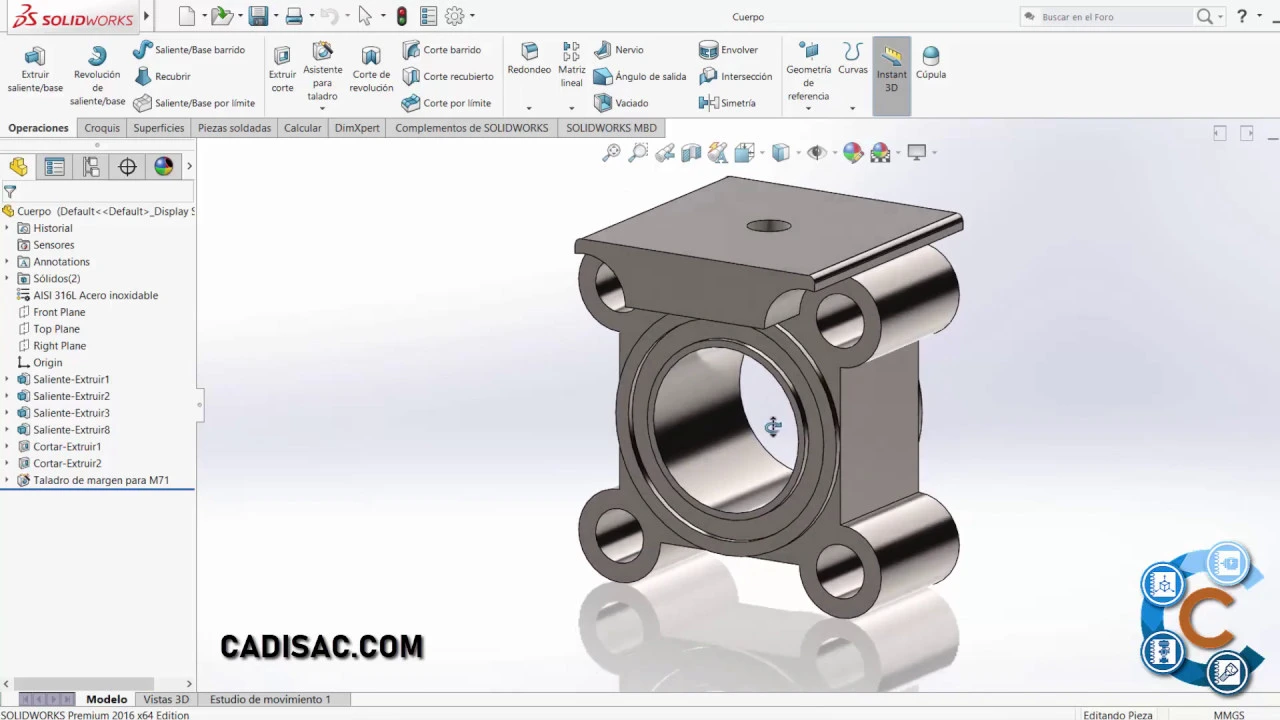
In this section, the detailed process of designing the central part of a valve body is discussed. The focus is on accommodating the stem, ball, and previously created seals using specific materials and tools.
Creating Initial Sketches and Dimensions
- Initiating a sketch in the elevation plane by drawing a rectangle with dimensions of 35 on each side.
- Adding a circle with a diameter of 23 at the center and smaller circles with diameters of 3 at the corners.
- Using an exclusion operation to create protrusions at a distance of 20 from the middle plane.
Drilling Holes and Creating Grooves
- Employing a drilling assistant for M7 metric standard holes concentric to the circles with diameters of 3.
- Sketching grooves for seals by drawing circles with various diameters (35, 31, 25, 23), then excluding protrusions at a distance of 22 from the middle plane.
Finalizing Design Details
- Drawing horizontal lines in an elevation sketch to complete seal groove design.
- Utilizing entity conversion tool for precise measurements between elements in the design.
- Implementing intermediate extrusion at a distance of 38 for further refinement.
Completing Central Body Part
- Starting another sketch to add final details like diameter symbols and additional cuts.
- Concluding the central body design after implementing all necessary features.