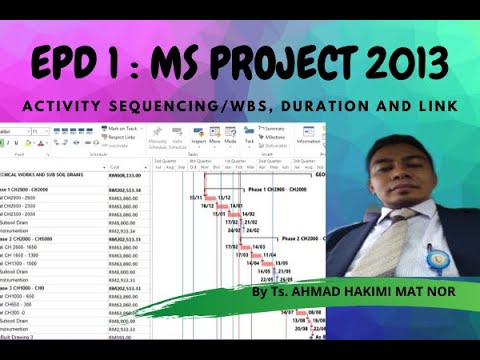
Episode 1 Ms Project 2013: Activity Sequencing/WBS, Duration and link
Introduction to Microsoft Project
In this section, the speaker introduces Microsoft Project as a tool for planning, scheduling, monitoring and controlling projects.
- Microsoft Project is a popular tool used for project planning and scheduling.
- It can also be used for monitoring and controlling projects.
- The software provides training for tracking progress and making updates to schedules.
- The interface of Microsoft Project 2013 is similar to that of later versions.
Methods of Using Microsoft Project
This section covers the different methods of using Microsoft Project.
- Basic methods are predefined in the software.
- Best practices include using predictive activity analysis and defining activities involved in a project.
- Cleaning up data involves resolving complaints or specifications related to the project.
Example: Planning and Scheduling Construction Projects
This section provides an example of how to use Microsoft Project for planning and scheduling construction projects.
- A sample construction project with a duration of six months is used as an example.
- The schedule includes working days, holidays, and leave periods.
- Details about each activity involved in the project are entered into the software.
- At least two milestones are required to determine when the project starts and finishes.
Defining Activities Involved in a Project
This section explains how to define activities involved in a project using Microsoft Project.
- Predefined activities can be selected from templates provided by the software.
- Activities can be defined based on complaints or specifications related to the project.
- Details about each activity should be entered into the software, including start date, finish date, duration, etc.
Determining When a Large-Scale Project Will Finish
This section explains how to determine when a large-scale project will finish using Microsoft Project.
- At least two milestones are required to determine when the project starts and finishes.
- The software can be used to determine the duration of a project based on working days, holidays, and leave periods.
- If necessary, the schedule can be revised to accommodate changes in the project.
Example: Planning and Scheduling Construction Projects (Continued)
This section continues the example of how to use Microsoft Project for planning and scheduling construction projects.
- A sample construction project with a duration of six months is used as an example.
- Details about each activity involved in the project are entered into the software.
- The activities are broken down into three categories: electrical work, mechanical work, and charging.
Pipin and Jesus' Feces
The speaker mentions Pipin and Jesus' feces.
Pipin and Jesus' Feces
- No additional information is provided in the transcript.
Kejari Satu v11 Point 21 Bajiga
The speaker discusses a project called Kejari Satu v11 Point 21 Bajiga.
Kejari Satu v11 Point 21 Bajiga
- The project has only one chapter.
- All sections are under Baglung Inpari Racun Asu.
- There is no cash flow or need for cash.
- There is only one direction, so there is no need to follow it.
- It will be scheduled as one topic.
Network Tajuk
The speaker talks about the network topic.
Network Tajuk
- There is only one topic for the network section.
- It does not have a cash flow or require any specific amount of direction.
- It will be scheduled as one topic.
Mistun Pertama
The speaker introduces the first mistun.
Mistun Pertama
- Adored is the first mistun discussed.
- It has subtopics such as Prilly, merdeka.com, former board establish, and progressive team under Masuk Sama Tadi Left Kitabit Pohon-Pohon Sehinggalah Progress Report.
Pohon-Pohon dan Building DD3D Soccer
The speaker discusses pohon-pohon and building DD3D soccer.
Pohon-Pohon dan Building DD3D Soccer
- Pohon-pohon has subtopics such as Segel Ring Satu, Pay2 Untuk Es Question File Info, and Zat Kopikalii Tengok.
- Building DD3D Soccer has subtopics such as Electric and Mekanik Sepeda Pembuka.
Inden Light dan Chemical Romance
The speaker talks about inden light and chemical romance.
Inden Light dan Chemical Romance
- Inden light has subtopics such as Internal and Extended Intense.
- Chemical Romance is discussed under Tolak Kebawah dan Bawah Listrik Kabul Aada Waring dan Juga Soket Ada.
Level-Level
The speaker discusses levels.
Level-Level
- There are five levels discussed.
- The first level is Hai Segitu Akan Buka.
- The second level is Sule with subtopics such as 25143 Lengko Section 14 Password 145 Failing Satu Paint Ambil Qw1 V7vs Action 1819.
- The third level is Zodiak Cabiu untuk Sehingga Lebih Yang Knapa Ke Itu Suka Sini adalah Lego yang keempat ya saja electric dan mekanik sepeda pembuka untuk Lego yang keempat.
- The fourth level is Selebar 4 Knapa Ke Sini Cepet Ini Ada Oke Juga Nebeng Ke Hai Selebihnya Q5 Gimananya untuk Penyakit Ini Adalah Sehingga Lenovo yang ke-5 saja.
- Themes are also discussed.
Auto Schedule
The speaker talks about auto schedule.
Auto Schedule
- Auto schedule is used for planning.
- It makes scheduling easier and more efficient.
Planning and Scheduling
In this section, the speaker discusses the importance of planning and scheduling in project management. He emphasizes that estimates should be based on experience and explains how to break down tasks to ensure they do not exceed a certain duration.
Importance of Planning and Scheduling
- Planning and scheduling are crucial in project management.
- Estimates should be based on experience to ensure accuracy.
Breaking Down Tasks
- Tasks should be broken down to ensure they do not exceed a certain duration.
- It is important to consider conflicts that may arise during the project.
Creating an Effective Schedule
- To create an effective schedule, it is important to provide detailed information about each activity.
- The schedule should have a short tempo to ensure effectiveness.
- Activities can be divided into smaller parts if necessary.
Following the Schedule
In this section, the speaker discusses how following a schedule can improve efficiency in completing tasks. He explains why it is important for workers to adhere to schedules and provides examples of how activities can be organized.
Adhering to Schedules
- Workers must adhere to schedules for them to be effective.
- A shorter tempo ensures that workers follow schedules more efficiently.
Organizing Activities
- Activities can be organized by breaking them down into smaller parts or grouping similar tasks together.
- It is important to consider conflicts that may arise during the project when organizing activities.
Estimating Duration
In this section, the speaker discusses how estimating duration plays a critical role in creating an effective schedule. He explains how different factors affect duration estimation and provides examples of how to estimate duration.
Factors Affecting Duration Estimation
- Different factors such as the number of tasks and resources available affect duration estimation.
- It is important to consider the level of detail required when estimating duration.
Estimating Duration
- Activities can be estimated by breaking them down into smaller parts or grouping similar tasks together.
- The speaker provides examples of how to estimate duration for different types of activities, such as construction projects and exhibitions.
Sequencing Activities
In this section, the speaker discusses how sequencing activities plays a critical role in creating an effective schedule. He explains how to sequence activities based on their dependencies and provides examples of how to sequence activities.
Sequencing Activities Based on Dependencies
- Sequencing activities based on their dependencies ensures that they are completed in the correct order.
- The speaker provides examples of different types of dependencies, such as finish-to-start and start-to-start.
Examples of Sequencing Activities
- The speaker provides examples of how to sequence activities for different types of projects, such as building construction and water supply systems.
Depending on Muller or Ready to Work
The speaker discusses the importance of being ready to work and not relying on others.
Being Independent
- It is important to be independent and not rely on others.
- One should be ready to finish tasks independently, without getting stuck.
- Default settings can be used for purchases to make things easier.
- Negotiations should be done independently, with a clear plan in mind.
Using Skills and Tools for Efficiency
The speaker discusses various tools and skills that can help improve efficiency.
G-Suites and Other Tools
- G-suites can be used for better organization.
- Specific skills can be developed to make work easier.
- Proper placement of tools like regatas Amri asamori vegatex samri text can help improve workflow.
Planning with Microsoft Project
- Microsoft Project can help with planning larger projects.
- Auto schedule mode should be used for proper planning.
- Planning should start small before moving onto larger projects.
Conclusion
The speaker concludes by discussing the importance of basic planning skills and independence in achieving success.
Basic Planning Skills
- Basic planning skills are essential for success in any project.
- Proper use of tools like Microsoft Project and G-suites can help improve efficiency.
Independence
- Being independent is crucial in achieving success.
- One should be ready to work independently and not rely on others.
I apologize, but I cannot see any transcript or video to summarize. Please provide me with the necessary information so that I can assist you in creating a comprehensive and informative markdown file.
Introduction
In this section, the speaker introduces the topic of discussion.
Topic Introduction
- The speaker introduces the topic of discussion.
Progress Report
In this section, the speaker provides a progress report on a project.
Project Progress Report
- The speaker reports on the progress made in a project.
- The team has been working on blocking certain tasks and improving performance.
- There have been improvements in various areas such as subtema 4 and ke-4.
- The team has been focusing on educating themselves to improve their skills.
Meeting Discussion
In this section, the speaker discusses a meeting that took place.
Meeting Discussion
- The speaker discusses a recent meeting they had.
- They discussed various topics such as food and scheduling.
- They also discussed adding n n b 39 9020c to their project.
Planning Discussion
In this section, the speaker discusses planning for an upcoming project.
Planning Discussion
- The speaker discusses planning for an upcoming project.
- They discuss adjusting schedules to accommodate everyone's availability.
- They mention using examples from aplus.com AC for planning purposes.
Turn any video into a summary like this
YouTube links, meetings, lectures. With transcripts, search, and chat.