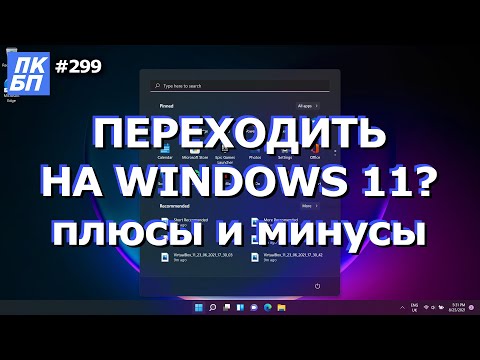
Плюсы и Минусы Windows 11. Стоит ли cтавить windows 11?
Should You Upgrade to Windows 11?
In this video, the speaker shares their experience using Windows 11 for six months and provides insights on whether it's worth upgrading from Windows 10. The speaker covers six key points about the operating system and discusses the pros and cons of each.
New Design
- The new design is a plus for the speaker, with rounded icons, window corners, and a centered start menu.
- It may be subjective, but users can customize the appearance with third-party software.
Performance
- Performance in games and programs is similar to that of Windows 10.
- However, Windows 11 uses more RAM than its predecessor, which could be an issue for older computers with limited memory.
Hardware Support
- Windows 11 has minimum requirements for processors and motherboards (8th generation Intel or newer), as well as TPM 2.0 support.
- Some devices may not work due to incompatible drivers or outdated hardware.
Other Topics
- For those interested in lighter versions of Windows, there are other options available.
- Non-genuine software can cause problems; consider purchasing digital licenses from reputable sources.
- The video provides instructions on how to install Windows 11 on older hardware but warns that some devices may not work correctly.
Overall, while there are some benefits to upgrading to Windows 11 such as a new design and improved performance in certain areas, users should carefully consider their hardware compatibility before making the switch.
Using the Second Bot to Ask Questions in a Group
This section discusses how to use the second bot to ask questions in a group.
Asking Questions in a Group
- The second bot allows you to ask questions in a group linked to our Telegram channel.
- To use the bot, open it using the provided link, follow the prompts to pay for the subscription, and then write your message in our group.
- Only those who have paid can write messages in the group.
Trial Functionality of Second Bot
This section discusses the trial functionality of the second bot.
Convenience of Windows 11 Settings
- Windows 11 settings are more convenient than those of Windows 10, although some settings are still not fully developed.
- Some convenient features include easy removal of unnecessary programs.
- The trial function is currently available at a symbolic price.
Comparing Windows 11 with Windows 10
This section compares Windows 11 with Windows 10.
Security Features
- The security features of both operating systems are similar, with Microsoft's built-in antivirus being effective on both platforms.
- However, there is room for improvement regarding antivirus software on both platforms.
Stability Issues
- There are still stability issues with Windows 11 that may cause problems when using professional software.
- Programs may crash or close unexpectedly due to system errors.
Update Installation
- Installing updates on Windows 11 has been smooth so far without any issues.
- There is an option to remove recent updates if they cause problems.
Final Thoughts on Using Windows 11
This section provides final thoughts on using Windows 11.
Pros and Cons of Using Windows 11
- Overall, Windows 11 has a 50/50 ratio of pros and cons compared to Windows 10.
- The decision to upgrade depends on hardware compatibility and personal preferences.
- There are some minor issues with the system, but it is still a good operating system.
Feedback
- Viewers are encouraged to share their feedback in the comments section.
- Links to other videos about Windows 11 are available in the description for more information.