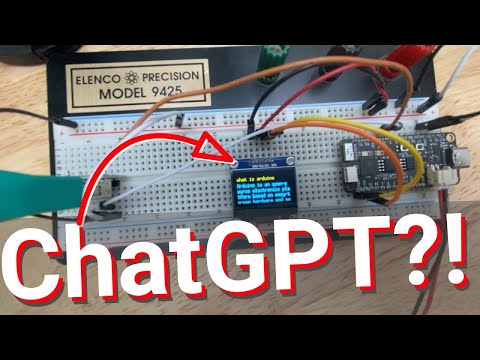
Give your Arduino project a chatGPT AI brain - for ALMOST free
Building a Chatbot with ESP32 and OpenAI
In this video, the presenter demonstrates how to build a chatbot using an ESP32 microcontroller and OpenAI API. The chatbot is built using a keyboard connected to the ESP32, which records key presses and displays them on an OLED display. The input is then sent to the cloud via Wi-Fi, where it is processed by OpenAI's text completion model. The response is then sent back to the ESP32 and displayed on the OLED.
Setting up OpenAI API
- To use OpenAI API, sign up for a developer account.
- Obtain an authentication key to access the ChatGPT API.
- Different models have different APIs that can be called to get responses.
Building the Chatbot
- Connect an old school keyboard to an ESP32 development board.
- Use Arduino IDE to program the board and connect it to Wi-Fi.
- Record key presses from keyboard and display them on OLED display.
- Send input string via Wi-Fi to OpenAI API for processing.
- Receive response from OpenAI API and display it on OLED display.
Required Libraries
- WiFi library in HTTPClient and WiFiClientSecure libraries for secure internet connection
- ArduinoJSON library for parsing JSON data
- Universal 8-bit graphics library version two for working with monochromatic OLED LEDs
Conclusion
Building a chatbot using an ESP32 microcontroller and OpenAI API is possible with some programming knowledge. By connecting a keyboard, recording key presses, sending input strings via Wi-Fi, processing them through OpenAI's text completion model, receiving responses back over Wi-Fi, displaying them on an OLED screen without any computer intervention.
Introduction to Arduino
In this section, the speaker introduces a video on Arduino and its ecosystem.
The Arduino in 90 Minutes Video
- The recommended video for learning about Arduino is "Arduino in 90 minutes."
- This video provides an introduction to the cool electronic stuff that regular people can start tinkering with.
- The video covers the entire ecosystem of Arduino.