Domo AI Complete Guide: Video-to-Video Transformation, Animation, and Image Generation

Domo AI Complete Guide: Video-to-Video Transformation, Animation, and Image Generation

Introduction to Domo AI

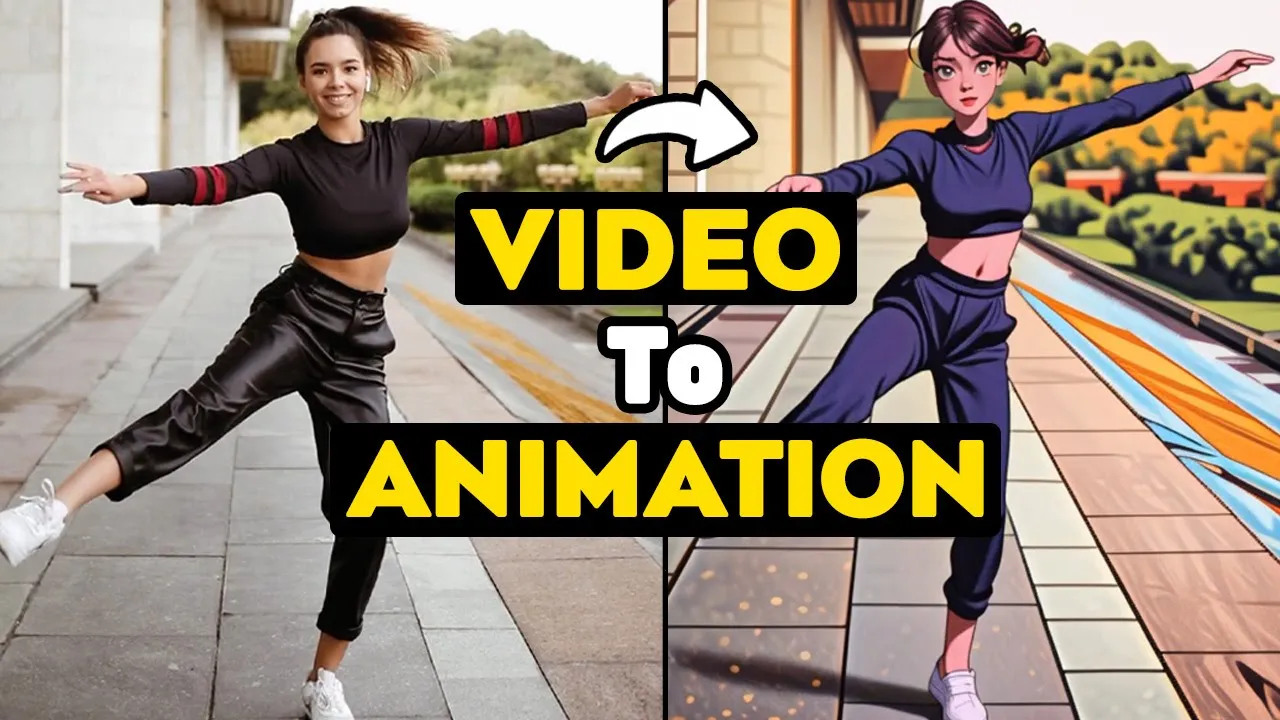
In this section, the speaker introduces Domo AI as an exciting tool and outlines the functionalities it offers, including image generation, animation, and video restyling.

Exploring Domo AI Features

  • Domo AI is introduced as a powerful tool for various tasks such as image generation with text and images. It can turn anime images into real ones and animate images.
  • Users are encouraged to visit the Domo AI website provided in the description to access the tool. Currently, it can be used on Discord by joining the server through specific buttons.
  • Different channels within the Discord server offer guidance on using various features of Domo AI. The Anime Guide channel provides prompts for creating anime characters, while the Model Archive Channel showcases models for generating images.

Using Domo AI for Image Generation

This section focuses on utilizing Domo AI for image generation, explaining how users can select models, generate images based on prompts, and customize their results.

Generating Images with Domo AI

  • To start generating images with Domo AI, users need to choose a model from different categories in the Model Archive Channel. They can then proceed to the Generate Room or direct message the bot to initiate image creation by providing prompts.
  • Users have two options when generating images: "Image to Image" allows uploading a source image to create a new one based on it, while selecting a model generates an image using a specific model chosen from the archive. After accepting terms of service and initiating generation, four results are provided for download or further modifications.

Animating Images with Domo AI

This part delves into animating images using Domo AI by uploading an image and adjusting intensity options to control movement levels.

Animation Process with Domo AI

  • To animate an image with Domo AI, users can upload an image and select animation options like intensity level (low or high) that determine movement speed. Experimenting with different intensities helps find suitable animations for various types of images.
Video description

πŸ”₯ Domo AI is an amazing AI tool that can generate and animate images from text and images, and restyle videos. πŸ”₯ You can use Domo AI to create stunning AI art with ease and elegance. Whether you want to turn anime images into real ones, animate images, or restyle your videos into AI animation, cartoon, illustration, and more, Domo AI can help you achieve your creative goals. In this Domo AI tutorial, I will show you how to use Domo AI on Discord and guide you step-by-step to use different parts of this AI tool. You will learn how to use image generation with text and images, using various models. You will also learn how to animate images, using different intensity and duration options. You will also learn how to use the video-to-video feature to restyle your videos, using pre-made styles and custom prompts. You will also see the magic of Domo AI in action, as I show you some examples of the results. By the end of this video, you will be able to use Domo AI to convert text to image and image to image, animate images, turn anime images to realistic images, and change style of your videos with ease. Domo AI is a powerful AI tool that can transform your creativity into reality. Whether you are a content creator, a designer, an artist, a marketer, a student, an educator, or just a curious person, you will find Domo AI useful and fun to use. It is an AI tool for image and video generation and editing. If you are interested in AI art, Domo AI is the tool for you. Watch this AI tutorial video now and discover how to use Domo AI to create amazing AI art.πŸš€ βž–βž–βž–βž–βž–βž–βž–βž–βž–βž– Timestamps: 0:00 Intro 0:29 Create Account 0:47 Explanation 2:02 Generate Image 3:45 Anime Image to Realistic 4:22 Image to Video 5:17 Video to Video βž–βž–βž–βž–βž–βž–βž–βž–βž–βž– πŸ‘‡πŸ»πŸ‘‡πŸ»πŸ‘‡πŸ»Links πŸ‘‰πŸ» domo ai: πŸ”— https://domoai.app/ βž–βž–βž–βž–βž–βž–βž–βž–βž–βž– 🎢 Royalty Free Music from Tunetank.com πŸ‘‰πŸ»Track: Modern Trends by Alexey Anisimov πŸ”—https://tunetank.com/track/5915-modern-trends/ βž–βž–βž–βž–βž–βž–βž–βž–βž–βž– πŸ‘‰πŸ»Another AI Tutorials: Fooocus - Create Consistent Characters for influencers, stories, comic books πŸ”— https://www.youtube.com/watch?v=-zmYskdzWCw Free Gif Generator and Editor πŸ”— https://www.youtube.com/watch?v=dq_nUY7QgKc Ideogram AI - Text design, Image AI πŸ”— https://www.youtube.com/watch?v=wlQxl_5GcSI Extend Video Duration πŸ”— https://www.youtube.com/watch?v=Qnp88cxfJ1s Lensgo AI - Text to Video, Video to Video πŸ”— https://www.youtube.com/watch?v=r7B9p1AUwD0 PixVerse AI - Create Free AI Video πŸ”— https://www.youtube.com/watch?v=OiiBJ8KADAM PlaiDay AI - Video Generator πŸ”— https://www.youtube.com/watch?v=fd2DPxDXgnE βž–βž–βž–βž–βž–βž–βž–βž–βž–βž– πŸ‘‰πŸ»My Youtube Channel: https://www.youtube.com/@AIEdgeMastery?sub_confirmation=1 βž–βž–βž–βž–βž–βž–βž–βž–βž–βž– Don't forget to like, comment, and subscribe to the channel for more fantastic videos just like this one! #texttovideoai #aivideogenerator #aiimagegenerator #aivideo #aiimage #aianimation #aitools #ai #texttoimageai #domoai