CadastroUsuarios e Fila
Creating and Managing Agents in AVSAP
Adding Agents
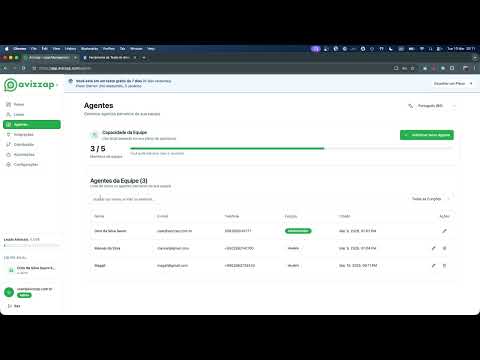
- The process begins with creating an account, followed by registering agents who will receive notifications from AVSAP.
- Essential information required includes the agent's email, phone number, WhatsApp number, and their role (partner). This allows them to manage leads while restricting user access to system modifications.
- A password must be created for each agent so they can log into AVSAP and view their lead reports.
Setting Up Distribution Queue
- After agents are registered, the next step is to establish a distribution queue that determines the order in which leads are assigned to sellers.
- When a lead is assigned to an agent (e.g., Magali), they move to the end of the queue after receiving it. This ensures a fair rotation among team members.
- There is an option for a default responsible party who will always receive notifications if other sellers opt out. It’s suggested to set this as the first person in line temporarily.
Product Distribution
- The system allows for specific products to be distributed within the queue based on various forms associated with campaigns. Further details on this feature will be provided in subsequent videos.
- Once all configurations are complete, clicking "save" finalizes the creation of the distribution queue.