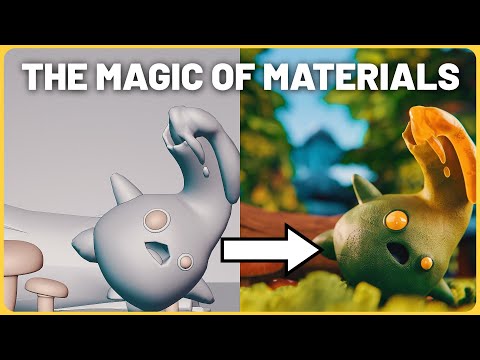
The Secret to Disney Textures in Blender 3D! Material Deep Dive
Creating Physically Based Materials in Blender
In this video, we will learn how to create physically based materials in Blender by breaking down the process used by studios like Disney. We will explore PBR-based materials and how they work with different rendering engines.
What are PBR Textures?
- PBR stands for physically based rendering workflow.
- The maps and elements that create these materials can differ per rendering engine.
- Cycles uses path tracing to trace Ray lights, which gives a realistic interpretation of how light would bounce around a scene.
- When paired with physically based rendering materials, it bounces off those materials in a seemingly realistic way.
Using an Uber Shader
- An Uber Shader is called the Principle BSDF in Blender.
- It can create many physically based materials with few map inputs.
- Changing from ggx to multi-scatter ggx accounts for multi-scattering and gives more realistic results but takes longer to render.
Subsurface Scattering
- Subsurface scattering is how light can bounce around inside an object and then pass through it.
- Random walk is the default option for subsurface scattering calculation, but random walk fixed radius should be used for thinner curved objects.
- Turning up the subsurface value all the way up to one shows light passing through the outer edges of an object.
Conclusion
In conclusion, creating physically based materials involves understanding PBR textures, using an Uber Shader like Principle BSDF, and accounting for subsurface scattering. By following these steps, we can achieve more realistic results in our renders.
Subsurface Scattering and Metal
In this section, the speaker discusses subsurface scattering and metal in Blender.
Subsurface Scattering
- Subsurface scattering is used to create realistic results by targeting thinner parts of an object that allow light to pass through.
- The radius for subsurface scattering can be adjusted, but default settings usually work well.
- The subsurface color adjusts the base color of the subsurface scattering.
Metal
- Metallic surfaces are not always fully metallic in real life due to factors like corrosion, grease, dirt, and grime. Gradual degradation between metallic values adds realism to metallic textures.
- A metallic map with white indicating metallic areas and black indicating non-metallic areas is key to creating a realistic metal surface. Gray indicates areas in between.
- Specular reflections control the amount of dielectric specular reflection and how it wraps around an object. The index of refraction (IOR) plays a large role in materials as it controls the Fresnel effect and how things interact with lighting. Most objects have a known IOR value that can be found online on websites like Pixel and Poly's list of materials organized by categories. A math node setup can be used to input IOR values into Blender's Principled BSDF node for proper specular output.
Adding Roughness to Materials
In this section, the speaker discusses how to add roughness to objects and improve material realism.
Creating Variations in Plastic Material
- Scratched areas on a plastic worn material have a roughness value of one, meaning there is no reflectivity.
- Gradual fall off creates a semi-reflective look when turned down.
- Introducing noise into the roughness map can create micro variations on the surface and improve material realism.
Importance of Base Color
- Texture painting plays a large role in creating realistic materials.
- Ensure that there is no lighting information in the base color for accurate material representation.
- Avoid painting shadows and highlights onto the base color.
Anastrophic Value for Unique Situations
- Anastrophic values are unique values for specific situations, such as brushed metals.
- Correct anastrophic values can help sell realism by ensuring metal materials have the correct brushed look.
Understanding the Properties of Materials in Blender
In this section, the speaker discusses how to control the sheen value and transmission properties of materials in Blender. They also explain how to use emission and normal maps to create more realistic materials.
Controlling Sheen Value
- The sheen value can be helpful for velvet and silk materials.
- Turning up the sheen value slightly on fabric materials can help sell the realism of the fabric.
- You can control the level of tint below which will help mix between white and using base color for your Sheen reflection.
Transmission Properties
- Transmission controls the transmissive nature of your object.
- Index of refraction plays a large role in transmissive materials like water, goo or glass.
- Adding thickness to glass material makes it look more realistic.
- Increasing transmission roughness is great for creating things like frosted glass or ice crystals.
Emission and Normal Maps
- Emission is used to emit light in your scene. It can be used as a light source but it adds noise to your render.
- Normal maps are created by plugging a normal map into a normal map node.
The Power of Normal Maps
In this section, the speaker demonstrates how normal maps can be used to create realistic materials such as glitter and wood. They also explain the importance of setting the normal map node to tangent space and using an OpenGL normal map.
Using Normal Maps for Materials
- Normal maps can be used to add micro details to objects.
- A glitter material is used as an example to show how a normal map can create a sparkly appearance.
- It's important to set the normal map node to tangent space and use an OpenGL normal map, otherwise details may appear inverted.
- Avoid cranking up the bump value too high, as it can break lighting and introduce artifacts.
Clear Coat Materials
- Clear coat materials are useful for creating multiple layers of roughness in objects like pottery or car paint.
- The clear coat creates an extra white specular layer on top of everything else, which can be controlled with roughness values and additional normals.
Height Maps
- Height maps add actual variation and affect geometry.
- Adaptive subdivision should be turned on under material settings for best results.
- Displacement maps are separate from bsdf nodes but play a large role in realism.
Adding Realism to Materials in Blender
In this section, the speaker discusses how to add realism to materials in Blender by considering aging and using automated material texturing.
Aging Objects
- Use textures like feather moss and mask material to paint moss in various cracks and edges of an object.
- Consider adding more dirt and grime, which means darker colors in the base color, for objects with cracks and crevices.
- Objects with cracks and crevices will also have higher roughness values.
Automated Material Texturing
- Kaizen has a tutorial on how to add automated material texturing to objects in Blender.
- Understanding these concepts is important for creating realistic materials.