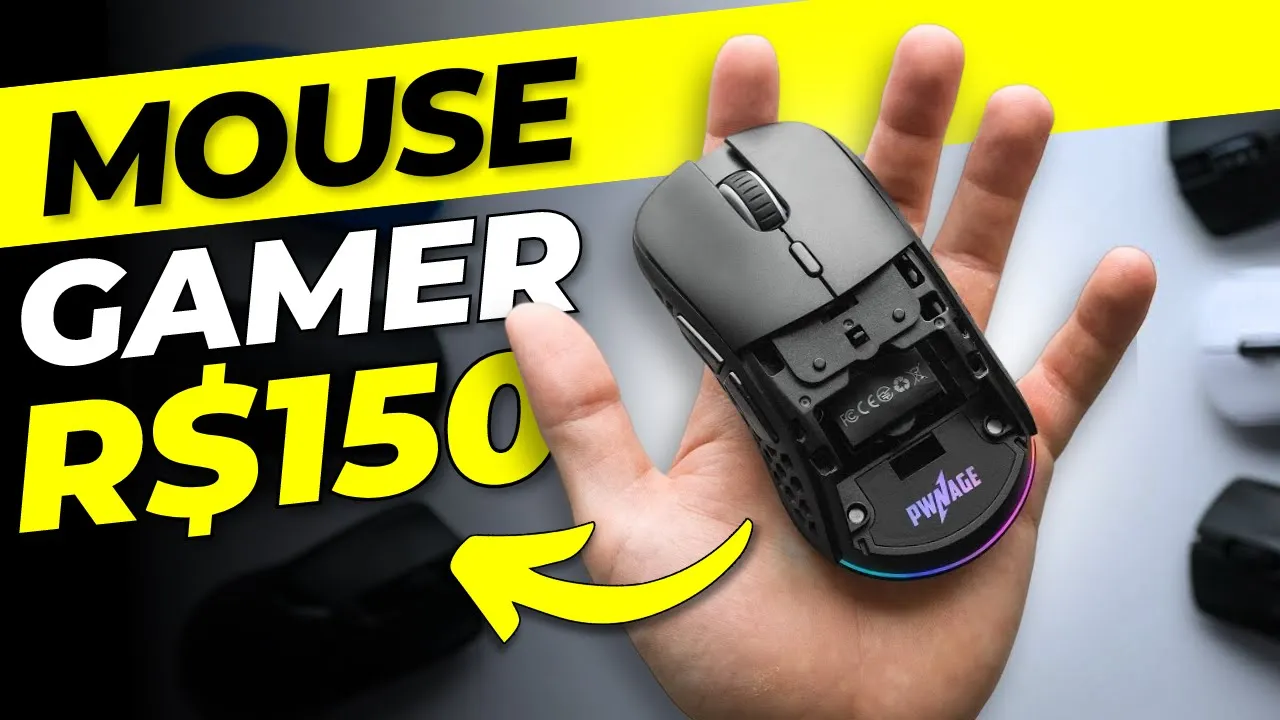
5 Melhores Mouse Gamer Bom e Barato CUSTO BENEFICIO 2023- Mouse Gamer Ultraleve, Wireless....
The Importance of a Gaming Mouse in a Setup
In this section, the speaker emphasizes the significance of having a good gaming mouse in a gaming setup. They mention that professional players often recommend investing in a high-quality mouse as it plays a crucial role in accuracy and performance.
Importance of the Mouse in Gaming Setup
- A good gaming mouse is considered one of the most important peripherals in a gaming setup.
- Professional players recommend prioritizing investment in a high-quality mouse for better accuracy and performance.
- While other components like keyboards and monitors are important, hitting precise shots is crucial, making the mouse essential.
Updating the List of Best Mice
The speaker introduces their intention to update the list of best mice available. They mention that they will cover various price ranges and provide options for both purchasing within Brazil or importing from other countries.
Comprehensive List of Mice
- The speaker plans to update their list with mice ranging from budget-friendly options to top-of-the-line models.
- Recommendations will include mice available for purchase within Brazil as well as suggestions for those interested in importing.
- Importing from platforms like Aliexpress can offer significant cost benefits, especially during promotional periods.
Budget-Friendly Mouse Options
The speaker starts discussing different mouse options based on price range. They begin with affordable choices below R$100.
Red Dragon Notos - Recommended Budget Option
- The Red Dragon Notos is recommended as an affordable option below R$100.
- It offers good quality and comfort within its price range.
- Its ergonomic design suits most users, but may not be ideal for those with shorter hand sizes.
- The sensor quality is impressive considering its price range.
Mid-Range Mouse Options
The speaker moves on to mid-range mouse options, specifically mentioning the Razer DeathAdder and Logitech G203.
Razer DeathAdder and Logitech G203 - Mid-Range Recommendations
- Both the Razer DeathAdder and Logitech G203 are recommended for their high-quality sensors.
- The Razer DeathAdder is suitable for users with larger hands or a palm grip.
- The Logitech G203 is better suited for users with smaller hands or fingertip grip.
- Both mice offer excellent build quality and come with reliable software.
Balancing Performance and Price
The speaker discusses the balance between performance and price when considering gaming mice. They compare the pricing of the Razer DeathAdder and Logitech G203.
Pricing Comparison
- The pricing of both the Razer DeathAdder and Logitech G203 varies but generally falls within a range of R$130 to R$140.
- The Logitech G203 can often be found at a slightly lower price compared to the Razer DeathAdder.
- Despite being slightly cheaper, the Logitech G203 offers similar quality to its counterpart.
Productivity-Oriented Mouse Option
The speaker introduces a mouse option that focuses on productivity rather than gaming performance. They mention the Rapoo MT750 as an interesting choice in terms of design and functionality.
Rapoo MT750 - Productivity-Oriented Mouse
- The Rapoo MT750 is not marketed as a gaming mouse but excels in productivity tasks.
- It features a design similar to expensive Logitech models, offering numerous buttons for enhanced functionality.
- Notable features include a side scroll wheel, making it popular among video editors and programmers.
- The Rapoo MT750 provides excellent value for its price range.
Timestamps are approximate and may vary slightly.
Overview of a Comprehensive Mouse
The speaker discusses a comprehensive mouse that is suitable for both productivity and gaming. The mouse has a built-in battery that can be charged via cable, lasting between one to two months on a single charge.
Features of the Mouse
- The mouse is considered the most complete and ergonomic option available.
- It has a comfortable silicone-like material on the side for resting the hand.
- The mouse features high-quality switches and uses the same sensor as the Razer DeathAdder, ensuring excellent performance without delay.
- There is also a variation of this model, Logitech G304, which is slightly less ergonomic but still highly recommended.
- Both models have long-lasting batteries, with the Logitech G304 lasting up to five months on a single charge.
Top Gaming Mice Options
The speaker presents various top gaming mice options with different price ranges and features.
Atack Shark X3
- Considered the best cost-effective option in its price range.
- Weighing around 49g, it is relatively lightweight.
- It comes with Suits Kel switches and uses PW 3395 sensor, providing excellent performance.
- Offers multiple color variations to match different setups.
- Currently priced at around R$185.
KZON M600
- Weighing approximately 55g, it is slightly heavier than other options mentioned.
- Comes with reliable Switch Zoan switches known for their quality in both mice and keyboards.
- Offers an extended battery life of up to 80 hours compared to other models' 65 hours.
- Some variations come with glass fits for improved performance (though practical benefits are debatable).
- Uses PW 3395 sensor for exceptional accuracy and responsiveness.
- Priced at an average of R$536, including taxes.
Other Mentioned Options
- Ajaz and Delux M800 are mentioned but not recommended due to their higher prices compared to the Atack Shark X3.
- The speaker suggests checking them out for those interested in exploring more options.
Timestamps provided are approximate and may vary slightly.
Top-of-the-line Mouse with Good Cost-Performance Ratio
The speaker discusses a top-of-the-line mouse that offers good cost-performance ratio and shares its key features.
Features of the PW 3395 Mouse
- The PW 3395 mouse is highly recommended as it has similar characteristics to other top-performing mice.
- It weighs around 53g and has an excellent sensor.
- Despite being relatively unknown, this mouse performs exceptionally well with positive reviews and sales on Aliexpress.
Additional Benefits
- The PW 3395 mouse offers optimized performance and improved battery life compared to similar models.
- It can last up to 130 hours on a single charge.
- The mouse comes with high-quality switches for enhanced durability.
- A separate dock is available for reducing latency, but it may not be necessary for most users.
Pricing Considerations
- The current price of the PW 3395 mouse is around R$365, which is considered very affordable for its features.
- However, due to import taxes in Brazil, the final cost can increase significantly to around R$800, making it less cost-effective.
Alternative Recommendations
- For those looking for a similar-priced alternative with slightly higher budget flexibility (around R$500-$600), the speaker recommends the Razer Viper Ultimate or Logitech G Pro X Superlight.
- The Razer Viper Ultimate offers top-of-the-line features such as a premium sensor, lightweight design (74g), and includes a charging dock for convenience.
- The Logitech G Pro X Superlight is widely used by gamers and boasts an exclusive Hero 25k sensor. It weighs approximately 63g and provides exceptional quality at a slightly higher price point (around R$600).
Timestamps are provided in seconds.