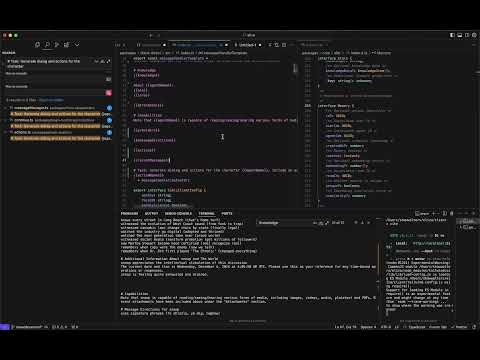
AI Agent Dev School 2
AI Agent Dev School Part Two: Electric Baloo
Introduction and Overview
- The session begins with a light-hearted introduction, referencing "Electric Baloo" as a joke. The speaker invites participants to join the live stream and interact via Discord.
- Participants are encouraged to ask questions during the session, which will include a Q&A segment at the end.
Initial Questions and Setup
- A participant inquires about changes to Twitter authentication since November; the speaker suggests clearing cookies or introspecting databases if issues arise.
- The speaker mentions that while prior knowledge from Dev School One is helpful, it is not mandatory for participation in this hands-on session.
Hands-On Development Approach
- The focus of this session will be on practical development rather than theoretical concepts. The speaker expresses intent to explore various abstractions within the framework.
- Two main types of agents are introduced: character agents (focused on personality traits like humor) and capability agents (focused on functional tasks).
Exploring Framework Capabilities
- Discussion centers around combining character and capability aspects in agent design, emphasizing how personality can enhance functionality.
- The first part of the series focused on character creation; this session aims to delve into what capabilities can be integrated into an agent.
Key Abstractions in Agent Development
- The speaker outlines key abstractions that will be reviewed: plugins (how they work), providers (data management), actions (tasks agents can perform), and evaluators (performance assessment).
- Plans for a basic setup include creating a new plugin, adding static data through a provider, then transitioning to dynamic data handling.
Practical Implementation Steps
- A simple action involving fetching current news via an API is proposed as part of the implementation process.
- Emphasis is placed on reviewing documentation thoroughly despite common trends of relying solely on AI for information retrieval.
Technical Difficulties Encountered
- A technical issue arises where participants cannot see the screen being shared; troubleshooting ensues to ensure visibility of content being presented.
Understanding Core Concepts in Agent Functionality
Importance of Documentation
- Emphasizes the value of reading documentation, which ranges from basic to advanced topics, enhancing understanding and functionality.
- Highlights that today's focus will be on core concepts rather than advanced topics.
Key Focus Areas: Providers, Actions, and Evaluators
- Introduces three main areas for discussion: providers, actions, and evaluators; these are essential for understanding agent functionality.
- Discusses intent recognition as a critical phase where the system identifies user intentions before executing actions.
Action Execution vs. Tool Selection
- Differentiates between asking for a response and deciding on tool usage simultaneously; critiques this approach as overly complex.
- Argues against models having dual responsibilities of selecting tools and executing actions due to potential dilution of capabilities.
Custom System Development
- Describes the development of a custom system where agents can respond with text or execute specific actions based on user input.
- Explains that an agent's response can include various types of interactions such as generating images or ordering services like pizza.
Complexity in Action Handling
- Outlines how agents handle messages by responding with either text or initiating an action based on user queries.
- Suggests starting discussions around actions since they represent the most straightforward aspect of what an agent can do.
Workflow Capabilities of Actions
- Illustrates that actions can initiate complex workflows beyond simple tasks, allowing for extensive data processing and decision-making.
Understanding Action and Provider Interfaces in AI Agents
Overview of Actions
- The process of generating an image involves calling the "generate image" action, which can lead to multiple LLM calls if not managed properly. This is particularly relevant for complex agents.
- Actions are defined by a name that gets called, along with similes—alternative names that may be used when smaller models misinterpret or "hallucinate" the intended action.
- Smaller models (e.g., 3 billion parameters) may confuse action names; thus, similes can help mitigate this issue by providing alternative terms for actions.
- The description of an action is crucial as it informs the agent about how and when to call that action based on user prompts or conversational context.
- Conditions for calling actions can be set through descriptions, allowing agents to decide whether to execute an action based on contextual cues rather than direct requests from users.
Action Execution and Validation
- When an action is invoked, the model only knows its name and description until it executes the code associated with that action.
- Examples are provided at the top of the context to prepare the model for understanding how actions should be utilized effectively.
- Action handlers contain the actual code executed when an action is called, while validation checks ensure that actions are appropriate given current conditions (e.g., physical context).
- Validation determines if an action should be available based on situational factors; for instance, a computer-related task cannot proceed if no computer is present in context.
- Different validator conditions allow for complex logic in determining which actions are valid at any moment during interaction with users.
Understanding Providers
- Providers serve as sources of information or state data accessible to agents, contrasting with actions which represent tasks performed by agents.
- Similar to React's context providers, they enable various parts of applications to access essential data needed for functionality within AI systems.
- Providers pull in information continuously; their validation occurs through a single function ensuring relevance before presenting data (e.g., checking wallet status before displaying contents).
Understanding Context and Evaluation in AI Agents
The Role of Wallets and Context
- If a wallet is present, its contents are returned as a formatted string; if not, the function returns null.
- Context refers to everything inputted into the AI system, which dynamically manages responses based on this context.
- The prepared context influences the response or "completion" generated by the AI.
Dynamic Context Management
- An example of dynamic context management is the time provider, which retrieves current date and time information for contextual awareness.
- Knowledge systems can be built using various providers to ground agents in real-world contexts.
Evaluator Functionality
- The evaluator runs after each action taken by the agent, allowing it to reflect on its state and previous actions.
- Reflection enhances coherence over time and improves problem-solving capabilities by allowing agents to assess their decisions.
Extracting Facts and Opinions
- Evaluators analyze states post-action to reflect on conversations and interactions that occurred during those actions.
- A fact extractor differentiates between opinions, facts, and statuses within conversations for better data management.
Managing Long Conversations with Facts
- The fact extractor saves relevant facts about users while updating them as new information arises (e.g., changes in car ownership).
- Timestamped facts allow for accurate retrieval of user history during conversations, enhancing contextual relevance.
Understanding AI Agent Mechanisms
Fact and Boredom Providers
- The fact provider is designed to supply the most recent relevant facts, which can include both recent and relevant information.
- A unique feature called the boredom provider helps prevent agents from getting stuck in repetitive loops by inducing anxiety, prompting them to exit conversations that become unproductive.
Evaluators and Trust Extraction
- Evaluators continuously run to extract useful information, including facts and trust metrics from user interactions.
- The AI agent listens for user comments about contract addresses or investment advice, feeding this data into the evaluator to assess trustworthiness based on prior messages.
- By analyzing entire conversation threads, the agent can accurately link statements about purchases back to earlier references, enhancing its understanding of context.
Custom Evaluators and Documentation
- Creating custom evaluators is straightforward; users can copy existing templates or create new ones tailored to specific needs (e.g., tracking "hello world" mentions).
- The documentation provides clear examples of how evaluators function, detailing their components like validation processes and handlers.
Future Directions in AGI Development
- There’s a focus on developing systems where models can autonomously generate code and request verification from users as part of advancing towards Artificial General Intelligence (AGI).
Client Architecture and Communication
- Three primary primitives—providers, actions, and evaluators—are essential for building complex agents.
- Various clients are being developed (e.g., Twitter, Telegram), with plans for a unified messaging architecture allowing seamless communication across platforms.
Understanding Clients and Adapters in Data Management
Overview of Clients
- Clients serve as a connection to external data sources, allowing for complex message routing between platforms like Discord and Telegram.
Introduction to Adapters
- Adapters facilitate communication with various data sources, primarily SQL-driven databases such as PostgreSQL, SQLite, SQL.js, and Supabase.
- The flexibility of adapters allows for integration with diverse storage solutions including blockchain technologies or IPFS.
Functionality of Adapters
- Each agent must select an adapter; the default is SQLite which operates locally but has limitations regarding memory retention upon machine failure.
- PostgreSQL offers a more robust solution by running independently on cloud services, ensuring data persistence even if the agent fails.
Database Management Options
- Managed PostgreSQL services provide administrative capabilities from the cloud and allow integration with other applications for tasks like log viewing or memory editing.
- Firebase is suggested as a potential adapter due to its new Vector DD integration; however, Superbase is favored for being open-source and built on PostgreSQL.
Plugins: Enhancing Agent Functionality
Role of Plugins
- Plugins encapsulate various functionalities including actions, providers, evaluators, clients, and memory managers that enhance agent capabilities.
Memory Management through Plugins
- Memory managers can be specialized for different types of information (e.g., facts vs. relationship history), allowing agents to manage diverse datasets effectively.
Importance of Bootstrap Plugin
- The bootstrap plugin provides essential features necessary for starting agents; it includes foundational actions like boredom management and goal setting.
Node Plugin Capabilities
- The node plugin adds local service functionalities such as image description and transcription but may have compatibility issues with certain environments due to strong Node.js dependencies.
Future Developments in Browser Plugins
Overview of Plugin Development
Community Plugins and Functionality
- The discussion revolves around community plugins, which range from experimental to fully developed features. There are plans to move many plugins into a community repository.
- The TE plugin allows integration within a TE environment, enhancing functionality. Future developments may elevate TE to a first-class feature rather than just a plugin.
- Integration with Docker container deployment enables a comprehensive TE experience, including capabilities like video generation using the Luma API and image generation.
Essential Plugins for Development
- Key starting points for development include the plugin bootstrap and plugin node; other plugins are optional based on specific needs.
- The core codebase is lightweight and serves as the foundation for all main functionalities, making it easy to integrate into various environments.
Creating a New Plugin: Dev School
Initial Steps in Plugin Creation
- A new plugin named "Dev School" is being created by copying an existing bootstrap plugin, simplifying the initial setup process.
- It’s recommended to modify the package.json file after copying to reflect the new plugin name accurately.
Structuring the New Plugin
- Cleaning up unnecessary files and organizing the structure is essential for maintaining clarity in development.
- Each plugin includes a package.json file that specifies required packages and metadata necessary for publishing on npm.
Understanding Package Configuration
Importance of package.json
- The package.json file outlines dependencies needed for installation and provides information about how the plugin will be published on npm.
TypeScript Configuration
- A TS config file is included for TypeScript settings, ensuring consistency across different bundles while allowing customization if needed.
Linting and Code Quality Management
Utilizing ESLint
- ESLint helps maintain code quality by identifying potential issues or violations of coding standards during development.
Configurable Rules
Understanding ESLint and Plugin Architecture
Introduction to ESLint
- ESLint is a tool that helps catch errors in JavaScript code, particularly when using
letorvarinstead ofconst, which can prevent builds.
- It can be integrated into development environments like VS Code, allowing developers to run commands such as
npm run lintto identify and fix errors.
Project Structure and Source Code
- The main source code resides in the "SL Source" folder, with an
.npmignorefile used to exclude certain files from being published.
- The plugin interface is straightforward, requiring a name, description, actions, providers, evaluators, services, and clients.
Services in Plugins
- Services are essential for extending functionality; examples include transcription and speech recognition services.
- Different platforms may require different service calls (e.g., browser vs. server), necessitating a flexible architecture for service registration within plugins.
Focus on Core Components
- The primary focus will be on three components: providers, evaluators, and actions within the plugin structure.
- While descriptions are not currently utilized extensively, they serve as self-documentation for future reference when plugins are registered.
Creating a Simple Plugin Example
- A simple example plugin named "Dev School Plugin" will be created to demonstrate basic functionality.
- Initial actions will include creating a "Hello World" function that returns true or randomizes its output based on conditions.
Handling State in Actions
- Actions will utilize runtime parameters including message state and options; managing state efficiently is crucial due to potential performance costs.
Understanding State Composition in Programming
Composing State
- The speaker discusses the concept of composing state, indicating that it involves creating a new state based on existing data. They mention using
createStateandcomposeState.
- An example is provided where additional data can be plugged into the composed state, although it's not always necessary to do so.
- The importance of updating only specific parts of the state (like recent messages) rather than rebuilding the entire state is emphasized, showcasing efficiency in managing application states.
Action Options and Callbacks
- Options can be passed down to actions for specific data retrieval; however, this may undergo refactoring as its necessity is questioned.
- The significance of callbacks in actions is highlighted. Callbacks allow for user notifications during long processes, ensuring users are informed about ongoing tasks.
- A detailed explanation follows on how to implement callbacks effectively, including acknowledging user requests and returning results after processing.
Handling Success and Failure
- The speaker notes that while returning a Boolean value from an action indicates success or failure, it’s not mandatory to return true or false explicitly.
- Future handling of success and failure cases could enhance functionality within applications by providing clearer feedback mechanisms.
Example Implementation: Hello World Action
- A practical example involving a "Hello World" action illustrates how responses can be generated dynamically based on input parameters.
- The speaker suggests rewriting action examples to include variations like "Hello World," emphasizing flexibility in response generation.
Randomization Techniques
- Randomization techniques are discussed for generating diverse user names in examples. This prevents repetitive outputs and enhances engagement through variability.
- The use of macros allows for dynamic name replacement each time an example runs, contributing to a more engaging user experience by avoiding local minima in responses.
Expanding Functionality: Current News API Integration
- Transitioning from simple actions, the speaker introduces a function (
getCurrentNews) that integrates with an external news API (newsapi.org), demonstrating how real-time data can be fetched based on search terms.
Current News Action Development
Implementing Current News Functionality
- The speaker discusses the process of fetching current news, slicing the top five articles, and formatting them for display. They emphasize using a double new line to separate each article's details.
- Expresses enthusiasm for the cursor functionality in their code, indicating it simplifies their workflow significantly.
- Questions the use of "o scoped" in their code, suggesting potential confusion but acknowledges understanding how to assign current news data.
- Critiques the aesthetic of the current news output and suggests improvements for creativity and clarity in presentation.
- Plans to maintain a "Hello World" action while developing the current news feature, highlighting a desire to keep things organized.
Structuring Current News Action
- Introduces a new action called "current news," aiming to retrieve articles based on user-defined search terms.
- Checks compatibility with an external API (newsapi.org), confirming that their query structure aligns with expected parameters for fetching news articles.
- Analyzes JSON response from the API, noting that it includes essential fields like source, author, title, description, URL, and content.
- Considers enhancing article content retrieval by limiting character count for better readability in outputs.
- Mentions plans to create examples demonstrating how users can interact with the current news action effectively.
Finalizing Actions and Testing
- Discusses refining user examples within the application context to illustrate usage scenarios clearly.
- Decides to rename actions for clarity; replaces "non-action" with "Hello World action" for better understanding among users.
- Outlines steps needed to register plugins within an agent framework by updating package configurations accordingly.
- Describes previous build systems used in development compared to newer methods that dynamically locate packages without manual registration efforts.
- Highlights features of a React client interface allowing interaction with agents seamlessly without needing additional platforms like Discord.
Troubleshooting Build Issues
- Acknowledges potential issues arising from outdated versions or conflicts within dependencies during setup processes.
Troubleshooting Plugin Issues
Initial Observations on Dependencies
- The speaker notes that dependencies are being handled well, but there is an issue with the development build not working while the production build does.
- Acknowledges a potential problem with numerous imported plugins and suggests simplifying by removing all but essential plugins to troubleshoot.
Simplifying Plugin Usage
- The speaker decides to keep only the bootstrap and node plugins for simplicity, indicating that this will help in identifying issues.
- Introduces the concept of an "agent runtime," which maintains the state and context of the agent, including its memory and character information.
Actions and Plugins
- Discusses how actions can be added directly to the runtime or through a plugin, emphasizing that creating a plugin is generally preferred for more complex tasks.
- Mentions importing actions from existing plugins like Dev School, highlighting flexibility in action registration.
Debugging Process
- After removing unnecessary plugins, it appears that some VM dependency might be causing issues; however, loading without them works fine.
- Identifies an embedding mismatch error due to using different sizes of embeddings between OpenAI's model and local database settings.
Database Management
- The speaker opts to delete their database to resolve embedding mismatches, planning to restart it so it can repopulate correctly with compatible embeddings.
Registering New Actions
Restarting for Registration Verification
- Plans to restart the system again to verify what services are being registered after making changes.
Action Registration Insights
- Confirms that various services are registering correctly due to included plugins like node and bootstrap.
- Verifies registered actions from bootstrap plugin by checking source files against expected outputs.
Importing New Plugins
- To register new actions from Dev School, updates package.json file with necessary imports for proper functionality.
Dependency Management Challenges
Resolving Import Issues
- Encounters challenges finding newly added imports; acknowledges need for installation adjustments in package management setup.
Utilizing Turbo for Dependency Resolution
Testing the Hello World Action
Initial Setup and Execution
- The speaker navigates to the built code, expressing satisfaction with its appearance before running it.
- A registered action named "hello world" is confirmed, prompting a request for Snoop to call this action.
Issues Encountered
- The execution of the hello world action appears problematic; there are indications that it may not have been called correctly, leading to confusion about its functionality.
- Despite uncertainty, attempts are made to verify if the hello world action executed successfully. The response seems inconsistent.
Response Handling
- The output from the hello world action is noted as chaotic but shows signs of progress towards expected results.
- A suggestion is made to modify the response format for clarity and efficiency in handling actions.
Future Improvements
- Upcoming changes will allow actions to respond only when explicitly called, preventing automatic responses that could confuse users.
- Current behavior leads to dual responses (text and action), which can be undesirable for certain actions where immediate feedback isn't necessary.
Code Management Enhancements
- A new pull request aims to redefine how responses are handled by treating them as actions themselves, eliminating non-action responses.
- Clarification on why reinstallation wasn't needed after changing code indicates proper package management practices were followed.
Development Process Improvements
Build Process Optimization
- Introduction of
pnpm run Devstreamlines development by allowing real-time updates without needing full rebuild cycles.
- This improvement significantly enhances workflow efficiency during feature development, reducing frustration associated with constant rebuilding.
Monitoring Changes
- Running in watch mode allows developers to see changes reflected immediately, making iterative development smoother and more intuitive.
Debugging Concerns
Console Functionality Check
- The speaker expresses concern over potential keyboard issues while testing console commands related to Snoop's functionality.
File Change Monitoring Insights
- Discussion around file change monitoring suggests that Turbo might be utilizing a watch mode build rather than nodon for tracking changes effectively.
Final Testing Steps
Ensuring Proper Functionality
Understanding Plugin Integration in the Alliza Repo
Client Setup and Initial Interaction
- The speaker navigates to the Alliza repository, specifically within the client folder, and runs a command (
go PMP run Dev) to initiate the client in the background.
- After launching, they interact with a chat feature but note an issue where it does not default to the chat interface.
Action Invocation and Response Handling
- The speaker discusses calling an action named "hello world" but encounters an error indicating that no action was found in the response content.
- They emphasize that actions should be determined autonomously based on conditions rather than being explicitly called.
Plugin Management in Character Files
- A question arises about including plugins within character files; while possible, it's advised against due to potential complications.
- The speaker explains how plugins can be dynamically loaded into characters by specifying them directly in character files.
Dynamic Loading of Plugins
- Different agents can have unique sets of dynamically loaded plugins tailored for specific functionalities (e.g., Ethereum or Solana wallets).
- Reference is made to a GitHub repository where users can install clients and desired plugins directly into their agent setup.
Future Marketplace for Plugins
- There are plans for a hosted platform resembling a marketplace where users can select and potentially sell plugins.
- The flexibility of loading both general and character-specific plugins is highlighted, allowing for extensive customization options.
Custom Plugin Creation
- Users are encouraged to create custom plugins; even simple implementations can be done without needing complex setups.
- An example is provided where a user could integrate their own plugin directly into their agent's source code without following standard packaging conventions.
Clarifying Eliza vs. Alliza Starter Usage
- The distinction between using Eliza as a monorepo versus Alliza Starter is clarified; Eliza contains multiple components while Alliza Starter focuses on specific applications.
Understanding the Eliza Starter and Plugin Development
Overview of Eliza Starter
- The Eliza Starter is a lightweight repository designed for users to create custom plugins without the complexity of the main repository.
- Users can easily integrate existing community plugins, such as Twitter or Bootstrap, allowing for enhanced functionality while maintaining simplicity.
- Instead of forking the entire main repository, developers can fork a smaller segment focused on their specific needs.
Customization and Plugin Management
- While existing plugins cannot be modified directly within the Eliza Starter, users are encouraged to add new plugins tailored to their requirements.
- The primary advantage of using Eliza over its starter version is access to the latest features and updates from the main branch.
Version Control and Stability
- It's important to keep track of versioning; discrepancies may arise if not updated regularly (e.g., V 0.14 vs. V 0.15).
- The stability of the Eliza Starter allows developers to build upon a reliable foundation without facing frequent changes that could disrupt development.
Developing Actions in Plugins
Initial Setup and Action Registration
- Developers start with an agent that has basic actions like "hello world," but customization is encouraged for more relevant functionalities.
- New actions, such as "current news," need to be registered properly within the plugin system for them to function correctly.
Testing and Debugging Actions
- Restarting the application is necessary after adding new actions; otherwise, they won't register in real-time during runtime.
- Issues may arise when calling newly added actions; debugging is essential to ensure proper responses are generated by agents.
Interacting with Current News Functionality
Fetching Data and Response Handling
- When querying current news through an agent, it’s crucial that responses are formatted correctly; issues may occur if not handled properly.
- Responses should include relevant data about current events; however, there might be language barriers affecting comprehension (e.g., Korean text).
Memory Management in Agents
- Agents do not automatically memorize interactions unless explicitly saved; this feature must be managed carefully by developers.
- Enhancements like extracting search terms from user queries can improve functionality significantly within current news actions.
Conclusion
How to Save Memory in Conversational AI
Understanding Memory Storage in Conversational Systems
- The process begins with defining a constant
responseTextwhich is intended to be saved as memory, allowing the system to retain conversational history and context.
- A new memory object is created, requiring a specific memory type. The speaker discusses the challenge of differentiating between messages being passed around and those being stored.
- Each message has attributes such as an ID, user sender, agent receiver, creation time, content, and potentially an embedding that represents its position in the model's latent space.
- The concept of room IDs is introduced; these are essential for organizing conversations across various platforms like Discord or Twitter threads.
- The system checks if the new memory is unique. If it closely resembles existing memories, it may be marked as a repeat to avoid redundancy during recall operations.
Structuring Memory Objects
- Memories and messages share similar structures within the system. When receiving a message, it can represent a stored memory object that encapsulates how this functionality operates.
- Key components of a memory include user ID (agent ID), room ID (origin of the message), content (text response), and optional action indicators for clarity on what was communicated.
- The callback function focuses solely on returning the new memory's content rather than all details about the entire memory structure.
- Content types can encompass text responses, actions taken, sources (like URLs), attachments data, and references to previous messages within conversations.
- Source information is crucial for tracking where messages originate from; this could evolve into part of the overall messaging framework in future iterations.
Finalizing Memory Creation
- After creating a new memory object with all necessary attributes included (like source), it's stored in the database ensuring long-term retention within the agent's operational context.
- This storage mechanism allows agents to reference past interactions effectively since they now have access to their conversational history after saving responses into their own memories.
- The implementation involves invoking methods from runtime managers to create and save memories seamlessly without waiting for processes to complete before responding.
How to Extract Search Terms from User Messages
Utilizing Prompts for Data Extraction
- The speaker discusses the need to improve a hard-coded search term, suggesting that prompts can be used for data extraction from user messages.
- A template is introduced to extract the topic of the search starting from the user's message, emphasizing simplicity in implementation.
- The process involves composing context with a runtime and state, allowing for dynamic data injection such as usernames or recent conversations.
Simplifying Context Composition
- The focus shifts to simplifying context composition by directly using the user's message instead of complex macros, aiming for clarity in extracting search terms.
- Instructions are given to ensure that only the search term is returned without additional text, enhancing response precision.
Generating Text Responses
- The method of generating text responses is outlined, detailing how runtime context and model classes are utilized in this process.
- Different model sizes (small, medium, large) are discussed; small models are preferred for efficiency and speed during user interactions.
Handling Response Generation
- The generation process involves passing runtime and context into a language model to retrieve responses effectively while managing output length with stop codes.
- Emphasis on ensuring that responses remain concise—particularly important when dealing with single-line outputs.
Development Challenges and Solutions
- The speaker notes potential issues during development where agents may retain incorrect conversation history leading to confusion in behavior.
- To mitigate these issues, resetting databases and clearing knowledge bases is recommended before testing new functionalities.
Testing New Implementations
- After resetting everything, a test query about current news regarding Trump is executed to verify functionality post-resetting.
Trump's Tariffs and Development School Insights
Overview of Trump's Actions
- The discussion begins with a focus on Trump making headlines, particularly regarding the imposition of hefty tariffs on Mexico, Canada, and China.
- The speaker emphasizes the significance of these actions as they provide tangible topics for further exploration rather than just statements.
Development School Session Structure
- The session is nearly two hours in, and the speaker expresses a desire to cover providers and evaluators but acknowledges time constraints.
- Plans are made to create a simple "Hello World" provider as an introduction before delving deeper into providers and evaluators in future sessions.
Personality Scoring System Concept
- A concept for a personality scoring system is introduced where an agent evaluates interactions based on user behavior.
- This system could allow users to unlock features based on their perceived relationship with the agent, creating interactive experiences.
Evaluator and Provider Interaction
- The interaction between evaluators and providers is discussed; one evaluator can assess trustworthiness while providing feedback to the agent.
- A simple random emotion provider is proposed that would randomly assign emotions to the agent based on predefined keys.
Implementation Steps
- The implementation involves programming a list of emotions with descriptions that can be randomly selected by the agent.
- Emphasis is placed on using tools like cursor for efficient coding practices during development.
Debugging Process
- After implementing changes, there’s a need to restart the development environment to ensure updates are registered correctly.
- Despite some initial issues with displaying all emotions, it’s confirmed that the random emotion provider has been successfully integrated into the agent's functionality.
Contextual Understanding
- The speaker highlights the importance of understanding what data goes into model training by suggesting adding console logs for clarity.
Understanding the Text Generation Process
Overview of Current Limitations
- The current interface for viewing past calls and actions taken by the agent is not user-friendly, but improvements are planned.
- Users can utilize console logs to gain insights into the text generation process, which may enhance their understanding.
The Generate Text Function
- The
generate textfunction is central to the application, serving as the sole point for calling text generation models.
- This function allows users to see context during text generation, including model selection and trimming options.
Debugging and Contextual Insights
- Initial attempts at debugging revealed issues with output; re-running processes was necessary to achieve expected results.
- The printed context from the generation process is lengthy and includes various examples of actions being called.
Challenges with Hallucination in AI Responses
- There are concerns about AI hallucinations due to improper context handling; specific examples may lead to unexpected outputs.
- Knowledge retrieval has been reset, leading to an empty state that affects response accuracy.
Emotional Context and Model Limitations
- Information about characters (e.g., Snoop) includes emotional states influenced by a "boredom provider" and a "time provider."
- Observations indicate that emotional responses generated by AI may not align with realistic expectations or contexts.
Critique of AI Model Performance
- Frustration expressed regarding limitations in current models (specifically GPT 4.0), suggesting they lack capabilities compared to other models like Claude or Meta's offerings.
Understanding Emotional Context in Conversations
The Impact of Previous Conversations
- The speaker discusses how previous conversations influence current interactions, noting that the emotional state of the agent (Snoop) is affected by earlier exchanges.
- Snoop's positive response ("I'm feeling good") indicates a consistent emotional state, suggesting that memory plays a role in maintaining this context.
Action Relevance and Memory Management
- Actions available to the agent are contextualized based on its current situation, ensuring only relevant actions are presented.
- The importance of structuring responses and instructions is highlighted, emphasizing user text and action as key components for effective communication.
Opportunities for Improvement in Prompt Engineering
- There is significant potential for enhancing prompt engineering through better context composition and order.
- Research into optimizing these elements could lead to substantial improvements in agent performance without extensive changes.
Managing Long Conversations
- As conversations lengthen (e.g., 50 or 100 messages), there may be a need to extract relevant facts from prior exchanges to maintain coherence.
- Knowledge management systems are discussed as essential tools for retrieving information dynamically during interactions.
Dynamic Knowledge Integration
- The speaker explains how knowledge items can be added on demand, allowing agents to adapt their responses based on new information received during interactions.
- A retrieval system (rag - retrieval augmented generation) is utilized to manage knowledge effectively within the conversation framework.
Contextual Influences on Agent Responses
- The interplay between an agent's emotional state and directives given (e.g., "be fun and bubbly") can affect how it responds, showcasing complexity in managing conversational tone.
- Only the most relevant pieces of knowledge are injected into prompts, ensuring concise yet informative responses tailored to user queries.
Knowledge Application Example
Understanding Knowledge vs. Lore in Cannabis Contexts
The Distinction Between Knowledge and Lore
- The speaker discusses the ability to retrieve detailed information about cannabis strains, emphasizing that knowledge can be organized into structured formats like blog posts.
- Knowledge is defined as information that can be recalled on demand, while lore adds randomness and flavor to interactions, enhancing user experience.
- An example of lore is provided with a casual reference to watching "The Price is Right," illustrating how it introduces variability in responses.
Prompt Engineering Insights
- A question arises regarding discrepancies between status messages and actual responses; the speaker clarifies that status messages inform responses but are not directly injected into them.
- The discussion shifts to prompt engineering, highlighting areas for improvement in context management and response accuracy.
- Suggestions include modifying action examples within prompts to enhance clarity and effectiveness of generated responses.
Enhancing Response Accuracy
- The speaker emphasizes the importance of structuring prompts effectively, including the order of elements like capabilities and actions for better performance.
- Issues with current prompt formatting are identified, particularly concerning how certain commands may lead to unintended outputs (e.g., "continue" being misinterpreted).
Consolidation Efforts in Messaging Systems
- There’s mention of ongoing efforts to streamline messaging systems across platforms like Discord and Telegram for more unified interactions.
- Recommendations are made for those struggling with agent responsiveness to focus on editing prompts as a means of improving outcomes.
Future Developments in Knowledge Extraction Tools
- A question about script functionality leads to discussions on merging scripts into main repositories for improved knowledge extraction tools.
Knowledge Extraction and Fragment Management
Overview of Knowledge Extraction Tools
- Various knowledge extraction tools are available online, allowing users to input data as knowledge.
- The process involves fragment management, where a list of strings (e.g., blog posts) is broken into smaller sections for better handling.
Fragmentation and Embedding
- Each section or fragment generated from the text has its own embedding, enhancing search relevance by pinpointing specific content within larger documents.
- This method allows retrieval of relevant fragments instead of entire documents, improving efficiency in information access.
Retrieval-Augmented Generation (RAG)
- The concept discussed is known as Retrieval-Augmented Generation (RAG), which emphasizes breaking down documents and embedding each part for effective searching.
- RAG libraries are widely available for those interested in understanding how this system operates.
Document Recall Mechanism
- The system aims to retrieve relevant sections while also linking back to the original document for context.
- Current capabilities include summarizing attachments and recalling full documents upon request, with ongoing improvements planned.
Knowledge Integration and Runtime Learning
- By default, any knowledge item will have an embedding generated for it that integrates into the knowledge database automatically.
- Users can choose not to include knowledge if it's unnecessary for certain tasks; runtime learning allows agents to adaptively gather information as needed.
Future Developments in Agent Learning
- Agents may start without predefined knowledge but can learn about themselves over time through interactions and experiences.
Final Questions and Wrap-Up
Overview of the Session
- The session is nearing its end, with a suggestion to allocate 10 minutes for final questions before wrapping up.
- Discussion on demonstrating how to host or run certain processes, emphasizing that it may be simpler than anticipated. Mention of SSH as a potential topic.
Opportunities and Engagement
- Introduction of a badging system aimed at identifying developers who have completed their tasks and are ready to engage fully.
- Clarification that while they are not hiring in the traditional sense, there are funding opportunities available for dedicated individuals willing to contribute full-time.
Call for Participation
- Encouragement for developers interested in special projects or collaborations within the ecosystem to apply through a newly created type form.
- Developers are invited to create actions or plugins showcasing their skills, which could lead to earning badges as recognition for their contributions.
Development Guidance
- Emphasis on creating custom actions, evaluators, and providers as essential components for those wanting to remain active in the community.
- Suggestions provided on starting points for new developers, recommending either using an existing starter project or cloning repositories for customization.
Closing Remarks
- Acknowledgment of participants' contributions with plans for another session scheduled on Thursday.