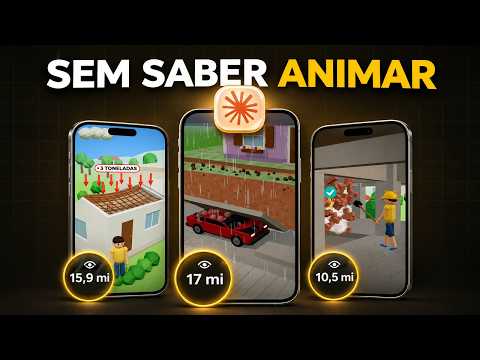
Como Criar Esses Vídeos 3D com o Claude (Tutorial Completo)
How to Create AI-Generated 3D Videos
Introduction to AI Video Creation
- The speaker introduces the concept of creating videos using artificial intelligence, highlighting successful examples with significant follower counts and views.
- Emphasizes that viewers will learn how to produce these videos without needing animation or editing skills, utilizing AI for scriptwriting, 3D creation, narration, and sound.
Importance of Scriptwriting
- The speaker critiques existing tutorials for focusing on 3D techniques while neglecting the importance of a compelling script that retains viewer interest.
- Viewers will learn about sourcing topics and crafting problem-and-solution scripts that engage audiences until the end.
Installation Process
- Instructions begin for setting up the necessary software, specifically Claude on the Pro plan, which is essential for video creation.
- The speaker guides viewers through downloading Claude and emphasizes selecting the correct folder during installation.
Setting Up Claude
- After downloading Claude, users are instructed to create a new conversation in the code section and select their working folder.
- Detailed steps are provided for extracting files from downloads and preparing them within Claude's interface.
Choosing Editing Styles
- Users can choose different video styles during installation; options include beat/3D style or podcast clips among others.
- The speaker highlights that each editing style requires specific skills within Claude’s system.
Voice Selection Options
- Discusses various voice options available for narration including personal voice cloning and third-party services like Eleven Labs.
- Emphasizes that while some options are free (like Voice Studio), they may require powerful hardware to function effectively.
Creating Projects in Claude
- Users can initiate projects by selecting colors, client names, logos, and project descriptions tailored to their needs.
- Instructions detail how to upload audio files if needed and enable "work alone" mode for seamless operation without constant permissions.
Utilizing Pre-Made Assets
- Highlights a library of over 600 pre-made 3D assets available after installing the skill which reduces costs associated with creating content from scratch.
Crafting Engaging Scripts
- The importance of structuring scripts around problems and solutions is reiterated as a method to maintain viewer engagement throughout videos.
Finalizing Video Production
- Once scripts are approved, users move onto storyboarding where scenes are visualized before final production begins.
Rendering Videos
- Describes how quickly videos can be rendered once all components (narration, storyboard scenes etc.) have been compiled together.
Conclusion & Future Updates
- Encourages viewers to purchase access now at a low price as future updates may increase costs; lifetime access includes all enhancements made over time.
Turn any video into a summary like this
YouTube links, meetings, lectures. With transcripts, search, and chat.