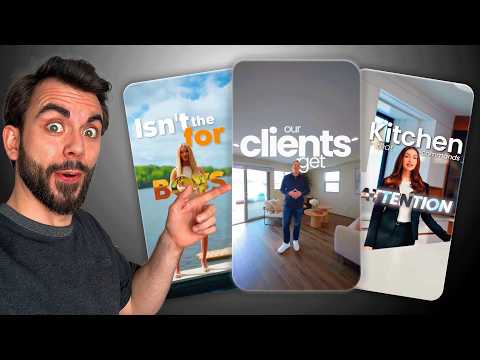
Complete Viral Realtor Video Masterclass in After Effects
How to Edit a Complete Viral Realtor Video in After Effects
Introduction to the Tutorial
- The tutorial covers editing a viral realtor video from scratch using After Effects, including techniques like head tracking, captions, and sound design.
- Emphasizes that the key to making videos look expensive is knowing what to take away rather than adding more elements.
Preparing Footage in Premiere Pro
- The presenter uses Premiere Pro for automatic caption creation and mentions that files are available via a link in the description.
- Demonstrates how to transcribe text and correct mistakes in captions, specifically changing "realtor" to "realtor practice video."
Creating Captions
- Adjusts caption settings by setting maximum character length for customization of each word's movement.
- Selects all captions and positions them centrally for better visibility before upgrading them to graphics.
Transitioning to After Effects
- Explains how to replace footage with an After Effects composition after preparing captions in Premiere Pro.
- Mentions installing a free script called Unprecompose for easier text layer management within After Effects.
Customizing Text Animation
- Discusses drawing inspiration from existing successful realtor videos for text animations instead of creating new ones from scratch.
- Describes aligning text layers relative to each other and adjusting their sizes for visual consistency.
Animating Text Layers
- Introduces keyframing techniques for animating position and opacity of text layers, emphasizing smooth transitions.
- Suggests offsetting keyframes slightly for staggered animations between different words or phrases.
Adding Visual Effects
- Explains how changing font color can alter perception; demonstrates using blending modes for interesting effects on text layers.
Finalizing Text Appearance
- Recommends thickening caption fonts and adjusting their size while ensuring proper anchor point alignment for scaling purposes.
Motion Tracking Technique
- Introduces motion tracking by stabilizing footage around a specific point (e.g., nose), allowing consistent framing throughout the video.
Cutting Out Background
- Details the process of duplicating footage and using the water brush tool or object mat tool in After Effects 2026 to cut out subjects from backgrounds.
Layer Management
- Discusses managing layer order so that certain texts appear behind or in front of subjects effectively during playback.
Speed Ramping Techniques
- Explains increasing composition length before applying speed ramps; emphasizes precomposing footage before stabilization processes.
Time Remapping Process
- Guides through enabling time remapping after stabilizing footage, detailing how keyframes dictate playback speed changes.
Smoothing Keyframe Transitions
- Advises on smoothing keyframes using F9 shortcuts and graph editor adjustments for seamless transitions between clips.
Organizing Project Files
- Encourages organizing project files into folders post-editing sessions for better workflow management.
Adding Sound Design Elements
- Recommends Epidemic Sound as a reliable source for copyright-free music; discusses integrating audio tracks into compositions effectively.
Conclusion & Additional Resources
- Invites viewers who enjoyed this tutorial to subscribe; hints at additional content related to day-to-night transitions available separately.
Turn any video into a summary like this
YouTube links, meetings, lectures. With transcripts, search, and chat.