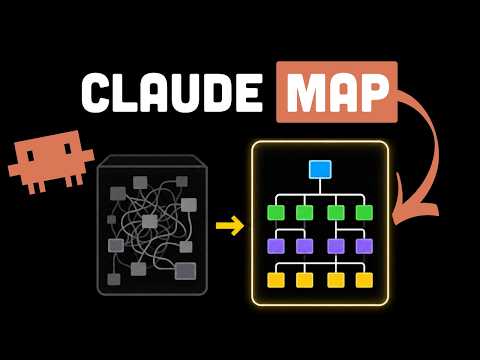
This AI Tool Maps Any Codebase Before You Touch It (Understand-Anything)
Understanding Codebases with Interactive Maps
Introduction to the Problem
- Developers often face overwhelming codebases, especially when joining new teams, leading to confusion and inefficiency.
- "Understand Anything" is introduced as a tool that has gained significant attention on GitHub, promising to enhance understanding of complex codebases.
Features of "Understand Anything"
- This open-source plugin integrates with various tools (e.g., cursor, co-pilot) and transforms projects into interactive knowledge graphs through static analysis and LLM processing.
- The tool addresses common issues faced by developers dealing with legacy code where documentation is outdated or unavailable.
Installation and Initial Setup
- A demonstration begins with installing the plugin in Thod, showcasing its ease of use for scanning repositories.
- After installation, the tool scans the entire repository to extract structure, relationships, key modules, and business concepts.
Dashboard Functionality
- Once scanning is complete (taking about 30 minutes), users can access a dashboard that provides high-level architecture views and detailed code breakdowns.
- The guided tour feature walks users through critical flows such as entry points, validation processes, logic handling, database interactions, and error management.
Use Cases for Developers
- Onboarding: New developers can quickly understand complex systems without sifting through extensive documentation.
- AI Agents: Enhanced context allows AI coding tools to make more informed suggestions based on structured maps rather than random guesses.
Benefits of Using "Understand Anything"
- The tool aims to reduce wasted time by providing meaningful insights into how different parts of the codebase are interconnected.
- Unlike other visualization tools that only show file structures without context or meaning, this tool adds layers of understanding regarding system behavior.
Key Advantages Highlighted
- It transitions from merely showing files to explaining their roles within system flows—helping developers grasp overall functionality better.
- Users appreciate its ability to provide architectural layers while allowing them to drill down into specific implementation details.
Considerations for Usage
- While it’s free and designed for multiple environments under an MIT license, there are concerns about token costs associated with LLM dependencies during usage.
- Despite its advantages in providing overviews and context, it does not replace the necessity of reading actual code.