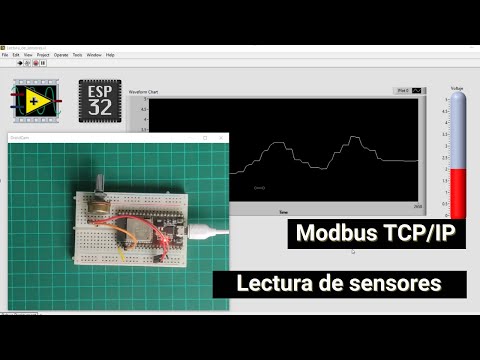
Lectura de sensores con LabVIEW y ESP32 | ESP8266 mediante Wifi
Wireless Data Transmission from Sensors Using ESP32
Introduction to the Project
- Edison introduces a project involving wireless data transmission of sensor readings using the ESP32 and ESP8266 boards via Wi-Fi.
- The Modbus TCP/IP protocol will be utilized, supported by an updated library compatible with both ESP32 and ESP8266.
Setting Up the Environment
- Users are guided to verify that the necessary board configurations are installed in Arduino IDE, including URLs for both ESP32 and ESP8266.
- Instructions on checking if the required libraries are installed, specifically mentioning versions 1.0.6 for ESP32 and 3.0.2 for ESP8266.
Programming Basics
- The code is designed to be compatible with both boards; users must select appropriate libraries based on their chosen board.
- A link to download the required library is provided, along with encouragement to support through premium courses.
Modbus Registers Configuration
- Explanation of Modbus registers starting from address 30001 for analog readings; subsequent addresses correspond sequentially.
- Variables are defined for sampling intervals (every 100 milliseconds), emphasizing serial port initialization at 115200 baud rate.
Network Connection Setup
- Users set up local Wi-Fi credentials; successful connection feedback includes IP address display crucial for OPC integration later.
- The server is initialized with input registers, updating timestamps as part of data handling processes.
OPC Server Configuration
- Discussion on using KeepServer as an OPC server; limitations noted but deemed sufficient for testing purposes.
- Steps outlined for configuring KeepServer properties, including changing IP addresses based on serial output during resets.
Testing Communication
- Verification of communication quality between devices is demonstrated; adjustments made to ensure accurate sensor value representation.
- Real-time monitoring of potentiometer values showcases effective communication as values fluctuate visibly during adjustments.
Visualization in Viu Software
- Introduction to creating indicators within Viu software; emphasis on setting up data binding correctly to read sensor values accurately.
- Manual configuration reminders stress importance due to potential changes in device IP addresses affecting connectivity.
Final Adjustments and Monitoring Capabilities
- Local variables created allow flexibility in monitoring various parameters like voltage or temperature through graphical representations.
- Demonstration of real-time updates as potentiometer adjustments reflect changes wirelessly, showcasing system capabilities effectively.
Conclusion and Future Directions
- Encouragement given for viewers to subscribe and engage further through premium courses while highlighting potential applications such as building networks of sensors.
Turn any video into a summary like this
YouTube links, meetings, lectures. With transcripts, search, and chat.