Negrito e Itálico do jeito certo - @Curso em Vídeo HTML5 e CSS3
Continuing Chapter 8: Formatting in HTML5 and CSS3
Introduction to Semantic HTML
- The video continues the study of Chapter 8, focusing on formatting in HTML5 and CSS3.
- Emphasizes the importance of understanding semantic HTML, urging viewers to revisit previous videos if they are unclear about the concept.
Setting Up for Exercises
- The instructor prepares to create a new exercise by setting up folders in Visual Studio Code.
- Introduces "Estuda na Alta," a platform offering quality programming courses, contrasting it with free resources available on their main channel.
Creating Basic Formatting
- The instructor creates a new folder for exercises and an
index.htmlfile, establishing a base code structure.
- Discusses various text formatting options, starting with headings (H1 and H2), highlighting their hierarchical relationship.
Highlighting Text Semantically
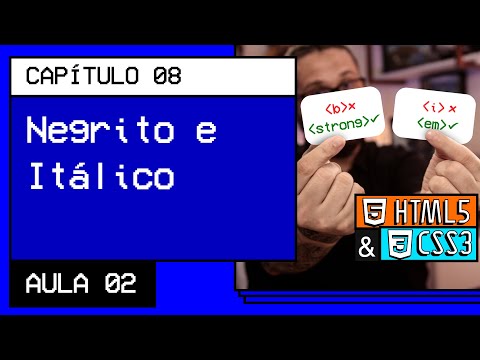
- Introduces two methods for emphasizing text: non-semantic (using
<b>) and semantic (using<strong>).
- Explains that while both methods visually appear similar, only the semantic method conveys meaning beyond appearance.
Understanding Italics and Emphasis
- Demonstrates how to use italics through both non-semantic (
<i>) and semantic (<em>) tags.
- Clarifies that using
<em>provides additional meaning compared to just styling text with<i>.
Practical Tips for Coding
- Offers practical advice on selecting text for formatting within Visual Studio Code.
How to Use Abbreviations and Tags in HTML
Understanding Abbreviations in HTML
- The video discusses how to use abbreviations in HTML, specifically focusing on the
<abbr>tag. It emphasizes caution when clicking links related to abbreviations.
- A demonstration is provided on how to input a tag without using angular brackets, highlighting the importance of confirming actions by pressing 'Enter' instead of clicking elsewhere.
Formatting Text with Emphasis
- The speaker explains the significance of semantic meaning in text formatting, particularly regarding italicization and emphasis using tags like
<em>.
- Instructions are given on how to create paragraphs and emphasize terms within them, showcasing efficiency through keyboard shortcuts.
Keyboard Shortcuts for Efficiency
- The video introduces keyboard shortcuts such as
Control + Shift + Pfor wrapping text with specific tags quickly, enhancing productivity during coding.
- A step-by-step process is outlined for applying emphasis tags efficiently while maintaining proper paragraph structure.
Semantic Meaning vs. Presentation
- The discussion contrasts different tags that may visually appear similar but have distinct semantic meanings in HTML, stressing the importance of understanding these differences.
- It is noted that while some tags may not seem semantically significant, they play a crucial role in web accessibility and SEO.
Recommendations for Modern HTML Practices
- The speaker advises against using outdated tags from previous HTML versions (like HTML4), suggesting adherence to current standards recommended by W3C.
- Newer tags are highlighted as being widely accepted; however, caution is advised regarding their potential obsolescence over time.
Engaging with Content Creators
- Viewers are encouraged to engage with content creators by liking videos and leaving comments, which helps improve algorithmic visibility on platforms like YouTube.
Conclusion and Next Steps
- The session wraps up with a preview of upcoming topics related to additional HTML tags and practices aimed at improving coding skills.
Turn any video into a summary like this
YouTube links, meetings, lectures. With transcripts, search, and chat.