How To Make $3,500/Month Email Marketing (FULL GUIDE)
Introduction and Proof of Earnings
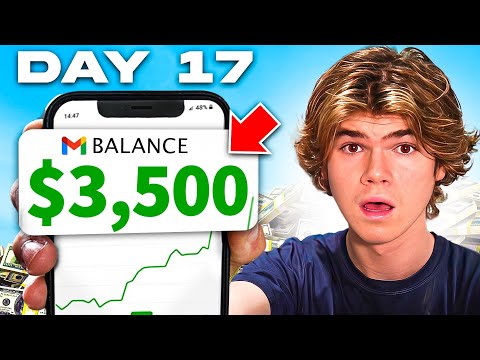
In this section, the speaker introduces the topic of making money through email marketing and provides proof of earning over $3,400. They also mention their landing page as evidence.
Making Money with Email Marketing
- The speaker claims to have made over $3,400 through email marketing.
- They show a dashboard that displays their earnings from email marketing.
- The speaker shares their landing page as proof of their success.
Understanding Email Marketing
- Email marketing involves collecting emails from interested individuals and sending them offers.
- A landing page is used to collect emails from potential customers.
- The speaker shares their own landing page, freepattertraders.com, as an example.
Explaining Conversion Rate and Success
In this section, the speaker explains conversion rates and addresses comments suggesting that email marketing is no longer effective.
Conversion Rate and Success
- The speaker discusses the conversion rate of 4.13% on their landing page, which they consider to be good.
- They emphasize that despite comments claiming email marketing is dead, they have achieved success with it.
Promoting High Value Items for Sales
This section focuses on promoting high-value items to generate sales through email marketing.
Promoting High Value Items
- The speaker promotes high-value items such as trading indicators and a crypto trading ebook.
- They explain that people are attracted to these items because they perceive them as valuable.
- Offering discount codes further incentivizes customers to make purchases.
Affiliate Marketing Programs for Earning Links and Money
Here, the speaker discusses affiliate marketing programs that provide links and opportunities to earn money.
Affiliate Marketing Programs
- The speaker mentions ClickBank, Amazon Associates, and Internet Cash as affiliate marketing programs they use.
- These programs allow individuals to obtain affiliate links and earn commissions from sales.
Creating Landing Pages with Get Response
This section focuses on creating landing pages using the Get Response platform.
Creating Landing Pages
- The speaker recommends using Get Response, a free platform for creating landing pages.
- They provide a link in the description for the pro version but mention that the free version is sufficient.
- Instructions are given on how to access the landing page creation feature within Get Response.
Choosing Templates for Landing Pages
In this section, the speaker discusses selecting templates for landing pages and provides an example.
Choosing Templates
- The speaker suggests selecting a template based on personal preference.
- They share an example of a template they used called "Integrated Legal Services" which included a video and limited information to create curiosity.
Creating a Professional Landing Page
In this section, the speaker discusses the importance of creating a professional landing page to promote affiliate marketing products effectively.
Editing the Landing Page
- The speaker recommends promoting internet cash and an affiliate marketing ebook.
- It is important to structure the landing page based on the product being promoted.
- Use an editing page to customize the landing page with tags, images, and other elements.
- Be cautious of promoters who may not allow landing pages for certain affiliate programs.
Making the Landing Page Persuasive
- Edit the title to make it catchy and appealing, such as "Make Ten Thousand Dollars a Month from Your Home."
- Include persuasive content like videos that showcase success stories or demonstrate earning potential.
- Provide solid evidence and proof to build trust with the audience.
- Use tools like gbt (generated by text) for writing content efficiently.
Creating Engaging Video Content
This section focuses on creating engaging video content for a landing page to attract and persuade visitors.
Choosing Video Content
- Delete existing video content if necessary.
- Consider using motivational videos or videos showcasing financial success as examples.
- The goal is to present oneself as a professional and persuade viewers to provide their email addresses.
Crafting Catchy Titles
- Create short, catchy titles that grab attention, such as "Make Ten Thousand Dollars a Month from Your Home."
- A compelling title helps in attracting viewers and generating interest in the content.
Building Trust with Proof
This section emphasizes building trust with visitors by providing proof of success and credibility.
Using Catchy Phrases
- Utilize catchy phrases like "Beat the Market Every Single Time" to capture attention.
- Highlight the number one trading group in the world and emphasize professional guidance.
Providing Solid Evidence
- Include proof of success, such as earnings or testimonials, to establish credibility.
- Avoid making false claims or exaggerating results to maintain trust with the audience.
Using gbt for Content Creation
- Utilize gbt (generated by text) as a tool for efficient content writing.
The transcript provided does not cover the entire video.
What is a Catchy Persuade?
In this section, the speaker discusses the importance of creating a catchy and persuasive landing page to attract visitors and encourage them to sign up for offers.
Creating an Effective Landing Page
- A catchy title is essential to grab the reader's attention.
- The description should be concise and well-written.
- Avoid using complex vocabulary or jargon.
- Highlight exclusive offers, amazing deals, and insider tips.
- Emphasize the importance of signing up with a clear call-to-action button.
Formatting the Landing Page
This section focuses on formatting the landing page to make it visually appealing and easy to read.
Formatting Tips
- Separate lines and adjust spacing for better readability.
- Use larger font sizes when necessary.
- Include relevant images or videos to enhance the content.
Adding Video and Dashboard Images
Here, the speaker explains how to add a video and dashboard images to make the landing page more engaging.
Adding Video and Images
- Find a suitable video on YouTube related to your offer.
- Copy the video link and embed it into your landing page.
- Search for affiliate marketing dashboard images on Chrome or other search engines.
- Include these images as evidence or proof of success in affiliate marketing.
Elements of an Effective Landing Page
This section highlights key elements that contribute to an effective landing page design.
Key Elements
- Catchy Title: "Make Ten Thousand Dollars a Month from Your Home."
- Description: Discover exclusive offers, amazing deals, insider tips, etc.
- Sign-up Form: Collect name and email, the most important information.
- Call-to-Action Button: Clearly labeled "Sign Up."
- Proof and Evidence: Display dashboard images to showcase potential success.
Importance of Promoting a Good Offer
The speaker emphasizes the importance of promoting a good offer rather than misleading or low-quality ones.
Promoting a Good Offer
- Ensure that the offer being promoted is valuable and trustworthy.
- Avoid making false claims about potential earnings.
- Building trust with your audience is crucial for long-term success.
Previewing the Landing Page
This section demonstrates how to preview the landing page before publishing it.
Previewing the Landing Page
- Check how the landing page will appear on an actual website.
- Verify that all elements, including title, description, images, and video, are displayed correctly.
Creating a Thank You Page
Here, the speaker explains how to create a thank you page after visitors sign up on the landing page.
Creating a Thank You Page
- Replace images on the thank you page with relevant content.
- Customize the message to reflect appreciation and anticipation for future success.
- Consider adding social media links or other contact information if applicable.
Publishing Options and Domain Selection
This section covers different publishing options and domain selection for your landing page.
Publishing Options and Domain Selection
- Use free landing page domains provided by platforms like GitOffer or GetResponsePages.
- Alternatively, purchase your own domain from Namecheap or similar services for better branding.
- Connect your purchased domain to your landing page following instructions provided by the domain provider.
The transcript is already in English, so no language conversion is required.
Setting up the Landing Page
The speaker explains how to set up a landing page and demonstrates how to navigate to the landing page.
Creating a List for the Landing Page
- Use a list to keep track of all the elements needed for the landing page.
- Click on the landing page link to access and view it.
Accessing Contacts Page
The speaker shows how to access the contacts page and explains why they changed it to "affiliate marketing."
Navigating to Contacts Page
- Click on the contacts button located at the top of the screen.
- This will bring you to your contacts or affiliate marketing page.
Adding Contacts
The speaker demonstrates how to add contacts and provides an example using a random email address.
Adding a Contact
- Currently, there are zero contacts in the list.
- To add a contact, input their email address into the landing page form.
- An example is shown with "Rob job knob Cobb" signing up with "Rob job@gmail.com."
- Additional information such as subscription date and IP address can also be seen.
Creating an Email Template Using Canva
The speaker discusses using Canva, a free design tool, to create an email template.
Customizing Email Template
- Open Canva and choose a blank template.
- Remove all existing elements from the template.
- Utilize Canva's designs feature for ready-made templates related to affiliate marketing.
- Select an appropriate design that fits your needs, such as one featuring an affiliate marketing ebook or computer with money.
Adding Images and Effects in Canva
The speaker demonstrates how to add images and apply effects in Canva.
Adding Images
- Copy an image from Google and paste it onto the template.
- Adjust the image's position and size as desired.
Applying Effects
- Enhance the image by adding effects such as shadows and blurs.
- Adjust settings like blur intensity, direction, and offset to achieve the desired effect.
Adding Affiliate Link to Email Template
The speaker explains how to add an affiliate link to the email template.
Inserting Affiliate Link
- Right-click on the template and select "link."
- Paste your affiliate link into the designated field.
- Download the customized template as a PDF file.
Finalizing Email Template
The speaker demonstrates how to finalize the email template with a clickable link.
Testing the Template
- Open the downloaded PDF file of your customized email template.
- Clicking on the link within the email will redirect users to your affiliate link, in this case, "internet cash Financial Freedom."
Conclusion and Call-to-action
The speaker concludes by summarizing the process and encouraging viewers to input their own emails into their templates.
New Section
In this section, the speaker discusses the importance of creating a flyer that is not spammy and provides tips on making it appealing to the audience.
Creating an Effective Flyer
- The flyer should not be spammy or overloaded with numbers.
- It should have a subtle design that catches people's attention.
- Make sure the flyer is quick, clean, and simple.
- Ensure that people can easily understand what the flyer is about.
New Section
The speaker emphasizes the need for a flyer to suit the needs of the audience and shares tips on creating a suitable design.
Designing a Suitable Flyer
- Avoid making the flyer over-dramatic or too flashy.
- Focus on meeting the needs of your target audience.
- Keep it quick, clean, and simple for easy understanding.
- A well-designed flyer will facilitate an easy transition for users to provide their email address or make a purchase.
New Section
The speaker concludes by sharing their success in email marketing and reiterates their motivation for providing content without selling anything.
Success in Email Marketing
- The speaker has achieved over 3,400 email marketing results.
- They emphasize that they do not sell anything but enjoy providing content on YouTube.
- The video aims to help others achieve similar success in email marketing.
Timestamps are provided where available.
Turn any video into a summary like this
YouTube links, meetings, lectures. With transcripts, search, and chat.