UD3 Componentes de E S 10
Introduction to Advanced Storage Systems
In this section, the speaker introduces advanced storage systems for the business world. These systems prioritize speed, performance, and reliability to ensure continuous operation.
Characteristics of Advanced Storage Systems
- These systems are designed for the business environment and prioritize speed, performance, and reliability.
- They need to operate 24/7 without any significant failures.
- Scalability is crucial, allowing easy capacity expansion without system reinstallation or formatting.
Comparison with Consumer Storage Systems
The speaker discusses how advanced storage systems differ from consumer storage systems in terms of reliability and scalability.
Key Differences
- Reliability and scalability are important factors in both enterprise and consumer environments.
- However, in the business world, these factors are prioritized to a greater extent than in consumer settings.
Evolution of Disk Types
The speaker explains the evolution of disk types used in storage systems, focusing on the shift towards solid-state drives (SSDs).
Transition to SSDs
- Traditional magnetic disks have been widely used but are being replaced by SSDs.
- Alongside advancements in disk technology, protocols and interfaces have also improved to support faster data transfer rates.
Evolution of SCSI Protocol
The speaker discusses the evolution of SCSI (Small Computer System Interface), a protocol used for connecting storage devices.
Transition from Parallel to Serial Communication
- SCSI initially used parallel communication with multiple lines carrying parallel bits.
- However, parallel transmission caused electromagnetic interference at high frequencies, leading to transmission errors.
- To address this issue, SCSI evolved from parallel (SCSI) to serial (SAS - Serial Attached SCSI) communication.
Comparison with Consumer Protocols
The speaker compares SAS and SATA protocols used in enterprise and consumer environments.
SAS vs. SATA
- SAS and SATA have evolved simultaneously, with SAS being more efficient and reliable than SATA.
- While a SATA disk can be connected to a SAS controller, the reverse is not possible.
- SAS controllers are commonly used in servers for their reliability and efficiency.
Disk Cabinets in Enterprise Environments
The speaker explains the concept of disk cabinets or enclosures used in enterprise storage systems.
Disk Cabinet Configuration
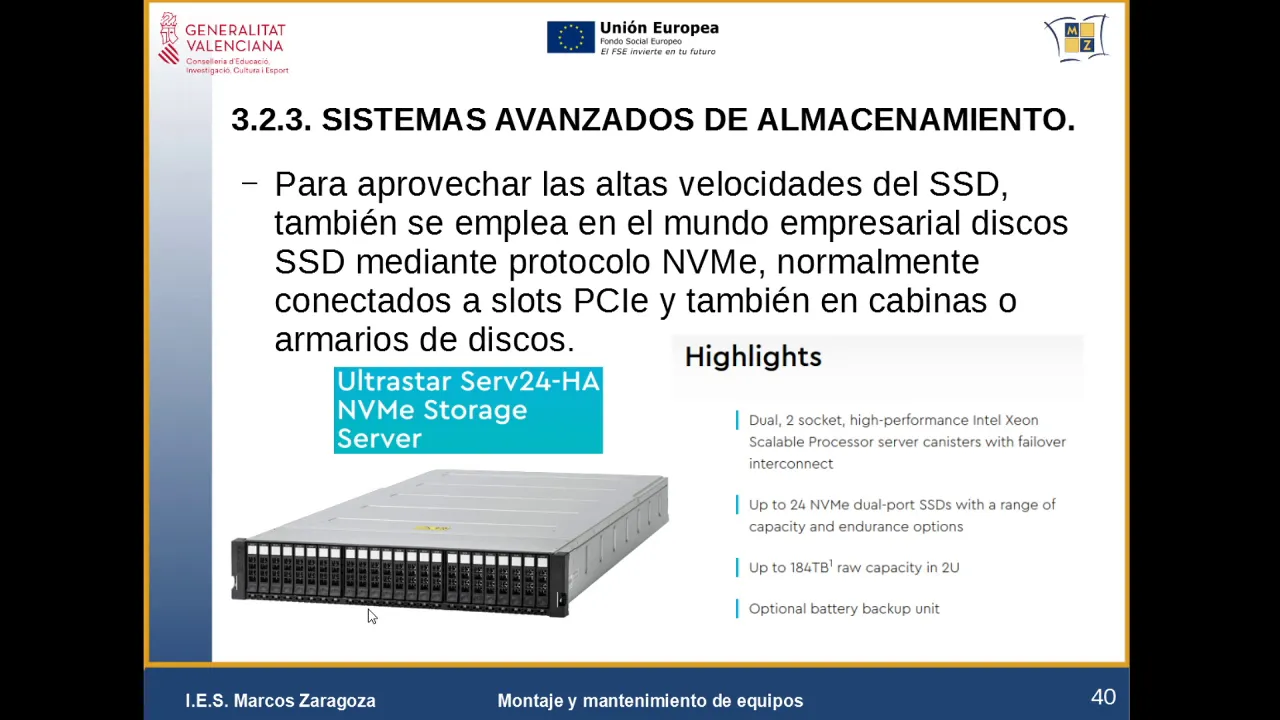
- Disk cabinets consist of multiple disks interconnected to provide desired storage capacity.
- These cabinets can be connected to servers or accessed through dedicated hardware/software control systems.
- Different types of disks (magnetic or SSD) can be used based on requirements.
Accessing Disk Information
The speaker discusses how disk information can be accessed from disk cabinets in different configurations.
Accessing Disk Information
- Disk cabinets can be connected directly to a single server for accessing information.
- Alternatively, they can be connected to multiple servers using advanced configurations.
- Specialized software is often used to manage and control the hardware components of the disk cabinet.
This summary provides an overview of the main topics discussed in the transcript. For more detailed information, please refer to the specific sections indicated by timestamps.
New Section
This section discusses the configuration possibilities for network storage and emphasizes that the disks are accessible over the network rather than being directly connected to a single device.
Network Storage Configurations
- The TCP/IP protocol is not mandatory for network storage, but it is commonly used along with fiber optic connections for optimal performance.
- In this setup, multiple disks are accessible by all devices on the network. Each device can access all the disks as if they were physically connected.
- Access to the disks occurs at a block level rather than through file sharing. The system can be formatted with different file systems like NTFS.
- Software-defined storage (SDS) allows for more flexibility in terms of storage location and underlying protocols, such as Fiber Channel.
New Section
This section explores how SDS virtualizes storage and enables access to information from various locations, including cloud-based environments.
Virtualized Storage and Cloud Computing
- SDS abstracts the physical location of data, allowing for scalability and redundancy across multiple sites.
- Accessing information becomes independent of its actual location, enabling duplication and improved performance based on different access points.
- SDS networks may combine technologies, potentially leading to bottlenecks in slower components. However, it also facilitates cloud computing where users interact with data without being aware of the underlying technology.
The provided transcript was already in English language.