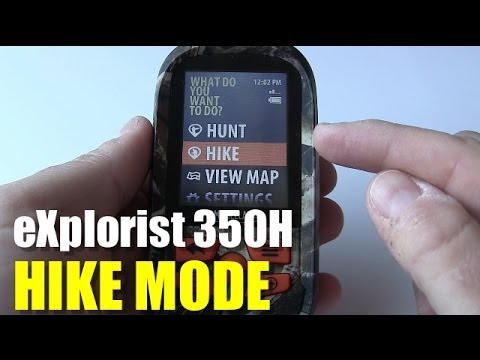
Magellan eXplorist 350H - Hike Mode

Magellan eXplorist 350H - Hike Mode

Overview of Hike Mode on the Mellan Explorers 350h

Introduction to Hike Mode

  • The hike mode is similar to the hunt mode, featuring three main functions: Track Me, My Trips, and Plan Trips.
  • Users can start their hiking journey by selecting "Track Me," which initiates tracking and sets a starting waypoint.

Utilizing Waypoints

  • In hike mode, users can mark waypoints using specific icons designed for hiking activities.
  • There is an option to add field notes when marking waypoints; however, the default setting does not include this feature.

Navigation Features

  • Users can backtrack or end their trip through menu options while viewing location information. They can switch between different map views such as Dash Nav and Compass Nav.
  • After completing a hike, users receive a summary that includes details about start and end waypoints along with track files.

Managing Hiking Trips

  • All saved trips are organized into folders on the device: hiking trips in a "hike" folder and hunting trips in a "hunt" folder, each containing GPX files for tracks and waypoints.
  • The "Plan Trip" function allows users to manually input coordinates or drop pins on maps for navigation purposes; detailed coverage of this feature will be provided in future videos.

Key Functions Recap

  • The essential features for hiking with the Explorers 350h include Track Me and My Trips functionalities, which facilitate easy navigation during hikes. Users can also mark spots as waypoints based on their needs (landmark or prey tracking). Hunting mode has its own set of specific icons for these tasks.
Video description

On the Magellan eXplorist 350H, you have the HIKE mode, which you can use when going on hiking trips. You have 3 options once you get into HIKE mode, TRACK ME, MY TRIPS and PLAN TRIP. TRACK ME is when you want to start recording a track file and enter waypoints using the custom hiking icons provided. You can also enter field notes when creating a waypoint. During this mode you can access the settings or change the map view. A starting and ending waypoint are created automatically. MY TRIPS lists all saved tracks allowing you to review or lookup the waypoints saved. When you connect the device to your PC or apple computer, you will be able to access the drive and see specific hike folder containing a gpx file for each track or waypoints for each trip. PLAN TRIP allows you to create a route using waypoints or scrolling on the map. - - - - - - - - - - - SUBSCRIBE!! (new video every Sunday!) http://www.youtube.com/subscription_center?add_user=thecyr GOOGLE+: http://profiles.google.com/jimcyr TWITTER: http://twitter.com/thecyr CHECK OUT MORE VIDEOS http://avoidingchores.com BUY OUR eBOOK http://goo.gl/7jJkJv THANKS TO OUR SUPPORTERS http://www.inreachcanada.com/ http://delorme.com http://www.keenfootwear.com/ca http://gpstracklog.com - - - - - - - - - - - What better way to avoid chores than to watch videos from an array of related topics based in Nova Scotia. Starting from the outdoors with hiking, product reviews, bushcraft, outdoor skills & GPS tutorials. We even include Garmin GPS tutorials for runners. And after all that activity, you'll probably want a cool beer to quench your thirst. We also do beer reviews! UPLOAD SCHEDULE 1st Sunday of the month = Hiking 2nd-4th Sunday of the month = Outdoor Skills, Product Demos, Product Reviews, Tutorials & Beer Reviews Friday = Friday Night Hangout 8:30PM EST LIVE Stream - - - - - - - - - - - #avoidingchores