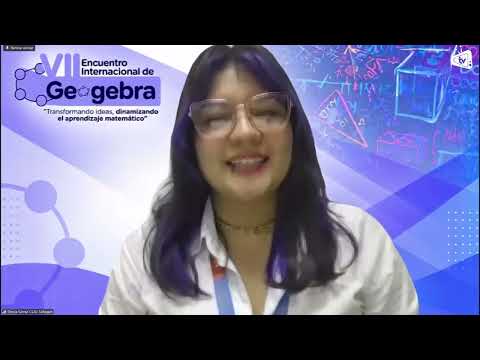
VII Encuentro Internacional de GeoGebra 2026
Welcome to the Seventh International GeoGebra Meeting
Introduction and Purpose of the Event
- Sheila Ester Samur Rojas introduces herself as the moderator for the event, welcoming participants to the seventh international meeting of GeoGebra organized by UNAM.
- A special greeting is extended to both in-person attendees at the Centro Comunitario de Atención Virtual de Sagú and online participants from various regions and countries.
- The meeting aims to enhance mathematics teaching and learning through innovative educational practices, focusing on international cooperation using GeoGebra software.
- The importance of addressing students' low interest in mathematics is highlighted, citing recent research that links instructional quality and socio-emotional support to student engagement.
- Educational technology integration is emphasized as an effective strategy for revitalizing mathematics education, with studies showing positive impacts from tools like GeoGebra.
Importance of Technology in Education
- Systematic reviews confirm that technologies such as GeoGebra improve participation and conceptual learning, although implementation remains uneven across contexts.
- International cooperation facilitates resource sharing among countries, promoting a more inclusive view of science according to Blanco Ragel's insights.
- The agenda for the day includes greetings, presentations, panel discussions on various mathematical topics using GeoGebra.
Official Opening Remarks
- Participants are invited to stand for the national anthem of Colombia before proceeding with official remarks.
- Dr. Morlia Gámez Heney expresses gratitude towards organizers and attendees while emphasizing innovation in teaching through technological tools during her opening speech.
Focus on Innovation in Mathematics Education
- Yadiley Gabriela León Pérez welcomes everyone and highlights GeoGebra's role beyond graphical representation; it allows exploration and dynamic interaction with mathematical concepts.
- Emphasis is placed on recognizing students as active participants in their learning process while fostering critical thinking skills through technology use.
Collaboration and Knowledge Sharing
- The event serves as a platform for discussing educational innovation, sharing best practices, and enhancing collaboration among educators globally.
- Attendees are encouraged to engage actively throughout the event to enrich their understanding of mathematics education challenges.
Beginning of Presentations
Presentation by Dr. Daniel Steven Morán Pizarro
- Dr. Morán introduces his topic: computational thinking mediated by GeoGebra, focusing on how coding can enhance mathematical understanding.
- He asserts that students learn not just about mathematical objects but also how to manipulate them through code—an essential skill for developing computational thinking.
Key Concepts in Computational Thinking
- Four pillars of computational thinking are introduced: decomposition, pattern recognition, abstraction, and algorithm execution—critical components for effective problem-solving skills.
Practical Applications Using Code
- Dr. Morán discusses two primary methods within GeoGebra: direct construction (dragging objects dynamically), which helps students visualize patterns leading from conjecture to theorem validation.
Engaging Students Through Coding
- He emphasizes that coding acts as a mediation tool where students formulate mathematical intentions that translate into operations executed by objects within GeoGebra.
Educational Framework Influences
- References Vygotsky’s theories regarding development zones highlight how tools like code transform student interactions with mathematical concepts into deeper understanding.
Understanding Polygons and Sliders in GeoGebra
Introduction to Polygons
- The speaker discusses the concept of polygons, using examples like triangle ABC and polygon AB5, emphasizing that the number of sides can vary (e.g., 4 for a square or 19 for a 19-sided polygon).
Utilizing Sliders
- A slider U is introduced as a tool to dynamically generate polygons by varying the number of sides, with configurations set from 3 to 20.
Generating Variations
- By adjusting the slider U while defining polygons on segment BC, users can observe variations in polygon shapes based on side count.
Learning Through Interaction
- The interaction between written commands and visual outputs in GeoGebra helps students understand mathematical dependencies and promotes structured thinking through computational environments.
Exploring GeoGebra's Capabilities
Object Manipulation
- The speaker highlights GeoGebra's ability to manipulate objects and create compositions, showcasing an example involving spirals.
Code Implementation
- A point A is declared at the origin; its movement is controlled by a vector K within a sequence ranging from 0 to 150, demonstrating how points can be translated and rotated visually.
Visual Learning through Art
Artistic Applications
- The speaker emphasizes using GeoGebra not just for mathematics but also for artistic creations, motivating students by showing them how they can produce art through coding.
Engagement with Students
- Presenting mathematical concepts through art serves as an engaging hook for students, illustrating that learning can be both educational and enjoyable.
Beyond Traditional Mathematics
Expanding Horizons
- The discussion shifts away from traditional topics like linear algebra or differential equations towards exploring broader applications of GeoGebra in education.
Inclusivity of Tools
- Emphasizing that GeoGebra caters to diverse interests beyond strict mathematics allows more students to find relevance in its use.
Sequence Commands and Transformations
Command Functionality
- Explanation of sequence commands replicating processes multiple times (e.g., generating homotheties), highlighting their role in creating complex transformations efficiently.
Rotational Dynamics
- Demonstrates how functions can be rotated using sliders, allowing dynamic interactions with mathematical objects via simple commands.
Animation Techniques
Creating Animations
- Discusses adding trails to functions which enables animations within GeoGebra, enhancing visual understanding of mathematical concepts.
Symmetry Exploration
- Highlights how animations reveal symmetrical properties within geometric figures created using GeoGebra tools.
Exporting Animated GIFS
Export Options
- Instructions are provided on exporting animated visuals as GIF files from GeoGebra, although it’s noted that this process may take time.
Dynamic Color Features
Color Dynamics
- Introduces dynamic color features within animations that enhance visual appeal; encourages experimentation with different backgrounds during presentations.
Project Overview: "GeoGebra Through Code"
Current Projects
- The speaker shares insights about an ongoing project titled "GeoGebra Through Code," aiming to explore innovative uses of coding within the platform.
Future Publications
Upcoming Book Release
- Mentions plans for publishing a book containing various codes used in demonstrations; aims at sharing knowledge widely once completed.
Fractals and Rotational Concepts
Practical Applications
- Discusses practical applications such as creating vases through rotations; connects these ideas back to student engagement with geometry.
Sharing Resources
Educational Materials
- Offers resources including QR codes linking to compiled codes aimed at helping educators implement lessons effectively.
Importance of Computational Thinking
Integrating AI
- Stresses the significance of understanding code structure when integrating artificial intelligence into educational practices.
Engaging Visualizations
Interactive Experiences
- Encourages exploration of interactive experiences such as rainbows generated from sine functions; emphasizes creativity alongside technical skills.
Mathematical Connections
Golden Ratio Discussion
- Links discussions around sunflower patterns back to historical mathematical concepts like the golden ratio; illustrates connections between nature and math.
Simulating Solar Systems
Planetary Models
- Describes simulations created representing planetary movements based on Kepler's laws; showcases advanced applications possible with GeoGebra.
Closing Remarks
Invitation for Questions
- Concludes presentation inviting further inquiries regarding utilizing GeoGebra effectively across various educational contexts.
Introduction to GeoGebra as a Mathematical Tool
Overview of GeoGebra
- GeoGebra is a free software that offers extensive tools not only for differential calculus but also for linear algebra, integral calculus, and other mathematical sciences.
- It allows users to perform operations without needing a scientific calculator, making it accessible for those with basic calculators who want to verify algorithms.
- The software provides graphical behavior visualization, which is crucial for understanding differential calculus concepts and enhancing user familiarity through practice.
Importance of Verification
- While AI can assist in calculations, it may contain errors; thus, using GeoGebra helps confirm results and understand underlying mathematical principles.
Developing Critical Thinking Through GeoGebra
Role in Education
- As an educator, I believe GeoGebra significantly fosters critical thinking skills essential in engineering studies where mathematics constitutes 50-60% of the curriculum.
- Unlike paid tools requiring subscriptions and manuals, GeoGebra is freely available and beneficial for both students and teachers to achieve educational outcomes efficiently.
Definition of Critical Thinking
- Critical thinking involves rational analysis, evaluation, questioning information based on scientific data, and forming independent judgments relevant to one's context.
Preparing Students for Critical Analysis
Teaching Methodology
- Educators must prepare students to analyze, evaluate, and question information rather than relying solely on their experiences or assumptions.
Research Integration
- Engaging students in research helps them apply critical thinking stages effectively by identifying expert opinions and utilizing AI responsibly.
Practical Application: Quadratic Function Analysis with GeoGebra
Collaborative Learning Experience
- A practical exercise titled "Quadratic Function Analysis" was conducted within a 30-minute timeframe involving collaborative work among groups of three to four students using laptops with GeoGebra installed.
Objectives of the Exercise
- The goal was for students to determine the vertex from both normal form and graphical representation while justifying their conclusions through algebraic procedures verified by GeoGebra.
Phases of the Practice Session
Structured Approach
- The practice consisted of four phases: analyzing the function type (linear, quadratic), identifying tasks required before applying mathematical resolutions.
Student Engagement
- Students were encouraged to collaborate during problem-solving sessions while documenting questions arising throughout the process.
Results from Classroom Implementation
Observations on Performance
- Teams reported varying completion times; some finished quickly due to effective organization while others took longer due to nervousness or lack of clarity on steps needed.
Efficiency Gains
- Using GeoGebra allowed teams to execute operations rapidly compared to traditional methods; they could visualize negative functions indicating maximum points almost instantaneously.
Insights Gained from Student Reflections
Understanding Mathematical Concepts
- Students expressed that using GeoGebra helped them comprehend what vertices represent mathematically and how these values are derived.
Enhancing Analytical Skills
- The tool encourages deeper inquiry into why certain mathematical processes yield specific results rather than merely focusing on procedural correctness.
Conclusion: Impact on Learning Outcomes
Academic Improvement
- Incorporating GeoGebra has led to improved academic performance in differential calculus courses previously marked by high failure rates exceeding 70%.
Future Directions
- Continued exploration into how technology like GeoGebra can enhance cognitive processes beyond mere calculation will be vital moving forward.
Understanding Eigenvalues and Eigenvectors
Introduction to Eigenvalues and Solutions
- The matrix A has 4 subtracted from its diagonal, leading to a system of equations with infinite solutions known as the eigenspace. The non-zero solution identified is (1, 1).
Solving Systems of Equations
- Similar to the previous step, -1 is subtracted from the diagonal, resulting in a new system where values change accordingly (3 and 2). This forms the basis for solving associated systems.
Importance of Unique Solutions
- Eigenvalues and eigenvectors generate differential equation systems with infinite solutions; however, we seek a unique non-zero solution. This involves calculating eigenvalues and their corresponding eigenvectors.
General Solution Formula
Deriving the General Solution
- The general solution can be expressed using constants multiplied by exponentials of eigenvalues times time (t), combined with their respective eigenvectors.
Algorithmic Approach to Solutions
Observing Patterns in Algorithms
- Viewing this process as an algorithm allows for potential programming applications, such as utilizing GeoGebra for computational assistance.
Direction Fields and Phase Diagrams
Creating Direction Fields
- To create direction fields, phase diagrams are used to visualize vectors associated with positive or negative eigenvalues indicating movement away from or towards equilibrium points.
Analyzing Flow of Solutions
Understanding Solution Behavior
- For initial conditions within unique solutions, there exists a specific trajectory through designated points that illustrates how solutions flow over time.
Characteristics of Linear Solutions
Identifying Linear vs Curved Solutions
- Only linear solutions align with eigenvectors; other trajectories will exhibit curved behavior. The equilibrium point is classified as a saddle point due to these dynamics.
Finding Particular Solutions
Determining Specific Conditions
- To find particular solutions satisfying initial conditions like x(0)= (1, 0), one must solve a system of equations derived from general solutions dependent on parameters C₁ and C₂.
Solving Differential Equations
Systematic Approach
- A straightforward approach involves resolving a simple 2x2 system to determine specific constant values which are then substituted back into the general solution for final results.
Algorithmic Learning
Utilizing Algorithms for Insight
- Recognizing this process as an algorithm enables qualitative analysis through critical thinking about solution behaviors over time while ensuring foundational understanding before drawing conclusions.
Programming Potential in AI
Integrating Technology
- Emphasizing programmability suggests integrating algorithms into artificial intelligence frameworks could enhance direct problem-solving capabilities while fostering learning opportunities through procedural understanding.
Using GeoGebra for Calculations
Practical Application
- GeoGebra serves as an effective tool for symbolic calculations necessary in determining eigenvalues and vectors efficiently within mathematical contexts.
Navigating GeoGebra Features
Configuring Views
- Users should familiarize themselves with different views in GeoGebra—algebraic, symbolic calculation, and graphical—to optimize their experience based on task requirements.
Working with Symbolic Calculation View
Defining Matrices
- In symbolic calculation view, defining matrices requires proper syntax including braces around rows separated by commas for accurate representation within computations.
Extracting Eigenvalues Directly
Calculating Eigenvalues
- Direct extraction of eigenvalues can be achieved using built-in functions in GeoGebra that simplify finding characteristic values associated with defined matrices.
Accessing Eigenvector Information
Finding Associated Vectors
- After obtaining eigenvalues, users can retrieve corresponding eigenvectors using similar commands tailored specifically for vector extraction within matrices.
Constructing Vectors from Matrices
Building Column Vectors
- Users can define column vectors directly by referencing elements from previously established matrices containing calculated eigenvector data.
Formulating General Solution Expressions
Writing Out Solutions
- When constructing expressions representing general solutions involving constants C₁ & C₂ alongside exponential terms linked to respective eigenvalue-eigenvector pairs.
Evaluating Initial Conditions
Applying Initial Values
- Incorporate initial conditions into existing formulations allowing adjustments based on specified criteria yielding tailored outputs reflecting desired states at given moments.
Resolving Systems via Commands
Utilizing Command Functions
- Employ command functions effectively when addressing systems requiring simultaneous resolution across multiple variables ensuring clarity throughout processes undertaken during evaluations.
Exploring New Algorithms for Differential Equations
Understanding Long-Term Behavior of Solutions
- New algorithms can be developed to solve various cases of differential equations, enhancing qualitative analysis regarding the long-term behavior of solutions.
- Questions arise about the uniqueness of solutions and their behavior over time, particularly when passing through specific points.
- Visualization tools such as phase diagrams, phase delays, and direction fields are essential for understanding these behaviors.
GeoGebra as a Learning Tool
- GeoGebra serves as a powerful mathematical application that reinforces learning by clarifying resolution algorithms.
- It acts like an advanced scientific calculator, enabling deeper engagement with mathematical concepts.
Advancements in Knowledge Through Programming
Personal Growth in Mathematical Understanding
- The ability to program indicates a significant advancement in understanding differential equations and related concepts.
- The speaker expresses hope that the audience finds value in this mathematical context and invites questions.
Acknowledgment of Contributions
Gratitude for Participation
- Appreciation is expressed towards Dr. Gómez for his valuable presentation and participation.
- No immediate questions from the audience indicate thorough comprehension of the material presented.
Introduction to Gaudí's Legacy
Celebrating Gaudí's Influence
- An interesting fact shared about architect Antoni Gaudí, highlighting 2026 as the centenary year since his death with planned commemorative events.
Transition to Next Presentation on Mathematics and Gaudí
Introducing Dr. Ancochea
- Dr. Ancochea is introduced as an expert in theoretical physics and mathematics education with extensive teaching experience.
Background on Dr. Ancochea's Career
Professional Achievements
- His roles include being president of educational associations focused on mathematics and contributing significantly to GeoGebra resources since 2009.
Opening Remarks by Dr. Ancochea
Focus on Gaudí's Mathematics
- Emphasis placed on discussing how Gaudí utilized mathematics creatively rather than presenting it conventionally.
Contextualizing Gaudí’s Work
Importance of Mathematics in Architecture
- Discussion centers around how Gaudí integrated mathematical principles into his architectural designs without adhering strictly to traditional methods.
Previewing Upcoming Content
National GeoGebra Day Announcement
- Mentioned upcoming National GeoGebra Day event which will showcase applications relevant to both mathematics and architecture inspired by Gaudí.
Insights into Geometric Structures Used by Gaudí
Types of Arches Explored
- Introduction to various types of arches used by Gaudí including catenary, elliptical, parabolic, hyperbolic, and funicular arches.
Detailed Examination of Arch Types
Visual Representation Using GeoGebra
- Demonstration using GeoGebra shows parameters affecting different arch shapes; emphasizes practical applications in understanding structural integrity.
Funicular Arches Explained
- The funicular arch is constructed based on forces acting upon it; its design closely resembles that of a catenary arch due to similar properties.
Practical Applications Discussed
- Adjustments made within the model illustrate how varying forces impact the shape and stability of funicular arches; practical implications for construction are highlighted.
Interactive Learning Experience
- Audience encouraged to engage with models demonstrating different arch types; interactive elements enhance understanding through visual manipulation.
Further Exploration Suggested
- Additional resources provided for those interested in delving deeper into geometric constructions related to arches used by architects like Gaudí.
Conclusion on Arch Types
- Summary emphasizes significance of understanding various arch forms within architectural contexts; encourages continued exploration using available tools like GeoGebra.
Exploring Geometric Constructions with GeoGebra
Introduction to Segment Construction
- The speaker discusses the importance of careful construction in geometric modeling, demonstrating a mistake made while activating an animation.
- After correcting the segment construction, the speaker illustrates how a point moves along the segment and highlights that it continues beyond its endpoints instead of bouncing back.
Animation Properties and Adjustments
- The speaker introduces properties for adjusting animations, such as changing speed and increment values to control movement more finely.
- A new geometric figure is constructed by combining segments and circles, showcasing how various shapes can interact within GeoGebra.
Advanced Geometric Figures
- The speaker attempts to create a more complex figure involving multiple segments but notes challenges in achieving a clean visual outcome.
- A cone-like surface is discussed, emphasizing the need for precise placement of points to avoid undesirable overlaps during animation.
Techniques for Surface Creation
- The discussion shifts towards constructing surfaces using parametric curves, highlighting their versatility in creating intricate designs.
- An example from a previous presentation on advanced applications demonstrates how ellipses can be manipulated within 3D space using GeoGebra tools.
Practical Applications and Recommendations
- The speaker encourages participants to explore specific applications like "Hierro Elíptic," which allows manipulation of parameters for artistic creations.
- Emphasis is placed on understanding parametric equations as essential tools for creating complex surfaces in geometry.
Conclusion and Future Directions
- As time runs short, the speaker reflects on the vast potential of geometric constructions and expresses hope for future sessions dedicated to deeper exploration.
- Closing remarks highlight key topics covered: funicular polygons, arches used by Gaudí, and basic principles behind hyperbolic paraboloids.
Turn any video into a summary like this
YouTube links, meetings, lectures. With transcripts, search, and chat.