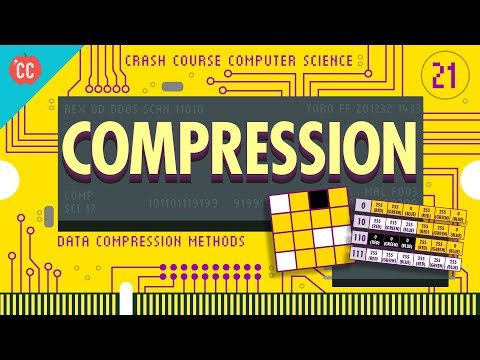
Compression: Crash Course Computer Science #21
Introduction to File Compression
In this section, we will learn about file compression and its importance in reducing file size and improving transmission speed.
File Compression Basics
- File compression is the process of reducing the size of files by encoding data using fewer bits than the original representation.
- Compression allows us to store more files without filling up our hard drives and transmit them more quickly.
Run-Length Encoding
- Run-Length Encoding is a compression technique that reduces redundant information by encoding runs of identical values.
- It replaces repeated data with a single value followed by a count of how many times it repeats.
- This technique can significantly reduce the number of bytes needed to encode an image or any other type of data.
Huffman Coding
- Huffman Coding is another type of lossless compression where blocks of data are replaced by more compact representations.
- It involves building a Huffman Tree based on the frequency of occurrence for each block in the data.
- The resulting tree is used to generate codes for each block, with more frequent blocks having shorter codes.
Conclusion
File compression techniques like Run-Length Encoding and Huffman Coding allow us to reduce file sizes without losing any data, making them essential for efficient storage and transmission.
Timestamps have been associated with relevant bullet points as per the provided transcript.
Lossless Compression Techniques
This section discusses lossless compression techniques, which are used in file formats like GIF, PNG, PDF, and ZIP files. It explains how removing redundancies and using more compact representations can significantly reduce the size of data without losing any information.
Prefix-Free Codes
- Lossless compression techniques use prefix-free codes to encode data.
- Prefix-free codes ensure that no code starts with another complete code.
- This uniqueness of paths down the tree makes the codes prefix-free.
Example: Image Data Compression
- Image data can be compressed using lossless techniques.
- The example demonstrates how pixel pairs are substituted with bits to compress image data.
- White-yellow pair is substituted with "1 0".
- Black-yellow pair is substituted with "1 1 0".
- Yellow-yellow pair is substituted with "0".
- This process repeats for the rest of the image, resulting in a significant reduction in size.
Combining Techniques
- Reducing redundancies and using compact representations are often combined in lossless compression techniques.
- These techniques underlie most lossless compressed file formats like GIF, PNG, PDF, and ZIP files.
Lossy Compression Techniques
This section introduces lossy compression techniques and their application in various types of files. It explains how these techniques discard or reduce less important information based on human perception models.
Perceptual Coding
- Lossy compression techniques discard or reduce precision based on human perception models.
- These models come from a field of study called Psychophysics.
Example: Audio Compression
- Sound compression takes advantage of human hearing limitations.
- Frequencies outside the range of human hearing can be discarded.
- Different frequency bands can be encoded at different precisions based on their importance to human perception.
Video Compression
- Video compression is similar to image compression as videos are sequences of images.
- Compression algorithms remove data based on signal quality or bandwidth, reducing precision.
- Compressed video files can be significantly smaller than uncompressed formats like WAV or FLAC.
Perceptual Coding in Image Formats
- Lossy compressed image formats like JPEG take advantage of imperfections in the human visual system.
- The human visual system is better at detecting sharp contrasts than subtle color variations.
- JPEG breaks images into blocks and discards high-frequency spatial data that humans may not perceive.
Balancing Quality and File Size
This section discusses the trade-off between file size and perceptual quality in lossy compression techniques. It explains how different levels of compression can be applied to achieve a balance between file size reduction and maintaining perceptual similarity.
Example: JPEG Compression Levels
- JPEG compression allows adjusting the level of compression for a balance between file size reduction and perceptual quality.
- Higher levels of compression result in smaller file sizes but may introduce more noticeable artifacts.
- Lower levels of compression preserve more details but result in larger file sizes.
Video Compression
- Video compression follows similar principles as image and audio compression.
- Videos are sequences of images, so many techniques used for image and audio compression apply to videos as well.
By following these techniques, it is possible to significantly reduce the size of files without losing essential information or compromising perceptual quality.
When there are small pixel differences New Section
This section discusses how video formats encode and transmit data efficiently by focusing on the differences between patches of pixels rather than transmitting all pixels afresh. It also introduces advanced video compression techniques.
Video Compression Techniques
- Video formats encode only the difference between patches, taking advantage of inter-frame similarity. This is more efficient than re-transmitting all pixels afresh.
- Advanced video compression formats find similar patches between frames and copy them forward, applying simple effects like shift, rotation, lightening or darkening.
- MPEG-4 videos are often 20 to 200 times smaller than the original uncompressed file due to encoding frames as translations and rotations of patches from previous frames.
Challenges in Compression
- Heavy compression can lead to issues when there isn't enough space to update pixel data inside patches. The video player may apply incorrect motions, resulting in hilarious and trippy effects.
Importance of Compression
- Compression techniques are essential for efficient storage of pictures, music, and videos. They enable streaming services like YouTube to transmit large volumes of data for free within available bandwidth limitations.
- Understanding compression helps users make the most out of storing and transmitting media files efficiently.
Sponsorship Message
- This episode is sponsored by CuriosityStream, a streaming service with documentaries and non-fiction titles from great filmmakers including exclusive originals. Check out "Miniverse" featuring Chris Hadfield as he takes a road trip across the Solar System scaled down to the size of the United States.
Turn any video into a summary like this
YouTube links, meetings, lectures. With transcripts, search, and chat.