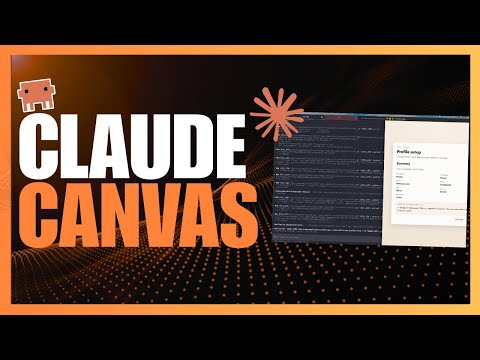
Claude Canvas Turns Claude Code Into a Visual Terminal App!
Introduction to Cloud Canvas
Overview of Odd Code and Cloud Code
- Odd Code is a powerful AI coding agent that enhances development workflows by managing complex tasks.
- New frameworks like Ralph Loop's persistent execution model and AutoCloud's autonomous spec-driven sub-agents are evolving Cloud Code further.
Introduction of Cloud Canvas
- Cloud Canvas is introduced as a TUI toolkit providing a dedicated display for Cloud Code, functioning like an external monitor for the AI agent.
- It enables rich interactive terminal interfaces for various applications such as emails, calendars, and flight bookings directly within the terminal.
Using Claude Code for Personal Tasks
Email Composition with Claude
- The speaker shares their experience using Claude Code to draft emails, highlighting the need for a better interface than traditional conversation views.
- A skill called Claude Canvas allows users to create interactive email composition panels showing fields like "from," "to," "CC," "BCC," and subject lines.
Meeting Scheduling Features
- The speaker demonstrates booking meetings through Claude, utilizing Google Calendar integration to visualize mutual availability effectively.
- Users can navigate available times using keyboard inputs or clicks in the terminal interface.
Travel Booking Scenarios with Cloud Canvas
Flight Booking Use Case
- The speaker expresses a desire for agents to handle travel bookings seamlessly, showcasing how Cloud Canvas can present flight information compactly.
- The interface includes seat maps and essential details about flights while allowing comparisons between different options.
Getting Started with Cloud Canvas
Installation Requirements
- To use Cloud Canvas, users must have Bun installed along with T-Max; these tools facilitate the spawning of canvases in split panes.
Plugin Installation Process
- Users need to install Cloud Code first before adding the canvas plugin via the command line in their terminal environment.
Additional Resources
- A forked version of Cloud Canvas exists specifically for Mac OS users that offers enhanced UX but lacks compatibility with Windows.
Conclusion and Further Engagement
Community Engagement
- Viewers are encouraged to subscribe to the World of AI newsletter for updates on developments in AI technology.
Cloud Code Visualization Enhancements
Improved User Experience with Cloud Code
- The new features in cloud code allow for better visualization of various prompts, enhancing user experience across different tasks such as writing emails or managing to-do lists.
- Users can visualize email drafts directly within the cloud code interface, enabling live edits and previews through a canvas feature.
- A calendar app was visualized during the session, showcasing how T-Mox helps display dates effectively, although formatting issues were noted on Windows devices.
- The presentation highlighted that flight booking terminals appear significantly better on Mac OS compared to Windows due to output structuring differences.
Community Engagement and Resources
- Viewers are encouraged to support the channel via donations or by joining a private Discord community that offers free access to various AI tools and exclusive content.
- The video concludes by emphasizing the importance of exploring showcased frameworks that enhance overall development workflows, with links provided for easy access.
Turn any video into a summary like this
YouTube links, meetings, lectures. With transcripts, search, and chat.