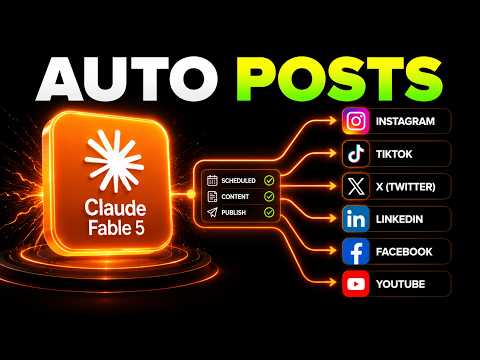
I Automated My Entire Social Media with Claude Fable 5 (It Posts While I Sleep)
How to Automate Your Social Media with Claw Fable 5
Introduction to Automation
- The speaker introduces the concept of automating social media across multiple platforms using Claw Fable 5, promising a step-by-step guide and free resources.
- Emphasizes that no coding or prior experience is necessary; users can follow along easily.
Setting Up the Environment
- Users are instructed to download the desktop app for Claude from claude.com/d download, ensuring they have access to essential features.
- After setting up their account, users should navigate to "Claude Code" and start a new session.
Establishing Brand Voice
- The importance of defining a brand voice is highlighted as crucial for effective automation in social media management.
- Users are directed to join a free community called AI Workshop Light, where they can access various resources including templates for brand voice.
Downloading Essential Files
- Three key files are provided: a social media automation prompt pack, a brand voice template (PDF), and an important markdown file (.md).
- The speaker explains how the brand voice helps Claude understand user identity and tailor content accordingly.
Uploading Brand Voice Template
- Instructions on uploading the brand voice template into Claude Code are given, allowing Claude to conduct an interview process for personalized branding.
Generating Personal Brand Voice
- Users copy prompts from the community resource that instruct Claude to interview them about their brand voice preferences.
- This interactive process ensures that responses are specific and tailored, enhancing personalization in content creation.
Retrieving Brand Voice Information
- Once completed, users can retrieve their generated brand voice information through Claude's interface or request it in PDF format if needed.
Integrating Tools for Content Creation
Overview of Operating System Features
- The speaker showcases their personal operating system setup with Jarvis as an AI assistant integrated into their workflow.
Connecting Image and Video Creation Tools
- Two main tools are introduced: Hicksfield MCP for image/video creation and Blowto for automated posting across platforms.
Importance of Carousel Posts
- Carousel posts are identified as highly engaging formats on platforms like Instagram and LinkedIn due to increased user interaction metrics.
Accessing Powerful AI Models
- Users need access to advanced AI models such as Nanobanana 2 or VO3.1 for generating high-quality images/videos efficiently.
Connecting Posting Automation Tools
Setting Up Blowto Account
- Instructions on creating a Blowto account are provided; it offers a free trial which allows testing before commitment.
Authorizing Social Media Accounts
- Step-by-step guidance is given on connecting various social media accounts (e.g., Twitter, LinkedIn), emphasizing ease of integration.
Custom Connector Setup
- Users learn how to set up custom connectors within Claude Code by copying URLs from Blowto’s API settings.
Creating Automated Posts
Example Post Creation Process
- A simple command example demonstrates how users can create tailored carousel posts across different platforms using their established brand voice.
Testing Automation Functionality
- The system checks connections between Hicksfield MCP and Blowto before generating content based on user-defined parameters.
Reviewing Generated Content
- The speaker shares examples of previously created videos showcasing successful automation results achieved through this setup.
Overview of Social Media Post Automation
Introduction to the Automated Posting System
- The system generates posts based on a provided text, utilizing Instagram formatting with emojis and hashtags.
- Posts are successfully shared across three connected platforms: Instagram, LinkedIn, and X account.
Platform-Specific Customization
- Users can customize which platforms to post on according to their brand voice; it can be set to post across multiple platforms if desired.
- Each platform receives tailored content: Instagram gets meme-style captions while LinkedIn features more professional narratives.
Content Generation Features
- The tool uses specific templates for different platforms, ensuring that the content aligns with each platform's audience preferences.
- Users have the option to generate videos as well, although this incurs additional costs in terms of tokens.
Scheduling and Automation Options
- Users can schedule posts by selecting specific times through a routine feature or using Claude code for automation.
- A prompt called "weekly" allows users to automate posting based on their brand voice file.
Problem Solving and Community Resources
- If issues arise during posting, users can seek assistance from Claude for troubleshooting guidance.
- Additional resources are available in a free community for those interested in AI tools or starting an AI agency.