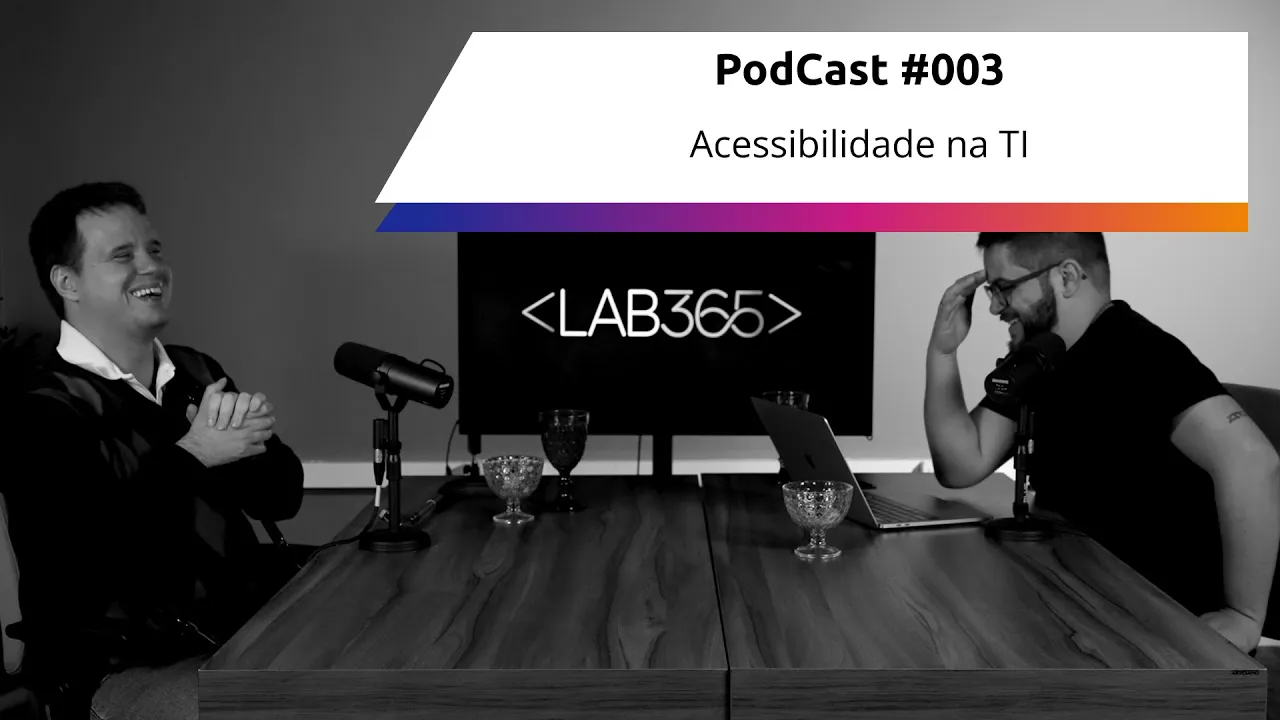
labSHOW 003: Acessibilidade Digital
Introduction and Guest Introduction
The podcast episode begins with introductions and welcomes a special guest, Guido, who is involved in production.
Introductions and Welcoming the Guest
- Guido is introduced as a special guest involved in production.
- Instructions are given to viewers on YouTube to like, subscribe, and share the content.
- Viewers on Spotify are encouraged to engage with the content by liking and sharing.
- Guido expresses his excitement about being on the podcast.
Discussion on Digital Accessibility
The conversation shifts towards discussing digital accessibility, focusing on its importance in software development practices.
Importance of Digital Accessibility
- Digital accessibility is highlighted as crucial for software development.
- Different forms of accessibility such as architectural, educational, and attitudinal are mentioned.
- The focus of this episode is specifically on digital accessibility within IT best practices.
Guido's Journey into Programming
Guido shares his journey into programming, highlighting his childhood interests and early experiences with technology.
Guido's Path into Programming
- Guido wanted to be an astronaut, judge, and even an impersonator during childhood.
- His interest in programming was sparked by self-learning and exposure to a computer at a young age.
- Early experiences with a Windows 95 computer led him to explore further into technology.
Early Technology Experiences
Further exploration of Guido's early interactions with technology through a Windows 95 computer.
Early Technology Exploration
- Guido reminisces about using a Windows 95 computer for gaming and learning basic functions.
- Introduction to DOSVOX through school provided an interactive keyboard-based computing experience.
Exploring Computing Skills
Delving into Guido's curiosity leading him to experiment with computing skills at a young age.
Curiosity in Computing
- Experimenting with keyboard inputs led to accidental discoveries like initiating Windows startup sounds.
Transitioning into School Years
Transitioning from childhood exploration into structured education involving DOSVOX usage for computing tasks.
Educational Transition
- DOSVOX usage continued until high school for various tasks like gaming or text editing.
Detailed Overview of the Transcript
The speaker discusses their experience with a program called J, an American screen reading software that allowed them to navigate Windows 98. They delve into how this software integrated with Windows and enabled them to interact with various applications.
Experience with Screen Reading Software
- The speaker used a program called J, an American screen reading software, to navigate Windows 98.
- J read aloud the content on the screen, enabling interaction with applications like Word, Excel, and Internet Explorer through keyboard commands.
- Contrast between Dosvox and J: Dosvox provided keyboard interactivity while J offered voice-based navigation for different functions like email (C), chat (P), and web browsing (H).
Interaction with Computer Systems
- Dosbox had both graphical interface for sighted users and keyboard interactivity crucial for visually impaired users.
- The speaker's curiosity led them to explore Dosvox folders, understanding file functionalities even without programming knowledge.
Programming Languages and Current Work
The conversation shifts towards the speaker's introduction to programming languages, particularly PHP. They discuss their current role at Grupo Boticário working on registration websites using Next.js.
Introduction to Programming
- The first programming language the speaker encountered was PHP before transitioning into their current roles at Grupo Boticário and Google.
Current Work at Grupo Boticário
- At Grupo Boticário, the speaker works on developing registration websites for brands like Avon, Natura, and Eudora using Next.js for frontend development.
- Registration websites are essential for individuals looking to sell products from these brands as they need to register online before becoming sellers.
Backend vs. Frontend Development
- The speaker explains the difference between frontend (visual user interface) and backend (data processing). They work as a full-stack developer using Next.js for frontend and Python with Django for backend development at Grupo Boticário.
Understanding Frontend and Backend Development
Further exploration of frontend (user-facing interface) versus backend (data handling) development is discussed in detail by the speaker.
Frontend vs. Backend Development
- Frontend involves visual elements where users interact directly; backend manages data processing tasks such as user authentication in systems like login verification against databases.
Full Stack Role
- The speaker operates as a full-stack developer at Grupo Boticário, engaging in both frontend (Next.js & React) and backend (Python & Django).
Interview Insights
In this section, the interviewee discusses their transition to Google and the role they will undertake at the company.
Transition to Google
- The interviewee started at Google on November 7th.
- At Google, the interviewee will work as an accessibility analyst, involving software testing and quality assurance within agile methodologies.
- The role includes participating in the entire development process, learning about methodologies like Kamban, and taking on various tasks beyond traditional development responsibilities.
- Collaboration is emphasized, with developers assisting in testing tasks to alleviate workload bottlenecks.
- The interviewee highlights the importance of understanding diverse roles within a team for effective collaboration in agile environments.
Accessibility Perspectives
This part delves into accessibility considerations in programming and emphasizes its relevance for all individuals.
Accessibility Importance
- Accessibility is crucial for everyone, not just those with specific needs like visual impairments or blindness.
- Despite some progress, less than 2% of Brazilian websites are accessible according to W3C data.
- Quality of accessibility matters; it's not just about meeting basic standards but ensuring usability and efficiency.
- Accessibility extends beyond mere presence; it involves providing a seamless user experience without hindrances or inefficiencies.
Challenges in Implementing Accessibility
This segment explores challenges faced in achieving widespread accessibility across digital platforms.
Implementation Hurdles
- Drawing parallels between system performance and accessibility quality underlines the multifaceted nature of ensuring true accessibility.
- Despite incremental improvements, there remains a significant deficit in accessible websites in Brazil due to cultural attitudes towards inclusion.
Acessibilidade e Tecnologia
In this section, the speaker discusses the importance of accessibility in technology for everyone, providing examples to illustrate how accessibility features benefit various users.
Accessibility Benefits for All Users
- Driving Safety: Using the example of driving a car, the speaker highlights how not being able to check messages while driving can prevent accidents or fines.
- Screen Readers: Discusses how screen readers on mobile devices like TalkBack for Android and Voice Over for iPhone enhance accessibility, emphasizing that these features benefit all users.
- Native Accessibility Features: Explains that native screen readers on smartphones do not guarantee proper reading of poorly designed websites or apps, emphasizing the importance of inclusive design.
- Inclusive Device Purchase: Points out that buying an Android or iPhone includes screen reader features by default, even if users may not be aware of them, promoting universal access.
- Utilizing Screen Readers: Encourages using screen readers while driving to listen to messages hands-free, demonstrating how accessibility aids multitasking and safety.
Diverse User Scenarios
- One-Handed Phone Use: Explores how individuals with physical limitations can benefit from one-handed phone use, enabling easier interaction with devices.
- Arm Injury Adaptation: Illustrates how temporary physical conditions like a broken arm can utilize one-handed phone operation for improved accessibility.
- Parenting Convenience: Highlights how parents holding children can efficiently use phones with one hand due to accessibility features, showcasing universal usability.
Inclusivity in Virtual Assistants
This segment delves into the significance of inclusivity in virtual assistants like Siri and Google Assistant for individuals who cannot speak verbally due to various reasons.
Communication Challenges Addressed
- Speech Impairments: Emphasizes the importance of virtual assistants for individuals with speech impairments such as muteness or neurological conditions hindering verbal communication.
- Sign Language Usage: Discusses how sign language (Libras) serves as a primary mode of communication for deaf individuals, highlighting diverse communication methods beyond speech.
New Section
In this section, the speaker discusses the importance of accessibility in technology for individuals with voice-related issues or other challenges that limit traditional communication methods.
Accessibility and Flexibility in Technology
- Accessibility involves adapting technological resources to cater to diverse user needs, allowing everyone to utilize technology effectively.
- Digital sensitivity encompasses considering various perspectives such as those of individuals who are blind, deaf, neurodiverse, elderly, or young and have varying levels of tech proficiency.
- Intuitive interfaces with icons are crucial for users who may not be able to read or write but can navigate easily through visual cues like children or older adults.
- Simplifying interfaces by using icons instead of text enables users with limited literacy skills to engage with applications like WhatsApp through recognizable symbols.
- Making apps and websites accessible is achievable by incorporating simple design elements like icons within buttons, enhancing usability for a broader audience.
New Section
This segment delves into practical strategies for integrating accessibility features into applications, emphasizing the significance of icon-based navigation for users with diverse needs.
Implementing Accessibility Features
- Embedding icons within buttons in apps like WhatsApp facilitates interaction for users who may struggle with reading and writing but can comprehend visual cues effortlessly.
- Incorporating icons directly into buttons enhances digital accessibility without requiring specialized training, making it accessible even in basic mobile programming courses.
- By placing icons within buttons using HTML tags like <i>, developers inadvertently enhance accessibility for individuals facing literacy challenges or cognitive differences.
New Section
The discussion shifts towards addressing accessibility concerns specific to visually impaired users and the importance of designing interfaces that cater to their unique needs.
Designing for Visually Impaired Users
- Ensuring accessibility for visually impaired individuals involves providing clear auditory descriptions alongside visual elements like icons within buttons.
New Section
In this section, the speaker discusses the attribute "area Label" within a button in HTML and its significance for screen readers.
Understanding Attributes in HTML Buttons
- The button contains attributes, including the "area Label," which is an invisible label read by screen readers.
Importance of Accessibility in Interface Design
This part emphasizes the importance of organizing interfaces for screen reader users and how the order of elements impacts accessibility.
Organizing Interfaces for Screen Readers
- Screen readers follow a specific reading pattern from top to bottom and left to right.
- Proper interface organization ensures screen readers navigate content effectively.
Creating Accessible Interfaces with Tab Index
The discussion focuses on using the "Tab index" attribute in HTML to enhance accessibility for screen reader users.
Enhancing Accessibility with Tab Index
- The "Tab index" attribute dictates the reading order for screen readers based on element indices.
- Prioritizing accessibility is crucial in interface design to ensure inclusivity.
Promoting Accessibility Awareness
This segment highlights the shift towards prioritizing accessibility due to legal requirements and societal needs.
Importance of Accessibility Practices
- Developing accessible interfaces is not just a legal obligation but a best practice for inclusive design.
- Embracing accessibility benefits all users, emphasizing its universal relevance.
Dar Aula de Python de React
In this segment, the speaker expresses enthusiasm for teaching Python and React, highlighting the joy found in teaching. The speaker anticipates a long career in education and thanks the audience for their participation.
Teaching Enthusiasm
- The speaker enjoys the aspect of teaching related to Python and React.
- Expresses a desire to continue as an educator for an extended period.
- Appreciates the opportunity to teach and interact with students in various courses.
- Acknowledges that students may encounter a lesson with Guito at some point.