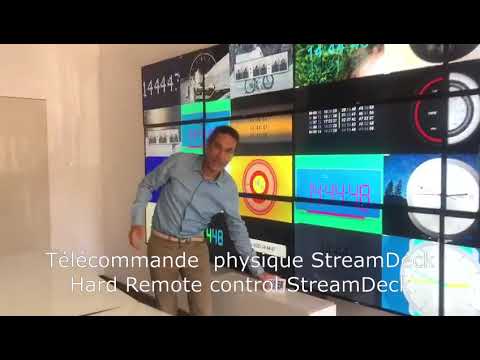
✂️ Split Screen and manage Video Wall with Virtual Remote Control and StreamDeck
New Section
This section introduces an tool that allows users to split their screen into multiple websites and manage a wall of images with up to 6 display zones. The transcript also mentions a physical remote control.
Revolutionizing Visual Management: Harnessing the Power of Advanced Display Technologies
In today's fast-paced digital environment, the ability to manage and visualize large amounts of data is crucial. This is where advanced display technologies come into play, offering a transformative tool for managing a wall of images with up to 24 display zones and even more.
Introducing the Cutting-Edge Tool
The innovative tool provides users with the power to split their screen into multiple websites. Whether you need to monitor different data streams, keep an eye on multiple social media platforms, or simultaneously work on diverse projects, this tool allows you to do it all on a single screen.
In a striking example, it can create up to 24 different display zones, enhancing your ability to multitask and stay organized. What's more, it's incredibly user-friendly, coming with a physical remote control for easy navigation and control.
Cartography and Beyond
But it's not just about splitting screens and managing multiple display zones. The tool's capacity extends to fields requiring extensive visual data management, such as cartography. Map-makers, urban planners, and geographical analysts can significantly benefit from this technology, making their work processes more efficient and less cumbersome.
Unparalleled Flexibility
One of the tool's significant benefits is its flexibility. With this advanced technology, you can easily move and minimize parts of your screen, facilitating seamless management of your digital workspace. This function is especially beneficial when working with a high number of display zones.
Closing Thoughts
The advent of such advanced display technologies opens up a new era of productivity and efficiency. It's no longer about just displaying information; it's about how we can manage and interact with it most effectively. Whether it's about managing a wall of images or making complex cartographic tasks easier, this tool promises a significant boost to your professional capabilities. Embrace the future of display technology and transform the way you visualize data.
Stay tuned for more insights and demonstrations on how this tool can redefine your visual management approach. Don't forget to watch our detailed video that walks you through its fantastic features.
The Most Affordable Video Wall Software on the Market from 149€🏴
✅ 1 license
✅ 6 screens (or 24)
✅ 24 sources
❌ NO SUBSCRIPTION
❌ NO CLOUD 5.0
❌ NO INTERNET REQUIRED
❌ NO COMPLICATED HARDWARE
✔️ TAILOR-MADE DEVELOPMENT
⬇️ DigitalSignage
⬇️ AffichageDynamique
⬇️ VideoWall
⬇️ VideoWallSoftware
Contact us for more information.
💾 Download Free Trial
📞 Guy (🇨🇵 🇬🇧 🇪🇸) +33 06 79 07 55 19
📬 guy@easy-multi-display.com
🌐 https://easymultidisplay.com