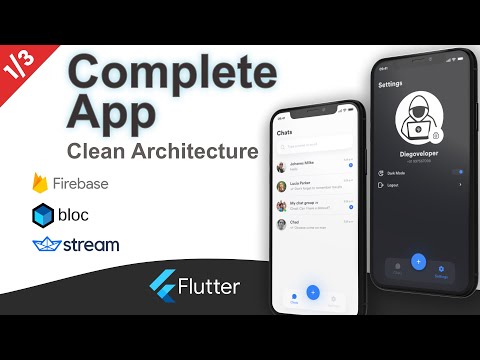
Full Flutter Chat App (1/3) Clean Architecture - StreamChat - flutter_bloc - inyección dependencias
Introduction to the Chat Application Development
Overview of Project and Design
- The speaker discusses the progress on a chat application, mentioning that they will review comments and feedback from viewers.
- A conversation about design prompts the speaker to express concern over starting an application without a clear design plan.
- Daniela Alcántara provides a finished design for the application, which excites the speaker as it allows them to proceed with development.
Architecture and Technology Stack
- The architecture for the chat application is defined as clean architecture, focusing on authentication using Firebase and file uploads.
- The management of chat functionalities will utilize Stream Chat, while state management will be handled by Bloc.
Video Structure and Content Breakdown
Division of Video Content
- The project will be divided into three videos due to its complexity:
- First video focuses on state management using Bloc.
- Second video covers dependency injection concepts.
- Third video demonstrates a working demo of the completed project.
Initial Setup and Configuration
- The speaker mentions using a development token for connecting to Stream Chat during initial setup.
- They outline their project's structure based on clean architecture principles, including domain and data layers.
Implementation Details
Code Walkthrough
- The speaker begins showing code implementation details, starting with creating loading indicators in Flutter.
- They explain user authentication flow through Firebase, detailing how users are validated before accessing chat features.
User Interface Components
- Discussion includes navigation bar setup within the app's UI, allowing users to switch between different views like settings and chat easily.
Chat Functionality Development
Features of Chat Application
- The current focus is on implementing core chat functionalities such as user profiles, group creation, and messaging capabilities.
- Group selection functionality is highlighted where users can create groups by selecting other users from a list.
State Management with Bloc
Setting Up State Management
- Introduction to setting up Bloc for managing states within the application; emphasizes its importance in maintaining app responsiveness.
- Explanation of defining Cubits for managing various states like theme changes or user authentication status.
Splash Screen Implementation
Creating Splash Screen Logic
- Detailed steps are provided for creating a splash screen that checks if a user is logged in or needs verification before proceeding further in the app.
- A delay mechanism is introduced to simulate loading time while checking user credentials against stored data.
Sign-In Process Development
Handling User Sign-In States
- Similar logic used in splash screen implementation is applied here; it checks if users exist in the system before directing them accordingly.
- If not found, users are redirected to profile verification screens; otherwise directed home after successful sign-in validation.
Profile Verification Process
Managing Profile Verification
- Speaker outlines how profile verification works when new users upload images or provide necessary information.
- Emphasis placed on ensuring all required fields are filled out correctly before finalizing account creation processes.
Settings Management
Implementing Settings Functionality
- Discussion around implementing settings options such as toggling notifications or logging out from accounts effectively within app interface.
- Speaker highlights challenges faced while integrating these features seamlessly into existing codebase without causing disruptions elsewhere.
Final Thoughts & Next Steps
Conclusion & Future Directions
- Speaker wraps up by summarizing key points discussed throughout session while hinting at future enhancements planned post-completion phase.
- Encouragement given towards viewer engagement through comments/questions regarding specific areas needing clarification moving forward!
Overview of User Selection and Chat Generation
User Selection Process
- The speaker discusses the process of selecting users within a group to create a channel, emphasizing the importance of making changes based on user selection.
- A mention is made about generating chat lists, specifically referencing "Josh Bernstein" as part of the default selections for chats.
- The speaker explains how to copy and paste code to manage user states effectively, indicating that selected users will be reflected in the new list generated.
State Management with Cubits
- Introduction of cubits for managing state changes related to user selection and group check-ins, highlighting their role in emitting values back into the system.
- The need for importing necessary libraries and creating a blog provider is discussed, focusing on listening to user actions and returning relevant chat lists.
Enhancements in Group Check Functionality
Snapshot Management
- The speaker mentions needing snapshots to track state changes while checking groups, ensuring that multiple listeners are properly managed.
- Discussion around removing unnecessary variables from the codebase while maintaining access to essential context points for user selection.
User List Updates
- An update on how additional users can be added to the existing list, with emphasis on ensuring proper checks are in place when selecting users from different groups.
Troubleshooting Group Entry Issues
Debugging Group Selections
- The speaker identifies issues with entering groups based on selected users and emphasizes troubleshooting steps needed for effective functionality.
- A realization occurs regarding state changes not reflecting correctly when switching between groups; adjustments are suggested for better performance.
Building Horizontal Lists Based on Selections
Dynamic List Creation
- Explanation of how selected items form horizontal lists dynamically based on current selections, including validation checks before displaying options.
Finalizing UI Elements
- Discussion about simplifying UI elements by removing unnecessary buttons when no selections are made, enhancing overall usability.
Transitioning Between Pages
Navigation Logic
- Insights into navigation logic where selected user lists should transition smoothly between pages without losing context or data integrity.
Creating New Channels
Channel Creation Process
- Steps outlined for creating new channels include selecting images and naming conventions necessary during this process.
Provider Implementation
Blog Provider Setup
- Emphasis placed on setting up a blog provider similar to previous implementations while discussing potential comparisons with other state management solutions like Provider or Bloc.
Final Thoughts on State Management
Conclusion Remarks
- Closing thoughts reflect on managing states efficiently using Flutter's Bloc architecture while encouraging viewer feedback regarding future content directions.
Turn any video into a summary like this
YouTube links, meetings, lectures. With transcripts, search, and chat.