Introduction to RTOS Part 1 - What is a Real-Time Operating System (RTOS)? | Digi-Key Electronics
What is a Real-Time Operating System (RTOS)?
Introduction to RTOS
- A real-time operating system (RTOS) shares similarities with general-purpose operating systems but has critical differences, particularly in task scheduling and timing guarantees.
- The video series will cover essential topics such as tasks, threads, prioritization, memory management, and inter-task communication within FreeRTOS.
Functions of an Operating System
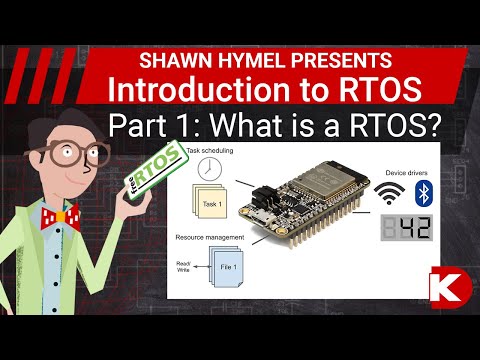
- An operating system manages background tasks and user applications by scheduling processes to run concurrently on devices like computers or microcontrollers.
- It provides access to virtual resources (files, libraries), allowing applications to utilize them when needed.
- Device drivers are managed by the OS for hardware interaction, enabling functionalities like reading from disks or responding to input devices.
General-Purpose vs. Real-Time Operating Systems
- General-purpose operating systems prioritize human interaction; thus, they may miss timing deadlines due to their non-deterministic scheduling approach.
- In contrast, RTOS ensures that strict timing deadlines are met—crucial for applications like medical devices or engine controllers where delays can be catastrophic.
Key Features of RTOS
Capabilities of RTOS
- While some RTOS provide high-level device drivers (e.g., Wi-Fi stacks), others offer minimal functionality focused solely on task scheduling.
- The ability to run multiple tasks concurrently is a significant advantage of using an RTOS over simpler programming architectures like the super loop.
Super Loop Architecture
- The super loop structure executes tasks in a round-robin fashion within a continuous loop; it's simple and efficient for basic microcontroller projects.
- Although effective for limited tasks, it lacks concurrency—leading to potential lag if one task takes too long.
Task Management in Microcontrollers
Limitations of Super Loop
- Using interrupts can help manage external events but may not suffice for strict timing requirements; interrupt service routines might be more suitable for precise timing needs.
Concurrency Challenges
- The super loop architecture cannot execute tasks simultaneously; if one task delays execution, others may suffer from lag or missed data collection opportunities.
Understanding Tasks and Threads
Task Prioritization
- Multi-core processors allow true concurrent execution; however, single-core microcontrollers require time-slicing among tasks with priority levels assigned accordingly.
Terminology Clarification
- Key terms include:
- Task: Any piece of work in code that needs completion.
- Thread: A unit of CPU utilization with its own program counter and memory set.
- Process: An instance of a running program that may contain multiple threads sharing resources.
FreeRTOS Specific Terminology
Why Use an RTOS?
Understanding Ecosystem Interrupts in RTOS
- Ecosystem interrupts function within a Real-Time Operating System (RTOS) as long as they have a higher priority than the tasks they interrupt, allowing for efficient task management.
Considerations for Simple Microcontrollers
- For simple 8 or 16-bit microcontrollers with limited RAM, it's advisable to stick with the super loop approach rather than implementing complex RTOS features.
Transitioning to More Powerful Microcontrollers
- As microcontroller capabilities increase, such as with more memory and processing power, using an RTOS becomes more feasible and beneficial for managing multiple tasks.
Advantages of Using an RTOS on ESP32
- The ESP32's computing power allows it to handle several concurrent tasks effectively, making it ideal for applications requiring multitasking like user input handling and data processing.
Importance of Wireless Stack Management
- An RTOS is particularly useful when dealing with wireless stacks that require significant RAM and quick event responses from the network, facilitating better resource allocation among tasks.
Collaborative Development with RTOS
Team Projects and Task Division
- In team environments, an RTOS enables division of responsibilities among members while ensuring that all tasks run concurrently; however, this may introduce overhead in debugging.
Learning FreeRTOS Concepts through Practice
- Upcoming videos will cover essential concepts like prioritization and resource management in FreeRTOS through practical demo projects on the ESP32 platform.
FreeRTOS Popularity and Alternatives
Current Landscape of Real-Time Operating Systems
- FreeRTOS is recognized as the most popular real-time operating system for IoT devices according to a 2018 survey by the Eclipse Foundation.
Comparison with General-Purpose Operating Systems
- While Linux dominates general-purpose OS usage, FreeRTOS remains relevant due to its lightweight nature suitable for embedded systems compared to heavier alternatives like Windows.
Getting Started with ESP32 and Arduino
Benefits of Using Arduino for Beginners
- Utilizing Arduino simplifies learning about RTOS concepts since many embedded programmers are familiar with it; this accessibility encourages experimentation without vendor-specific complexities.
Minimal Setup Required for Task Creation
- The ESP32 runs a modified version of FreeRTOS out-of-the-box which minimizes setup time needed to create tasks in Arduino programming environments.
Challenges and Next Steps
When Not to Use an RTOS
- An RTOS may not be necessary for every firmware challenge but is advantageous when concurrent task execution or timing deadlines are critical.
Encouragement for Practical Application
- Viewers are encouraged to tackle challenges presented at the end of each video using their own devices running FreeRTOS, fostering hands-on learning experiences.
Next Video Preview: Getting Started with FreeRTOS