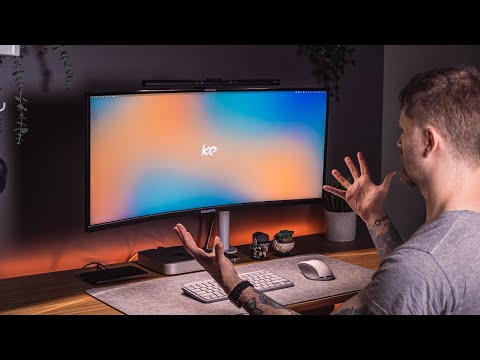
Don't Believe The Ultrawide Hype: 5 Months With The Gigabyte G34WQC
Introduction
Kyle Erickson introduces himself and talks about his experience with ultrawide monitors.
- Kyle sold his old 4K monitor and picked up an ultrawide monitor.
- He settled on the Gigabyte G34WQC 34-inch curved ultrawide monitor.
- The monitor has a 144Hz refresh rate, supports HDR10 and variable refresh rates, and has a resolution of 3440x1440.
- Ultrawide monitors are great for video editing and productivity because they provide a large timeline for video editing and can be used as a dual-monitor setup for software development.
Pros of Ultrawide Monitors
Kyle discusses the advantages of using an ultrawide monitor.
- Ultrawide monitors provide a dual-monitor setup in one package.
- Curved displays make it feel like you're sitting at a command center.
- The Gigabyte G34WQC has great colors, contrast ratio, and handles reflections well.
Cons of Ultrawide Monitors
Kyle discusses the disadvantages of using an ultrawide monitor.
- Pixel density is lower compared to 4K monitors, resulting in jagged edges around text and UI elements.
- Most content is built for a 16:9 aspect ratio, resulting in black bars along the sides when full-screening most media.
- VA panels have slow pixel transitions from dark to light colors, leading to ghosting or black smearing.
- Viewing angles are not great on VA panels.
IPS vs VA Panels
Kyle compares IPS panels to VA panels.
- IPS panels have better viewing angles than VA panels.
- Colors are generally better on IPS panels than on VA panels.
- VA panels offer more contrast than IPS panels.
Issues with Websites on Ultrawide Monitors
Kyle discusses issues with websites on ultrawide monitors.
- Websites can look strange on ultrawide monitors.
- Dark mode can cause issues when viewing white text on dark backgrounds.
- Some videos positioned a certain way in the code will use the full width of the display but cut off the bottom, which can be annoying.
Conclusion
Kyle summarizes his experience with ultrawide monitors and offers some final thoughts.
- Ultrawide monitors are great for video editing and productivity, but they have some downsides to consider.
- If he were to buy another ultrawide monitor, he would shop for an IPS panel instead of a VA panel.
- Overall, it's important to weigh the pros and cons before deciding if an ultrawide monitor is right for you.
Annoying Hum with Brightness Increase
The speaker discusses a minor annoyance with the Gigabyte G34 WQC monitor, where increasing the brightness causes a constant hum that can be distracting.
Annoying Hum
- Increasing brightness on the Gigabyte G34 WQC monitor causes a constant hum.
- The hum is similar to that of a fluorescent light in an office building.
- The noise is faint and may not bother some people, but it can be distracting for others.
- Turning down the brightness eliminates the noise.
Minor Annoyances Add Up
The speaker notes that while each issue with the monitor may seem minor on its own, they add up to create a less than ideal experience.
Overall Experience
- None of the issues with the monitor are major problems on their own.
- However, when combined, they create a noticeable difference in user experience.
- The speaker's personal experience may differ from others'.
Ultra-Wide vs. 4K Monitors for Productivity
The speaker compares ultra-wide monitors like the Gigabyte G34 WQC to 4K monitors for productivity purposes.
Ultra-Wide vs. 4K Monitors
- For gaming purposes, ultra-wide monitors like the Gigabyte G34 WQC provide an immersive experience.
- For productivity purposes, there isn't much advantage over a 4K monitor.
- Split-screen windows are still possible on a 4K monitor for coding and video editing software.
- While there is less room for side-by-side panels on a 4K monitor, overall color and viewing angles are better compared to ultra-wide monitors.
Conclusion and Call-to-action
The speaker concludes by inviting viewers to leave comments and questions about the Gigabyte G34 WQC monitor or any other related topic.
Conclusion
- The speaker hopes viewers found the video useful.
- Viewers are encouraged to like and subscribe for more tech-related videos.
- Comments and questions about the Gigabyte G34 WQC monitor or any other related topic are welcome.
Turn any video into a summary like this
YouTube links, meetings, lectures. With transcripts, search, and chat.