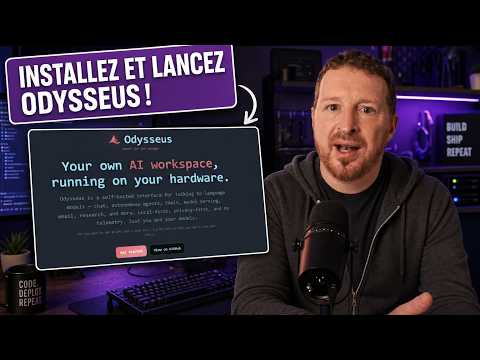
Comment utiliser Odysseus, l'app IA de PewDiePie
Introduction to Odysseus: A New AI Platform
Overview of PewDiePie's Project
- PewDiePie, a renowned YouTuber, has launched a new project called "Odysseus," which is described as a significant development in the realm of social media and artificial intelligence.
- The project was recently released, with its promotional video titled "My Trillion Dollar Project" gaining attention shortly before this discussion.
What is Odysseus?
- Odysseus is presented as a user-friendly interface designed for utilizing various artificial intelligences (AIs), allowing users to connect multiple AI models through APIs or local installations.
- Users can access different AI tools like ChatGPT, Jini, Claude, and others within one platform without needing subscriptions or losing control over their data.
Unique Features of Odysseus
Advanced Functionalities
- Unlike other platforms that restrict comparisons between AI models (e.g., Gemini vs. ChatGPT), Odysseus allows users to conduct such comparisons seamlessly within its interface.
- The platform supports integration with personal data sources like email and messaging apps, enabling personalized interactions across different AIs while retaining memory of past conversations for improved context.
Installation Process for Odysseus
Installation Options
- Users can install Odysseus either locally on their machines using Docker or on a stable server environment provided by hosting services like Hostinger. This flexibility caters to both casual users and tech-savvy individuals.
- Local installation offers direct access to personal files but raises privacy concerns regarding sensitive information being exposed during operations involving external AIs. Users are cautioned about potential risks associated with local setups.
Using Hostinger for Hosting
Benefits of Using Hostinger
- Hostinger provides an affordable VPS solution ideal for running Odysseus continuously without the need for maintaining personal hardware, ensuring security and stability in operations. Users can test the service risk-free due to flexible cancellation policies offered by Hostinger.
- The VPS setup includes automatic backups and security measures that protect against unauthorized data access or prompt injections that could compromise user information stored on the server.
Getting Started with Odysseus
Accessing the Platform
- After setting up an account with Hostinger and installing Odysseus via Docker, users will receive login credentials necessary for accessing their instance of the platform securely from any device connected to the internet.
- The initial setup process is straightforward; once completed, users can customize their experience by selecting themes and configuring settings according to their preferences within the application interface itself.
This structured overview captures key insights from the transcript while providing timestamps linked directly to relevant sections for easy navigation and reference.
Introduction to Odysseus Interface
Overview of the Odysseus Interface
- The speaker introduces the Odysseus interface, likening it to a mythical ship from Greek mythology, emphasizing its versatility in connecting various AI models.
- The interface allows integration with local and open models, both free and paid, without requiring a subscription.
- Users can connect multiple AI models through simple settings adjustments within the interface.
Connecting Local and API Models
- Users can specify local AI locations on their machines or VPS using Docker configurations for seamless integration.
- For API connections, users must create accounts with providers like OpenAI or Google AI Studio to generate necessary API keys.
Understanding Token Usage and Costs
Token Management
- Each model's usage is billed based on tokens consumed; some models are more cost-effective than others.
- The speaker highlights Dipsic V4 Pro as an affordable alternative that competes well against major US AI models while offering significant discounts.
Cost Efficiency Strategies
- Users are encouraged to test different models to find cost-effective solutions that may be cheaper than traditional subscriptions.
- Emphasizes the importance of understanding token costs versus subscription fees for optimal budgeting in AI usage.
Setting Up Your Preferred Models
Model Configuration
- Users can add their preferred APIs by entering generated keys into the Odysseus interface for easy access.
- The speaker mentions available tutorials and community support for users needing assistance with setup.
Integration Options
- Various integrations such as Open Router or Hama Cloud allow users to connect additional resources easily.
Customizing Default Settings
Default AI Selection
- Users can set default AIs for specific tasks while allowing flexibility in choosing different AIs based on task requirements.
Search Provider Configuration
- The interface supports customization of search tools, recommending options like Brave Search or DuckDuckGo for enhanced information retrieval.
Advanced Features of Odysseus
Email Integration
- Unique feature allowing direct email communication within the Odysseus platform enhances user interaction capabilities.
MCP Connections
- Users can integrate various services (e.g., Google Calendar, Stripe), streamlining workflows directly through the interface.
Interaction Modes and User Experience
Chatbot Functionality
- The system allows users to initiate conversations with selected AIs seamlessly, enhancing user experience through varied interactions.
Agent Mode Activation
- Different modes (chat vs. agent mode), depending on model capabilities, provide tailored functionalities suited for specific tasks.
Prompt Management Features
Saving Prompts
- Users have the ability to save frequently used prompts as prefixes or suffixes for efficiency in future interactions.
Persona Creation
- Allows users to create custom personas that dictate response styles based on predefined characteristics or humor levels.
Memory Management Across Models
Shared Memory System
- Centralized memory management enables consistent data sharing across different AI models utilized within Odysseus.
Skills Integration
- Skills created in one model can be transferred across other compatible models within the platform, enhancing functionality but requiring caution regarding compatibility issues.
Overview of the Cookbook and Deep Research Features
Introduction to the Cookbook
- The speaker introduces a "Cookbook" that provides recommendations for models based on the machine being used, serving as a configuration tool.
Understanding Deep Research
- Deep research allows users to initiate multiple background conversations in Odysseus, focusing on competitor analysis and online data retrieval.
Customizing Iterative Processes
- Users can customize deep research tasks by limiting iterations (e.g., requesting only four rounds), allowing for efficient token management.
Managing Multiple Research Tasks
- The system enables users to manage queues of deep research tasks effectively, enhancing usability and organization.
Gallery and File Management
Utilizing the Gallery Feature
- The gallery feature stores all AI-generated content such as images and files, providing a centralized library for easy access.
Cross-Application Functionality
- Users can interact with different AIs (e.g., Gemini and ChatGPT), generating content that is stored in the gallery for use in various conversations.
Multi-AI Interface Capabilities
Orchestration vs. Multi-AI Interface
- Odysseus is described as a multi-AI interface rather than an orchestrator like Airmessent or Open Clow, emphasizing intelligent usage without subscription fees.
Library Organization
- Files are organized into galleries for images and libraries for documents; however, note-taking features seem underutilized within the application.
Task Management Features
Scheduling Tasks with VPS Integration
- Users can schedule tasks using Odysseus on a VPS setup, automating daily activities like email reviews or agenda preparations at specified times.
Configurable Task Parameters
- Task frequency and parameters are customizable (e.g., gathering information every five sessions), ensuring tailored functionality according to user needs.
System Health Monitoring
Internal System Checks
- Users can set up internal health checks for their Odysseus system to ensure coherence and performance monitoring over time.
Installation Process via Hostinger
Easy Setup with Hostinger
- The installation process is simplified through Hostinger's one-click setup option, making it accessible even for those without technical expertise.
Benefits of Using Odysseus
Cost Efficiency
- Odysseus offers a cost-effective solution by eliminating multiple subscriptions while providing comprehensive AI functionalities in one platform.
Community Resources: Kiro Platform
Introduction to Kiro
- Kiro is introduced as another community-developed tool that provides access to various AIs without subscription fees, promoting flexibility in usage.
Conclusion
The transcript highlights key features of Odysseus including its cookbook functionality, deep research capabilities, task management options, file organization systems, ease of installation via Hostinger, cost efficiency compared to other platforms, and additional resources available through community tools like Kiro.