Turn Claude Into Your Digital Brain (5 Min Setup)
Creating Your Personal Business Assistant with Claude Code
Introduction to the System
- The speaker introduces a system that transforms Claude code into a personal assistant tailored for business needs, emphasizing its ability to understand user context and suggest optimal actions.
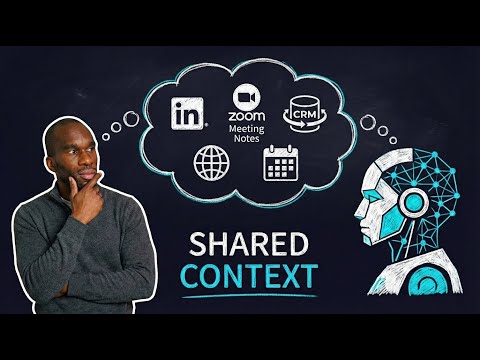
- This "second brain" integrates data from various sources like calendars, meeting notes, CRM systems, and LinkedIn networks to uncover missed opportunities.
Technical Framework Overview
- The speaker discusses using Claude code as an agent rather than just a software development tool, highlighting its versatility for both developers and non-developers.
- Emphasizes the importance of utilizing the core functionalities of Claude code as a central agent in building applications.
Open Source and Setup Instructions
- The open-source nature of the project allows users to set up their agentic framework easily on GitHub with minimal configuration.
- New users are encouraged to seek help during setup; guidance is provided within the system for customization and integration with other tools.
Architecture Details
- Two key files are introduced:
mi.md, which contains personal information about the user, andbusiness.mmd, detailing value propositions and solutions offered by the user's business.
- These markdown files serve as live documents that can be updated regularly based on new insights or changes in business strategy.
Integrations and Data Sources
- Integration with Zoho CRM is highlighted as free access; users can modify schemas according to their specific needs while pulling data from their databases.
- Google Calendar integration allows users to track meetings and manage schedules effectively, enhancing understanding of networking opportunities.
Executive File Management
- The
claude.mdfile acts as an executive summary that orchestrates sub-agents and tools while maintaining minimal context for flexibility in operations.
Integration of Various Tools for Enhanced Productivity
Overview of Tool Integration
- The speaker discusses the integration of various tools, including Google Calendar and Zoho CRM, to streamline workflows. The setup is facilitated through an MCP server that connects these applications.
- Users need to provide their own credentials for accessing the integrated services, emphasizing the importance of personal data management.
Automating Data Collection
- Automation is highlighted as a key method for populating data from Gmail into the system. Users can utilize APIs or no-code solutions like Zapier to automate email handling.
- The speaker shares their experience requesting a data dump from LinkedIn, which includes valuable connections information crucial for networking opportunities.
Utilizing Meeting Notes
- Meeting summaries from platforms like Zoom are suggested as valuable resources. Organizing these notes in a dedicated folder allows agents to analyze patterns and identify potential opportunities across networks.
- The importance of leveraging meeting notes is emphasized; they can reveal insights about connections that may benefit other contacts within one's network.
Leveraging YouTube Insights
- The speaker mentions their YouTube channel as a source of data on audience interests, particularly among businesses. This information can be used to inform strategies and enhance agent capabilities.
Knowledge Base Functionality
- A knowledge base is described as essential for synthesizing raw data into actionable insights. It serves as a repository where patterns and trends can be identified over time.
- The knowledge base should remain immutable regarding CRM records while allowing flexibility in analyzing meeting notes and other inputs.
Data Management Techniques
- The agent's ability to identify common problems or themes across extensive datasets (e.g., yearly meetings) showcases its analytical power in recognizing business challenges.
- Utility features such as state checkpoints help maintain continuity in operations, ensuring smooth transitions between tasks.
Technical Implementation Details
- Scripts are available for ingesting data from Google Calendar and Zoho CRM into an SQLite database, chosen for its lightweight nature suitable for local use.
Advanced Research Capabilities with RLM
- The Recursive Language Model (RLM), previously developed by the speaker, enhances deep research capabilities over long contexts such as multiple years' worth of meeting notes.
- RLM is particularly effective at triangulating opportunities between different datasets (e.g., LinkedIn connections vs. meeting notes).
This structured approach provides clarity on how integrating various digital tools can significantly enhance productivity and networking effectiveness through systematic organization and analysis of information.
Understanding Claude Skills and Integration
Overview of Claude Skills
- Claude skills are designed for executing specific tasks, such as running the RLM search using a Python script to virtualize memory or data.
- These skills also include functionalities for updating knowledge bases and syncing with CRM systems, providing a structured approach to data management.
Getting Started with Claude Code
- Users can type "help" in Claude code to access the project's README, which offers guidance on setting up integrations like CRM or calendar automation.
- The README serves as a resource for customizing tools and automating processes beyond the minimal setup provided initially.
Agents and MCP Servers
- The RLM subcore agent is utilized for deep research, synthesis, and pattern matching across complex contexts, emphasizing its capability in handling extensive data.
- External research agents pull live internet data to provide current context and opportunities that can be leveraged within the network.
CRM Integration
- The Zoho CRM integration allows users to retrieve leads directly into Claude code, storing raw data dumps from source systems for further analysis.
- While private data cannot be shared publicly, users are encouraged to explore the system independently and share their experiences with its functionality.
Scaling Usage Across Teams
- Effective use of Claude code involves scaling it across teams within an organization by creating shared data repositories accessible to all members.
- Understanding how different levels of usage impact productivity can lead to more efficient operations within businesses utilizing this technology.