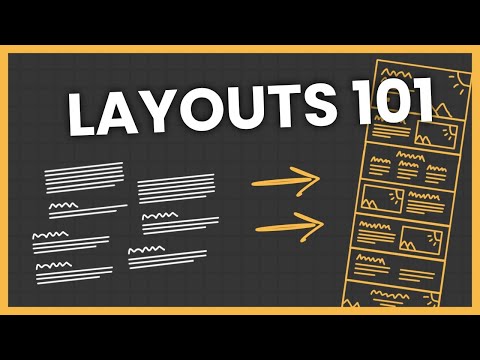
How to Properly Layout A Website (For Beginners)
Designing Website Layouts: Basic Principles and Guidelines
In this section, the speaker discusses the challenges faced when designing a website without a clear starting point and introduces basic principles for creating effective layouts.
Understanding Website Layouts
- Dissecting website layouts into basic principles and rules simplifies the design process.
- Focus on layout fundamentals rather than specific design elements like font pairing or button styles.
- Emphasize that each page consists of rows, with each row representing a distinct idea extracted from the content.
Principles of Effective Layouts
- Highlight the importance of visually distinct rows to enhance user experience and prevent confusion.
- Discuss the significance of using varied background styles for different rows to maintain visual appeal.
Design Considerations for Rows
- Recommend incorporating vertical padding in rows to improve readability and cleanliness.
- Suggest utilizing primary colors from the website's color scheme to create visually appealing sections.
Creating Website Layout Sections
This part focuses on practical application by outlining various layout sections such as hero sections, text columns, call-to-action rows, and more.
Layout Section Examples
- Present examples of layout sections including hero sections, text columns, image rows, and call-to-action segments.
- Introduce a hypothetical scenario where a client provides content for homepage, about page, service page, and contact page layouts.
Homepage Layout Design
In this section, the speaker discusses the process of designing a homepage layout based on content and web design trends to enhance user experience.
Designing the Hero Section
- The hero section is crucial for homepages, featuring a background image, heading, paragraph, and button.
- This layout is recommended for nine out of ten home pages due to its effectiveness in conveying information concisely and attracting clicks.
- Even if specific content for the hero section is not available, it can be created by extracting relevant information like headings, paragraphs, and buttons.
Creating Subsequent Sections
- Dividing content into rows helps in structuring the homepage effectively.
- Identifying sections that can be split into rows facilitates choosing appropriate layouts.
- Utilizing layouts like three-column designs for sets of headings and paragraphs enhances readability and visual appeal.
Enhancing User Experience
- Incorporating images within layouts improves engagement and breaks up text-heavy sections.
- Adding headings to sections aids in providing context and guiding users through content.
- Differentiating rows with background colors enhances visual hierarchy and organization.
About Page Design
The focus shifts to designing an about page with minimal client-provided content while maintaining consistency with the homepage layout.
Structuring Sub Pages
- Sub pages like the about page require a distinct approach to maintain coherence with the overall website design.
- Emphasizing shorter title sections on sub pages compared to the homepage conveys a clear transition for users.
- Summarizing page content in concise paragraphs within title sections aids in providing an overview efficiently.
Call-to-Action Integration
- Including call-to-action sections at strategic points on sub pages enhances user engagement and conversion rates.
Home Page Layout Planning
In this section, the speaker discusses the layout planning for the home page of a website, focusing on structuring content effectively.
Designing the Home Page
- The home page should mirror the about page in terms of title sections.
- Due to a large paragraph of content, opt for a basic two-column text layout instead of an image-text layout.
- Incorporate a heading above both paragraphs to enhance readability and structure.
Service Page Structure
This part delves into designing the service page layout by utilizing full-width image and text layouts for individual services.
Structuring Service Content
- Implement full-width image and text layouts for individual services.
- Alternate layouts to maintain visual interest with three sets of content in the dock.
- Conclude the page with a call-to-action leading to the contact page.
Contact Page Design
The focus here is on creating an impactful contact page design with minimal content.
Crafting Contact Page Elements
- Add a title section and use single-column large text row style due to limited text content.
- Include a contact form at the end for functionality without video importance.
Client Content Adaptation
Discusses adapting client-provided content into effective website layouts by adding necessary elements like headings and calls-to-action.
Adapting Client Content
- Translate client content into effective layouts by introducing elements like hero sections and calls-to-action sentences.
- Web designers often need to enhance provided content with additional structural components for better website effectiveness.
Enhancing Website Layouts
Emphasizes that web designers play a crucial role in expanding upon client-provided content to create compelling website layouts.
Effective Layout Creation
- Enhance client-provided content by strategically adding headings or calls-to-action sentences for improved layout effectiveness.