Lab 9 Part 1
Introduction to the Video Content
Overview of Resources
- The presenter introduces useful websites and playlists that can aid in project development, emphasizing their importance for gathering information.
Understanding ADO.NET
- The discussion shifts to ADO.NET, covering its various modes including connection strings, SQL commands, and comments.
- ADO.NET is described as a bridge between applications and databases, facilitating command execution and data retrieval.
Importance of Learning ADO.NET
- The necessity of understanding foundational concepts like ADO.NET is highlighted for students preparing to enter the job market.
Practical Steps in Project Development
Adding SQL Client Namespace
- Instructions are provided on how to add the SQL client namespace within a project using specific tools.
- The presenter explains selecting Microsoft.Data.SqlClient for installation in the project setup.
Utilizing Connection Strings
- After installing necessary components, users can easily integrate namespaces into C# files by adding relevant lines of code.
Database Connection Fundamentals
Establishing Connections
- The initial step involves connecting to the database using a connection string which contains essential authentication details.
Command Execution Process
- Once connected, users can execute commands against the database; this includes writing queries and handling returned data effectively.
Modes of Database Interaction
Connection Mode vs. Disconnection Mode
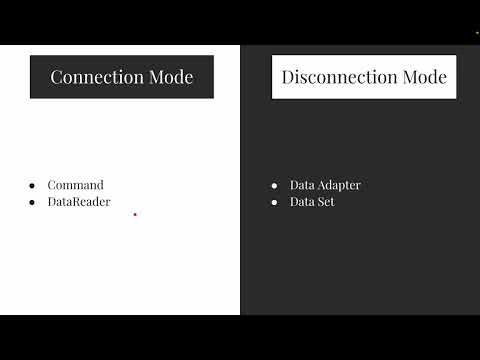
- Two primary modes are discussed: connection mode (real-time interaction with the database), and disconnection mode (working offline with data copies).
Data Adapter Usage
- Data adapters allow modifications on local copies of data before committing changes back to the database upon completion.
Executing Commands in SQL
Types of Command Execution
- Different types of command executions are outlined: executing queries that return tables versus those returning single values or counts.
Error Handling Mechanisms
- Emphasis is placed on implementing try-catch-finally blocks during command execution to manage potential errors gracefully.
Summary of Key Steps
Step-by-Step Command Execution
- To execute any command within an application:
- Connect using a connection string.
- Create an object from SqlConnection.
- Write your query as a string variable.
- Execute commands while ensuring proper error handling through try-catch structures.
Turn any video into a summary like this
YouTube links, meetings, lectures. With transcripts, search, and chat.