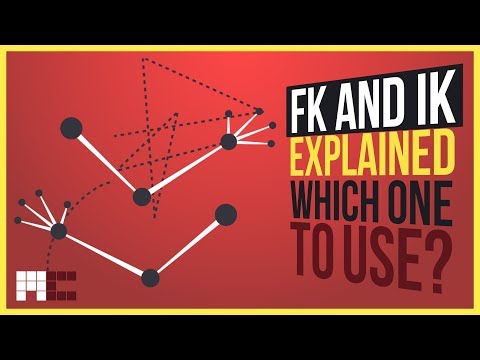
FK and IK Explained - Which One to Use and When?
Introduction to FK and IK
In this section, Miloš Černý introduces the concept of forward kinematics (FK) and inverse kinematics (IK), which are important concepts for animators to understand.
What are FK and IK?
- FK and IK come from robotics, where engineers have to figure out how to move and rotate joints to get the end effector to the position they need.
- FK is when bones are chained from parents to children, so if you rotate a bone, all of its children will rotate as well. This creates arc movements by default.
- With IK, you lose the ability to animate every bone of the chain separately but gain the ability to animate the whole chain just with the end effector. Joints move in line trajectories unless you create an arc manually.
Why are FK and IK important?
- Bone chains rigged with FK create arc movements by default, which is useful because motion in nature usually doesn’t happen in straight lines.
- With IK, joints move in line trajectories unless you create an arc manually. This can be useful when trying to simulate natural movement like reaching for a phone on a table.
How FK and IK work in practice
In this section, Miloš Černý demonstrates how FK and IK work using a character rig named Barry.
Using CAT for FK/IK switching
- Every good character rig should have a way of changing between IK and FK for its limbs. In CAT, limbs have an automatic option for switching between them.
- When fully in FK mode, each bone can be animated separately in a parent/child manner.
- When fully in IK mode, the whole chain can be animated just with the end effector.
Creating an IK target
- In CAT, arms are rigged with FK by default and legs with IK. To create an IK target for an arm, select any of the arm bones and click "Create IKTarget" in the motion panel.
Understanding IK and FK in Animation
In this video, the instructor explains the difference between Inverse Kinematics (IK) and Forward Kinematics (FK) in animation. He demonstrates how to switch between them and when to use each one.
Setting up a pose with IK
- To keep arms steady on the wall, change them from FK to IK.
- Click "Move IKTarget to Palm" button to align the platform to palm.
- Use "Match IK and FK" button for opposite process of matching FK to position of IK platform.
Switching between IK and FK during animation
- Key slider at frame 20 for switching from IK to FK.
- Change value from 0 to 1 gradually over frames.
- Keep legs mostly in IK and arms in FK by default.
- Switch to IK if you want hands or arms somewhere they should stay put.
Conclusion
- Understanding the difference between IK and FK is essential for animators.
- The instructor has started a Patreon account with exclusive content for supporters.